
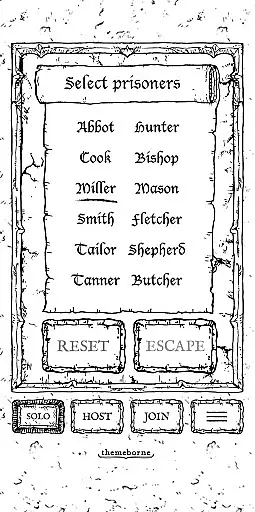
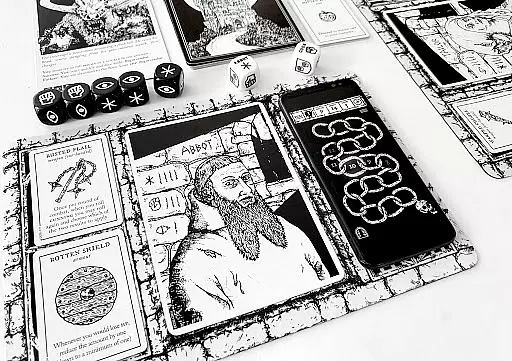
Escape the Dark Castle companion app is an essential tool for players of the Escape the Dark Castle tabletop game. This digital assistant enhances gameplay by providing atmospheric sound and animation that blend seamlessly with the physical components. The app features a range of functionalities including tracking prisoner HP, recording plague levels, managing companions, and accessing digital rules and FAQs. It also offers a connected soundtrack for immersive gameplay. Whether playing solo or in a group, this app ensures maximum atmospheric connectivity through real-time updates and interactions.
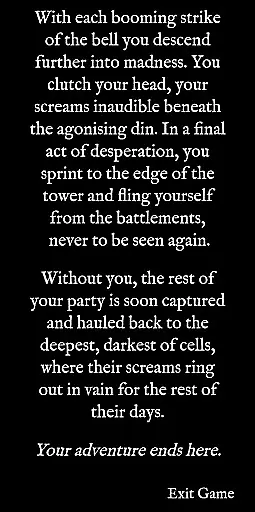
The app supports both single-player and local multiplayer modes, allowing up to four players to join a hosted game using their own devices. Players can pass the virtual 'YOU' token, triggering audio cues on the receiving player's device. Additionally, it includes a free integrated Death Book, which provides contextual death scenes when a prisoner meets their demise. This feature adds narrative depth and closure to each gaming session. With its intuitive interface and engaging design, the Escape the Dark Castle companion app elevates the overall gaming experience.
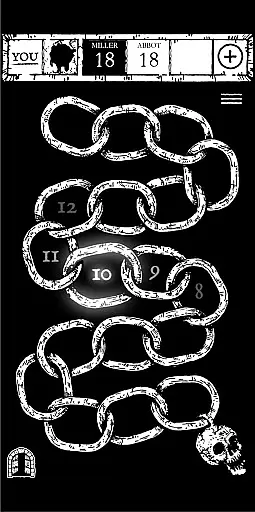
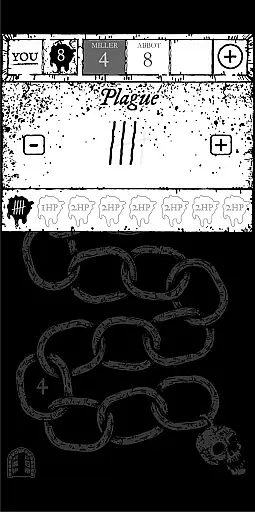
The Escape the Dark Castle companion app boasts several standout features that enhance the tabletop gaming experience. One of its key functionalities is the ability to track prisoner HP using brutal heavyweight shackles that glow and rattle as you adjust your health points. As your prisoner draws closer to death, a tension-building heartbeat increases in speed, adding to the suspense. The app also allows you to record your plague level using tally marks, triggering animations and automatically adjusting HP when thresholds are crossed.
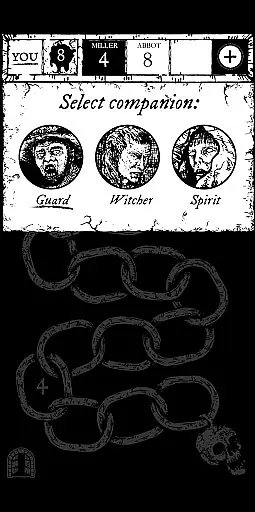
Managing companions is another highlight of the app. When companions enter the game, you can select them via a drop-down menu, adjust their HP, and trigger their special abilities to mirror in-game actions. The app further enriches gameplay with access to digital rules and FAQs, ensuring quick clarifications without the need to sift through the physical rulebook. Additionally, the settings menu provides links to the atmospheric ETDC soundtrack on various music platforms, enhancing immersion with synchronized sound effects.
For multiplayer sessions, the app supports hosting games where up to three other players can join using their own devices. Real-time updates display all players' prisoner names and HP levels, creating a cohesive group experience. Passing the virtual 'YOU' token triggers heavy metallic sounds on the recipient's device, simulating the physical act of passing the token. Lastly, the free integrated Death Book offers contextual death scenes, bringing narrative closure to each story arc.
In the Escape the Dark Castle companion app, rule authenticity and flexibility are paramount to enhancing the tabletop experience. The app meticulously follows the game's established rules while introducing digital convenience. For instance, it uses brutal heavyweight shackles as a visual representation of a prisoner's HP, which players can adjust with a press and drag mechanism. This interactive feature not only adheres to the original game mechanics but also adds an element of tactile engagement.
Moreover, the Plague menu is designed to keep track of the plague level using tally marks, triggering animations that automatically adjust HP when thresholds are crossed. Such features ensure that the rules are respected and offer a dynamic way to manage in-game events. The ability to manage Companions through a drop-down menu further exemplifies this blend of authenticity and flexibility, allowing for real-time updates of their HP and special abilities.
The app also provides access to browser-based searchable digital rules and FAQ, ensuring players can quickly clarify rules without sifting through a physical rulebook. This utility significantly enhances gameplay fluidity and rule adherence, making the overall experience both faithful to the source material and adaptable to player needs.
While primarily a tool for managing player stats and enhancing the atmospheric elements of Escape the Dark Castle, the companion app indirectly influences AI opponent quality by streamlining game management tasks. By delegating these responsibilities to the app, players can focus more on strategy and less on bookkeeping, effectively raising the level of competition.
Although the app does not generate AI opponents, its robust feature set supports a seamless multiplayer experience. Up to four players can join a hosted game using their own devices, displaying all prisoners' names and HP levels in real time. This connectivity ensures that all participants remain engaged and informed, simulating the pressure and presence of formidable opponents.
Additionally, the YOU token feature allows players to pass the virtual turn indicator with a heavy metallic sound effect, reinforcing the sense of urgency and interaction. These elements combine to create a tense and immersive environment where strategic decisions carry significant weight, closely mirroring the challenge posed by high-quality AI opponents.
User-friendly interface
Immersive sound effects
Real-time multiplayer updates
Free Death Book integration
Comprehensive FAQ access
Requires internet connection
Limited to one user per device
No offline mode available
Potential compatibility issues
Contains fast flashing images

Challenge friends in offline 2 player games. Play boxing, fighting, chess, snake
 4.00
4.00
Become a Conqueror, Explorer and Merchant! The race to settle Catan has begun!
2.30
Chose clever, score better!
4.60
The popular roll & write game by Paolo Mori
3.90
Compete to create the most perfect ecosystem in the award-winning board game!
4.90
The Ultimate Chess Experience. For Beginners and Grandmasters!
4.80
Easy and relaxing zen coloring game. Tap to color. Enjoy the coloring time.
4.90
Roll the dice, pass go and win! Play Hasbro's official MONOPOLY mobile game.
4.20
Relax with Classic Mahjong Tile Matching Puzzle Games Offline for Seniors!
4.90
Hit Play! Roll the dice! Play the classic Dice game you know and love!
4.90
Enjoy Mahjong Mingle: Large Tiles and Relaxing Puzzles for Seniors!
4.90
Harvest resources to build a woodland village in a beloved digital board game!
4.90
The Offline Version of Sudoku classic puzzle game without advertisements.
4.80
Control a team of heroes battling evil villains across dynamic environments!
4.70
Celebrate Christmas joy with fun paint by number & happy holiday coloring book!
4.70
Connect matching tiles to clear the board. Memory puzzle game at leisure!
4.70
Joyful color by number & paint by number in this relaxing coloring game!
4.60
The famous Ravensburger board game from star designer Stefan Feld.
4.30
Retro pixel art mahjong solitaire with handcrafted boards and timeless gameplay
4.3


User Reviews