
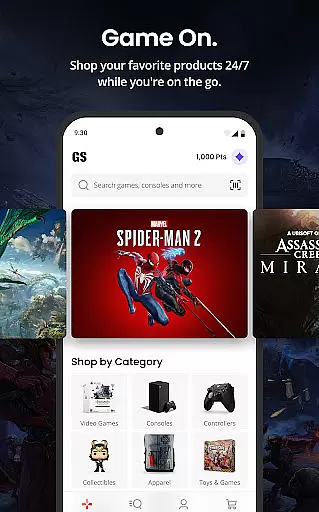
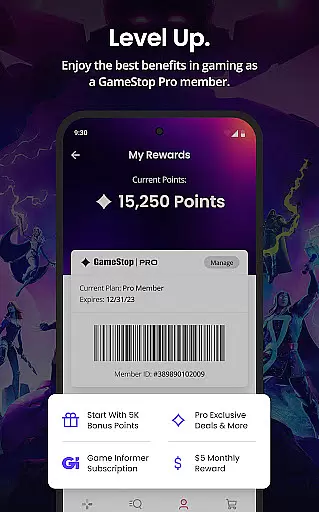
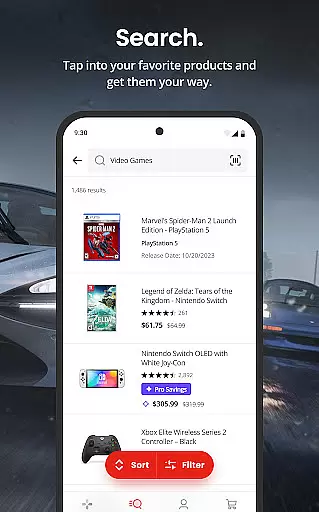

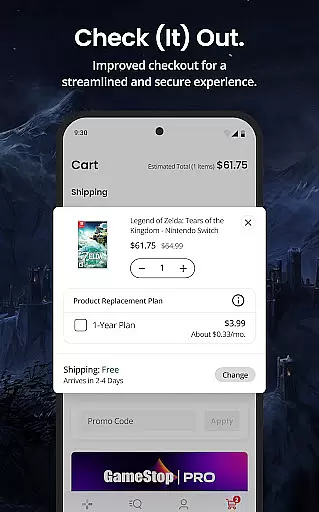

GameStop is a premier shopping app designed specifically for gamers, offering an enhanced and intuitive shopping experience. The app provides users with easy access to a wide range of gaming products, complete with detailed descriptions, ratings, and rich product information. One standout feature is GameStop Pro, a membership program that offers significant value through rewards, exclusive discounts, and special promotions. Whether you're looking to purchase new games or trade in old ones, GameStop ensures a seamless process with multiple delivery options including home delivery, in-store pickup, and same-day delivery for select items. This makes it the ultimate destination for gamers seeking convenience, value, and a tailored shopping experience.
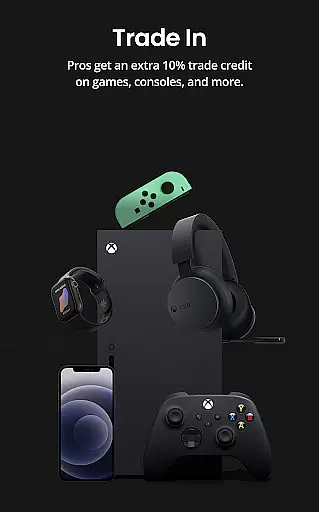
In addition to its robust shopping capabilities, GameStop allows users to sell their used electronics and games for cash or store credit. This feature not only helps gamers declutter but also provides them with extra funds to reinvest in new gaming gear. With real-time order tracking and a comprehensive purchase history, users can stay informed about their transactions at all times. The app's redesign focuses on making the entire shopping journey as smooth and enjoyable as possible, ensuring that every gamer can find exactly what they need with minimal effort.
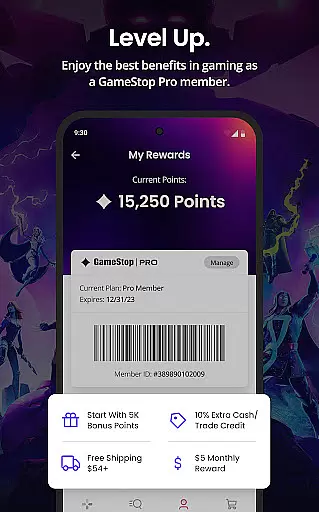
GameStop offers a variety of advanced features tailored to enhance the shopping experience for gamers. The app's search and shop functionality allows users to easily discover top-rated products with comprehensive details, helping them make informed purchasing decisions. The introduction of GameStop Pro adds another layer of value, providing members with monthly rewards, exclusive discounts on pre-owned items, and additional benefits on trades. These perks ensure that frequent shoppers receive continuous value and savings.
Another key feature is the flexible order fulfillment options. Users can choose between home delivery, in-store pickup, or same-day delivery based on their preferences and schedules. This flexibility caters to different lifestyles and ensures timely receipt of purchases. Additionally, the trade-in feature enables gamers to sell their old games and electronics for cash or credit, promoting sustainability and financial savings. Real-time order tracking and detailed purchase histories further enhance user control and transparency, making every interaction with the app efficient and rewarding.
GameStop offers an extensive range of products tailored for gamers, ensuring that every user can find something suited to their interests. The app provides detailed ratings and rich product information, allowing customers to make informed decisions before purchasing.
The shopping experience is enhanced by intuitive search functionalities and well-organized categories, making it easy to navigate through different gaming merchandise. Whether you're looking for new releases or classic games, the app's comprehensive catalog has got you covered.
Moreover, GameStop Pro members enjoy exclusive benefits such as discounts on pre-owned items, collectibles, and digital content. This tiered membership approach not only increases product accessibility but also incentivizes frequent purchases with reward points and special deals.
By offering a diverse selection of gaming products alongside unique member advantages, GameStop ensures that users have a personalized and satisfying shopping journey right at their fingertips.
One of GameStop's standout features is its commitment to pricing transparency, clearly outlining the costs associated with each product. Users can easily compare prices and understand the value they are receiving, which builds trust and enhances the overall shopping experience.
Additionally, GameStop Pro members receive significant financial incentives, including 2% back in rewards and 5% extra off on various products. These competitive pricing strategies ensure that customers feel they are getting the best deal possible, encouraging loyalty and repeat business.
The app also supports flexible delivery methods, enabling users to choose options that best fit their budget and schedule. Whether opting for in-store pickup or same-day delivery, customers remain informed about shipping fees and timelines, further promoting cost clarity.
Overall, GameStop combines transparent pricing with attractive membership perks to create a competitive edge in the gaming retail market, providing users with both value and convenience.
User-friendly interface
Comprehensive product details
Flexible delivery options
Valuable loyalty program
Trade-in opportunities
Limited international availability
Occasional app glitches
Membership fees required
Higher prices for new releases
Dependent on physical stores

Measure your PD and try on frames virtually | Gift yourself the perfect pair!
 4.80
4.80
Save with Coupons and Promotions
4.90
Live Auctions, Savings, and Always Free Shipping! Trusted Since 2008.
4.60
LOCATE A LOVE'S TRAVEL STOP AND GET DRIVING DIRECTIONS
3.60
Shop online premium refurbished electronics & trade in your old device for cash.
4.70
Easily split payments online & in-store. Buy now & pay later with Zip.
4.80
Furniture, Décor & Design Tips
4.80
Save money on groceries & more. Choose delivery, pickup or Scan & Go shopping!
4.80
Flexible payments, big savings
4.80
Shop home goods, vintage treasures, art prints & more with Etsy. Download today!
4.80
ALDI is your home for low prices on high-quality groceries and products.
4.70
Offering great hardware products.
4.70
Earn cash back and rewards from games, surveys, receipts and more
4.70
Trendy Athleisure Wear. Affordable Skirts, Leggings, Functional & All Sizes!
4.60
Find the hottest deals before they disappear!
4.60
One app for easy journeys.
4.60
Buy shoes, apparel, and luxury items. Shop and discover the latest sneakers!
4.40
Shop clothes, shoes, bedding, home & more. Save with exclusive deals & rewards!
4.20
Buy now, pay later with flexible payments made to fit your budget.
4.00


User Reviews