

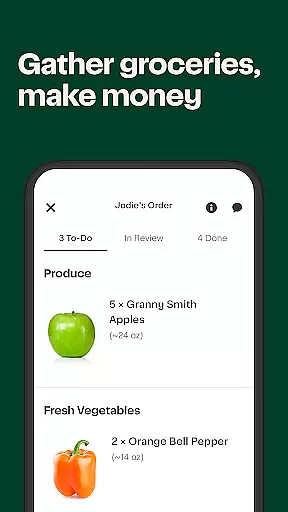
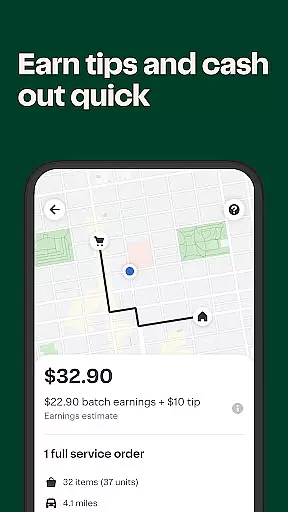
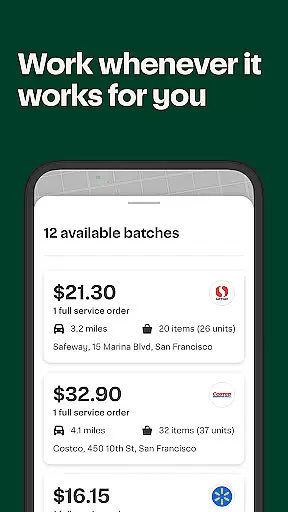
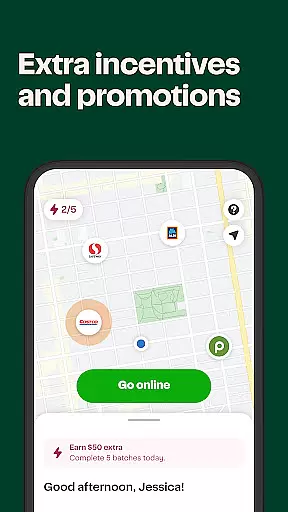
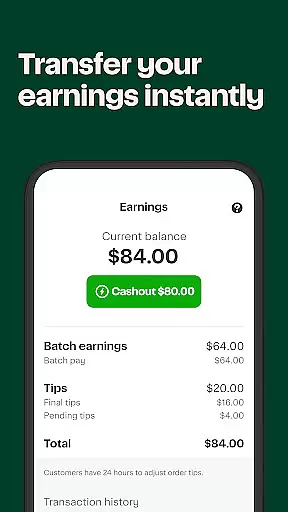
Instacart Shopper is a unique shopping application that allows users to earn money by grocery shopping for others. The app connects shoppers with customers who need assistance in getting their groceries, providing an essential service to the community while offering flexible earning opportunities. Shoppers can choose their orders, work at their convenience, and get paid quickly, often within hours of completing a delivery. This platform not only benefits those in need of grocery assistance but also empowers individuals looking to make extra income on their terms.
The app's core functionality revolves around connecting shoppers with nearby grocery orders. Users can browse available orders, select the ones that suit them best, and fulfill these orders at their convenience. Instacart Shopper partners with thousands of stores across numerous cities, making it a versatile tool for anyone interested in part-time or full-time gig work. Whether helping seniors, small businesses, or busy families, this app plays a crucial role in supporting local communities.
Instacart Shopper offers several standout features that set it apart from other gig economy apps. One of its key features is the flexibility it provides to users. Shoppers have complete control over their schedules and can choose which orders to accept based on their preferences and availability. This level of autonomy is rare in the gig economy and makes Instacart Shopper particularly appealing to those seeking work-life balance.
Another notable feature is the app's fast payment system. Shoppers keep 100% of customer tips and can cash out as soon as two hours after completing a delivery. This quick turnaround time ensures that users have immediate access to their earnings, enhancing the overall user experience. Additionally, the app's extensive network of over 80,000 stores in more than 14,000 cities and towns across the U.S and Canada provides ample opportunities for shoppers to find work wherever they are located.
Instacart Shopper offers an extensive range of products, ensuring that shoppers can find exactly what they need for their customers. With partnerships in over 80,000 stores across the U.S and Canada, the app provides access to a wide array of grocery items, from fresh produce to household essentials.
The app's interface is designed to make shopping as efficient as possible. Shoppers can easily navigate through well-organized categories, which simplifies the process of locating specific items. This categorization not only saves time but also enhances the overall shopping experience by making it more intuitive and user-friendly.
For those looking to maximize their earning potential, the variety and categorization of products mean more opportunities to take on orders that suit their preferences and schedules. Whether focusing on organic goods, specialty items, or everyday groceries, Instacart Shopper caters to diverse shopping needs.
Ultimately, the comprehensive product selection empowers shoppers to serve their communities better. By providing everything from basic necessities to unique finds, Instacart Shopper ensures that users can meet the varied demands of their local customers effectively.
One of the standout features of Instacart Shopper is its commitment to pricing transparency and competitiveness. The app clearly displays prices for all items, allowing shoppers to make informed decisions about the orders they choose to fulfill. This openness helps build trust between shoppers and customers, enhancing the overall service quality.
In addition to transparent pricing, Instacart Shopper enables shoppers to retain 100% of customer tips, adding a significant boost to their earnings. This policy not only incentivizes high-quality service but also ensures that hardworking individuals are fairly compensated for their efforts.
The competitive nature of the pricing structure means that shoppers can often find deals and discounts that benefit both them and the customers they shop for. This dynamic creates a win-win situation where shoppers can offer value while still earning a respectable income.
Furthermore, the ability to cash out in as little as two hours after a delivery adds another layer of financial flexibility. This rapid payment system underscores Instacart Shopper's dedication to supporting its users' financial well-being, making it an attractive option for those seeking flexible, lucrative work opportunities.
User-friendly interface
Flexible working hours
Quick payment processing
Wide range of order options
Community-focused mission
Limited to grocery shopping
Potential for low-paying orders
Dependent on customer tips
Requires reliable transportation
No guaranteed income

Stop overpaying. Grab coupons & deals for Walmart, Target, Amazon & more.
 4.80
4.80
Live Auctions, Savings, and Always Free Shipping! Trusted Since 2008.
4.60
Headwear & Apparel
4.70
Shop stores, delivery & pickup
4.80
Shop, Save and Earn | Social Shopping & Savings Deals | Real Money Payouts
4.20
Pay Over Time with No Interest¹
4.60
Access free, exclusive savings on the go thanks to Capital One Shopping!
4.70
Furniture, Décor & Design Tips
4.80
Tech that takes the season from good to greatness. Shop deals on gifts and more
4.70
Save money on groceries & more. Choose delivery, pickup or Scan & Go shopping!
4.80
Shop shoes, sneakers, activewear, and clothes from the adidas shopping app
4.80
Unlock the latest from Nike & Jordan. Shop sneakers & apparel for all athletes.
4.70
The Costco Mobile App is the easiest way to save time and money on the go.
4.70
Save up to 70% on the things you need every day
4.40
Buy & sell local items. Find amazing deals. Join the largest mobile marketplace!
4.40
Shop. Earn. Redeem. Repeat!
4.30
Shop clothes, shoes, bedding, home & more. Save with exclusive deals & rewards!
4.20
TikTok Shop is an integrated e-commerce platform within the TikTok app, allowing users to discover and purchase products directly through short videos and live streams.
4.10
Shop and save from anywhere.
3.60


User Reviews