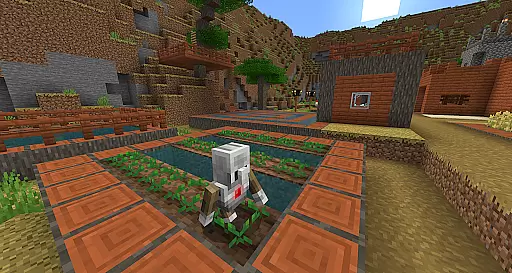
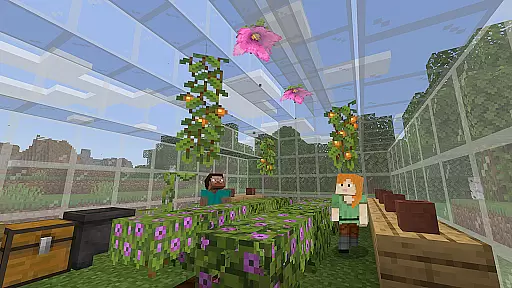
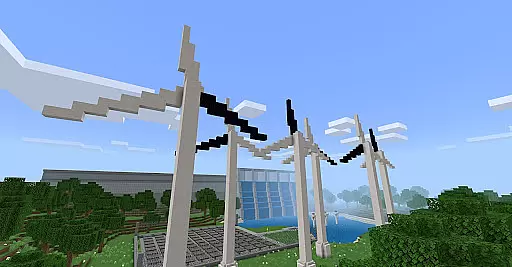
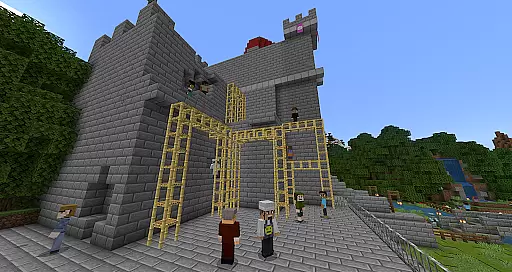
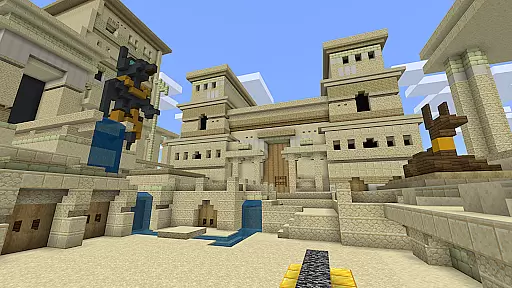
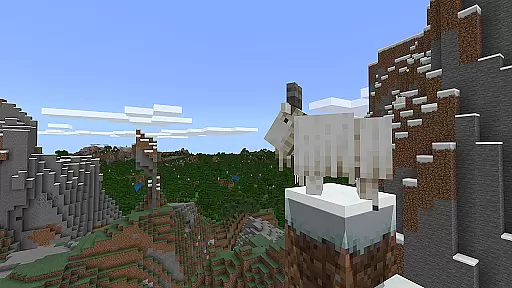
Minecraft Education is a game-based learning platform designed to inspire creative and inclusive education through interactive play. This educational tool allows students and educators to explore blocky worlds that provide innovative ways to tackle various subjects, from reading and math to history and coding.
The app offers hundreds of ready-to-teach lessons and open-world environments tailored for different types of learners. It helps develop essential skills such as problem-solving, collaboration, digital citizenship, and critical thinking, preparing students for future success. With partnerships including BBC Earth, NASA, and the Nobel Peace Center, Minecraft Education provides culturally relevant content that sparks interest in STEM fields.
Minecraft Education boasts several key features that enhance its educational value. The multiplayer mode enables seamless collaboration across different platforms, devices, and hybrid learning environments, promoting teamwork and communication.
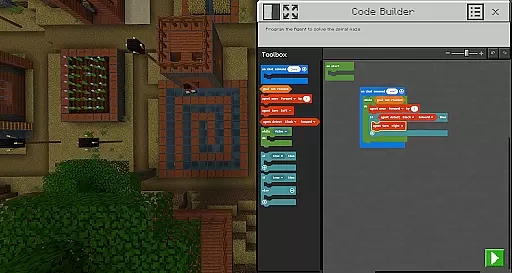
One standout feature is Code Builder, which supports block-based coding along with JavaScript and Python, offering an intuitive interface for in-game execution. Additionally, Immersive Reader assists players in reading and translating text, making the content accessible to a broader audience. Tools like the Camera and Book & Quill allow users to document and export their in-game creations, while integration with Microsoft Teams and Flipgrid facilitates assessment and teacher controls.
These features collectively create an engaging and effective learning experience that combines fun with academic rigor.
Minecraft Education stands out for its commitment to content accuracy and authority, ensuring that the educational material provided is both reliable and credible. The platform collaborates with renowned organizations such as BBC Earth, NASA, and the Nobel Peace Center to create immersive learning experiences that are grounded in real-world topics and culturally relevant lessons.
Each lesson and curriculum offered through Minecraft Education is designed by educational experts to align with academic standards, making it suitable for all types of learners. This meticulous attention to detail guarantees that students engage with high-quality content that supports their educational journey across subjects like reading, math, history, and coding.
The inclusion of features such as Immersive Reader further enhances the authority of content by assisting players in reading and translating text, thus catering to diverse learning needs. By integrating tools that support accessibility and comprehension, Minecraft Education ensures that every learner can benefit from its authoritative content regardless of their individual learning challenges.
One of the core strengths of Minecraft Education is its ability to offer personalized learning paths that cater to the unique needs of each student. With hundreds of ready-to-teach lessons, creative challenges, and open worlds available, educators can tailor the learning experience to match the interests and academic level of their students.
The platform's flexibility allows teachers to choose from a variety of pre-designed lessons covering different subjects or create their own custom content within the game. This adaptability ensures that whether a student is interested in exploring historical events, practicing mathematical concepts, or engaging in creative storytelling, there is a personalized path available to suit their learning style.
Moreover, Minecraft Educationu2019s support for block-based coding, JavaScript, and Python through Code Builder enables students to advance at their own pace in programming skills. By providing an environment where learners can experiment, collaborate, and build projects that resonate with their personal interests, Minecraft Education fosters an engaging and effective personalized learning journey.
Engaging gameplay
Innovative learning
STEM-focused
Collaboration tools
Creative freedom
Subscription required
Complex setup
Limited free resources
Device compatibility
Learning curve

Learn math, step-by-step
 4.30
4.30
Dinosaurs coloring book game. Drawing and painting dinos.
4.50
The Only Official DVSA Theory Test Kit App
4.50
A must-have app for mastering Japanese verb/adjective conjugations.
3.60
Hasbro's Classic Board Game - Make Cavity Sam better or get the buzzer!
3.50
Enrich the experience of your visit to the Pantheon with our audiotour.
1.60
Visit Daniel's house & make believe. Play doctor, make music, & feed fish.
3.20
A fast and fun way to learn guitar - works with any guitar.
4.60
Courses, certificates, degrees
4.50
An interactive enhancement of the Sesame Street classic.
4.50
The Fighter Verses Bible memory system helps you memorize God's Word.
4.50
A magical world of fun, building, and learning with Mickey Mouse and more!
4.20
Watch and Play Elmo's World!
4.00
An aviator’s preparation, study and test tool for FAA Knowledge Exams.
4.00
An animated storybook app to help ease your child through toilet training.
3.70
Make your own game and world. Draw and animate characters
3.70
Study the questions most likely to be asked during the Oral & Practical Exams.
2.80
Your best partner for learning Japanese words. Based on a best-selling textbook.
2.80
A collection of favorite stories from Daniel Tiger's Neighborhood
2.00


User Reviews