
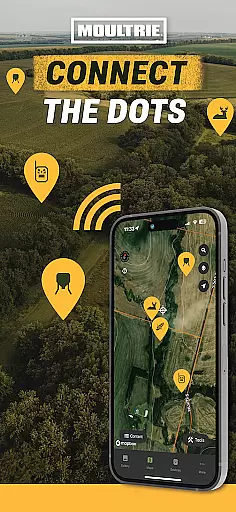
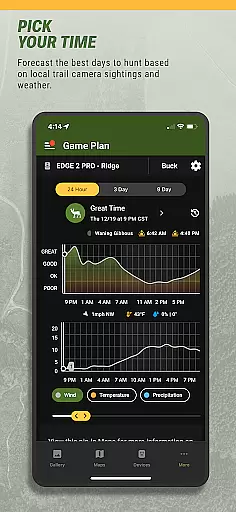
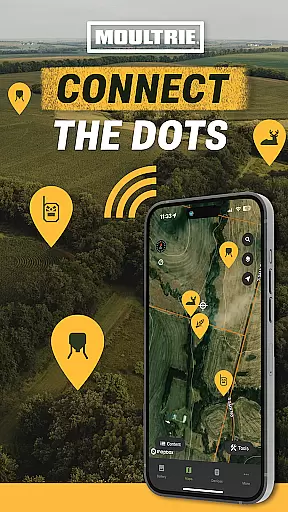
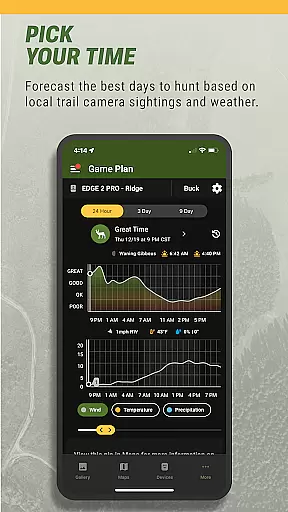
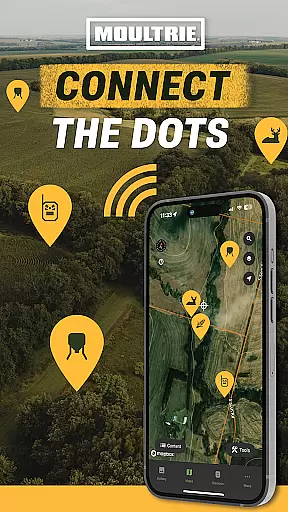
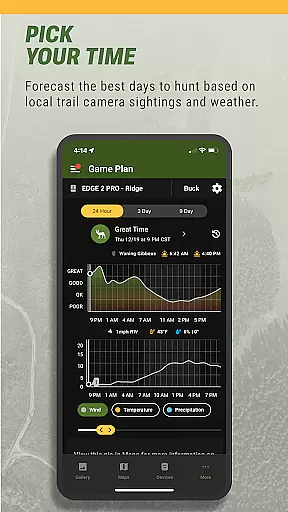
Moultrie is a premier hunting app designed to enhance the hunting experience through advanced technology and data-driven tools. Trusted by hunters since 1979, Moultrie offers a connected hunting ecosystem that goes beyond simple trail camera management. The app serves as a comprehensive hunt planning tool, providing features like interactive maps, photo organization, smart image tagging, activity charts, and weather forecasts.
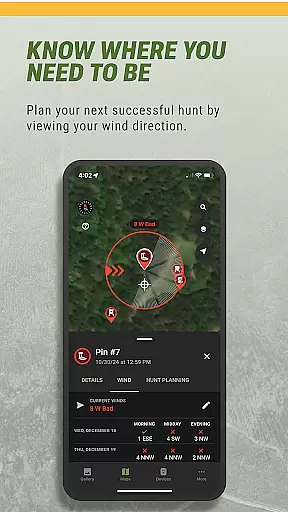
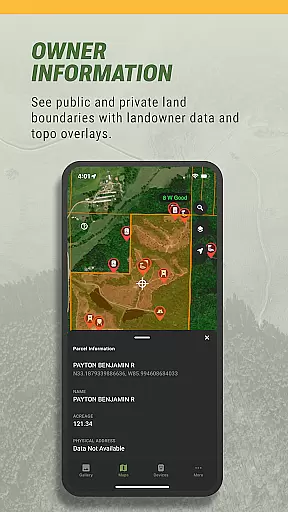
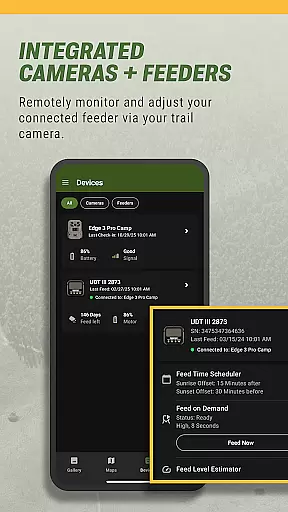
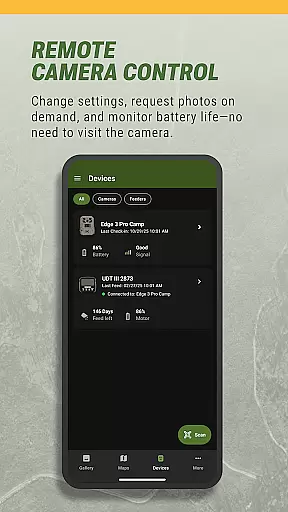
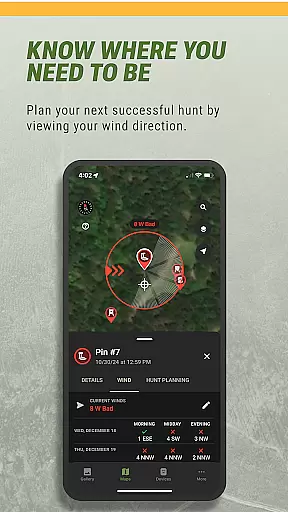
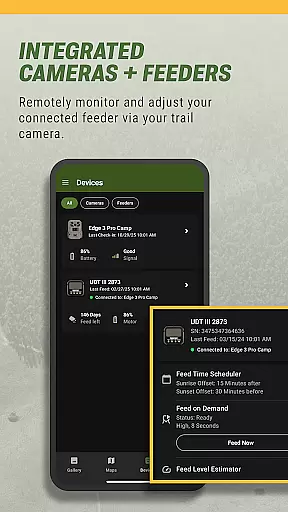
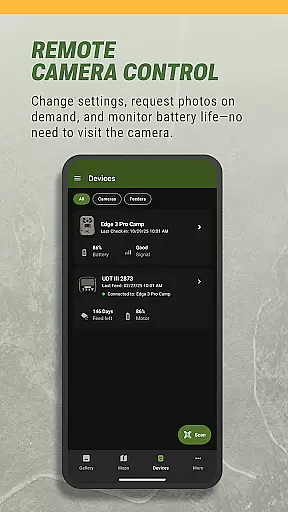
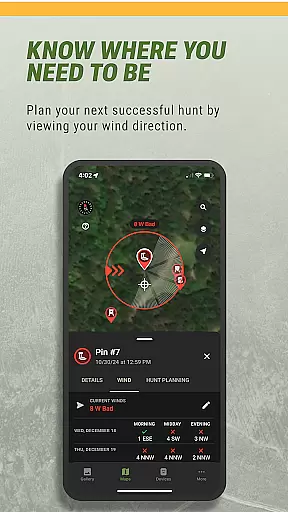
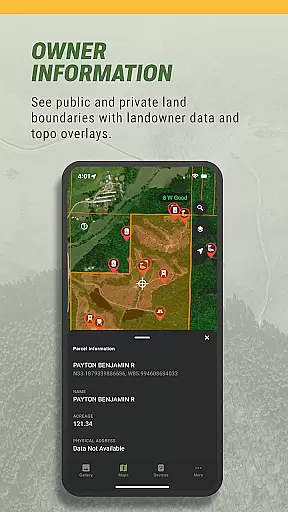
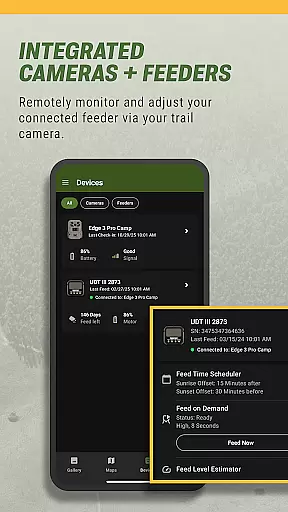
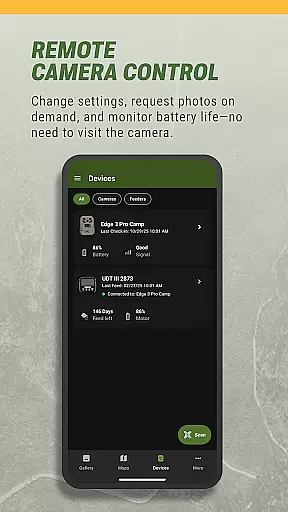
With capabilities to control Moultrie's connected devices remotely, users can manage cellular trail cameras and feeders from anywhere. This includes receiving instant notifications for new images, requesting on-demand photos, and monitoring power status. Advanced hunt planning tools further elevate the experience with topo overlays, property lines, ideal wind forecasts, and deer movement predictions.
Whether you're a seasoned hunter or just starting out, Moultrie ensures you're always connected to the hunt, helping you make smarter decisions in the field and maximize your time outdoors.
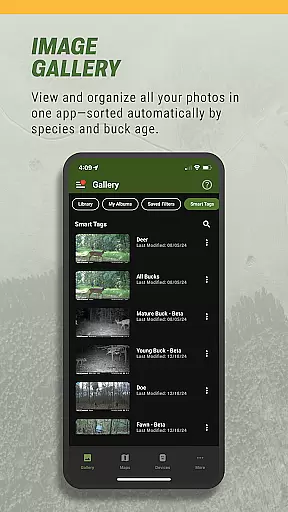
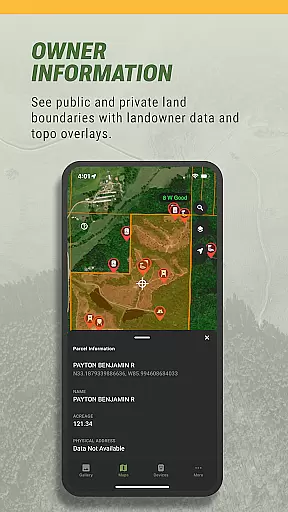
Moultrie stands out with its robust set of features tailored specifically for hunters. One of the key highlights is the ability to plan your hunt using interactive maps with satellite and terrain views. Hunters can drop pins for stands and food plots, ensuring strategic positioning. The Photo Library allows users to view and manage all their trail camera photos in one place, organizing them by albums and marking favorites for easy access.
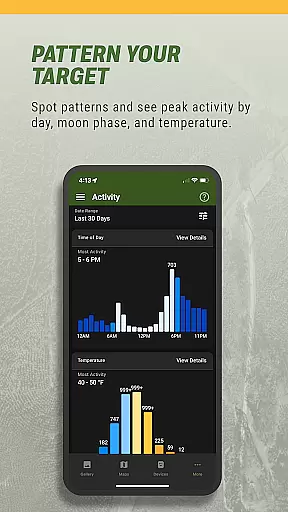
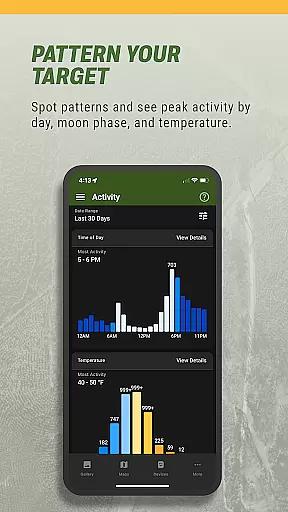
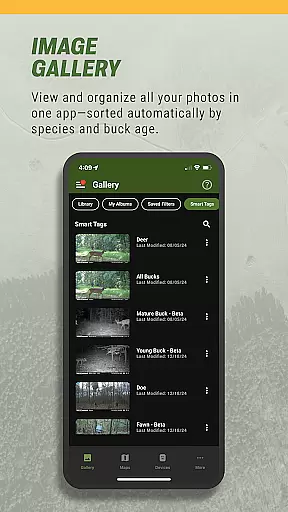
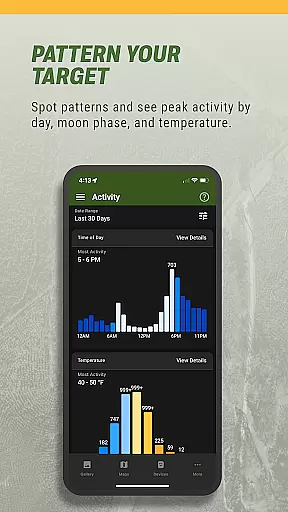
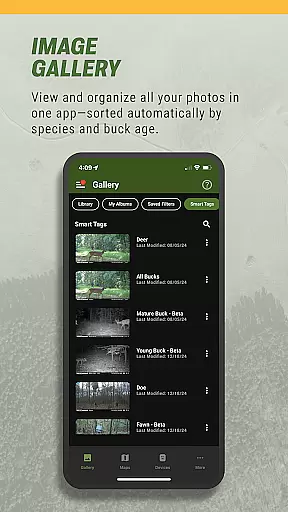
The Image Intel feature uses Smart Tags to automatically identify and categorize images, sorting bucks, does, turkeys, and more, even by age. Activity Charts provide valuable insights into animal patterns based on time of day, moon phase, and temperature, aiding in predicting optimal hunting times. Shared Galleries enable collaboration by allowing friends and family to share images from common properties or leases.
For those managing Moultrie connected devices, the app offers remote control over cellular trail cameras and feeders. Users can check feed levels, adjust schedules, and monitor battery life. Advanced tools include topo overlays, property lines, wind forecasts, and deer movement predictions, making Moultrie an indispensable tool for modern hunters.
The Moultrie App brings a new level of realism to the hunting experience through its advanced technological integration. The app's ability to manage connected devices like cellular trail cameras and feeders adds a layer of authenticity that is unprecedented in the hunting world. Hunters can remotely control these devices, receive instant notifications for new images or videos, and even adjust settings from anywhere.
One of the standout features contributing to gameplay realism is the Image Intel functionality. This feature uses smart tags to automatically identify and organize images, categorizing them by bucks, does, turkeys, and more. It even sorts bucks by age, providing users with an incredibly detailed and realistic scouting experience. Such precision in image management mirrors real-world hunting scenarios, allowing hunters to make data-driven decisions.
Additionally, the app offers Activity Charts that display sightings by time of day, moon phase, and temperature. This analytical approach helps hunters spot patterns and understand animal behavior, enhancing their strategic planning. By simulating real-life conditions and variables, the Moultrie App ensures that users are not just passively viewing trail cam photos but are actively engaged in a realistic, data-enriched hunting simulation.
The Moultrie App excels in providing an intuitive control scheme that simplifies the complex task of managing hunting equipment and planning hunts. With its user-friendly interface, hunters can easily navigate through various features such as Interactive Maps, Photo Library, and Weather Forecasts without any steep learning curve. The appu2019s design prioritizes ease of use, ensuring that even those new to technology can efficiently utilize its powerful tools.
Interactive Maps allow users to plan their approach using satellite and terrain views, with simple actions like dropping pins for stands and food plots. This straightforward method of interaction makes it easy to visualize and strategize hunts effectively. Similarly, the Photo Library organizes all trail camera photos in one place, letting users browse, mark favorites, and manage albums effortlessly.
Moreover, the app includes advanced hunt planning tools under Hunt Planning Plus, which maintain the same level of intuitiveness. Features like Topo + Property Lines and Ideal Wind Forecast offer sophisticated functionalities but remain accessible through clear visualizations and logical workflows. Overall, the Moultrie App ensures that its comprehensive suite of tools is within reach for hunters of all tech-savviness levels, enhancing both convenience and effectiveness in the field.
User-friendly interface
Comprehensive hunt planning
Remote device management
Smart image tagging
Real-time weather updates
Premium features require subscription
Limited to Moultrie devices
Occasional connectivity issues
Steep learning curve
High battery consumption

Score stunning goals and outsmart defenders on your path to football glory!
 4.40
4.40
Online app with multiple arenas! Live PvP multiplayer grand slam sports league.
4.60
Try your hand at managing an auto racing team!
4.30
Trampoline backflips, frontflips & trick stunts! Ultimate adrenaline rush!
4.60
Old-School Football
4.40
Raise your duckling into a champion racer in this addictive pet & adventure game
3.90
Pixel Cup Soccer is a retro-style arcade game, just the fun part of soccer!
4.00
Solunar Fishing Times by Fishingreminder.com
4.80
Mika Football App, Live scores, news, match insights & player info!
4.20
Real-time 1v1 basketball game! Dunk, shoot & win like MVP basketball superstars!
4.70
Vertical billiards game with single player
4.60
Sports app that presents matches' details from the most important championships.
4.50
Join over 10,000,000 people in the only official PBA bowling game!
4.40
The classic Backyard Football 1999 is now enhanced to run on modern systems!
4.40
Advanced Shotgun Shooting Simulator: Skeet, Trap, Sporting and Bird Hunting
4.20
Realistic golf, real courses
4.10
Recruit and train players to form a winning team!
4.10
Exploring Football from a Unique Perspective
4.10
Golfing in an Endless Desert
4.10


User Reviews