
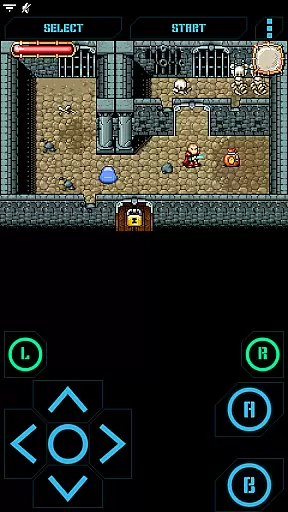
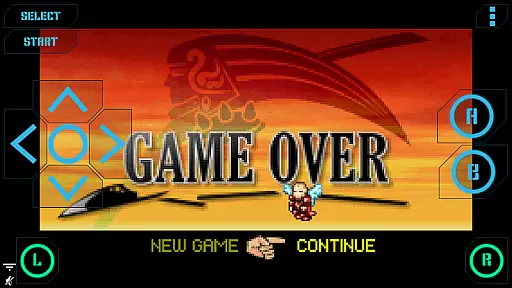
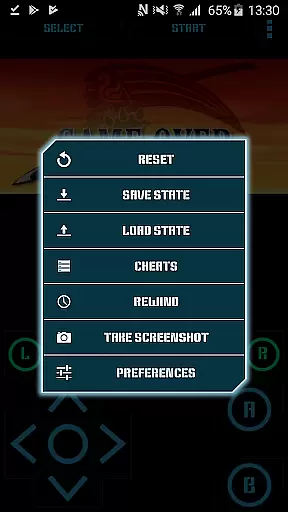
Nostalgia.GBA Pro is a premium Game Boy Advance emulator that brings your favorite retro games to modern devices. Built on the robust mGBA core, it delivers exceptional performance with hardware-accelerated graphics and 44100 Hz stereo sound.
The app features an intuitive interface with fully customizable controls, multiple save states with screenshots, and innovative rewinding functionality. Supporting both GBA ROMs and ZIP files, it offers seamless gameplay experiences for classic gaming enthusiasts who want to relive their favorite titles on contemporary devices.
This advanced emulator stands out with its comprehensive feature set tailored for optimal user experience. The virtual controller allows precise customization of button size and position, while the Wi-Fi controller mode enables unique multiplayer options.
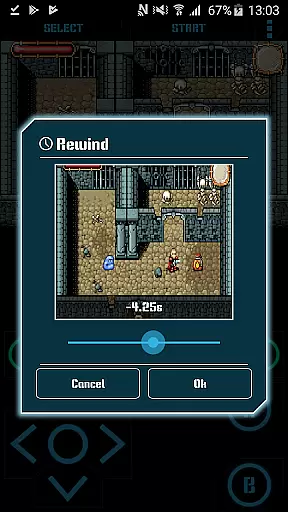
Gameplay enhancements include turbo buttons, rewind functionality, and sophisticated cheat code support. Users can capture screenshots during gameplay and share save states across devices via various methods. With support for HID Bluetooth gamepads and hardware keyboards, Nostalgia.GBA Pro provides versatile control options for different play styles.
Arcade authenticity is a crucial aspect of any gaming emulator, and Nostalgia.GBA Pro excels in this area. This app is designed to recreate the classic Game Boy Advance experience with remarkable attention to detail.
The emulator's foundation on mGBA ensures high-quality emulation that stays true to the original hardware. It supports both GBA and ZIP file formats, allowing users to play their favorite retro games just as they remember them.
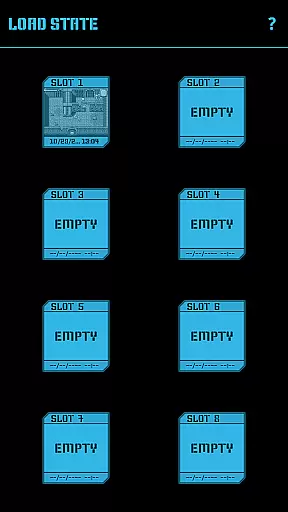
What sets Nostalgia.GBA apart is its comprehensive feature set that enhances nostalgia while maintaining authenticity. The app includes an 8-slot manual save system with screenshots, plus an autosave function that lets players pick up right where they left off without compromising the original game experience.
Users benefit from the app's ability to share save states across devices via various methods like Bluetooth or email. This functionality, combined with support for special cheat codes, creates a perfect blend of authentic gameplay and modern convenience.
Control responsiveness is vital for an optimal gaming experience, and Nostalgia.GBA Pro delivers exceptional performance in this aspect. The app features a highly customizable virtual controller that adapts to each user's unique playstyle.
Players can adjust the size and position of every button on the virtual controller, ensuring precise and comfortable control during gameplay sessions. This level of customization is particularly beneficial for arcade-style games that require quick reflexes and accurate inputs.
The emulator supports various input methods including hardware keyboard and HID bluetooth gamepads like MOGA and 8bitdo controllers. This versatility guarantees responsive controls regardless of the chosen input device.
Additionally, the inclusion of turbo buttons and combined A+B button options enhances the control experience. These features, coupled with hardware-accelerated graphics using OpenGL ES and 44100 Hz stereo sound, create a seamless and responsive gaming environment that captures the essence of arcade-style play.
High-quality emulation
Customizable controls
Save state sharing
Rewind feature
Ad-free experience
No games included
Separate lite version
Premium price
Complex setup
ROM management

Monster Run its a game for relax.
 4.0
4.0
Nostalgia.GBC is a high quality GBC emulator.
4.50
Join the art challenge: Guess the word and draw fast before the timer runs out!
4.20
Payback 2 includes everything from tank battles to high speed helicopter races!
4.50
Cool car builder & racing simulator: make a car to win the obstacle course race!
4.60
Protect the balloon! Only 1% of players can reach lvl 100 with all the balloons!
3.70
Jump and fly your way through danger in this rythm-based action platformer!
4.50
Save the galaxy from alien shooter in classic galaxy shooter-classic arcade game
4.80
Thoughtful strategy and tactical thinking are required to win each battle!
4.30
Local offline 2 3 4 player multiplayer minigames - race, tanks, football
4.60
Play, Craft and Share your Endless Runner Levels on Kooply Run: Subway Craft
4.50
Premium version. Save the galaxy from alien shooter in this classic game
4.50
Relax and catch fish for your aquarium while earning rewards in these tank games
4.40
Granny keeps you locked in her house.
4.30
Mine & Craft Block Mini World! Survival Crafting and Building & Creative Online.
4.30
Collect layers in running game & build the biggest slinky toy to beat the giant!
4.30
This app is a very fast emulator
3.40
Machine Gun Fire Rumbles in the Jungle
4.5
A fluid, action-packed arcade space shootout!
4.0


User Reviews