
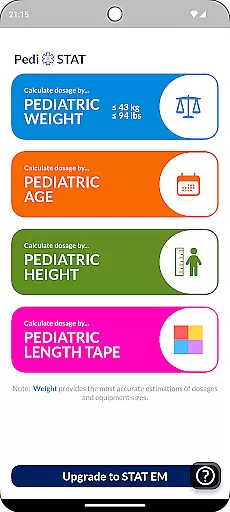
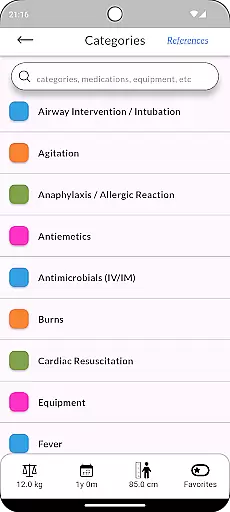
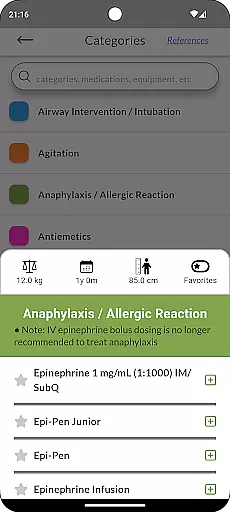
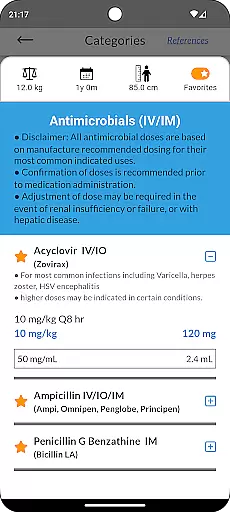
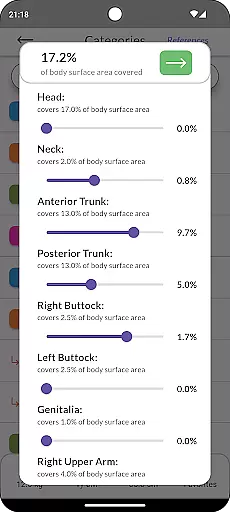
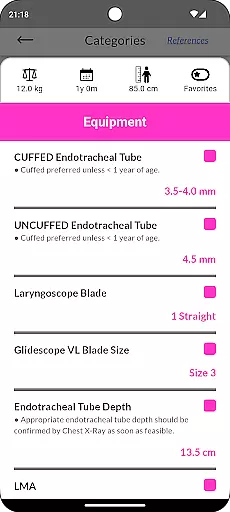
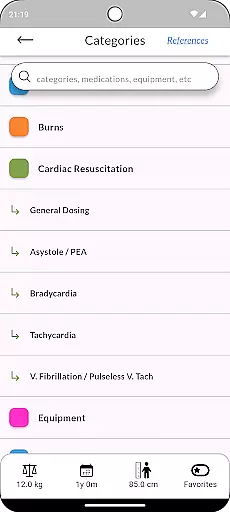
Pedi-STAT is an essential rapid reference application designed for healthcare professionals who care for pediatric patients in emergency or critical care environments. This includes RNs, paramedics, physicians, and other medical staff. The app provides quick access to vital information needed for airway interventions, cardiac resuscitation, seizure management, hypoglycemia treatment, and more.
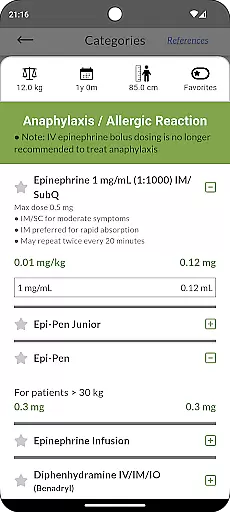
One of the key features of Pedi-STAT is its ability to calculate weight-based and age-specific medication dosages, equipment sizes, and ventilator settings with just a few taps. Users can enter known variables such as age, date-of-birth, weight, length, or height, and receive instant results. This minimizes the risk of medical errors and allows providers to focus more on patient care rather than searching through textbooks or references.
The app serves as a critical companion for any physician, nurse, paramedic, or medical trainee involved in the care of critically ill pediatric patients. By providing accurate data rapidly, it ensures that healthcare professionals can make informed decisions quickly, improving patient outcomes in emergent situations.
Pedi-STAT offers a comprehensive set of features tailored to meet the needs of healthcare professionals in critical care scenarios. It includes detailed information on airway interventions, such as endotracheal tube sizes, intubation medication dosages, ventilator settings, and sedation protocols. Additionally, it provides cardiac resuscitation data, including weight-specific dosages for resuscitation medications, cardioversion, and defibrillation.
The app also gives users access to age and weight-specific pediatric equipment recommendations, including foley catheters, airway management tools, chest and NG tubes, peripheral and central line sizes, and more. Other notable features include seizure medication dosages, hypoglycemia management guidelines, normal vital signs by age, procedural sedation dosages, pain management medications, and treatment protocols for allergic reactions and anaphylaxis.
All these features are accessible within seconds, allowing healthcare providers to retrieve necessary information without delay. Developed by an Emergency Physician, Pedi-STAT reduces reliance on memory or cumbersome textbooks, ensuring accurate and fast access to crucial pediatric care data.
In the medical field, the accuracy and reliability of information are crucial for patient safety. Pedi-STAT exemplifies this by providing healthcare professionals with credible pediatric emergency data curated by an Emergency Physician. This ensures that all dosages, equipment sizes, and procedural guidelines adhere to current medical standards.
The app's content undergoes rigorous expert review, minimizing the risk of medical errors during critical moments. By consolidating essential references into an accessible digital format, Pedi-STAT eliminates the need to consult cumbersome textbooks or rely on memory in high-pressure environments.
Users benefit from instant access to weight-based and age-specific medication dosages, reducing calculation errors and allowing more time for direct patient care. The inclusion of various pediatric interventionsu2014from airway management to seizure medicationsu2014demonstrates the depth and breadth of its medical content.
This level of credibility and expert validation makes Pedi-STAT a trusted resource for physicians, nurses, paramedics, and other healthcare providers working in pediatric emergency settings.
While Pedi-STAT does not provide live teleconsultation services, it significantly enhances the quality of remote consultations through its comprehensive reference materials. Healthcare professionals can quickly access accurate pediatric data, which is vital when advising on treatment protocols over telecommunication platforms.
The app's ability to calculate necessary information based on minimal known variables such as age, weight, or height ensures that even in situations where complete patient history isn't available, appropriate medical decisions can be made. This feature is particularly useful during teleconsultations where immediate physical assessment might not be possible.
By offering rapid access to critical information, Pedi-STAT allows healthcare providers to focus more on patient interaction rather than searching for data. This streamlined workflow contributes to better-quality virtual consultations and improved patient outcomes.
Although not a direct telemedicine tool, Pedi-STAT's reliable medical content indirectly supports higher standards in teleconsultation practices within pediatric emergency care.
Quick access to critical info
User-friendly interface
Comprehensive medical content
Minimizes medical errors
Instant calculations
Limited to pediatric use
No offline functionality
Requires device space
Subscription fees apply
Learning curve for new users

Live vet support by text/video
 4.80
4.80
A rapid reference for prehospital providers caring for pediatric patients.
4.0
Conveniently receive lab results, schedule lab appointment and pay your bills
3.70
Easy access to benefits and rewards
3.70
Search by insurance, see real-time openings & verified reviews, get care fast.
4.80
Pelvic Floor Muscle Exercises
4.80
Access health information and communicate with your care team anytime, anywhere.
4.80
Manage your healthcare through the FollowMyHealth® Universal Health Record.
4.80
Tap & save. Coupons that fit in your pocket. Find low prices on prescriptions.
4.80
Be more confident prescribing homeopathy at home for your family.
4.80
Pelvic Floor Muscle Exercises
4.80
Behavioral Health Portal
4.70
Easy telehealth appointments + urgent care
4.70
Remote, medical-grade heart care at your fingertips
4.70
Boost reading, writing, speaking and listening with a scientifically proven app.
4.70
Manage your health care in one easy place
4.40
Control your hearing aids discreetly with the touch of a finger
4.30
Hearing aid app for Android solves your hearing problems.
4.00
A scientifically-proven method to help people with dementia or memory impairment
4.0


User Reviews