

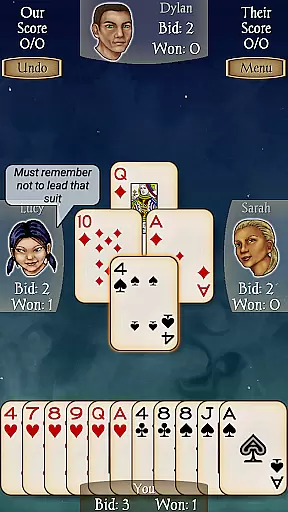
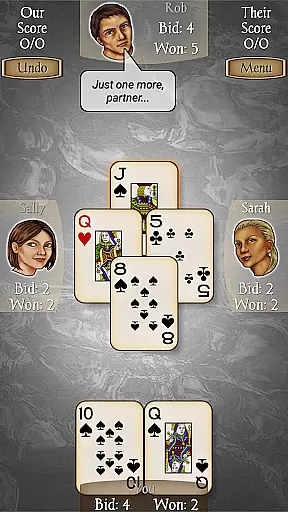
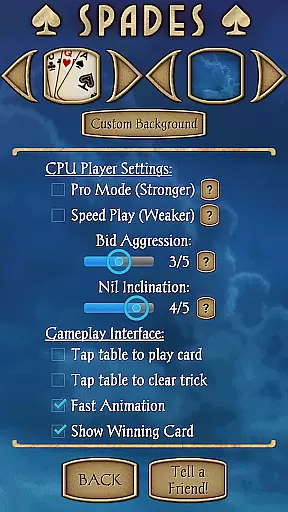
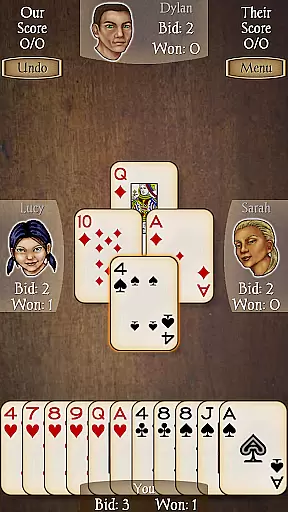











Spades Pro is a premium card game application that brings the classic 4-player Spades experience to your mobile device. Developed by a top developer recognized in 2013 and 2015, this app stands out with its sophisticated AI engine and enhanced gameplay features.
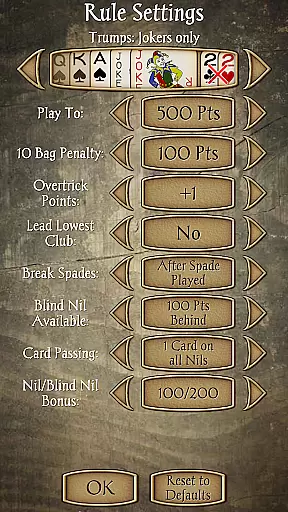
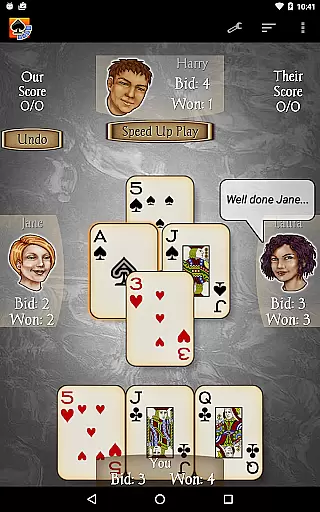
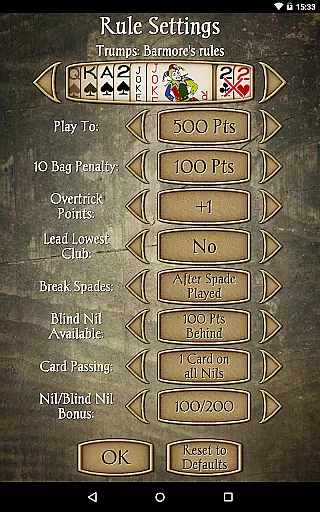
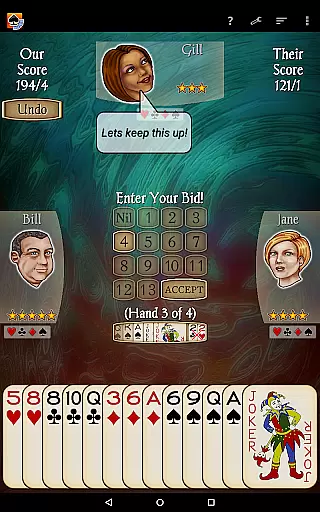
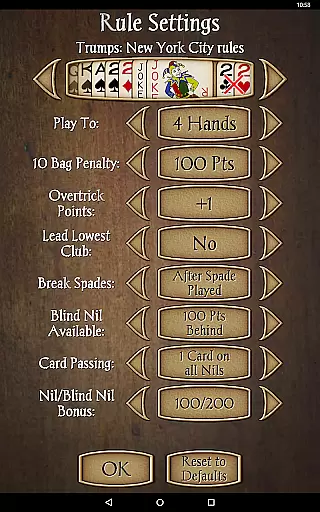
The app offers an authentic Spades experience with full partnership play, 21 uniquely skilled CPU characters, and advanced bidding systems. Players can enjoy customizable backgrounds, various rule options like Jokers and NYC, and helpful features such as undo, hints, and in-game score explanations. The recent major update introduced more creative AI plays, improved graphics, and new social elements where CPU players communicate through speech bubbles and facial expressions.
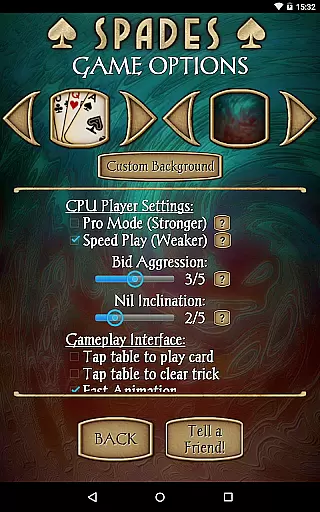
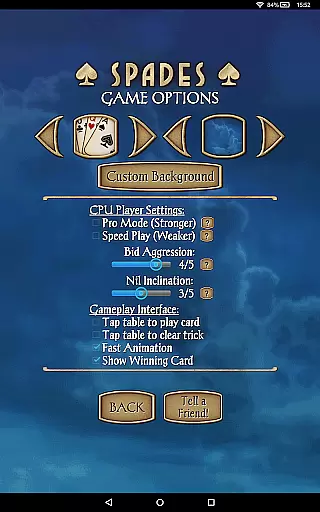
Ideal for both casual and serious players, Spades Pro provides scalable difficulty levels and specialized modes including Pro mode and Speed Play. Whether you're looking to play a quick game or engage in strategic trick-taking battles, this app delivers a complete package that has significantly elevated the standard of digital Spades gaming.
Spades Pro distinguishes itself through several remarkable features that enhance the traditional card game experience. The app showcases an impressive array of 21 CPU characters with varying skill levels, from beginner to expert, ensuring challenging matches for all player types. The newly implemented bidding system allows for more creative gameplay strategies, breaking away from conventional rule-based approaches.
One of the standout features is the enhanced AI engine developed in collaboration with York University. This four-year research project resulted in significant improvements in play quality, particularly in Nil games and Joker variants. The AI now demonstrates unprecedented creativity in its plays while maintaining optimal performance efficiency. Additionally, the introduction of character interactions through speech bubbles and emotional expressions adds a unique social dimension to the game.
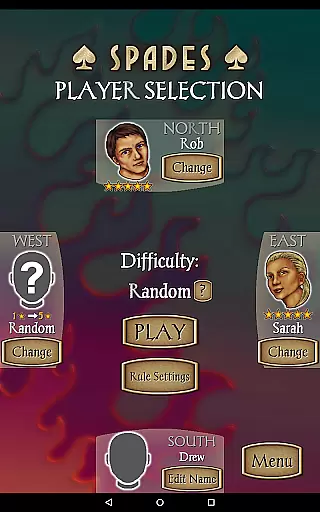
Players can customize their experience with options to set personal names, choose partners, select from 17 backgrounds, and adjust game rules. Practical features like undo, hints, and detailed score explanations make learning and playing more accessible. The inclusion of specialized modes such as Pro mode for advanced players and Speed Play for quick sessions caters to different playing styles and preferences.
Random Number Generation (RNG) fairness is crucial in card games like Spades Pro to ensure every player has an equal chance of receiving any card. This foundational element guarantees that outcomes are unpredictable and not biased towards any player, thus maintaining the integrity and excitement of the game.
Spades Pro employs a sophisticated RNG system that has been rigorously tested and certified to meet industry standards. The certification process involves third-party audits to verify that the RNG algorithms produce statistically random results, ensuring a fair distribution of cards in each game session.
For players, this means that every hand dealt in Spades Pro is as random and unbiased as possible, closely mimicking the experience of shuffling a physical deck. This commitment to RNG fairness enhances the credibility of the game, allowing users to focus on their strategy and enjoyment without questioning the legitimacy of the card distribution.
The assurance of RNG fairness also elevates competitive play within Spades Pro. Players can engage in tournaments or challenge friends with confidence, knowing that their victories are the result of skillful play rather than manipulated odds. This trust is essential for sustaining user engagement and fostering a vibrant community of spades enthusiasts.
In digital card games, control fluidity and input latency significantly impact the overall gaming experience. Control fluidity refers to how smoothly and responsively a player's actions are translated into in-game movements, while input latency is the delay between a player's action and the game's response.
Spades Pro excels in delivering seamless control fluidity, enabling players to execute their strategies without frustrating delays or interruptions. The developers have optimized the game engine to minimize input latency, ensuring that every tap, swipe, or selection is registered instantly and accurately.
This optimization allows players to enjoy fast-paced games with confidence, knowing their inputs will be executed precisely as intended. Whether bidding, playing a card, or communicating with teammates, users can expect immediate feedback and smooth transitions between actions.
By prioritizing control fluidity and reducing input latency, Spades Pro enhances both casual and competitive gameplay experiences. Players can fully immerse themselves in the strategic depth of spades without being hindered by technical limitations, resulting in a more engaging and satisfying gaming session.
Advanced AI engine
Customizable gameplay
Multiple difficulty levels
Rich feature set
High-quality graphics
No multiplayer option
Complex for beginners
Limited card games
Occasional bugs
Premium price

Easy play. Relax with daily solitaire fun!
 4.60
4.60
90 games. Intuitive, simple, beautiful... just great. Try it and you'll love it!
4.20
A fresh take on traditional solitaire card games
4.50
Play anywhere anytime the most popular card game
4.70
Find dragons in mysterious land and play card games.
4.60
World Series of Poker: Texas Hold em, Video Poker & Omaha Poker Card Games!
4.20
Solitaire Classic Pro, like Spider, Klondike Solitaire,FreeCell,Pyramid,Tripeaks
4.40
An indie roguelike card game
4.20
Deckbuilding Dungeon Crawl
4.30
Special Klondike Edition
5.00
Classic, Original, Klondike Solitaire Game with Large Cards!
4.90
Play and Master the Fun Classic Card Game Online & Offline
4.70
Euchre Offline! Master strategy fun, install and play NOW!
4.70
Learn how to play BlackJack, when to Hit, Stand, Split, Double or Surrender.
4.60
Solitaire games and ocean adventure await!
4.60
Play the legendary Blackjack 21! Win like a pro in this exciting casino game!
4.50
The original digital version of the cult-classic kitty card game!
4.40
Sinister solitaire. Four cards, one fate.
4.0
A fun and challenging rougelike dungeon card game.
4.5


User Reviews