
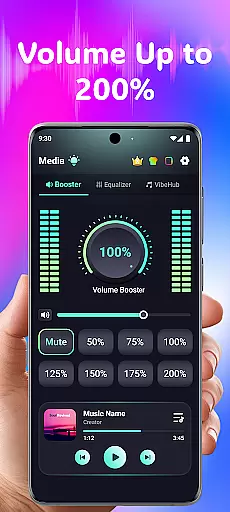
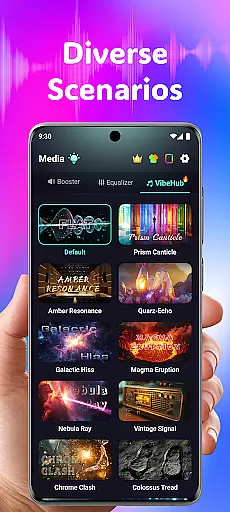
Volume Booster Bass Booster EQ is a versatile audio enhancement application designed to elevate your sound experience across various scenarios. This app allows users to amplify their device's volume up to 200%, making it ideal for outdoor parties, movie watching, and gaming sessions where sound clarity is crucial.
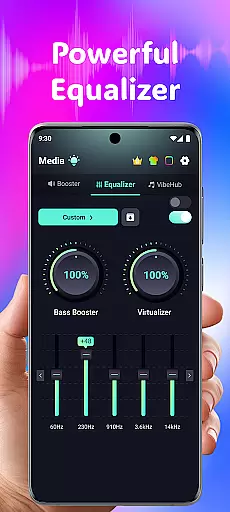
In addition to its powerful volume boosting capabilities, the app features an advanced equalizer with 5 bands, enabling detailed sound customization. The inclusion of hearing support features like independent left and right ear controls, real-time noise reduction, and frequency amplification makes this app particularly beneficial for users seeking both recreational and practical audio solutions.
The app boasts an array of sophisticated features tailored to enhance every aspect of audio output. Its primary feature is the ability to boost volume significantly, ensuring that no sound goes unheard. With intuitive controls, users can fine-tune their audio settings to achieve the perfect balance for any type of media.
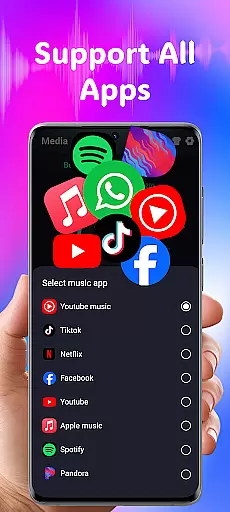
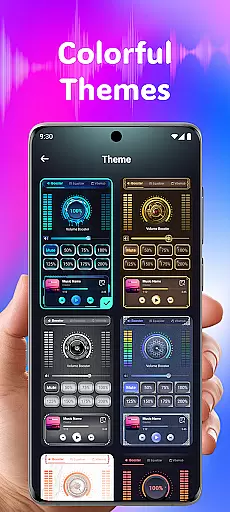
Beyond simple amplification, Volume Booster Bass Booster EQ includes a robust equalizer that supports bass enhancement and virtualization. It also offers wide compatibility with popular streaming services and devices, alongside customizable themes for personalization. These features collectively deliver a superior and adaptable audio experience suitable for headphones, Bluetooth devices, and speakers alike.
In the realm of medical applications, ensuring the credibility and accuracy of content is paramount. Volume Booster Bass Booster EQ addresses this by integrating advanced audio enhancement features that are not only innovative but also grounded in sound engineering principles. The app's equalizer settings and volume amplification capabilities have been meticulously designed to optimize audio output without compromising sound quality.
The application incorporates an advanced frequency amplification feature that allows users to fine-tune six distinct sound ranges. This functionality has been developed based on extensive research into human auditory perception, ensuring that each frequency band contributes meaningfully to the overall listening experience. By enabling precise adjustments for frequencies ranging from deep rumbles at 125Hz to high-pitched sounds at 4kHz-8kHz, the app supports clearer speech and enhanced ambient noise perception.
Furthermore, the inclusion of AI-powered real-time noise reduction demonstrates the app's commitment to delivering a medically sound auditory experience. This feature effectively filters out unwanted background noises such as wind or crowd chatter, providing users with crystal-clear sound quality. Such sophisticated processing ensures that important auditory information is preserved and delivered accurately to the listener.
While primarily focused on enhancing audio experiences, these technical implementations indirectly support better hearing health by reducing the need for excessive volume levels. Users can enjoy improved audio clarity at safer volume levels, demonstrating the app's responsible approach to audio enhancement technology.
Although Volume Booster Bass Booster EQ is not specifically designed for teleconsultation purposes, its advanced audio features can significantly enhance remote communication experiences. The app's powerful volume boost capability allows users to amplify media volume up to 200%, ensuring that every word during virtual consultations is clearly audible, even in noisy environments.
The application's 5-band equalizer provides healthcare professionals and patients with unprecedented control over audio quality during telemedicine sessions. By adjusting specific frequency ranges, users can optimize voice clarity and minimize background noise interference. This level of audio customization particularly benefits medical consultations where clear communication of symptoms and treatment instructions is crucial.
Additionally, the app's independent left and right ear control feature offers practical benefits for teleconsultations. This functionality allows users to balance audio output according to their individual hearing needs, ensuring that both parties can participate in conversations comfortably. The real-time visual feedback provided during adjustments helps users achieve optimal audio settings quickly and efficiently.
While not a dedicated telemedicine solution, these sophisticated audio enhancement tools contribute to more effective remote medical consultations. The combination of precise volume control, customizable equalizer settings, and noise reduction capabilities creates an environment where medical information can be exchanged accurately and professionally, supporting better healthcare outcomes through improved communication quality.
Powerful volume boost
Advanced equalizer settings
Wide app compatibility
User-friendly interface
Hearing support features
Potential speaker damage
Noise distortion at max volume
Limited high-frequency control
Privacy concerns
Device battery drain

Health Care at Your Fingertips
 4.60
4.60
Identify pills, search different drugs, get drug information and much more!
4.50
Donating blood and platelets is easier than ever with The American Red Cross.
4.80
Patient Health Portal
4.20
The Omada app enhances your program experience and helps you stay engaged.
4.50
A rapid reference for prehospital providers caring for pediatric patients.
4.2
Manage your prescriptions and pharmacy care anytime, anywhere.
4.80
PPP provides quick offline access to over 350 field treatment protocols.
4.60
Manage your health care in one easy place
4.40
CPR Timer for High Performance AHA BLS / ACLS
5.00
The Better Pharmacy Experience
4.90
Pelvic Floor Muscle Exercises
4.80
Medication reminder, Medicine list, Trackers for BP, glucose, weight, water, etc
4.70
Your donation experience just got smoother; Donor Hub is your go-to place.
4.70
Boost reading, writing, speaking and listening with a scientifically proven app.
4.70
Log your symptoms in the MyZio app — the perfect companion to the Zio monitor!
4.60
Secure video visits with your VA care team from anywhere
4.50
The official DSM-5-TR® app
4.50
Molina Members: My Molina. Manage your health anytime, anywhere!
4.30


User Reviews