
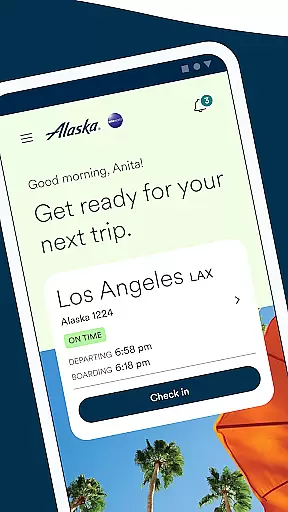


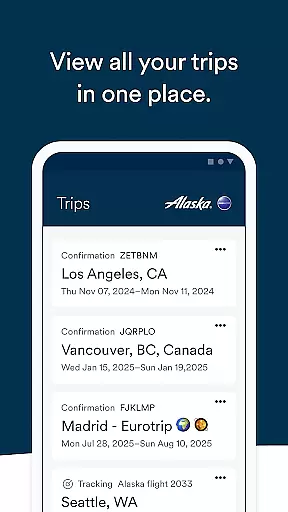
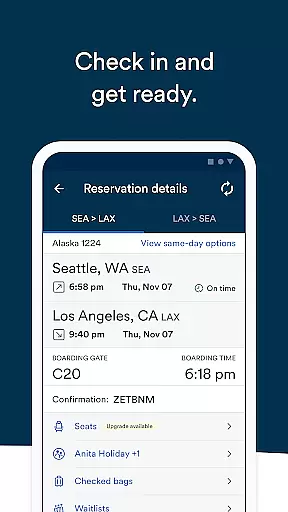
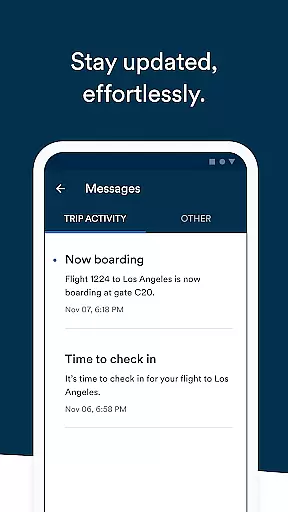
Alaska Airlines offers a comprehensive travel companion app that simplifies every stage of your journey. With this app, users can effortlessly book flights, check-in, and navigate airports with ease. The app provides real-time flight information, ensuring travelers are always informed.
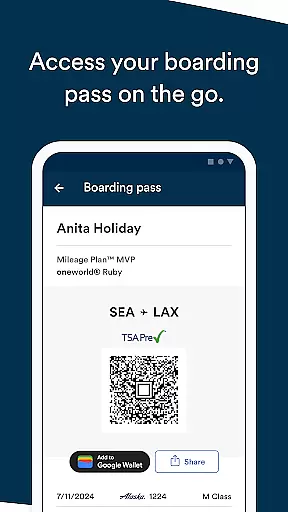
Key features include the ability to use discount codes or miles for bookings, access to Rewards accounts, pre-ordering meals, and managing travel documents like boarding passes and TSA precheck numbers. Additionally, users can make changes to their bookings, purchase seat upgrades, and track flights for friends and family, making it an indispensable tool for modern travelers.
The Alaska Airlines app is packed with features designed to enhance the travel experience. Users can book flights using discount codes or miles, and manage their Atmos Rewards account to view upcoming trips and track points towards status upgrades.
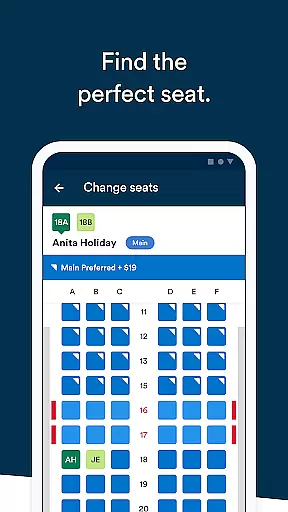
Travelers can pre-order meals, add important numbers to their bookings, and receive crucial push notifications through the Message Center. The app also supports easy changes to bookings, purchasing seat upgrades via Apple Pay, checking in up to 24 hours before the flight, and adding boarding passes to Apple Wallet. Sharing flight details and tracking other flights adds further convenience.
Booking authenticity is a crucial aspect of any travel application, ensuring that all reservations made through the platform are legitimate and confirmed. The Alaska Airlines app provides users with reliable booking features that guarantee their flight arrangements are secure and verified.
Through the app, passengers can book flights using discount codes or their accumulated miles, providing flexibility and convenience in payment options. By signing into their Rewards account, users gain easy access to their upcoming trips, balance information, and progress towards Atmos Rewards status, enhancing transparency and trust in the booking process.
The app also allows travelers to make changes or cancellations to their bookings effortlessly by tapping on the designated option within the trip list. This feature ensures that users maintain control over their travel plans without the need for time-consuming phone calls or visits to a service desk.
Overall, the booking authenticity provided by the Alaska Airlines app gives users peace of mind knowing that their travel arrangements are accurate, up-to-date, and officially recognized by the airline.
Price transparency in a travel app refers to the clear display of costs associated with booking flights, allowing users to understand all charges involved in their purchase. The Alaska Airlines app excels in this area by offering straightforward pricing information throughout the booking process.
Users can apply percentage-off codes or use their accumulated miles when booking a flight, which directly reduces the visible cost of tickets. This immediate reflection of savings provides clarity and builds trust with customers who want to know exactly what they are paying for.
In addition to utilizing discounts and rewards, the app enables passengers to add various services such as seat upgrades or pre-order meal options like the Fruit & Cheese plate. These additional costs are clearly communicated, ensuring there are no hidden fees or surprises during checkout.
By maintaining price transparency across all transactions, including modifications or cancellations made to existing bookings, the Alaska Airlines app empowers travelers to make informed decisions about their expenses while planning their journeys.
User-friendly interface
Comprehensive travel management
Real-time flight updates
Easy booking and check-in
Rewards integration
Limited to Alaska Airlines
Occasional bugs reported
Apple Pay required for upgrades
Some features need login
Not all meals available for pre-order

Apply for an electronic travel authorisation (ETA) to come to the UK.
 3.20
3.20
View delays, closures, and weather-related conditions on Missouri state roads.
3.30
INDOT Trafficwise is a traffic and traveler information mobile app.
4.00
CLEAR provides a safer, easier way through airports, stadiums, and beyond.
4.20
All-in-one delivery and taxi app. Ride, food, & grocery delivery app.
4.80
Tickets, hotels, wait times, maps, mobile ordering, Disney PhotoPass & more
4.50
Frontier’s Android app makes travelling easier than ever before!
4.70
Get the app that knows where you’re going - view your flight, check in & more
4.50
Book your whole trip in one app.
4.80
Find your perfect somewhere with last minute hotel & travel deals!
4.80
Bus tickets at unbeatable prices with routes across the US. All aboard FlixBus!
4.70
The United app puts valuable travel information in the palm of your hand.
4.70
Easily rent a car at over 9,500 locations with the Enterprise car rental app.
4.60
NEW! Vacation with Ease.
4.60
Iowa 511 is the Iowa Department of Transportation's traveler information app.
3.80
Real-time flight tracking with live maps and flight status updates.
3.70
Every Diners, Drive-in & Dives location in one place! Your guide to Flavortown!
3.00
Learn about one of the most famous Victorian cemeteries in the world
2.80
View current Idaho road conditions, road cameras, and timelapse videos.
4.2


User Reviews