
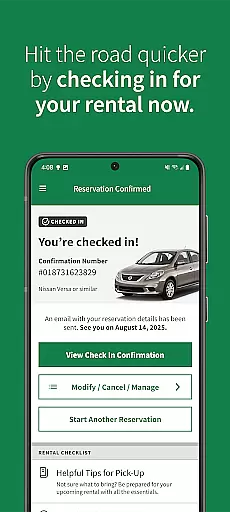
Enterprise Car Rental is a leading travel application designed to simplify car rental experiences across the US, Canada, Europe, Latin America, and more. With over 9,500 locations worldwide, this app offers users the ability to find, reserve, and manage rental cars with ease. Its standout feature includes integration with Enterprise Plus, allowing users to earn points for free rental days while enjoying award-winning customer service. The app also ensures safety through its Complete Clean Pledge, where every vehicle undergoes thorough cleaning and sanitization.
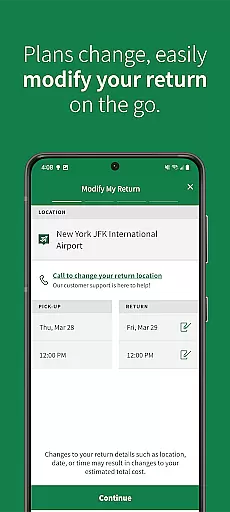
In addition to booking, users can modify reservations, access rental details, and get directions to rental branches. Whether you're planning a short trip or an extended journey, the Enterprise app provides tools like location filters, long-term rental options, and 24/7 roadside assistance, making it an indispensable companion for travelers who value convenience and reliability.
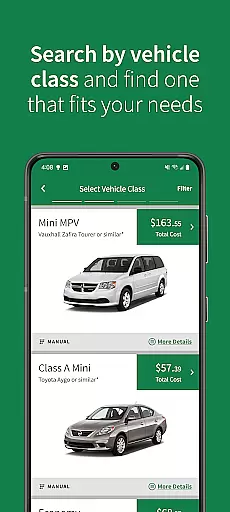
The Enterprise Car Rental app boasts a variety of features tailored to enhance user experience. One key functionality is the ability to search for nearby rental locations using advanced filters such as vehicle type and location preferences. This ensures users can find the perfect car for their needs, whether it's an economy model or a luxury vehicle. Additionally, the app supports long-term rentals, catering to extended travel plans, and allows users to save rental details for faster future bookings.
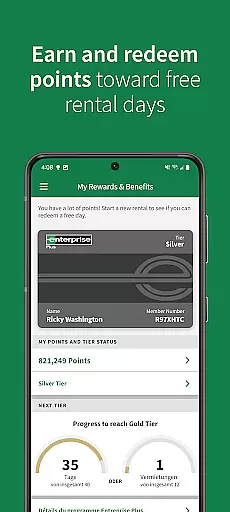
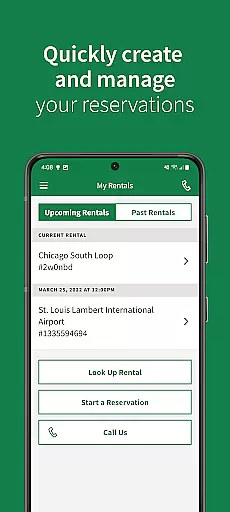
Another notable feature is the comprehensive account management system. Users can view upcoming reservations, track reward points in their Enterprise Plus account, and redeem points for free rental days. The app also provides essential support features, including 24/7 roadside assistance and easy access to branch contact information. These capabilities ensure that users have all necessary resources at their fingertips, creating a seamless and worry-free car rental experience.
When it comes to booking a car rental, authenticity and reliability are paramount. The Enterprise Car Rental app ensures that every reservation you make is legitimate and confirmed instantly. This commitment to booking authenticity provides peace of mind for travelers who need to secure transportation for their trips.
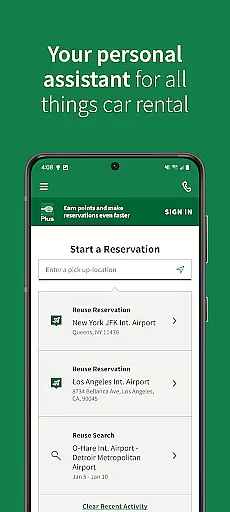
The app allows users to find car rental locations near them, narrow down their search with specific filters, and book long-term rentals for extended travel plans. Each reservation is directly integrated into Enterprise's system, ensuring that the vehicle will be available upon arrival. This seamless process eliminates the uncertainty often associated with online bookings.
Moreover, users can save rental details within the app, making future reservations faster and more efficient. By having all necessary information stored securely, customers can easily extend their travel plans or make modifications to existing reservations without any hassle. This level of convenience underscores Enterprise's dedication to providing trustworthy services.
In addition to reliable bookings, the app also offers 24/7 roadside assistance and customer support. Should any issues arise during the rental period, help is just a call away. With these comprehensive features, Enterprise Car Rental app not only guarantees authentic bookings but also enhances overall user experience through robust support systems.
Price transparency in car rentals means clearly displaying costs without hidden fees, allowing customers to make informed decisions. The Enterprise Car Rental app excels in this area by offering upfront pricing and detailed cost breakdowns for each rental option. This transparency builds trust and helps users budget effectively for their trips.
Through the app, users can view various vehicle options ranging from economy to luxury cars, each with clearly stated prices. These rates include all applicable taxes and fees, so there are no surprises at checkout. Additionally, users have the ability to compare different rental durations and vehicle types side-by-side, empowering them to choose the best option that fits their budget.
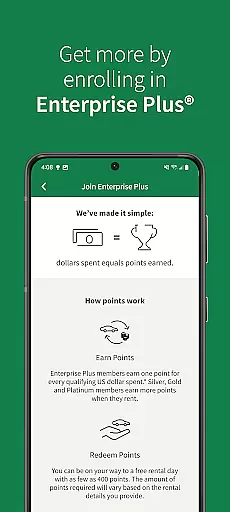
For frequent renters, the app integrates seamlessly with the Enterprise Plus loyalty program. Members earn points on every dollar spent, which can be redeemed for free rental days. By showing real-time updates on reward point balances and potential savings, the app further enhances price transparency and incentivizes continued use.
Enterpriseu2019s commitment extends beyond just showing prices; they ensure customers understand what they are paying for. Detailed descriptions of additional services such as insurance options and fuel policies are readily available within the app. This approach not only demystifies the pricing structure but also adds value by educating users about their choices, ultimately leading to a more satisfying rental experience.
User-friendly interface
Wide range of vehicles
Complete Clean Pledge
24/7 customer support
Reward points system
Limited exclusive discounts
Geographic restrictions
Occasional app glitches
Membership required
Additional fees apply

Apply for an electronic travel authorisation (ETA) to come to the UK.
 3.20
3.20
The Official Freedom Trail Foundation app.
4.30
Learn about one of the most famous Victorian cemeteries in the world
2.80
Discover the power of one-way location tracking. Share your location securely.
4.50
Tickets, hotels, wait times, maps, mobile ordering, Disney PhotoPass & more
4.50
Take JetBlue everywhere you go! Book, manage and check in for your trips & more.
4.60
Travel light with our easy-to-use mobile app, the perfect flying companion.
4.40
Everything you need for your trip in one place with the Volaris app.
3.60
Travel and Book 8,000+ Hotels Worldwide with the Marriott Bonvoy™ app.
4.90
Find the perfect vacation rental. Search from over 2 million properties.
4.80
Save on gas and convenience with the earnify™ App
4.70
Meet Allyz®, your ultimate travel companion
4.70
Get faster fuel rewards, exclusive offers, and helpful tools!
4.70
Download now and start earning rewards on hotels, tours, and everything travel.
4.50
Stack Upside with your current credit & debit rewards for even more cash back!
4.50
Real-time flight tracking with live maps and flight status updates.
3.70
Amplify Your Experience
3.00
OFFLINE detailed information about the Florida National and State Parks
4.0
Locate and navigate to local holiday displays
4.0


User Reviews