
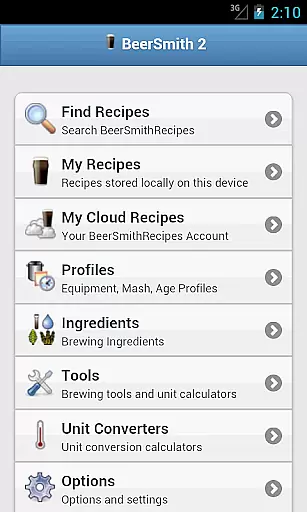
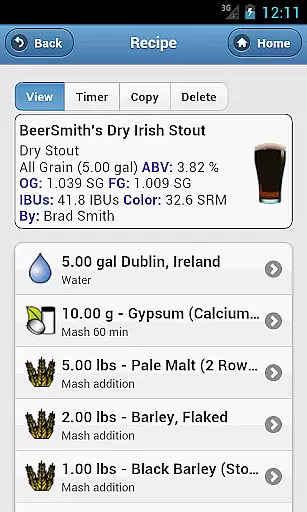
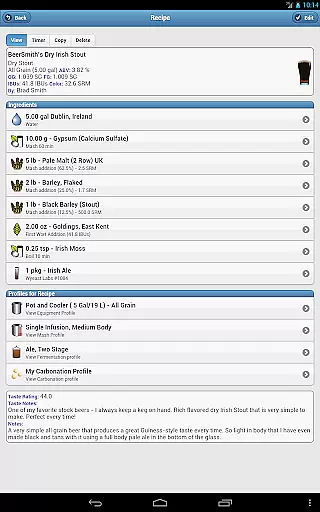
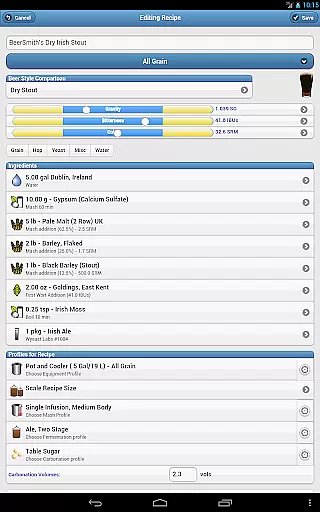
BeerSmith 3 Mobile Homebrewing is a comprehensive brewing application designed for homebrew enthusiasts who want to create and manage beer, mead, wine, and cider recipes on the go. The app offers an extensive suite of tools including recipe design, ingredient editing, and brew session management.
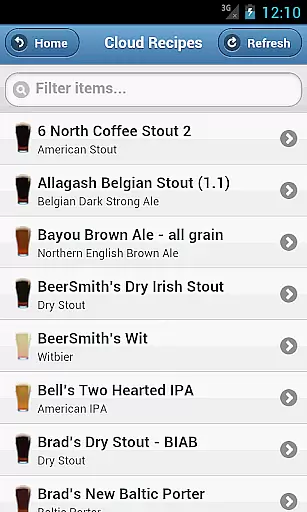
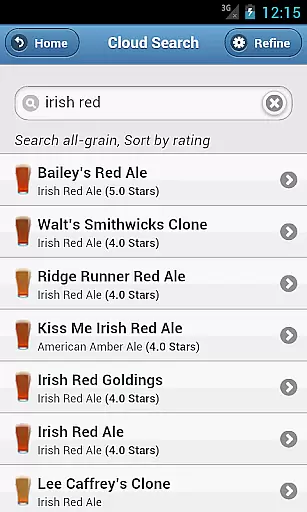
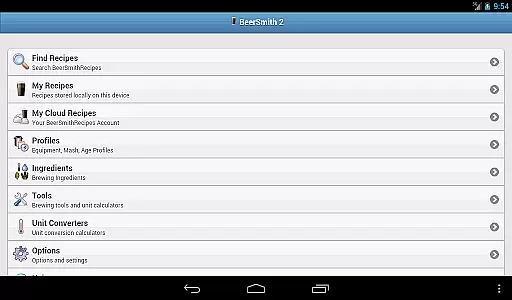
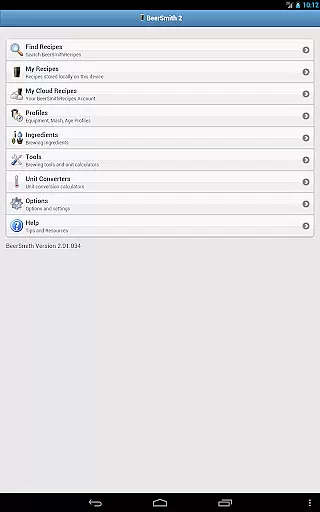
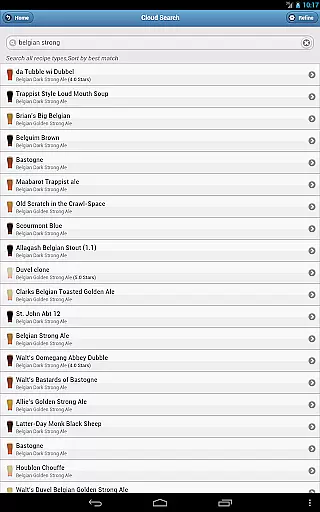
One standout feature is its seamless integration with the desktop version of BeerSmith and its cloud service, allowing users to effortlessly sync recipes between devices. Whether you're at home or on the move, you can access thousands of recipes through the integrated search function and utilize advanced calculators and unit converters to perfect your brews.
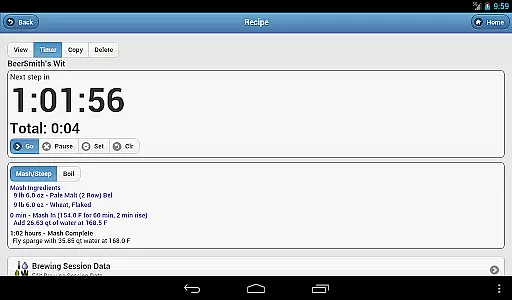
This app is ideal for brewers who need a reliable tool to support them from recipe creation to brew day. With features like water adjustment, mash pH estimation, and a built-in brew day timer, BeerSmith 3 Mobile ensures precision and convenience in every step of the brewing process.
BeerSmith 3 Mobile Homebrewing boasts a rich set of features tailored for both novice and experienced brewers. The app supports various types of beverage recipes including beer, mead, wine, and cider, providing detailed ingredient databases and add-ons to enhance recipe accuracy.
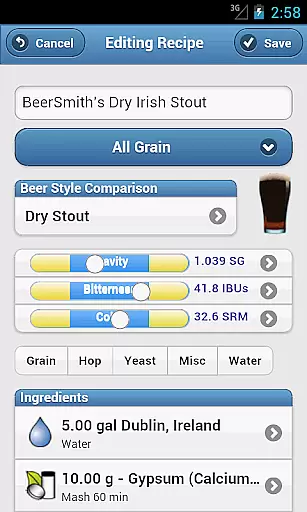
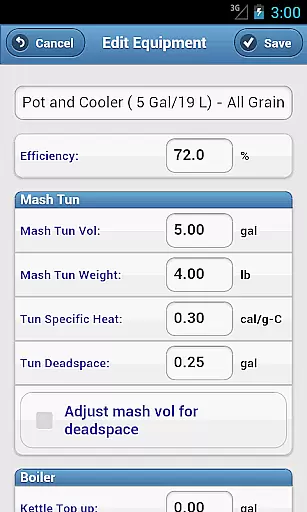
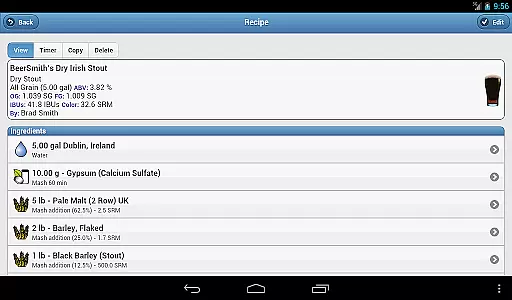
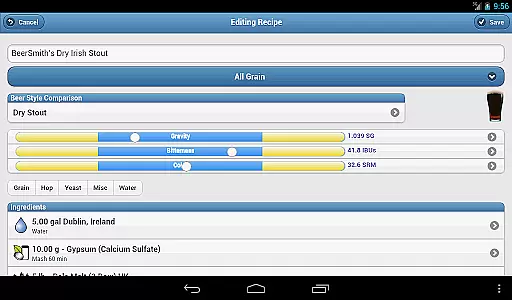
Users can fully edit their recipes and brew session data, adjusting ingredients such as hops, grains, yeast, and water profiles. Advanced functions allow scaling recipes by equipment, altering color, original gravity, or bitterness, and saving custom profiles directly to the phone database.
In addition to robust editing capabilities, the app includes seven specialized calculators and five unit converters, ensuring precise measurements and adjustments. The integrated brew day timer with notifications and alarms helps streamline the brewing process, making it easier than ever to achieve professional-quality results.
BeerSmith 3 Mobile Homebrewing offers extensive coverage of the homebrewing lifestyle category, providing users with a comprehensive toolset for creating beer, mead, wine, and cider recipes.
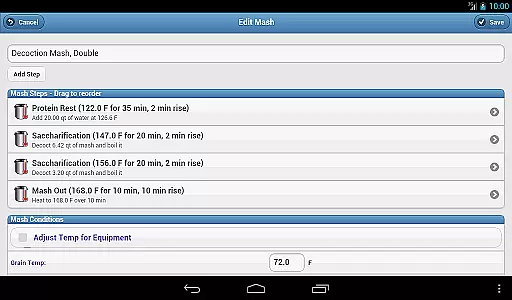
The app includes features such as water adjustment, mash pH estimation, and updated ingredient databases that cater to enthusiasts looking to refine their brewing process.
With full editing capabilities for recipes and brew session data, users can customize profiles and ingredients, ensuring that their brewing experience is personalized and precise.
This application stands out by integrating seamlessly with the desktop version of BeerSmith via a cloud folder, allowing for an interconnected lifestyle whether at home or on the go.
The content within BeerSmith 3 Mobile Homebrewing is crafted with authenticity and expert credibility in mind, offering brewers access to thousands of recipes through its integration with BeerSmithRecipes.com.
Each recipe benefits from professional input, ensuring accuracy and reliability when it comes to brewing guidelines and ingredient selections.
Additionally, the app provides a full beer style guide and seven calculators including hydrometer adjustment and alcohol/attenuation, which are essential tools for both novice brewers and seasoned professionals.
By combining these resources with unit converters and brewing timers, BeerSmith 3 establishes itself as a credible companion for anyone serious about their homebrewing hobby.
User-friendly interface
Extensive recipe options
Seamless cloud integration
Advanced brewing calculators
Comprehensive ingredient database
Subscription required
Complex for beginners
Limited free features
Occasional sync issues
High cost for full access

Unique BIG BOLD TIME with amazing colors and customisations.
 3.70
3.70
Healthy eating timer app to track meal pace, improve habits, and eat slowly.
4.1
Discover how to help puppies stay calm around noise with this helpful app.
4.3
Bring the warm colors of fall directly to your wrist with Autumn Leaves!
4.3
Get the news, events and savings that matter to you with AARP Now.
4.80
Going above and beyond known spirit communication
3.60
The App can control Roborock vacuum cleaners from anywhere with rich features.
4.60
Your store’s deals, where you are.
4.80
Just play, earn rewards, fetch gift cards, and turn gaming into real payouts!
4.80
Get roadside help, discounts, travel tools & more — AAA is with you everywhere.
4.80
Tap to the beat with interactive videos — warm up your reflexes & have fun
4.70
Stay connected with your loved ones & vehicles | Share live GPS location updates
4.60
Earn money & gift cards when you take surveys, play games, scan receipts & more.
4.50
Zodiac & Horoscope Launcher: Daily Sign Predictions & Astrology
4.40
Share opinions, get paid cash
4.30
Material You inspired colors with BIG and Bold looks for Wear OS watches.
4.20
Digital watch face design. Modern looking, hi-res & battery friendly.
4.00
View over 160,000 line dance stepsheets from the CopperKnob website.
3.30
Celebrate the holidays with Advent Calendar: daily surprises and festive fun!
4.4


User Reviews