
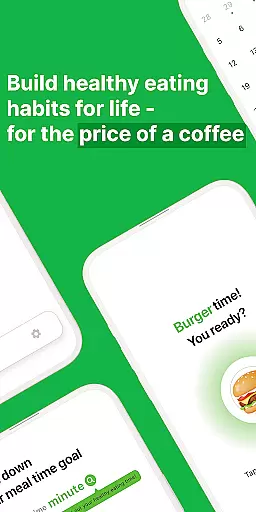
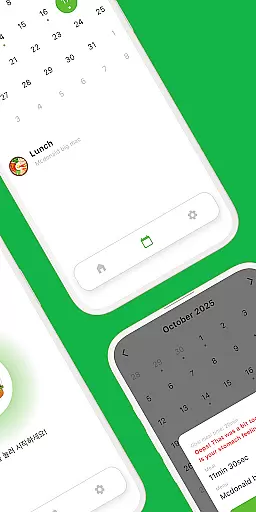
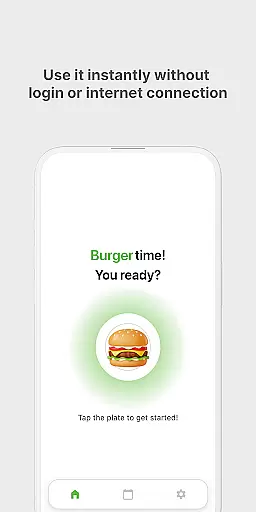
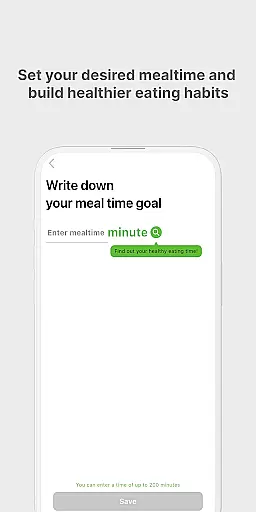
Eat Slowly is a lifestyle app designed to help users develop healthier eating habits by tracking and managing their meal times. The app functions as more than just a timer, offering features like goal setting for meal durations, a minimalistic calendar view for meal history, and a quick-access home screen widget.
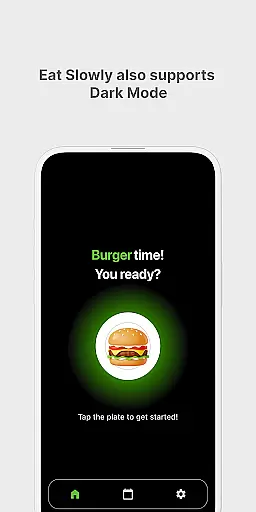
With support for both dark and light modes, Eat Slowly ensures a comfortable user experience at any time of day. It requires no login or internet connection, making it accessible anytime, anywhere. By promoting mindful eating, this app helps users reduce post-meal bloating and improve overall well-being.
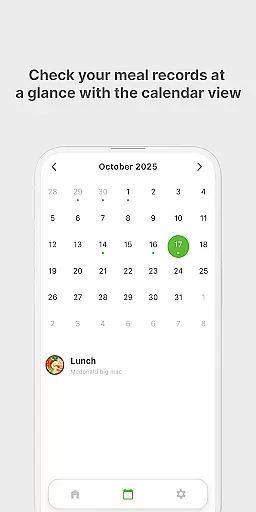
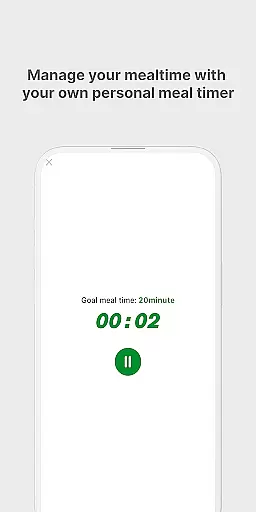
Eat Slowly offers a variety of practical features that cater to mindful eating. Users can set specific meal-time goals to manage their eating pace effectively. The app provides a clean, minimal calendar view, allowing users to easily track their meal history over time.
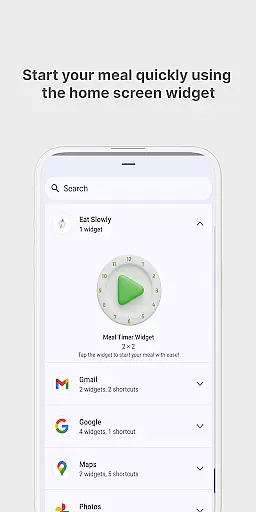
For added convenience, the app includes a home screen widget that lets users start a meal timer instantly without opening the app. With both dark and light mode options, Eat Slowly ensures optimal readability and comfort in any lighting condition. These features work together to create a simple yet effective tool for building sustainable eating habits.
Eat Slowly is an innovative app designed to help users develop healthier eating habits by focusing on mindful eating practices. This app covers a significant aspect of the lifestyle category by promoting wellness through better mealtime routines.
The app offers features such as setting meal-time goals, which allows users to manage their eating pace effectively. By incorporating a timer and providing a platform for recording meals, it ensures that users can track their progress over time without needing to log in or require internet access.
With its minimal calendar view, users can easily check their meal history and maintain awareness of their eating patterns. The quick meal timer widget further enhances accessibility, enabling users to start their timers directly from their home screen.
By supporting both dark and light modes, Eat Slowly provides a comfortable user experience at any time of day. This attention to user interface detail highlights its commitment to covering various aspects of modern lifestyle needs.
The content provided by Eat Slowly is grounded in the principles of mindfulness and habit-building, ensuring that users receive authentic and credible advice on improving their eating habits. The app's foundation on simple yet effective techniques adds to its reliability.
Each feature within the app, such as setting personal meal duration targets and reviewing meal histories, is crafted to offer genuine value to users seeking to enhance their lifestyle. These elements are designed based on proven methods for behavior change and habit formation.
Although the app does not explicitly mention expert endorsements, its approach aligns with widely accepted health recommendations regarding slower eating. This alignment suggests a level of credibility, positioning Eat Slowly as a trustworthy tool in the lifestyle improvement space.
Users can contact the developers directly via mobile-develop@persnormal.com for any queries or support, adding another layer of authenticity and assurance. This direct line to the development team underscores the app's dedication to maintaining high standards of content integrity.
User-friendly interface
No login required
Effective habit tracking
Quick-access widget
Dark mode support
No cloud backup
Limited customization
Data loss on uninstall
Premium price tag
Basic timer only

Big bold weather watch face with dynamic backgrounds and 3 complications
 4.3
4.3
Cute Adorable Animals now on your wrist with our Wear OS watch face!
4.40
Get your life organized with My Agenda!
4.30
A smart Siddur with halachic times
4.60
Big bold hybrid watch face with 30 colors, 5 fonts & 5 complications.
4.0
Discover your Nationality, Family Origin, and Ancestry from one selfie
4.50
Communicate with your vehicles and Powerwalls anytime, anywhere
3.60
Have your Tehillim with you at all times
4.70
Control your Tapo smart devices from anywhere.
4.60
Simple, stylish & fresh watch face. Customize colors, gradients & complications.
4.70
Stay connected with your loved ones & vehicles | Share live GPS location updates
4.60
The all-new Cync app. The simple, connected app for Cync and C by GE.
4.50
Earn money & gift cards when you take surveys, play games, scan receipts & more.
4.50
Do you want to communicate with spirits?
3.80
Unique BIG BOLD TIME with amazing colors and customisations.
3.70
Paranormal EVP, Ghost Box, Spirit box, ITC, Haunted, Spirit communication device
3.70
Creativity and savings for kids, beginners and experts in arts and crafts
3.50
The Miracle Box includes methods used by Steve Huff of Huff Paranormal.
3.20
Bring the warm colors of fall directly to your wrist with Autumn Leaves!
4.1


User Reviews