
CleverBook Pro for MC is a premium upgrade to the CleverBook app, designed specifically for Minecraft enthusiasts who want an ad-free and enhanced experience. This app serves as a license key that unlocks exclusive Pro features when used alongside the main CleverBook application. By installing this app, users gain access to advanced functionalities such as Favorites, Filters for the ID list, and a completely ad-free interface.
With its comprehensive database covering every block, item, mob, biome, enchantment, potion, redstone circuit, command, advancement, and more, CleverBook Pro ensures players have all the information they need at their fingertips. The app also includes practical tools like search functionality, server lists to monitor favorite servers, and filters to streamline navigation. Whether you're a casual player or a dedicated fan, CleverBook Pro enriches your gameplay by providing detailed insights and customizable options tailored to your preferences.
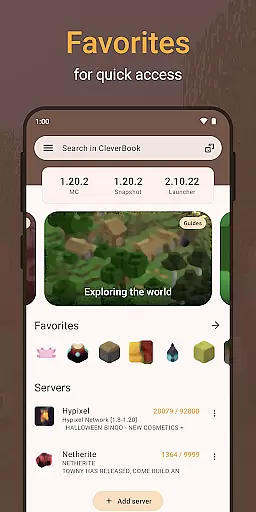
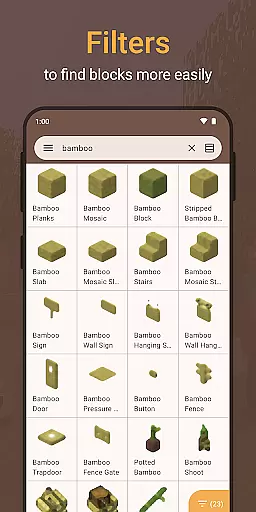
CleverBook Pro for MC offers a range of powerful features that elevate the user experience beyond the standard version. One standout feature is the Favorites option, allowing users to bookmark their most-used items or pages for quick access. Additionally, the Filters for the ID list enable players to sort and locate specific IDs efficiently, saving time during gameplay.
The app provides an uninterrupted experience by removing all advertisements, ensuring users can focus on their gaming research without distractions. It also retains all default features from the standard CleverBook app, including extensive informational sections about blocks, items, biomes, mobs, and more. With added capabilities such as search functionality, server lists, and optional dark themes, CleverBook Pro delivers a polished and versatile toolset for both new and experienced Minecraft players.
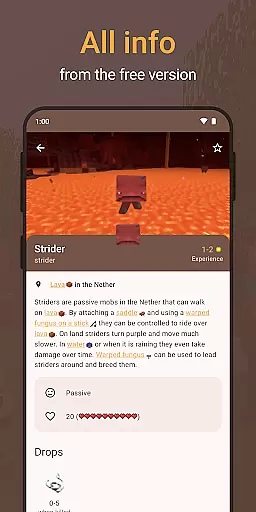
CleverBook Pro for MC offers an extensive e-book library that encompasses every aspect of the popular survival game. This includes detailed information about each block and item, mobs, biomes, enchantments, potions, redstone circuits, commands, advancements, and more.
The app ensures copyright authenticity by providing content that is in compliance with brand guidelines set forth by official sources. Although it is not an official Minecraft product, all information is meticulously curated to offer accurate and up-to-date details.
Users benefit from a rich resource that supports their gaming journey with comprehensive guides and latest news, making it an indispensable tool for both novice and experienced players.
One of the standout features of CleverBook Pro for MC is its exceptional format compatibility. The app provides various functionalities such as search options, filters, and a server list which allow users to seamlessly navigate through vast amounts of data related to the game.
In addition to supporting these formats, CleverBook Pro also offers optional themes like the dark theme, enhancing user experience based on personal preferences. This flexibility ensures that players can customize their interface without compromising functionality.
By focusing on user-friendly design and broad format support, CleverBook Pro makes accessing crucial gaming information effortless and efficient, thus enriching the overall gameplay experience.
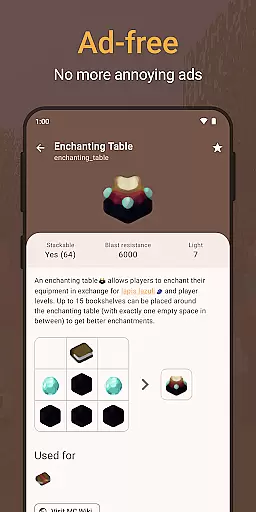
Ad-free experience
Advanced filtering
Quick favorites access
Comprehensive guides
Enhanced usability
Requires base app
Premium cost
Limited to Minecraft
No offline use
Fewer updates

A guide for the Court of Atonement spiritual healing process.
 4.4
4.4
The dynamic dictionary/reference app for piano chords and scales!
4.80
Daily Prayer, personalized Bible Study, AI-guided Insights, and Spiritual Growth
4.80
What’s that bird? Just answer 5 questions, snap a photo, or record its song!
4.90
Enjoy daily devotionals, Bible verses, audio courses, and more.
4.80
A story reading app: Read stories, novels and books, or write your own.
3.90
A lightweight reader for comics and mangas files (.cbr, .cbz, .cbt, .pdf, ...)
4.80
Premium reader for ePub, PDF, and more. TTS and translation. Great on any screen
3.50
Calculate, Knowledge, Homework
4.40
“I am the Lorax. I speak for the trees.”
4.80
Translate into 100+ languages with the world’s most accurate AI translator.
4.70
F9 Cookbook Mobile App
4.60
Offline translator from english to spanish, and from spanish to english.
4.50
Learn Electricians' Handbook PRO complete guide beginners to advance.
4.40
Mirror Bible - eye-opening paraphrase translation of the NT by Francois du Toit
4.30
A companion for prayer, with Azan alarm, Quibla direction, and Holy Quran book
4.10
Unlock more features in Lithium and show your support. Expand for details.
4.00
America's best dictionary and thesaurus - with premium content and no ads
3.40
Fast loot guide for ARC Raiders. Simple tips, stats, maps, and item details.
4.0


User Reviews