
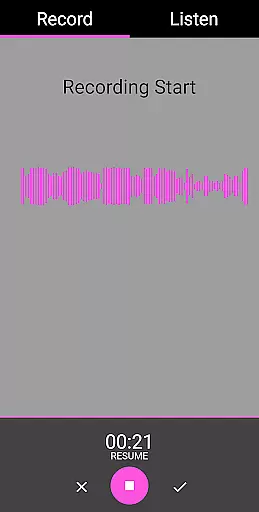
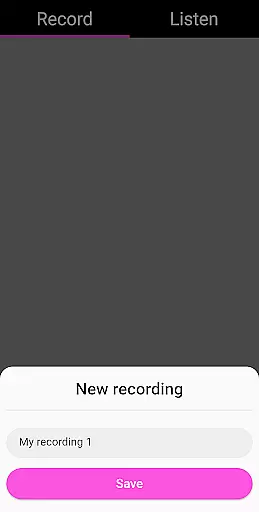
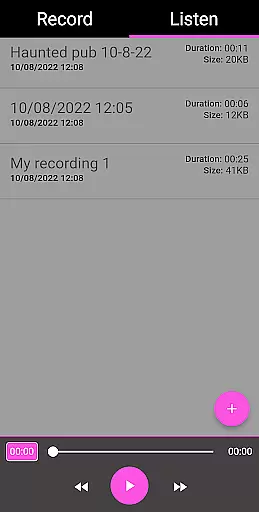
EVP Recorder is a specialized application designed for ghost hunting enthusiasts who are interested in capturing Electronic Voice Phenomena (EVP). This app leverages the device's built-in microphone to record potential spirit communications, making it an essential tool for paranormal investigators. With features like recording, playback, and audio visualization, users can both hear and see responses from the spirits they attempt to communicate with.
The app offers a user-friendly interface that simplifies the EVP recording process. Whether you're asking questions during a session or analyzing recordings afterward, EVP Recorder provides the necessary tools to capture, save, and review your findings. Its ability to import existing recordings and its sharing options make it versatile for collaborative ghost hunting efforts. The app is ad-free and comes with lifetime free updates, ensuring a seamless experience for all paranormal explorers.
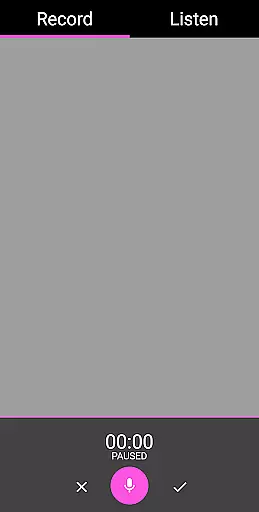
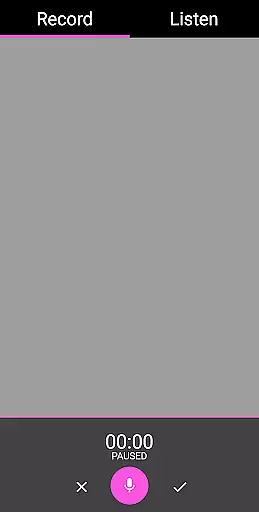
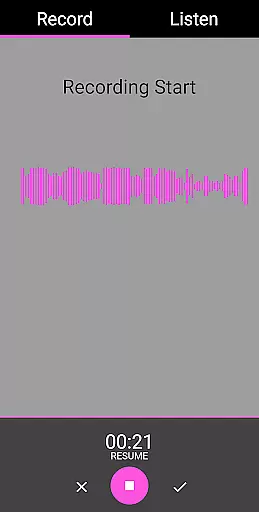
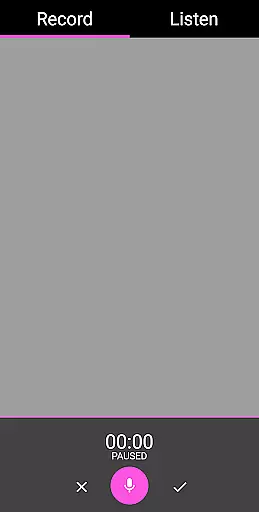
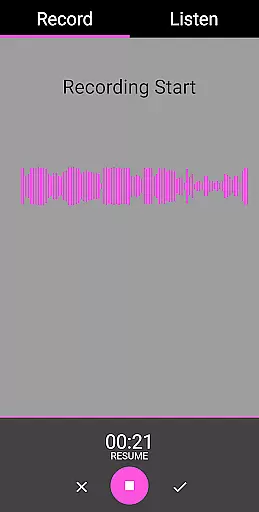
EVP Recorder stands out with its comprehensive set of features tailored specifically for ghost hunting. One of the key functionalities is the ability to record EVP sessions using the device’s microphone. Users can start and stop recordings easily, ask questions, and leave pauses for potential responses. The pause function allows hunters to manage their sessions effectively without unnecessary interruptions.
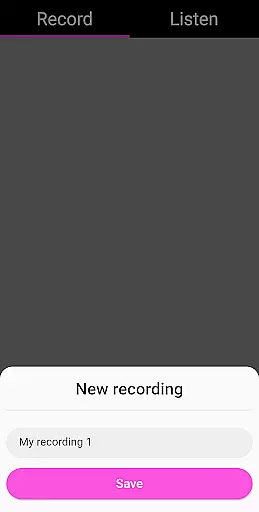
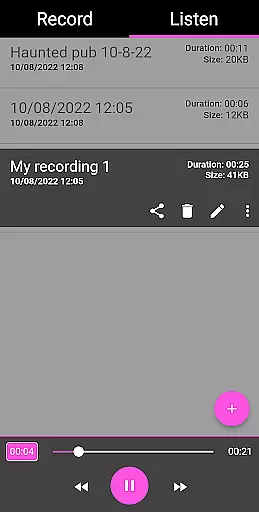
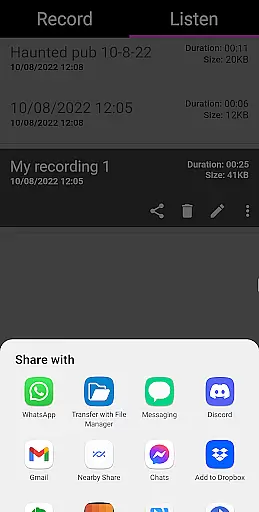
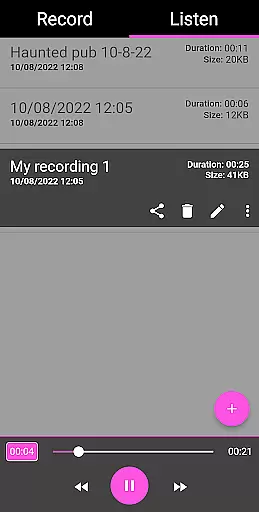
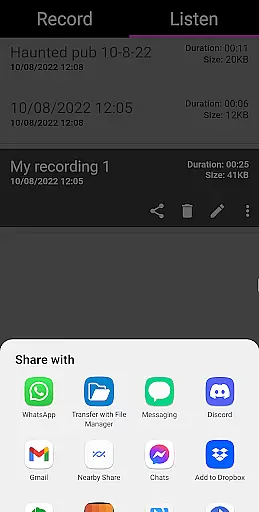
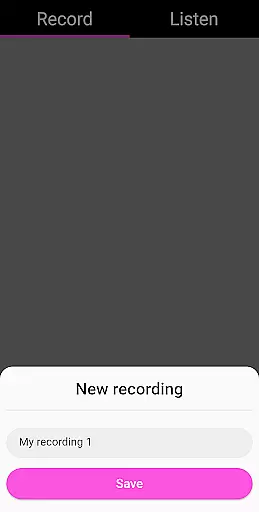
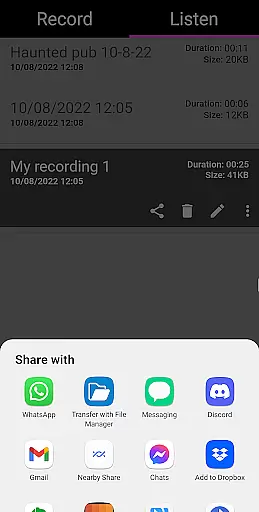
Beyond basic recording, the app includes advanced features such as the ability to save, delete, and rename recordings. It also supports importing existing audio files, which can be useful for comparative analysis. Sharing options enable users to distribute their findings via social media platforms like Facebook and WhatsApp. Additionally, the audio visualization feature helps users identify potential EVPs visually, enhancing the overall investigative process. With no ads or in-app purchases, EVP Recorder ensures an uninterrupted and focused ghost hunting experience.
The EVP Recorder app offers a unique blend of entertainment and paranormal investigation tools, making it more than just a regular voice recording application. With features specifically tailored for ghost hunting, the app provides an engaging experience for those interested in exploring the supernatural. The inclusion of specialized functions such as EVP Recording, audio visualization, and playback options with fast forward and reverse ensures that users have everything they need to capture and analyze potential electronic voice phenomena.
One of the standout aspects of this app is its ability to save recordings, delete and rename files, and even load existing recordings into the app. This flexibility allows users to manage their sessions effectively and maintain an organized library of their investigations. Additionally, the sharing options via social media platforms like Facebook and WhatsApp add a layer of interactivity, enabling users to easily distribute their findings with others who share their interests.
Continuous updates and improvements ensure that the EVP Recorder remains fresh and relevant. Users can expect free updates for life, which means the app will always have the latest features and optimizations. This commitment to ongoing development not only enhances user satisfaction but also keeps the content within the app dynamic and up-to-date. Whether you're a seasoned paranormal investigator or a curious beginner, the EVP Recorder app promises a continually evolving platform to support your explorations.
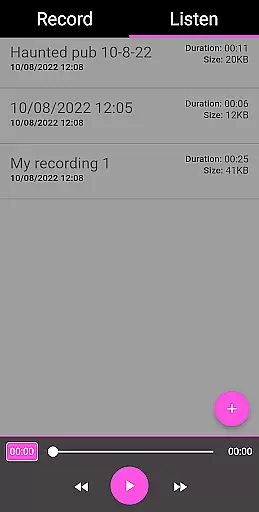
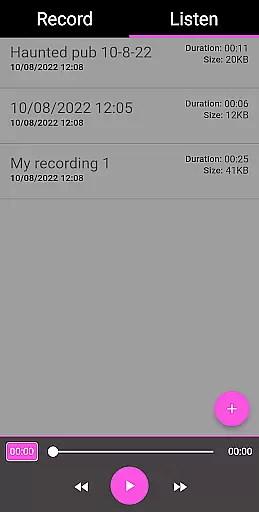
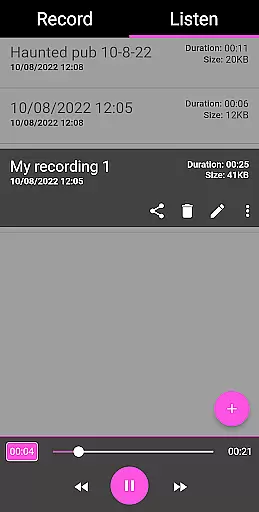
User engagement is a critical factor for any app's success, and the EVP Recorder excels in this area by providing a comprehensive suite of tools that encourage prolonged use. The app's intuitive interface and straightforward functionality make it easy for users to dive right into their ghost hunting sessions without a steep learning curve. By offering both 'Record' and 'Listen' tabs, users can seamlessly transition between capturing EVPs and reviewing their recordings, fostering an immersive and uninterrupted experience.
Retention is further bolstered by the app's practical features designed to enhance the overall user experience. For instance, the pause function during recording, the ability to delete unwanted files, and the detailed recording information displayedu2014including time recorded, filename, duration, and file sizeu2014empower users to maintain control over their sessions. These thoughtful inclusions help build a sense of accomplishment and investment in their investigative efforts, encouraging them to return to the app repeatedly.
Moreover, the absence of ads and in-app purchases creates a distraction-free environment, allowing users to focus entirely on their recordings. This approach not only enhances user satisfaction but also promotes long-term retention by establishing trust and reliability. As users continue to explore haunted locations and refine their techniques, the EVP Recorder app stands out as a dependable companion, ensuring sustained engagement and loyalty among its user base.
User-friendly interface
Comprehensive EVP features
Free lifetime updates
No ads or in-app purchases
Audio visualization
Limited to EVP recording
Requires haunted location
No real-time analysis
Dependent on external factors
Results may vary

The OFFICIAL PeeWee Purpdrank Soundboard!
 4.80
4.80
Simulation of Dashboard / Touch Screen for Tesla. (Works without actual Tesla).
4.2
Stream Online TV - Watch Live IPTV Playlist & Channel with Built-In Player
4.50
Practice and master your ESP and intuition with five mode trainer.
4.20
Time tracking, lap counting and much more for Carrera® Digital 132/124
4.80
Just play games to earn gift cards. Keep playing, keep earning.
4.50
5 funny and lovely ponies waiting for you to style them!
4.80
Companion app for Elden Ring to track quests, bosses, progress and more.
4.70
Catch the latest episodes of The Voice or live stream NFL games with The NBC App
4.20
Scan sets, track your builds, and enjoy intuitive digital instructions.
4.70
Stream Movies & TV Series: Original Shows, Family Movies & New Releases Weekly
4.60
Premium version to enjoy your favorite anime
4.60
Series,Películas y Telenovelas
4.50
Create melty bead designs by numbers, photos or your imagination
4.40
Official KennysGifs Stickers
4.20
Browse popular images and videos from Reddit on Android TV!
3.90
Real ghost box scanner with echo, reverb, EMF, & multi-stream channels.
3.80
Air Horn - Siren Sounds Prank, Fun way to wake up your Friends and Family
4.5
A wonderful collection of the most beautiful sounds of animals and birds
4.4


User Reviews