
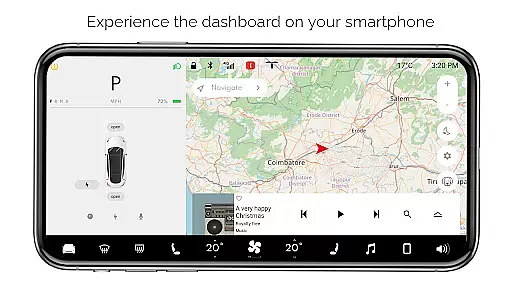
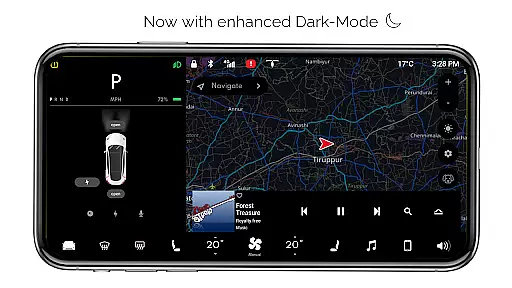
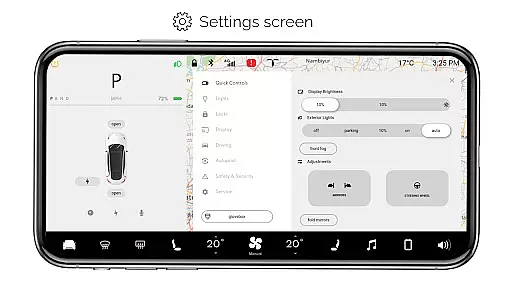
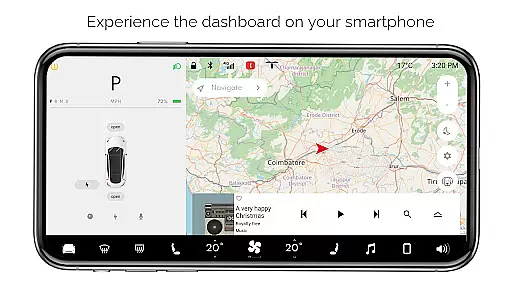
For Tesla is a premium simulator app that recreates the native dashboard experience of a Tesla vehicle on your smartphone. Designed exclusively for Tesla enthusiasts, this app allows users to explore nearly all features of the Tesla dashboard without needing an actual car. The app offers interactive controls such as maps, temperature adjustments, and battery monitoring, providing a realistic user experience.
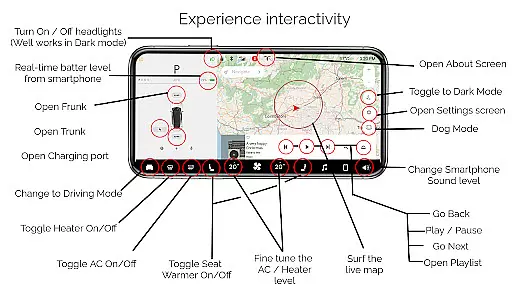
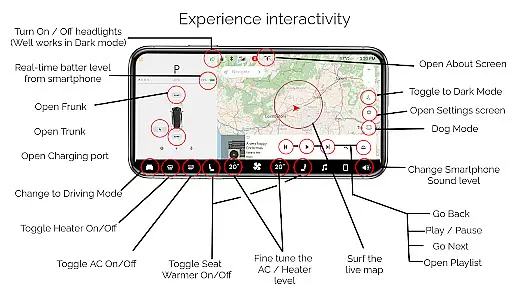
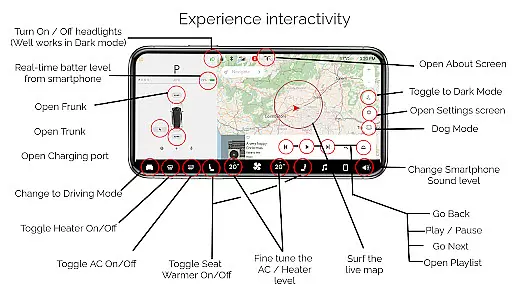
One standout feature is its ability to simulate various driving modes and settings screens, giving fans a detailed look into how Tesla's systems operate. Whether you're adjusting headlights, opening the trunk, or engaging Dog Mode, the app provides a comprehensive simulation of Tesla's advanced functionalities. This makes it an ideal tool for Tesla lovers who want to engage with the brand's technology in a fun and educational way.
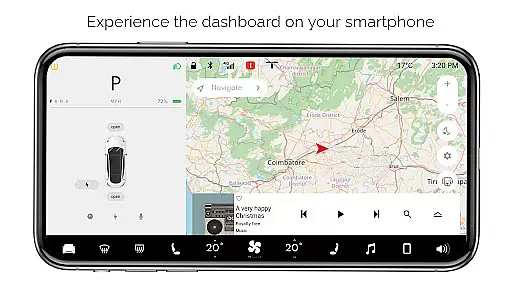
For Tesla stands out with its rich set of simulated features designed to replicate the Tesla dashboard experience. Key highlights include Interactive Maps, which allow users to track their live location, and adjustable controls for headlights, temperature, and battery levels. These features are complemented by options like opening or closing the trunk, frunk, and charging port, offering a hands-on feel of Tesla's innovative interface.
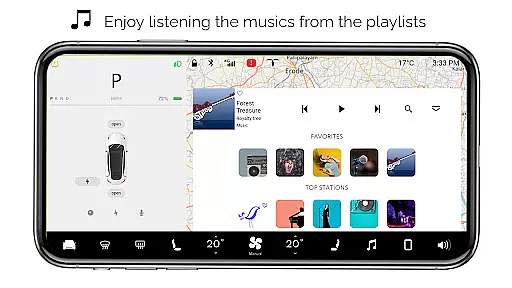
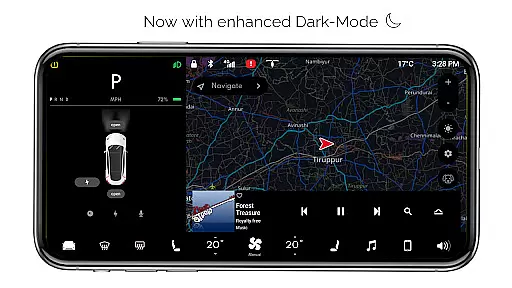
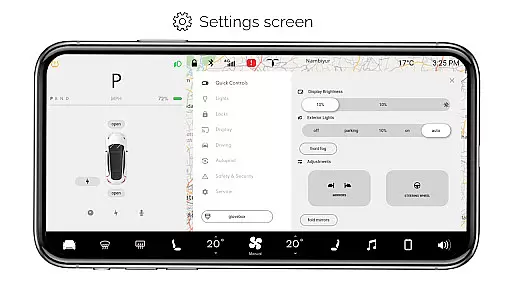
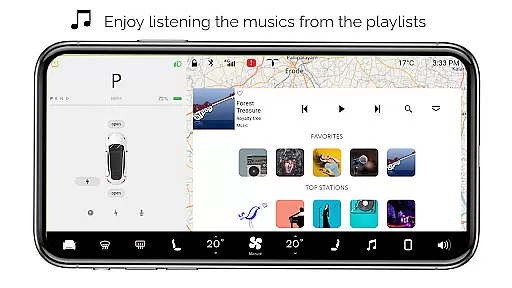
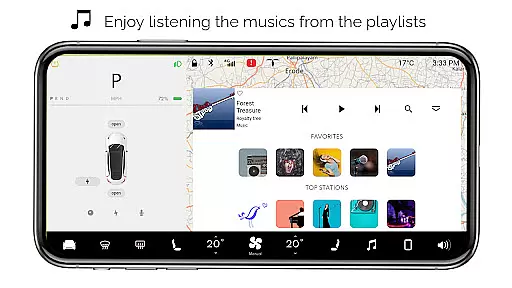
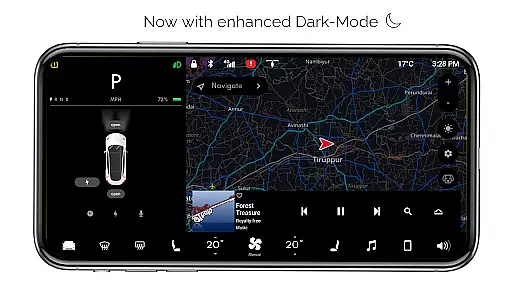
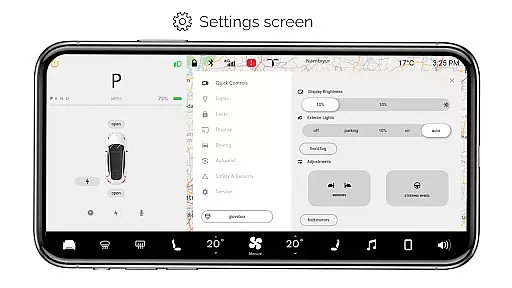
The app also includes specialized modes such as Driving Mode, Dark Mode, and Dog Mode, each providing unique experiences tailored to different scenarios. Additionally, users can access a Settings Screen to customize preferences and enjoy an Interactive Music Player complete with playlists. While these features are not compatible with real Tesla systems, they provide an immersive experience that captures the essence of Tesla's cutting-edge technology.
In the realm of digital entertainment, content variety and freshness are paramount to maintaining user engagement. For Tesla app offers an extensive range of simulated features inspired by the Tesla car system, ensuring users have access to a broad spectrum of functionalities without needing an actual vehicle. This includes interactive maps, a music player with playlists, and various car controls such as turning headlights on or off.
Each feature within the app is crafted to provide a native user experience, simulating the dashboard environment of a Tesla. The developers have taken great care to include top features like Dog Mode, Driving mode, and temperature fine-tuning, which reflect the innovative spirit of Tesla's real systems. These simulations allow users to explore what it might be like to interact with a Tesla vehicle's sophisticated interface.
The app's commitment to freshness is evident in its regular updates and addition of new features. Although all functionalities are simulated, the app provides a dynamic user experience that evolves over time, keeping users engaged with the latest developments in Tesla-inspired technology. This dedication to ongoing enhancement ensures that enthusiasts always have something new to discover.
By offering a diverse array of features that mimic those found in actual Tesla vehicles, For Tesla app not only entertains but also educates its users about potential interactions they could have with these advanced systems. It serves as both a tribute and educational tool for fans who wish to immerse themselves in the world of electric vehicles from their smartphones.
User engagement duration and retention are critical metrics for any entertainment application, indicating how well the app can hold users' attention over time. For Tesla app achieves this by providing an immersive simulation experience that allows users to interact with a wide array of features typically found in Tesla vehicles. By engaging users with interactive elements such as live location tracking, battery level monitoring, and even playful modes like Dog Mode, the app encourages prolonged usage sessions.
The app's design focuses on creating a realistic and captivating environment that mirrors the Tesla dashboard experience. With options to adjust settings, open or close different parts of the car, and simulate driving modes, users find themselves spending more time exploring what the app has to offer. This deep level of interaction helps maintain interest and promotes repeated use, contributing positively to retention rates.
Moreover, For Tesla app fosters community among Tesla enthusiasts by offering a platform where they can virtually experience the brandu2019s cutting-edge technology. As users engage with the app's rich feature set, they become part of a shared culture centered around innovation and sustainabilityu2014factors that enhance emotional attachment and loyalty towards the app.
Ultimately, through its comprehensive suite of simulated functionalities and commitment to delivering an authentic Tesla-like experience, For Tesla app successfully boosts user engagement duration and retention. Fans of Tesla can enjoy hours of exploration while gaining insights into the future of automotive technologyu2014all from their mobile devices.
User-friendly interface
Comprehensive feature set
Realistic simulation
Interactive controls
Ideal for Tesla fans
Limited real-world functionality
Some features inactive
No car integration
Purely for entertainment
Not officially endorsed

The OFFICIAL PeeWee Purpdrank Soundboard!
 4.80
4.80
Catalog & tracker of your DVD, Blu-ray & Digital Movie and TV Collection Library
4.80
Scan sets, track your builds, and enjoy intuitive digital instructions.
4.70
Build and Share AI
4.20
5 funny and lovely ponies waiting for you to style them!
4.80
Geooh GO is the most feature rich geocaching app available today.
4.50
Watch New Episodes & Live TV
3.80
With the Steam Mobile App, you can take Steam with you anywhere.
3.00
Everything FOX in one place. Watch FOX News, NFL, MLB, TV shows and more.
4.50
Time tracking, lap counting and much more for Carrera® Digital 132/124
4.80
Your Avatar, Endless Fun
4.60
* Multiple Matches * Intuitive UI * Scoring Made Easy!
4.40
Best of icon for christmas
4.30
Fire effects for your Philips Hue lights
4.20
Himnario LLDM - Fast and Easy to read , updated Hymnal 2019 Edition Official
4.20
Start EVP/Spirit Box tonight: real EMF, offline, recording. One-time purchase.
4.10
Binge-worthy short dramas on DramaRush—engaging stories that fit your day.
3.90
VR 360 Cinema Player is the ultimate VR player for playing videos on mobile
3.50
Stream live TV shows, sports, news, movies & more - all without cable.
3.00


User Reviews