
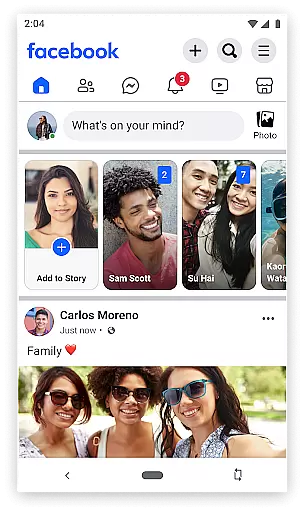
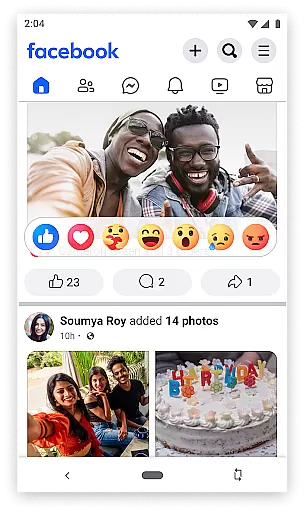
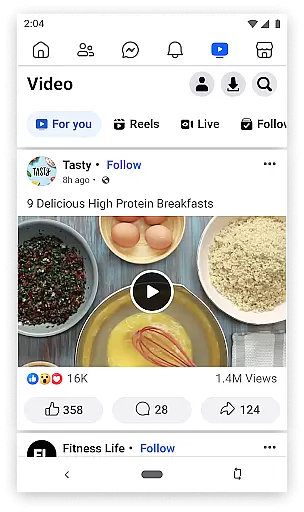

Facebook Lite is a streamlined version of the classic Facebook app, designed specifically for users with limited storage space or those operating in 2G network conditions. This lightweight app allows you to stay connected with friends and family without consuming much data or taking up valuable phone storage. With its simplified interface, it offers essential social networking features such as posting updates, sharing photos, liking posts, and commenting, all optimized for faster performance on less powerful devices.
Beyond basic communication, Facebook Lite also supports event planning, local business discovery, and marketplace transactions. The app enables users to find and engage with local events, explore nearby businesses with reviews and photos, and participate in buying and selling activities through Marketplace. Despite its reduced size, Facebook Lite maintains the core functionalities that make Facebook an indispensable tool for staying informed, connected, and organized in today's digital world.
Facebook Lite stands out with its minimalistic design and efficient use of resources, making it ideal for low-end devices and areas with poor internet connectivity. Key features include the ability to find friends and family, post status updates enriched with Facebook emojis, and share photos and memes effortlessly. Notifications keep you updated when others interact with your content, ensuring you never miss important social cues.
The app goes beyond simple social interactions by facilitating local social event discovery and planning. Users can RSVP to events, follow pages for the latest news, and even buy and sell items locally via Facebook Marketplace. Additionally, Facebook Lite provides tools for managing personal media, like creating photo albums and controlling privacy settings. These features collectively ensure that despite its smaller footprint, Facebook Lite delivers a comprehensive and engaging social media experience tailored for efficiency and accessibility.
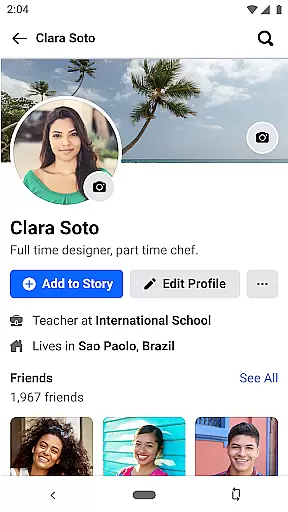
User profile customization is a fundamental aspect of any social networking app, allowing users to express their individuality and maintain an authentic online presence. Facebook Lite offers a streamlined version of this feature, ensuring that even with limited resources, users can personalize their profiles effectively.
The app enables users to customize key elements such as profile pictures, cover photos, and personal information. This ensures that each user's profile reflects their personality while maintaining the familiarity of the full Facebook experience. Additionally, Facebook Lite incorporates authenticity verification mechanisms to enhance trust within the community.
Through verification badges and two-factor authentication options, Facebook Lite helps users confirm the authenticity of profiles they interact with. This not only reduces the risk of encountering fake accounts but also fosters a safer environment for genuine social interactions. Users can engage with confidence, knowing that the platform prioritizes profile integrity.
By balancing customization options with robust verification processes, Facebook Lite delivers a user-friendly experience that upholds the credibility of its social network. This dual focus ensures that users can connect meaningfully while enjoying peace of mind regarding profile authenticity.
Connection discovery is a vital feature in social apps, enabling users to find and reconnect with friends, family, and acquaintances effortlessly. Facebook Lite excels in this area by offering efficient tools to identify and establish meaningful connections, even under challenging network conditions.
The app provides multiple methods for discovering connections, including searching by name, exploring friend suggestions, and joining local community groups. These features are optimized for regions with limited internet access, ensuring that users can expand their networks without requiring high-speed connectivity.
Facebook Lite also enhances connection discovery through event-based recommendations. Users can explore local social events, RSVP to gatherings, and meet new people who share similar interests. This functionality transforms the app into more than just a communication toolu2014it becomes a gateway to building real-world relationships.
By combining traditional search capabilities with innovative social features, Facebook Lite empowers users to grow their networks efficiently. The app's focus on accessibility ensures that everyone, regardless of their device or location, can enjoy seamless connection discovery.
User-friendly interface
Low data consumption
Space-efficient
Fast loading times
Essential Facebook features
Limited advanced features
No video calling
Fewer customization options
Reduced image quality
Less frequent updates

Global short video platform: epic effects, trending videos & vibrant community!
 4.40
4.40
Watch 24/7 live stream, and make real friends nearby
4.30
Live pics from your friends - Only the photos you want to see
4.60
Instant video chat with cool people. Live video call & make friends with Monkey!
3.80
Meet online & chat with people! Talk, have fun, make connections in real time!
4.00
Build Your Team With One App
4.30
Instant messaging — simple, fast, secure, and synced across all your devices.
4.00
Go Live, Chat & Meet New People! Friends. And more than friends.
3.80
Connect and share ideas
4.10
Get notifications of FREE Stuff for Nextdoor, Letgo, offerup & TrashNothing
4.70
Widget Together, Share Whatever! Keep Pets & Share Sleep, Poop, Moods on Screens
4.70
Meet Strangers Online, Live Video Chat & Make Random Video Calls on Joi!
4.30
FREE calling and texting (SMS texts + MMS) in US & Canada with FREE phone number
4.30
Honest dating app where real people find genuine love and real matches.
4.20
Join your friends and discover videos you love, only on TikTok
4.10
Watch, Edit, Upload and Share Gaming Clips
4.00
Dive into diverse fandoms. Connect, create, reblog.
3.90
Resonate & Date with New Match
3.70
Find your next obsession.
3.50


User Reviews