


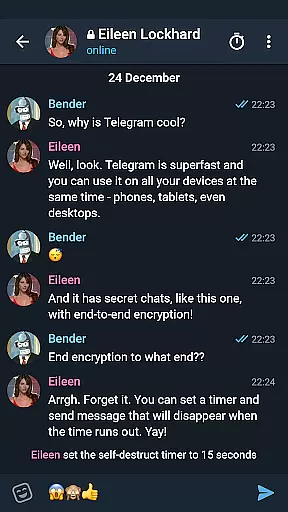

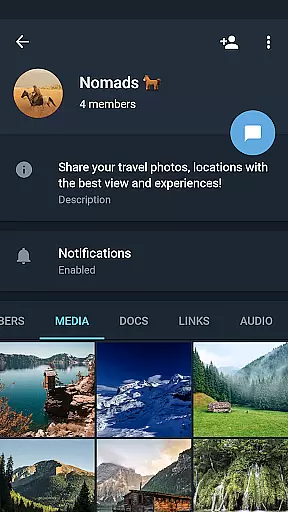
Telegram X represents a streamlined alternative client for the widely popular Telegram messaging platform, built on the TDLib framework. This version is specifically optimized to offer faster performance and smoother animations compared to its predecessor. Users can expect not only an enhanced visual experience but also access to experimental features that are yet to be integrated into the main application.
The app caters primarily to tech-savvy individuals who desire quicker communication tools without compromising on security or functionality. With support for multiple platforms including Android, Telegram X ensures that users can enjoy seamless interactions whether they're chatting with friends or coordinating within groups.
One of the standout aspects of Telegram X is its utilization of TDLib, which significantly boosts speed and efficiency during usage. The application boasts slick animations that provide a more fluid user interface, making every interaction feel responsive and modern.
Moreover, Telegram X includes various experimental features that push the boundaries of conventional messaging apps. These range from custom notification sounds to advanced privacy settings, giving users unprecedented control over their messaging experience while maintaining top-notch security standards.
User profile customization is a crucial aspect of any social application, allowing users to express their individuality and establish trust within the community. Telegram X offers a range of options for personalizing user profiles, from choosing profile pictures to setting up unique usernames.
The app ensures authenticity verification through its robust two-step verification process and phone number confirmation. This helps maintain a secure environment where users can confidently connect with others, knowing that each profile represents a genuine person.
With these features, Telegram X not only enhances user engagement but also fosters a safer social networking space. Users can easily identify and connect with friends and colleagues, making communication more meaningful and reliable.
Connection discovery in social apps refers to the ability to find and connect with other users who share similar interests or are part of one's social circle. Telegram X excels in this area by offering powerful search functionalities and suggesting potential contacts based on mutual connections and shared groups.
The app leverages TDLib to provide faster and more accurate connection suggestions, ensuring that users can quickly expand their networks. Additionally, Telegram X supports importing contacts from the device, making it easier to find friends already using the service.
This focus on efficient connection discovery enhances the overall user experience, encouraging active participation and interaction within the Telegram X community. By facilitating meaningful connections, the app helps users build stronger online relationships.
Fastest messaging experience
Sleeker animations
Experimental features
Enhanced privacy options
Cross-platform support
Limited mainstream adoption
Some features unstable
Not officially endorsed
Fewer updates
Smaller user base

Video call and chat, live stream and making friends around the world!
 4.60
4.60
Watch, Edit, Upload and Share Gaming Clips
4.00
Honest dating app where real people find genuine love and real matches.
4.20
Live video chat to connect with people around the world. Video chatting on Olive
4.40
Discover an open-minded dating experience when you download today
4.10
Find your next obsession.
3.50
Watch 24/7 great live stream, or go live to boost your social followers!
4.50
Create & share photos, stories, & reels with friends you love
3.90
TikTok Lite - Designed for speed, simplicity, and saving your phone’s space!
4.40
Reddit is where you’ll find your people and feel at home in every conversation.
4.60
Get your NGL Link
4.60
Unlimited calls & texts | WiFi voice line plus group txt | Call & text now
4.50
Connection Beyond Content
4.50
Calling and texting app. 2nd virtual line plus new phone number. Txt & talk now.
4.40
Free texting (SMS) to US, Canada & more. Free new number. Call free & Text free.
4.30
Second phone number for phone calls & texts. Text & SMS me now with a 2nd number
4.20
Connect and share ideas
4.10
Meet online & chat with people! Talk, have fun, make connections in real time!
4.00
Go Live, Chat & Meet New People! Friends. And more than friends.
3.80


User Reviews