
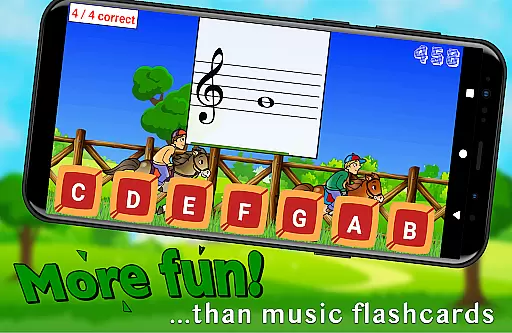
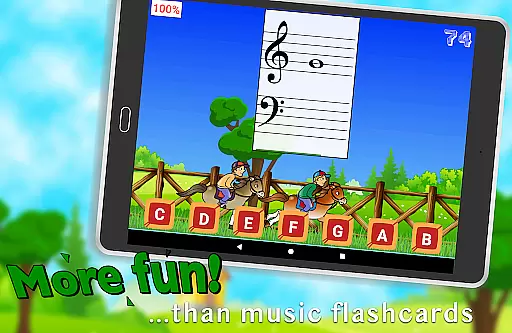
Flashnote Derby is an educational app designed to make learning music notes enjoyable for children. The app uses a horse racing game concept where kids identify music notes to move their horse towards the finish line. This interactive approach helps students practice note recognition while keeping them engaged through friendly competition.
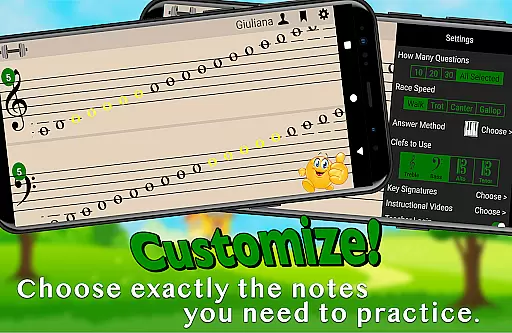
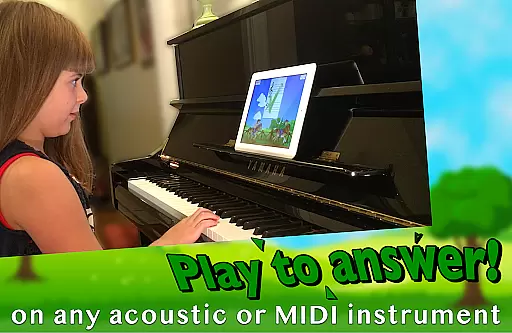
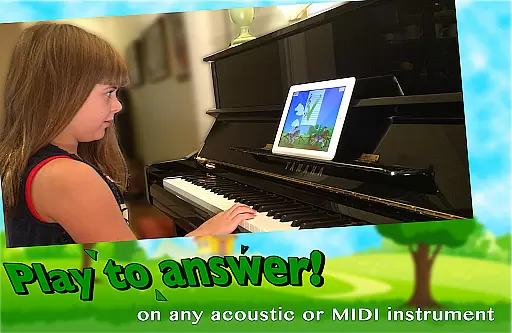
The app supports multiple answering methods including playing notes on acoustic or MIDI instruments, tapping letter buttons, or using the on-screen piano. With customizable settings, Flashnote Derby allows focusing on specific notes across various clefs and even includes key signatures for advanced learners. Its adaptive difficulty ensures that drills can evolve as students progress, making it suitable for beginners to more experienced musicians.
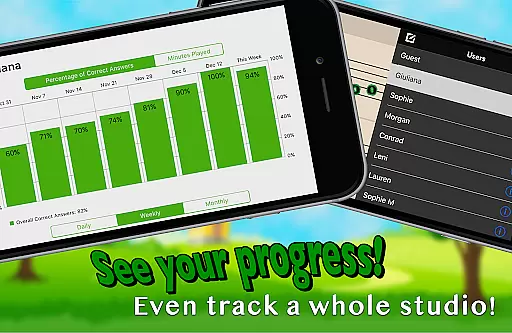
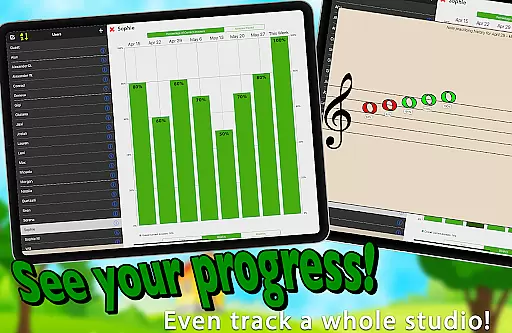
Designed for both independent learning and classroom use, Flashnote Derby also offers instructional video lessons within the app. Teachers can utilize this tool during lessons and assign homework via email, tracking student progress over time. By combining fun gameplay with essential music theory skills, Flashnote Derby motivates young learners to master reading sheet music effectively.
Flashnote Derby stands out with its unique blend of gaming and education. The core feature is the timed test format presented as a horse race, encouraging quick thinking and accuracy in identifying music notes. Students receive immediate feedback after each race, allowing them to review mistakes and learn from them.
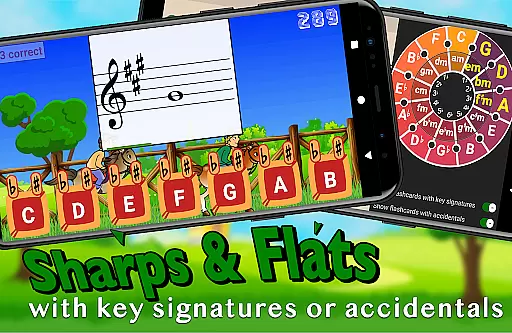
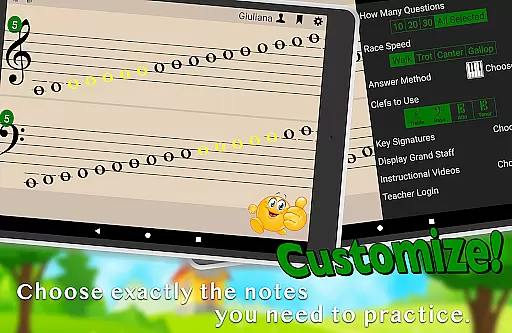
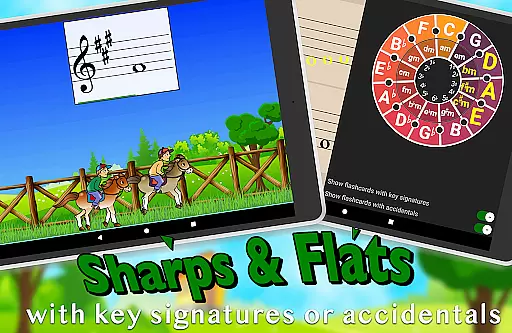
Customization options are extensive; users can tailor the quizzes to include specific notes, select different clefs, and adjust the time allowed per question. This flexibility caters to individual learning needs and preferences. Additionally, the inclusion of sharps, flats, and key signatures adds depth for more advanced practice sessions.
Beyond the main game, Flashnote Derby provides access to instructional videos covering fundamental music concepts. These resources support self-paced learning and help build foundational knowledge. Teachers benefit from features like email assignments and performance tracking, making it a versatile tool for both home study and professional instruction.
Flashnote Derby focuses on delivering accurate and authoritative music education content. The app provides a reliable platform for learning to read music notes, ensuring that the information presented is both correct and pedagogically sound. This is crucial for students who are building foundational skills in music reading.
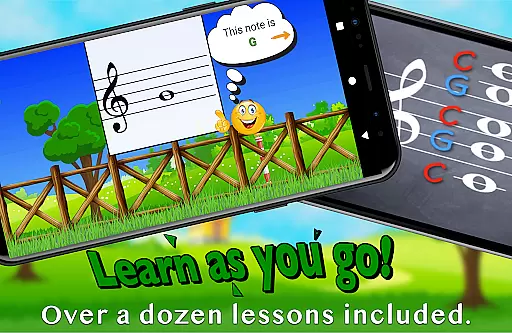
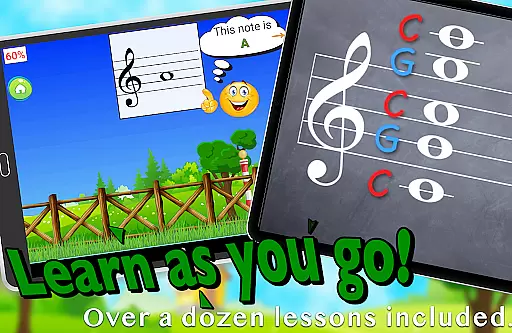
The inclusion of over a dozen instructional video lessons within the app further enhances its credibility. These lessons cover essential topics such as the music alphabet and staff recognition, making it accessible even for beginners with no prior music instruction. By integrating these resources, Flashnote Derby ensures that learners receive comprehensive and trustworthy guidance throughout their musical journey.
Additionally, the app allows customization of drills to focus on specific areas that need improvement. Teachers can set up targeted exercises that align with their curriculum, reinforcing classroom learning. With adjustable difficulty levels and the ability to track progress, Flashnote Derby supports a structured approach to mastering music notation, instilling confidence in students as they advance.
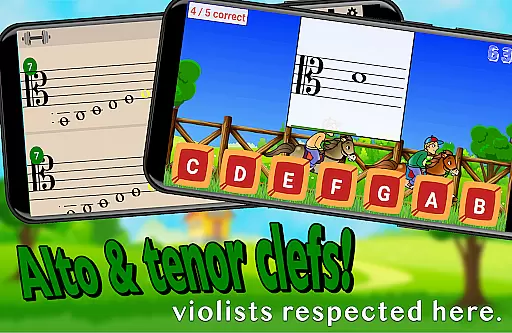
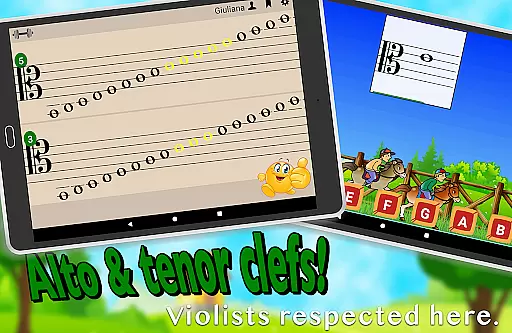
One of the standout features of Flashnote Derby is its ability to create personalized learning paths tailored to individual needs. The game's customizable settings allow users to select specific notes and clefs, catering to different skill levels and learning objectives. Whether focusing on treble, bass, alto, or tenor clefs, students can practice exactly what they need to improve.
The adaptive nature of Flashnote Derby means that drills can start simply and gradually increase in complexity. As students become more proficient, they can adjust the settings to include more challenging notes, up to five and a half ledger lines above or below the staff. This progression helps maintain engagement and motivation, as learners see tangible improvements in their abilities over time.
Moreover, performance tracking enables both students and teachers to monitor progress effectively. Detailed records highlight which notes require further review, allowing for focused practice sessions. By combining personalized learning paths with motivational gameplay elements like timed races and point systems, Flashnote Derby fosters an engaging environment where students remain committed to their music education goals.
User-friendly interface
Engaging game mechanics
Customizable learning paths
Comprehensive tracking system
In-app instructional videos
Limited to music notes
No multi-player mode
Premium content locked
Occasional bugs reported
Requires device compatibility

scanner body part for fun Prank friends realistic scan effects
 3.00
3.00
One of the most engaging and innovative ABC apps on the market.
4.30
Dinosaurs coloring book game. Drawing and painting dinos.
4.50
Explore numbers the Starfall way!
4.00
The Fighter Verses Bible memory system helps you memorize God's Word.
4.50
Stargazing Guide App. Stars and constellations map. Solar system planets finder.
4.60
Professional Award-Winning Astronomy Star Map App With Telescope Control
4.40
Learn to pass DMV permit tests. Driver license practice test 2025.
4.60
Cool math games & learn to read activities- loved by kids, approved by teachers.
4.50
Perform physics experiments with your phone. (by the RWTH Aachen University)
4.70
Discover Your Place in the Universe
4.70
A fast and fun way to learn guitar - works with any guitar.
4.60
Turn scrolling hours into improving your knowledge, communication, intelligence
4.50
The Only Official DVSA Theory Test Kit App
4.50
Intuitive Transformer Lab - By a Lineman, For Linemen & Apprentices
4.50
Ignite curiosity, spark learning: All babybus videos &games
4.30
An aviator’s preparation, study and test tool for FAA Knowledge Exams.
4.30
An animated storybook app to help ease your child through toilet training.
3.70
Hasbro's Classic Board Game - Make Cavity Sam better or get the buzzer!
3.50


User Reviews