
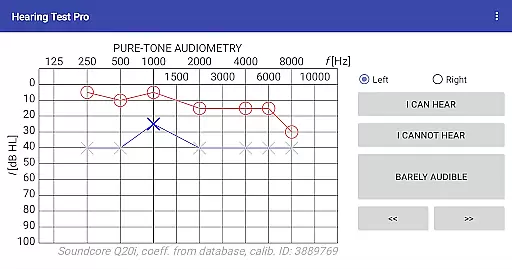
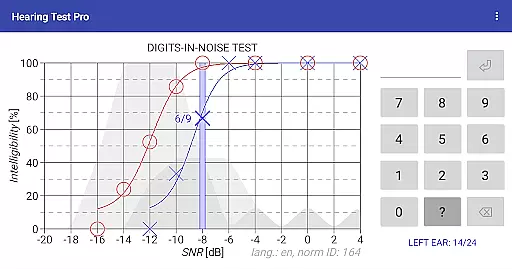
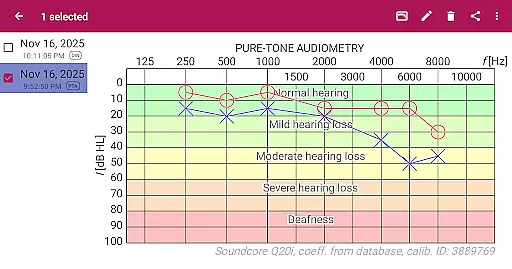
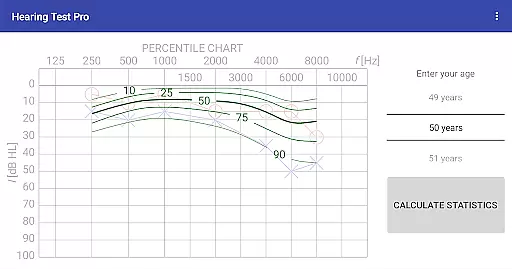
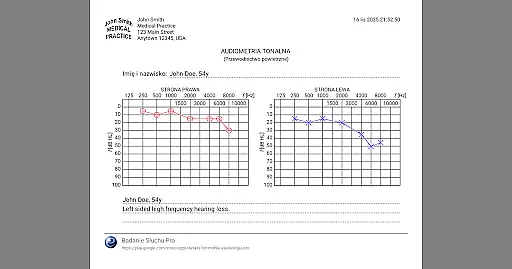
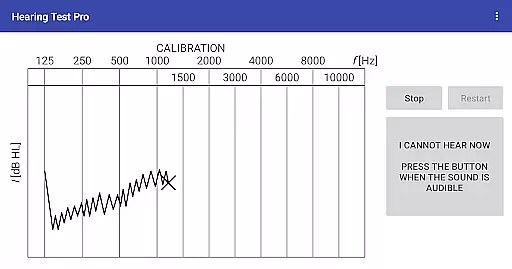
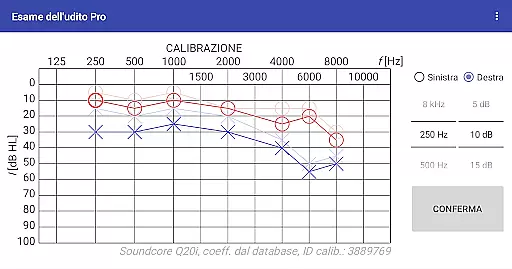
Hearing Test Pro is a comprehensive mobile solution designed for users to assess and monitor their hearing capabilities. The app provides two primary testing methods: pure-tone audiometry and the digits-in-noise test (digit triplet test). Pure-tone audiometry evaluates the degree of hearing loss across different sound frequencies, identifying the quietest sounds detectable by the user. This establishes an accurate hearing threshold. The digits-in-noise test measures speech intelligibility by requiring users to recognize spoken digits amidst background noise.
In addition to these core features, Hearing Test Pro includes advanced functionalities such as high-frequency audiometry, classification of hearing loss, and comparison with age-related norms. Users can print test results, add notes, and adjust calibration settings based on clinical audiometer results. The Pro version offers enhanced features like offline access to test results through a local database, cloud synchronization, and manual stimulus control during audiometry tests.
This app is particularly useful for individuals who need regular hearing assessments or those concerned about their auditory health. By providing detailed insights into hearing thresholds and intelligibility, it empowers users to take proactive steps in managing their hearing health effectively.
Hearing Test Pro stands out due to its robust feature set tailored for both basic and advanced hearing assessments. The pure-tone audiometry function uses bundled headphones and predefined calibration coefficients from an extensive database, ensuring precise measurements. Additionally, the digits-in-noise test evaluates speech recognition abilities under noisy conditions, offering a realistic assessment of everyday hearing challenges.
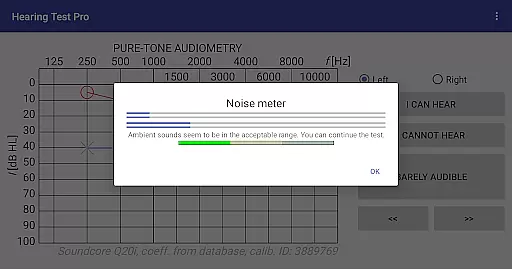
The app also includes practical tools such as a noise meter to measure background noise levels during tests and device calibration options when predefined settings are unavailable or alternative headphones are used. Advanced features include high-frequency audiometry for more nuanced evaluations, classification systems for categorizing types of hearing loss, and comparisons against age-related benchmarks to contextualize results.
For professional users, the Pro version enhances utility with offline database access, cloud synchronization for seamless data management across devices, and manual stimulus control during testing. These features collectively ensure that Hearing Test Pro caters to both personal monitoring needs and professional diagnostic requirements, making it a versatile tool in auditory healthcare.
When it comes to medical applications, the credibility of content and expert review is paramount. Hearing Test Pro ensures that its tests are grounded in established audiological practices. The app provides two key hearing assessments: pure-tone audiometry and the digits-in-noise test, both widely recognized in clinical settings.
The developers have integrated features such as high-frequency audiometry and classification of hearing loss, which align with professional standards. These features not only enhance the reliability of the results but also offer users a comprehensive understanding of their hearing health. Additionally, the ability to compare results with age-related norms adds another layer of credibility.
Furthermore, the inclusion of calibration adjustment and verification underscores the app's commitment to accuracy. Users can trust that their test outcomes are based on precise measurements, whether using bundled headphones or other devices. This meticulous attention to detail reflects the input of audiological experts in the app's design.
While Hearing Test Pro does not directly facilitate teleconsultations, it equips users with accurate data that can be shared with healthcare professionals during virtual consultations. The app's detailed reports, generated from tests like pure-tone audiometry and speech intelligibility assessments, serve as valuable tools for remote diagnosis.
One standout feature is the synchronization capability available in the Pro version. This allows users to store their test results in the cloud, making it easy to share these records with audiologists or doctors regardless of location. Such seamless data accessibility enhances the quality of teleconsultations by providing professionals with reliable information.
Moreover, the option to print test results or add notes further supports effective communication between patients and healthcare providers. By ensuring that all findings are well-documented and easily accessible, Hearing Test Pro indirectly elevates the standard of remote medical consultations.
Comprehensive hearing tests
Advanced calibration options
Offline result storage
Cloud synchronization
Manual stimulus control
Premium features locked
Complex for beginners
Limited free support
Requires calibration
High cost for Pro

Behavioral Health Portal
 4.70
4.70
Download the PulsePoint app and use your CPR skills to save a life!
4.60
ECG modules improve rhythm ID. ACLS is a simulator for cardiac arrest scenarios.
4.2
Pelvic Floor Muscle Exercises
4.80
The official DSM-5-TR® app
4.50
Manage your prescriptions anytime, anywhere with the Publix Pharmacy mobile app.
4.80
The world's best selling 3D Human Anatomy app with groundbreaking 3D technology
2.00
Manage your healthcare through the FollowMyHealth® Universal Health Record.
4.80
MyChart for Android
4.50
The Better Pharmacy Experience
4.90
Manage your prescriptions and pharmacy care anytime, anywhere.
4.80
PPP provides quick offline access to over 350 field treatment protocols.
4.60
ASCCP Management Guidelines- There’s an app for that!
4.60
Internal medicine literature at your fingertips.
4.50
Your pocket guide to following The Monash University Low FODMAP diet.
4.20
Good for You. Great for Life.
4.00
Donating plasma just got easier with the BioLife Plasma Services mobile app.
3.90
Easy access to benefits and rewards
3.70
HealtheLife lets you easily manage your health online.
3.20


User Reviews