
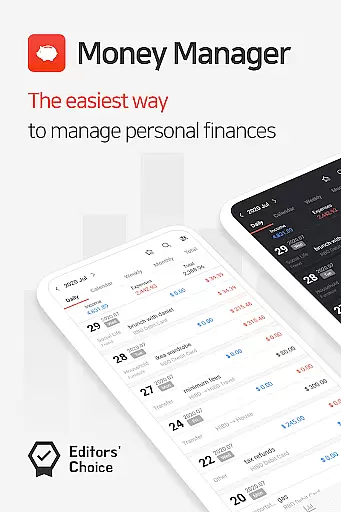
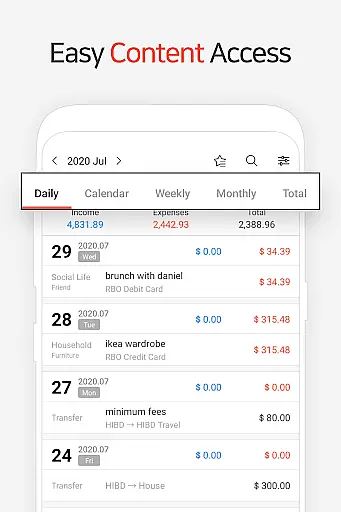
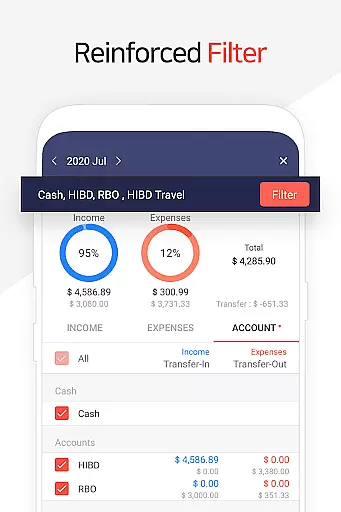
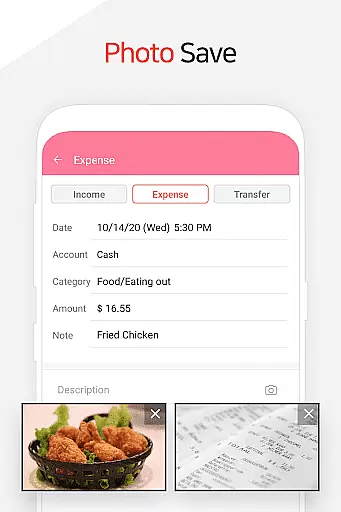
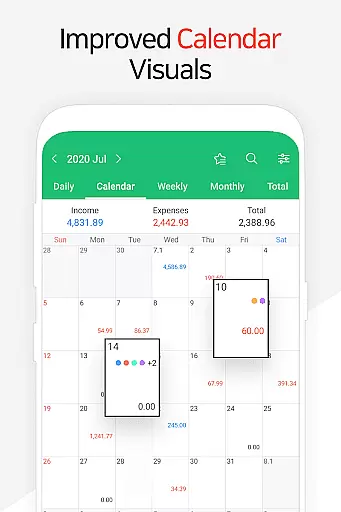
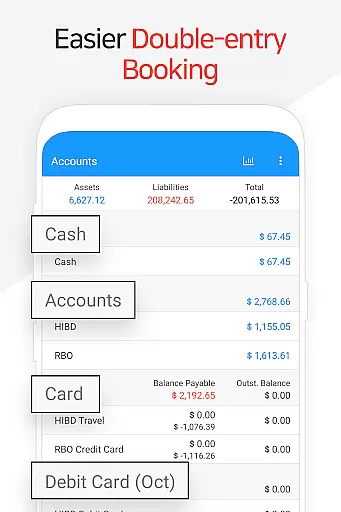
Money Manager is a comprehensive personal asset management application designed to help users efficiently track and manage their finances. The app employs double-entry bookkeeping, ensuring accurate recording of all financial transactions by automatically depositing income and deducting expenses from the respective accounts. This method provides a clear picture of one's financial health.
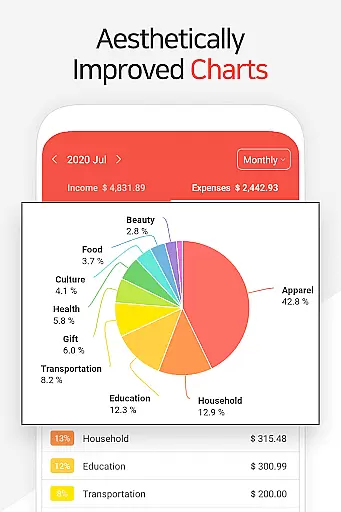
In addition to its core accounting features, Money Manager offers budget management tools that allow users to visualize their spending against set budgets through intuitive graphs. Users can also manage credit and debit cards, schedule payments, and set up automatic transfers for recurring transactions such as salaries or loans. With instant statistics and bookmark functions, users can quickly analyze their spending habits and save frequent expenses for easy entry.
The app supports secure access with passcode functionality and enables data backup and restoration in Excel format, including Google Drive support. These features make it an ideal choice for individuals seeking a robust solution for managing their personal finances across multiple platforms.
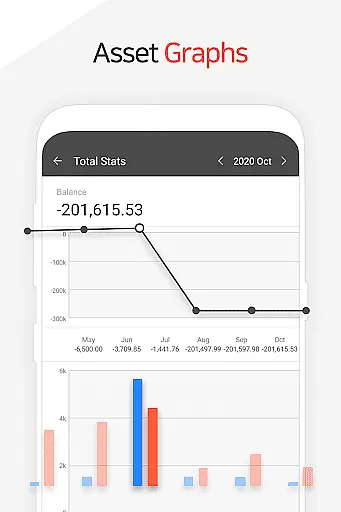
Money Manager stands out with its advanced PC manager function, allowing users to view and edit their financial data via Wi-Fi on a larger screen. This feature includes sorting capabilities by date, category, or account group, and graphical representations of account fluctuations, providing a detailed overview of one's financial status.
The application's budget management function is another highlight, offering visual comparisons between budgeted amounts and actual expenses. This helps users maintain control over their spending. Additionally, the card and debit card management features enable users to monitor payment schedules and outstanding balances directly within the app, streamlining the process of managing multiple financial instruments.
Other notable features include a transfer and direct debit function for efficient asset management, instant statistical analysis for quick insights into spending patterns, and a bookmark function for frequently occurring expenses. The inclusion of backup and restore options, along with Google Drive support, ensures that users' financial data remains safe and accessible, enhancing the overall user experience.
Account and fund security is a critical aspect of any financial management application. Money Manager ensures the safety of user data through multiple layers of protection. The app employs advanced encryption protocols to safeguard sensitive financial information, ensuring that all transactions and account details remain confidential.
In addition to encryption, the app offers a passcode feature for an added layer of security. Users can set up a passcode to access the app, preventing unauthorized access even if the device is lost or stolen. This feature provides peace of mind, knowing that personal financial data is protected against unauthorized viewing.
Furthermore, Money Manager supports secure cloud backups via Google Drive. This allows users to create encrypted backup files of their financial data, which can be restored when needed. By leveraging trusted cloud services, the app ensures that users' financial records are preserved securely and can be recovered in case of device failure or data loss.
The combination of encryption, passcode protection, and secure backup options makes Money Manager a reliable choice for managing personal finances safely. These security measures help maintain the integrity and confidentiality of users' financial information, providing a secure environment for effective asset management.
A seamless transaction experience is essential for any financial application, and Money Manager excels in this area by offering intuitive features that simplify money management. The app facilitates efficient asset management through double-entry bookkeeping, ensuring that every income and expense is accurately recorded and reflected in the user's account balance immediately.
Money Manager also includes budget management tools that enhance the transaction experience. Users can set budgets for different categories and track their spending against these budgets using visual graphs. This feature provides real-time insights into financial habits, helping users make informed decisions about their expenses and savings.
To further streamline transactions, the app offers card and debit card management functions. Users can input settlement dates to monitor payment amounts and outstanding balances directly within the app. Additionally, linking debit cards to accounts enables automatic debits, simplifying recurring payments and reducing manual entry.
With instant statistics and detailed reporting, Money Manager empowers users to understand their financial activities better. The app generates comprehensive reports on expenses by category and tracks monthly changes, allowing users to identify trends and adjust their spending habits accordingly. This holistic approach to transaction management enhances the overall user experience, making financial oversight both accessible and actionable.
User-friendly interface
Comprehensive financial tracking
Secure passcode protection
Efficient budget management
Multi-platform accessibility
Limited free version features
Occasional syncing issues
Advanced functions require learning
Some users report bugs
Subscription fees apply

Manage your account, make a payment, and redeem your rewards on the go.
 4.50
4.50
The all-in-one app to save, earn, travel, and put more money in your pocket
4.50
Secure, simple money transfer app. Send money to Mexico and worldwide fast.
4.80
Early payday & cash advances with no-fee mobile banking!
4.60
No credit check, no interest, no worries.
4.70
Invest, bank & save in one app. Trade stocks, earn high APY & budget smarter.
4.00
Earn cash back. Build credit.
4.60
Manage your credit card account with the Credit One Bank mobile app.
4.70
StockTiles lets you view prices & charts of your favorite stock assets
2.30
Companies owe you money.
4.80
Money App - Earn Cash back, Fast Cash Advance, Personal Loan Offers, Banking
4.70
Military retirement pay estimation calculator
4.70
Navigate your unique financial path confidently with help from Credit Karma.
4.70
Get a cash advance instantly. File taxes & cover unexpected bills in minutes.
4.60
Need help before payday? Get cash advances with no interest or credit checks.
4.60
The simplest way to budget, bank, save and invest.
4.50
Trade NFL, NBA, Crypto, Tech
4.50
Make your paycheck work harder for you with Perpay.
4.10
View BSC Transactions for multiple accounts
3.90


User Reviews