
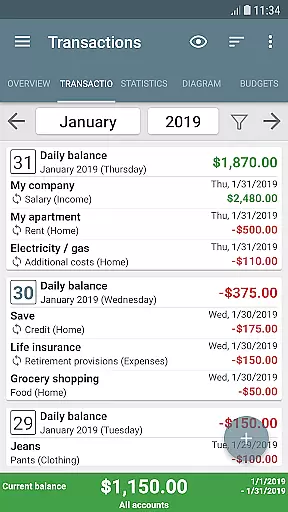
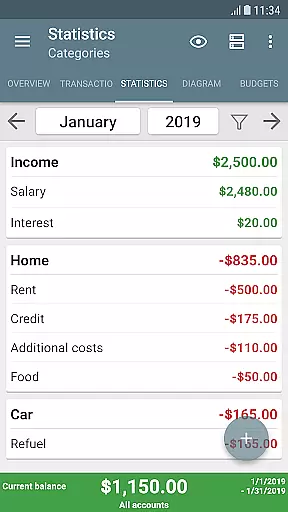
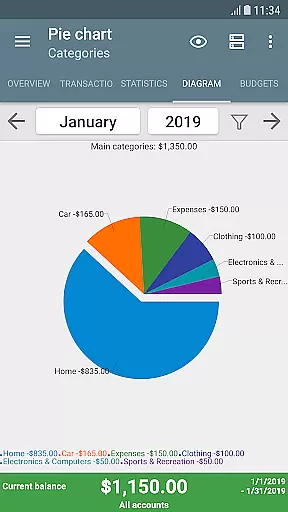
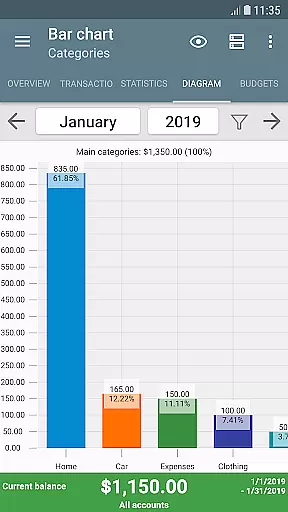
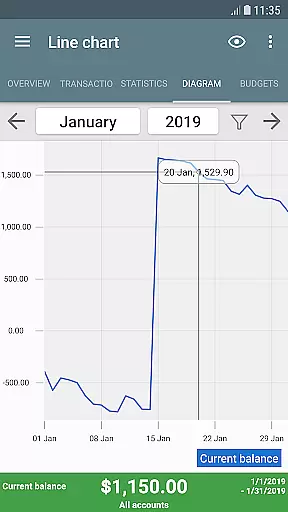
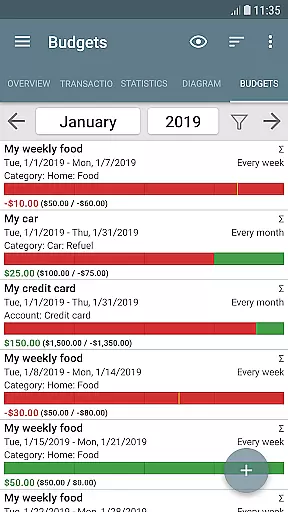
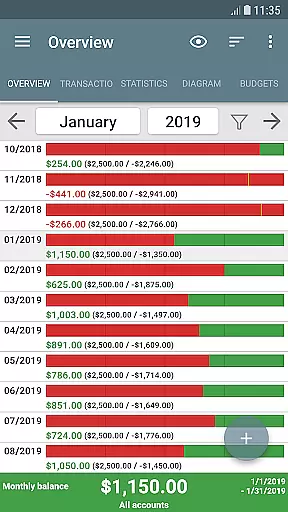
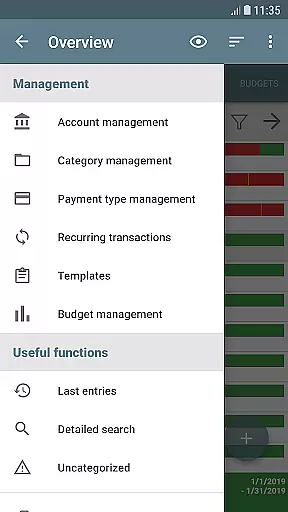
My Budget Book is a comprehensive financial management application designed to help users effectively track and manage their income and expenses. The app offers features for recording individual or recurring transactions, enabling users to monitor their balances and forecast future financial trends.
One of the standout capabilities of My Budget Book is its budgeting functionality. Users can set personalized spending limits or savings goals over custom time periods. Whether it's controlling clothing expenses, limiting coffee purchases, or saving for a vacation, the app provides flexible budgeting options tailored to individual needs.
The app also emphasizes privacy and security, operating fully offline without requiring Internet permissions. This Finance app is particularly useful for those seeking a secure, ad-free solution with robust customization options for tracking their financial health.
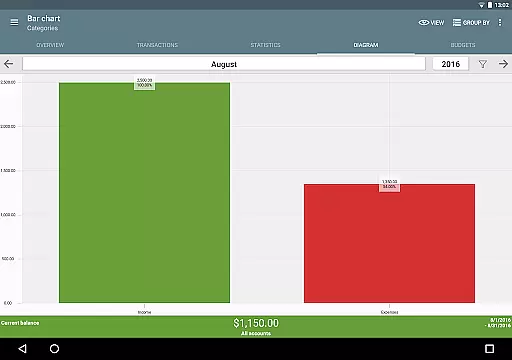
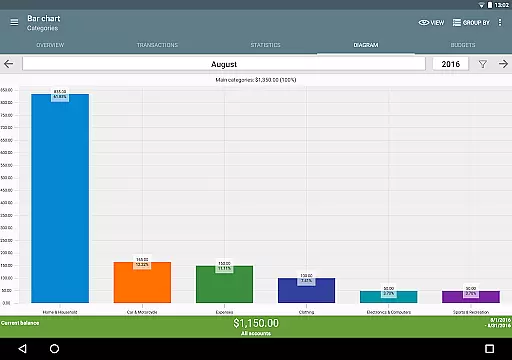
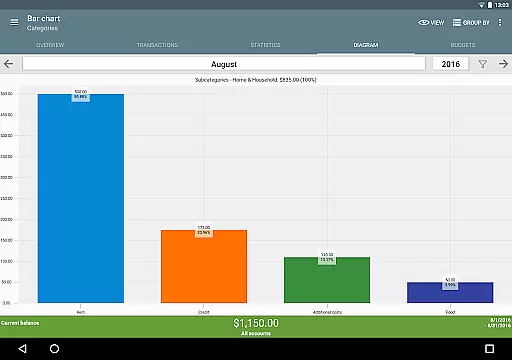
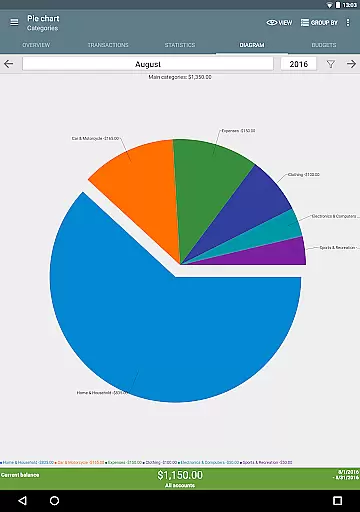
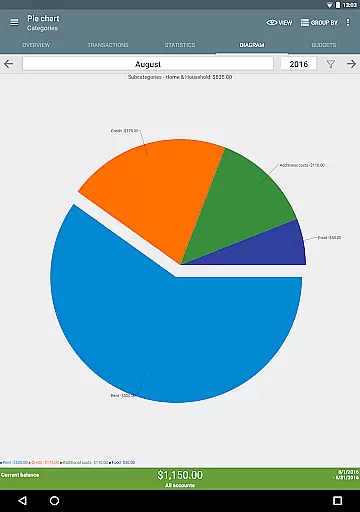
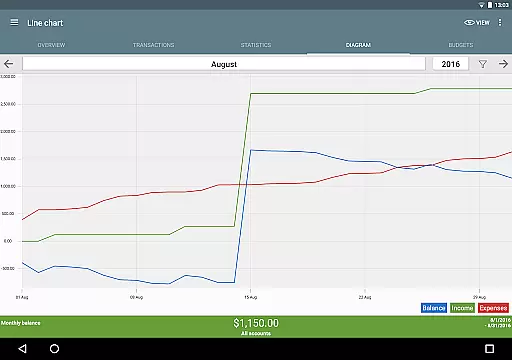
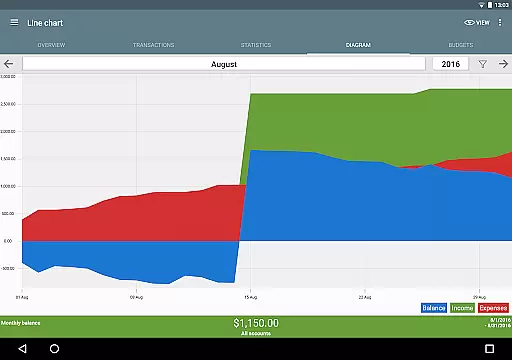
My Budget Book stands out with its diverse feature set tailored for effective money management. The app allows users to visualize their financial data through dynamic charts and graphs, offering new insights into spending patterns and savings progress.
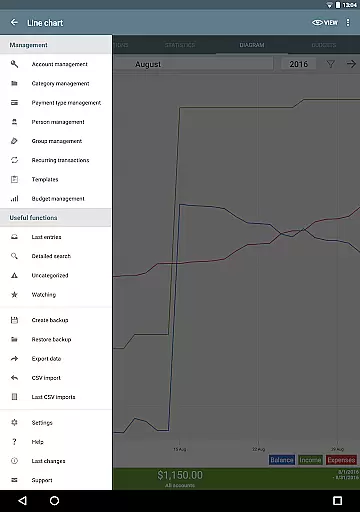
A key strength is its customizable budgeting system. Users can create specific budgets for different categories, payment methods, or time periods. The app supports multiple account management, category customization, transaction attachments, and reminders for pending payments. These features work together to provide a complete picture of one's financial situation.
Additional notable features include four home screen widgets, password protection, CSV import/export capabilities, automatic local backups, and an integrated manual with email support. The Material Design interface can be personalized with configurable dark mode and various sorting options.
Account and fund security is a critical aspect of any financial management application. My Budget Book ensures the protection of user data through multiple layers of security measures.
The app offers optional password or fingerprint protection to safeguard sensitive financial information. This biometric authentication adds an extra layer of security, ensuring that only authorized users can access the app's content.
In addition to local security features, the app operates offline without requiring Internet permission. This design choice protects user privacy by preventing potential data breaches through internet connections. Users can also create automatic local backups to prevent data loss.
For users who wish to sync data across devices, the app provides detailed instructions on secure synchronization methods in its integrated manual. These features collectively ensure that your financial data remains private and protected at all times.
A seamless transaction experience is essential for effective money management. My Budget Book excels in providing users with intuitive tools to manage their finances efficiently.
The app allows easy recording of both individual and recurring transactions, enabling users to track and forecast their balances accurately. Its comprehensive views, complete with convenient tabs and various sorting options, make transaction management straightforward and efficient.
Users can visualize their financial data through dynamic charts and graphs, gaining new insights into their spending patterns. The ability to customize categories and subcategories helps reflect each user's unique financial situation accurately.
Additional features like transaction templates, photo attachments for receipts, and customizable reminders for pending payments enhance the overall transaction experience. These thoughtful functionalities streamline financial management and help users maintain better control over their money.
User-friendly interface
Comprehensive budgeting tools
Offline functionality
No ads or hidden costs
Customizable categories
Limited cloud integration
Manual data entry required
Basic reporting features
No automatic bank sync
Single-device usage

The all-in-one app to save, earn, travel, and put more money in your pocket
 4.50
4.50
Companies owe you money.
4.80
Earn cash & save money daily. Access instant cash advances* - no credit check!
4.50
Pay rent on your schedule.
4.70
Car Insurance Made For You.
4.50
The Citi Mobile® App lets you manage your accounts virtually anytime, anywhere
4.80
Manage budget, save money, or file tax. Build, track & improve your credit score
4.40
Access State Farm accounts, policies, ID cards and more
4.60
Venmo is the fun and easy way to pay and get paid.
4.10
Join 12M+ users. Instant cash advances, personal loans, build credit, save money
4.80
Early payday cash advance up to $150 a day with a max of $1,000 per pay period
4.70
Over 180 currencies conversion rates with live exchange rates and offline mode.
4.60
Early payday & cash advances with no-fee mobile banking!
4.60
Manage and cancel subscriptions, lower bills, track expenses, create budgets.
4.60
Get up to 500, get paid early, earn interest and find work with no hidden fees.
4.40
Change the way you money with Credit Genie
4.30
Registration of your debts and Mdionatk and assembled, as well as a significant reports
4.30
Earn money as a tester with Testerup, get cash testing apps and games
4.20
Invest, bank & save in one app. Trade stocks, earn high APY & budget smarter.
4.00


User Reviews