

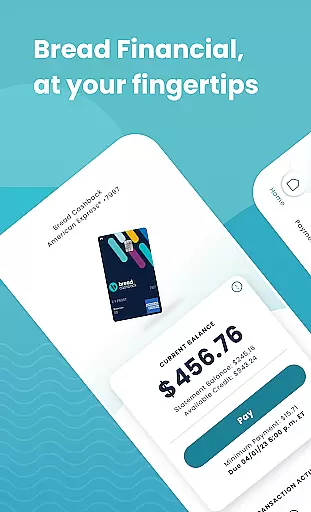
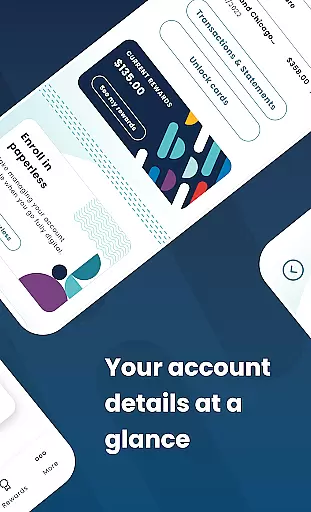
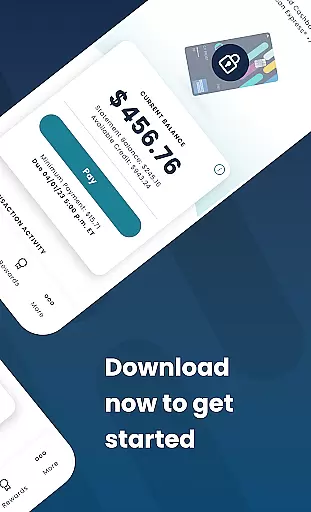
Bread Financial is a comprehensive mobile application designed for managing credit card accounts on the go. It supports Bread Cashback™ American Express® Credit Card, Bread Rewards™ American Express® Credit Card, and AAA Visa Signature® credit card accounts. Users can access their accounts anytime, anywhere, using the same login credentials as Account Center. The app offers essential features such as making payments, redeeming rewards, reviewing transaction history, and more.
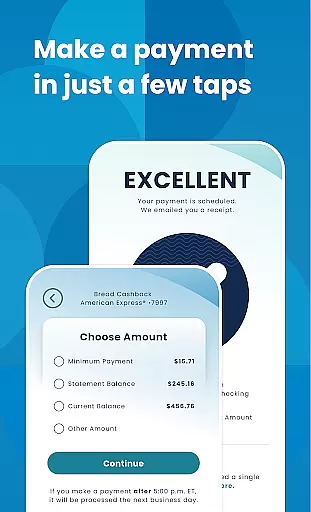
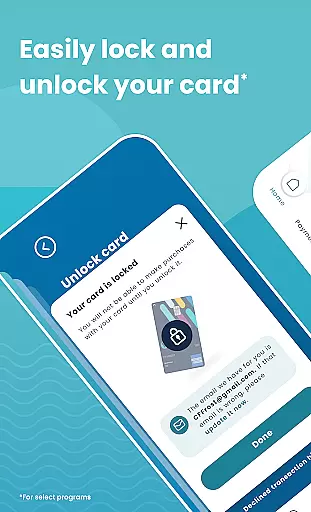
The app provides secure and quick login options through username/password or biometrics. It allows users to review transactions and statements, search recent activity, filter results, activate cards, add authorized buyers, and lock/unlock cards for select programs. Additionally, users can set up automatic payments, schedule one-time payments, and edit or delete scheduled payments with ease.
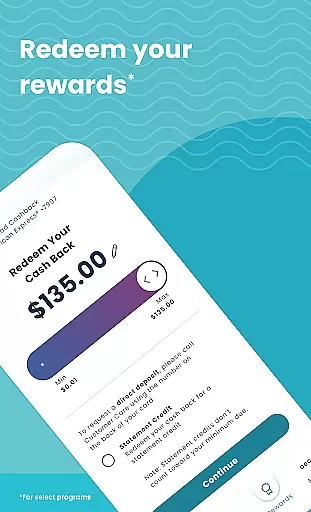
For select programs, users can track reward earnings, redeem rewards in any amount, and unlock exclusive offers on the partner site linked within the app. Bread Financial ensures safe and secure communication through its Secure Message Center, allowing users to reach out anytime. This app is ideal for those who want convenient and secure management of their credit card accounts directly from their mobile devices.
Bread Financial stands out with its robust feature set tailored for seamless credit card account management. One of its key features is the ability to log in quickly and securely using either a username/password or biometric authentication. This ensures that users can access their accounts swiftly while maintaining high-security standards.
Transaction management is another highlight, allowing users to review transactions and statements, search recent activities, and apply filters as needed. For select programs, users can activate their cards, add authorized buyers, and lock/unlock their cards directly from the app. These features provide users with greater control over their financial activities.
Payment functionalities are streamlined, enabling users to set up automatic payments, schedule one-time payments, and modify or cancel scheduled payments effortlessly. Moreover, users participating in select programs can track their reward earnings, redeem rewards flexibly, and access exclusive offers via the partner site linked in the app. The inclusion of a Secure Message Center further enhances user experience by providing a safe channel for communication with customer support.
Account and fund security is a critical aspect of any financial application, ensuring that users' sensitive information and funds are protected from unauthorized access. Bread Financial employs advanced encryption protocols and multi-factor authentication to safeguard user data. This includes secure login options such as username/password or biometrics, providing an additional layer of protection.
The app also allows users to manage their card security by enabling them to lock and unlock their cards directly from the app interface. This feature is particularly useful in scenarios where the card might be lost or stolen, allowing immediate action to prevent unauthorized transactions. Furthermore, the ability to add authorized buyers ensures controlled access to the account, enhancing overall security.
By integrating these comprehensive security measures, Bread Financial not only protects users' financial assets but also builds trust and confidence. Users can enjoy peace of mind knowing that their personal and financial information is handled with utmost care and security, making it a reliable choice for managing credit card accounts on the go.
A seamless transaction experience is essential for any financial app, and Bread Financial excels in providing users with intuitive tools to manage their finances efficiently. The app offers quick access to account details, enabling users to review transactions and statements effortlessly. With features like search and filter options for recent activity, users can easily track their spending habits and monitor their financial health.
Bread Financial simplifies the payment process by allowing users to set up automatic payments, schedule one-time payments, and edit or delete scheduled payments with just a few taps. This flexibility ensures that users never miss a payment deadline and can manage their bills according to their convenience. Additionally, the app provides real-time notifications and updates, keeping users informed about their account status and transaction history.
Overall, the transaction experience in Bread Financial is designed to be user-friendly and efficient, empowering users to take control of their financial activities. By offering a range of features that enhance convenience and accessibility, the app ensures a smooth and hassle-free experience for managing credit card accounts anytime, anywhere.
User-friendly interface
Secure login options
Comprehensive transaction management
Flexible payment scheduling
Reward tracking and redemption
Limited to specific credit cards
Some features for select programs only
No multi-language support
Occasional bugs reported
Requires internet connection

Bitcoin gpu app helps you remote mine using your cell phone easily .
 3.60
3.60
Need help before payday? Get cash advances with no interest or credit checks.
4.60
Retirement plan, IRA, retail and HSA customers serviced by Empower.
3.10
PayMe helps you claim money from settlements on companies that harmed you.
4.80
All your crypto & stocks in one secure and trusted app.
4.40
Get, Earn, and Save Money
4.30
Save, spend & get paid faster²
4.50
Currency Converter (200+ currencies) with live exchange rates and offline mode.
4.70
Trade NFL, NBA, Crypto, Tech
4.50
BA Financial Calculator PRO – Perfect for CFA/FRM/CPA and finance professionals
4.90
All expenses at a glance.
4.80
Wells Fargo Mobile allows you to access your investment and bank accounts.
4.80
The DailyPay app lets you access earned wages before your next payday.
4.70
Early payday cash advance up to $150 a day with a max of $1,000 per pay period
4.70
Money App - Earn Cash back, Fast Cash Advance, Personal Loan Offers, Banking
4.70
“Money Manager” is an optimized application for personal asset management.
4.70
Easily invest, save, and plan—all in one app.
4.60
The PayPal app is the secure way to send and receive money, shop and pay in 4.
4.20
Secure Amex Account Access: View Balance, Make Payments, Redeem Rewards & more
3.60


User Reviews