
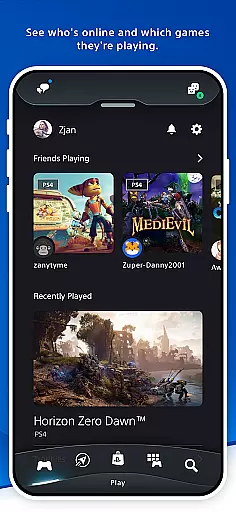
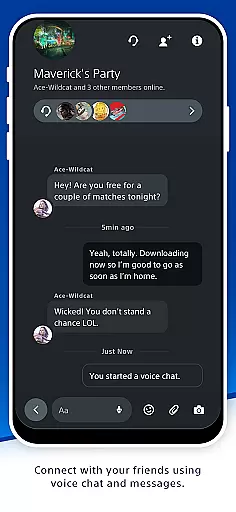

PlayStation App is your gateway to staying connected with the gaming world on the go. This entertainment-focused application allows users to maintain a constant connection with their gaming friends and favorite games, regardless of location. With core features like real-time friend activity tracking, voice chat, messaging, and remote console management, it bridges mobile convenience with console gaming.
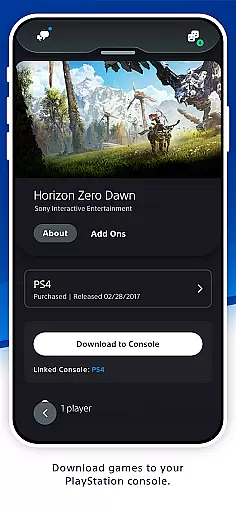
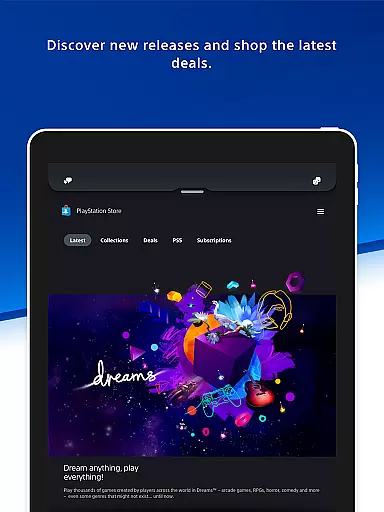
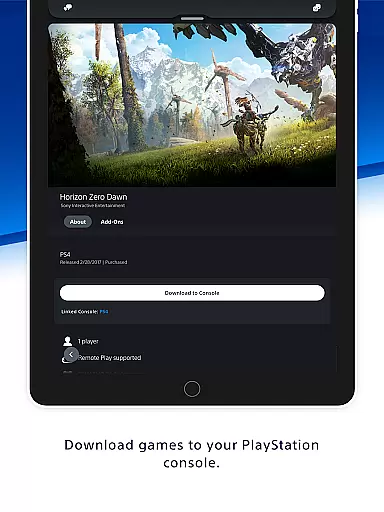
The app also serves as a hub for game discovery and shopping, offering deals on PS Store purchases while delivering the latest PlayStation news. Users can download games remotely, manage storage on PS5 consoles, and even launch games from their mobile devices. These functionalities make PlayStation App an essential tool for enhancing the overall gaming experience.
For gamers who want to optimize their playtime and stay in the loop with their gaming community, this app provides significant value. Whether coordinating multiplayer sessions or expanding one's game library with exclusive deals, PlayStation App ensures that users never miss a beat in their gaming journey.
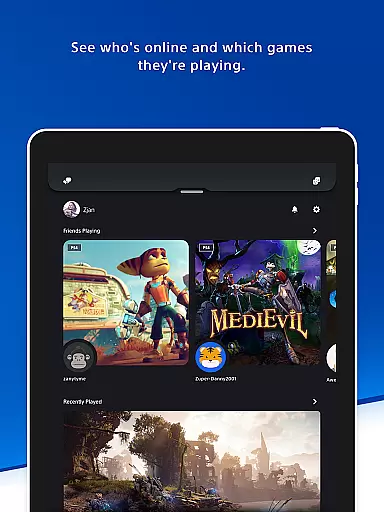
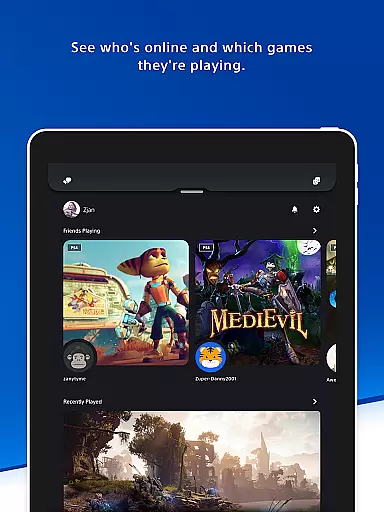
PlayStation App boasts a variety of standout features designed to enhance user engagement with PlayStation's ecosystem. One key highlight is its robust social connectivity tools. Users can see which friends are online, check what games they're playing, and communicate via voice chat or messaging. This functionality fosters seamless interaction among players, making it easier than ever to organize gaming sessions.
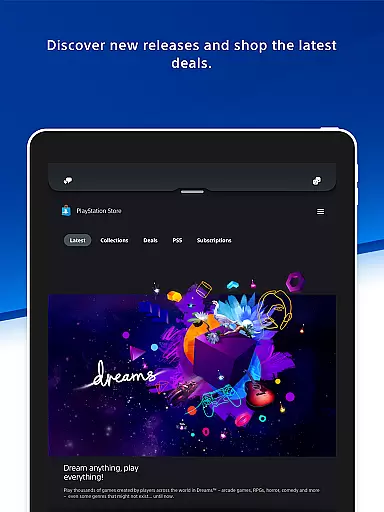
Another major feature is its integration with PlayStation Store. Gamers can browse new releases, pre-order upcoming titles, and access exclusive discounts directly through the app. Additionally, the ability to remotely manage downloads and storage on PS5 consoles adds another layer of convenience. Remote game launches further exemplify how the app blends mobility with console functionality.
Finally, personalized notifications ensure users remain updated about important events such as friend activity or special promotions. By combining these innovative capabilities, PlayStation App not only keeps users informed but also empowers them to take full control of their gaming experience from anywhere.
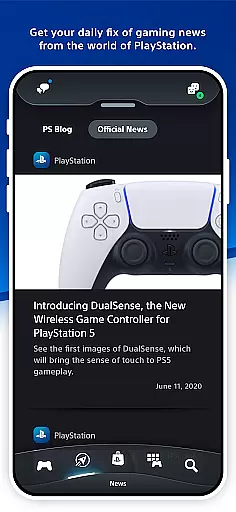
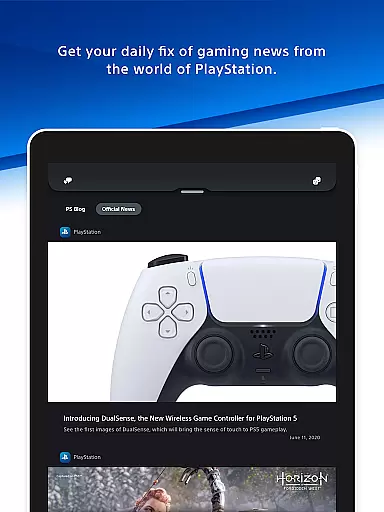
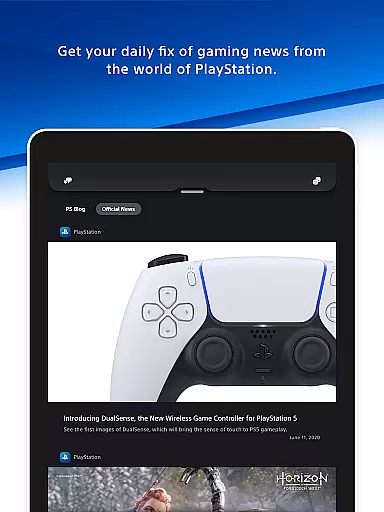
The PlayStation App offers a diverse range of content that caters to the needs of every gamer. From staying connected with gaming friends, planning multiplayer sessions, to discovering new games and the latest deals on PS Store, the app ensures you are always in touch with your gaming world. It provides users with daily gaming news and updates from the PlayStation universe, ensuring they never miss out on important announcements or events.
One of the key features of the PlayStation App is its ability to keep users updated with real-time notifications and invitations, which appear directly on the phone's lock screen. This immediacy not only enhances user engagement but also keeps the gaming community tightly knit. Whether it's an invitation to join a game or a notification about a new release, users are always in the loop, making their experience dynamic and engaging.
Moreover, the app allows gamers to shop for new releases, pre-order games, and explore the latest deals and discounts available on the PlayStation Store. This feature ensures that users have access to the newest games and offers, maintaining the freshness of content. The ability to view friends' profiles and trophy collections adds another layer of interaction, encouraging healthy competition and camaraderie among users.
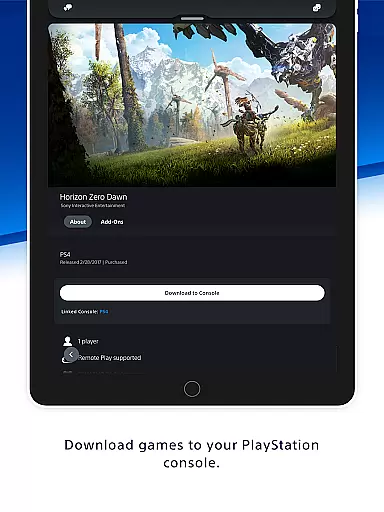
User engagement and retention are critical components of the PlayStation App, designed to keep gamers connected to their favorite hobby around the clock. By providing features such as remote console management, users can download games and add-ons directly to their console, manage storage, and even launch games remotely on PS5. These functionalities ensure that gamers can optimize their playtime without unnecessary interruptions, thus enhancing their overall engagement with the platform.
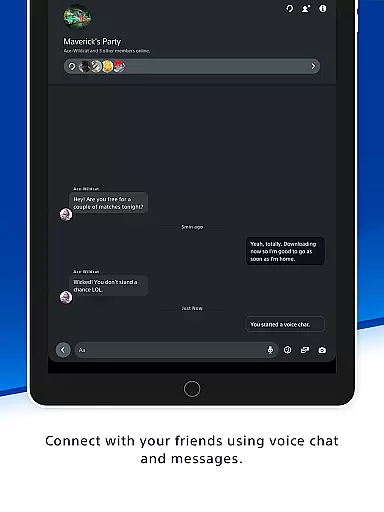
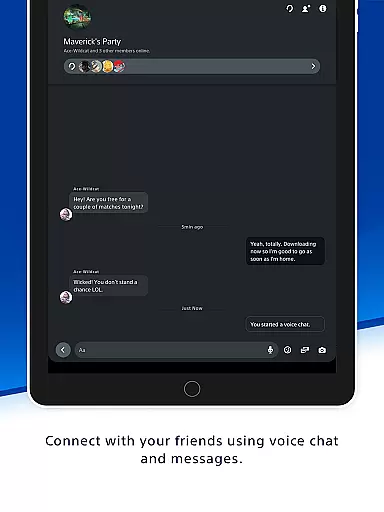
The PlayStation App fosters a strong sense of community by enabling users to voice chat and send messages to their PSN friends effortlessly. This connectivity encourages longer and more frequent interactions within the app, as players plan their gaming sessions and share achievements. The ease of communication and collaboration significantly boosts user retention, as gamers find value in being part of an active and responsive community.
Additionally, the app's integration with PlayStation Network (PSN) means that users have personalized access to their gaming profiles, friend lists, and preferences. This personalization creates a tailored experience that resonates with users, prompting them to return to the app regularly. With features that require a PSN account, the PlayStation App successfully maintains high levels of user retention by offering indispensable tools that enhance the gaming experience.
User-friendly interface
Real-time friend tracking
Remote console management
Exclusive store discounts
Seamless social connectivity
PSN account required
Limited without console
Region-specific content
Storage management fees
Dependent on internet

Exclusive Short Drama Video! All in HD. Bringe trending reels & enjoy drama time
 3.80
3.80
Music visualizer and party effects for your Nanoleaf devices
4.5
Stream Movies & TV Series: Original Shows, Family Movies & New Releases Weekly
4.60
Create melty bead designs by numbers, photos or your imagination
4.40
Catalog & tracker of your DVD, Blu-ray & Digital Movie and TV Collection Library
4.80
Stream videos to VIDAA & VEWD TVs from Hisense, Sharp, Skyworth, Vestel & TiVo
3.00
Series,Películas y Telenovelas
4.50
Watch TV shows, movies, and stream Live TV channels without a subscription!
3.80
Scary prank camera & on face app: Shoot videos, selfies with spiders & scorpions
4.60
Stream Live TV, News & Documentaries. Watch Full Seasons with PBS Passport.
4.80
Unleash Your AI Imagination
4.60
Your Avatar, Endless Fun
4.60
Create, chat & bond with AI souls who truly listen.
4.50
Come and watch short dramas, reels with diverse genres!
4.40
Binge-worthy short dramas on DramaRush—engaging stories that fit your day.
3.90
Binaural Brainwave Doses for Every Imaginable Mood
3.60
Watch everything you want.
2.90
Stream over 80 hours of exclusive mashups and remixes by DJ Rehab.
4.4
Collaboration with popular VTubers
4.2


User Reviews