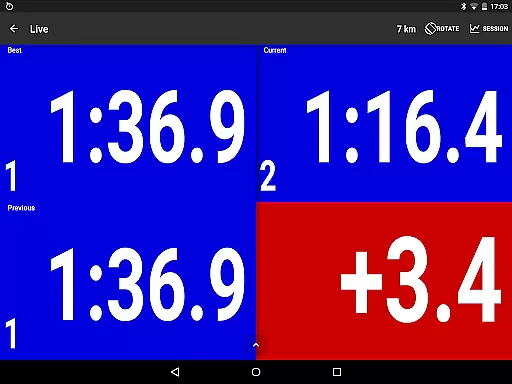
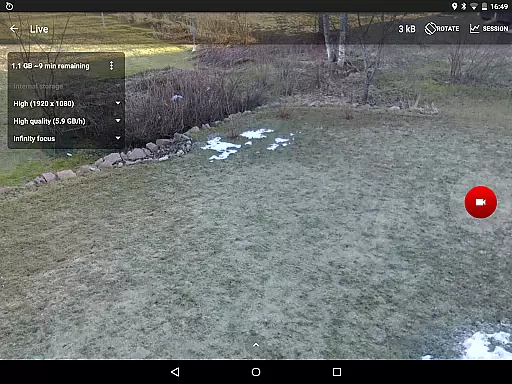
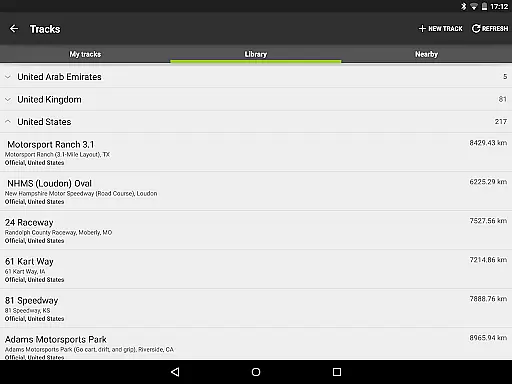
RaceChrono Pro is a premier mobile application tailored for motorsports enthusiasts, offering advanced lap timing and data logging capabilities. This app serves as an all-in-one solution replacing traditional lap timers and data loggers, making it indispensable for both amateur racers and professionals alike. With over 2600 pre-made race tracks available in its library, users can easily access and compete on various circuits worldwide.
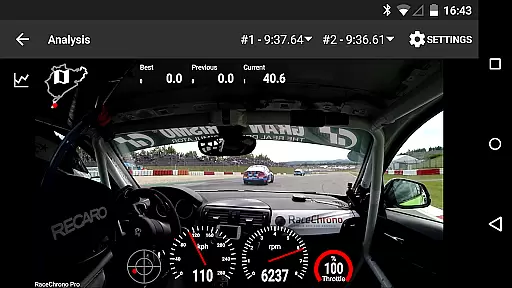
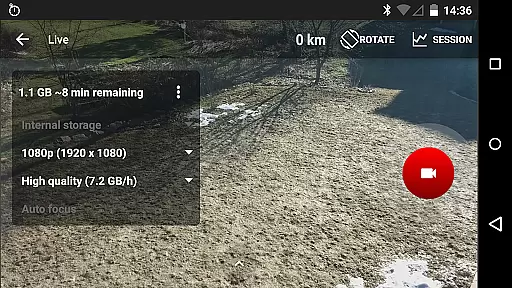
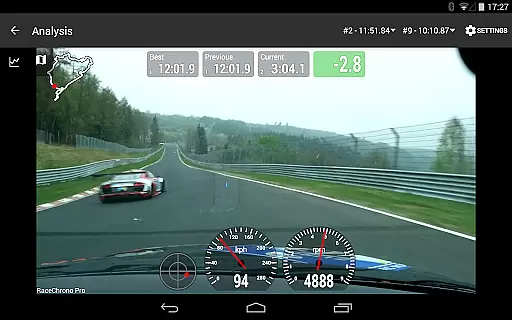
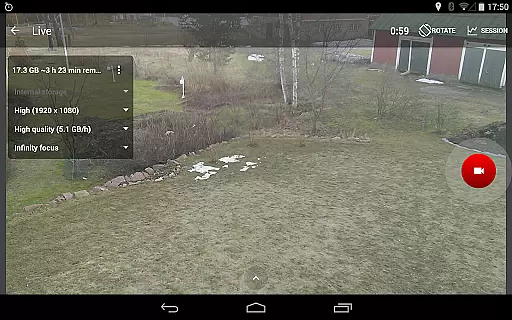
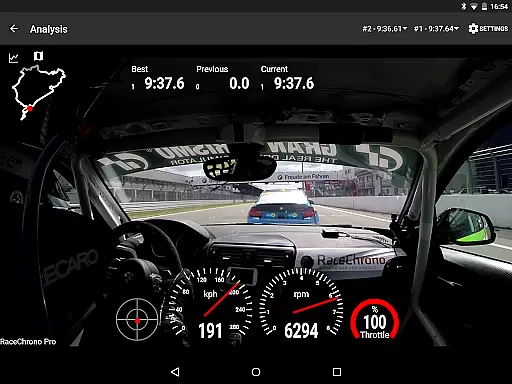
One of the standout features of RaceChrono Pro is its ability to record high-quality videos and overlay them with logged performance data. This functionality not only enhances post-race analysis but also allows users to create professional-looking race footage. Whether you're into motorbikes, go-karts, or cars, this app provides a comprehensive toolset that caters to different racing disciplines and track types.
The true value of RaceChrono Pro lies in its detailed data analysis tools and seamless integration with external devices such as GPS receivers and OBD-II readers. These features enable users to gain deeper insights into their performance metrics, ultimately helping them improve their racing skills and achieve better results on the track.
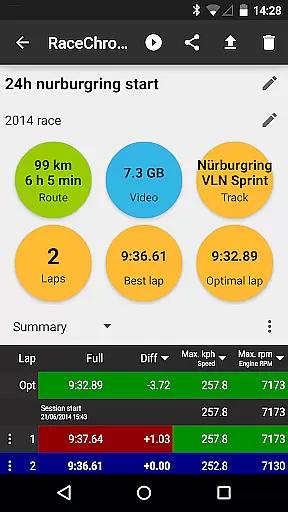
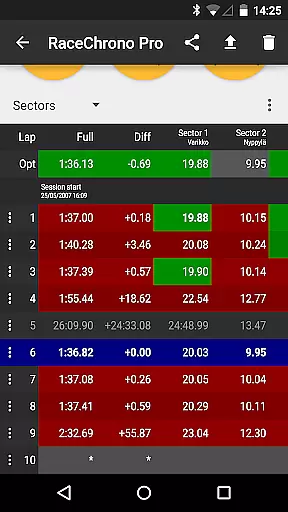
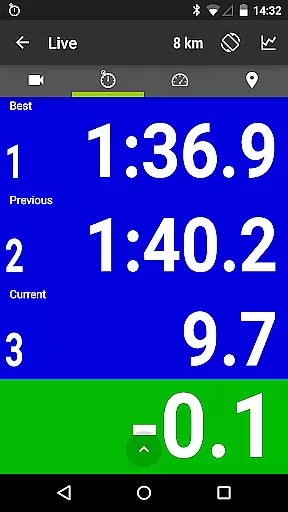
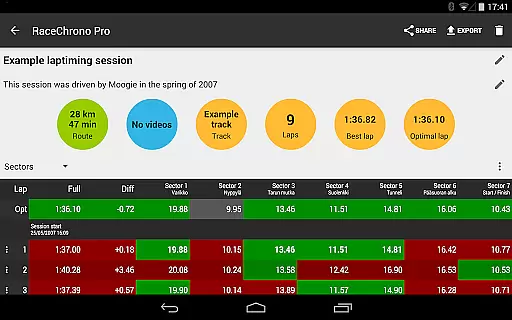
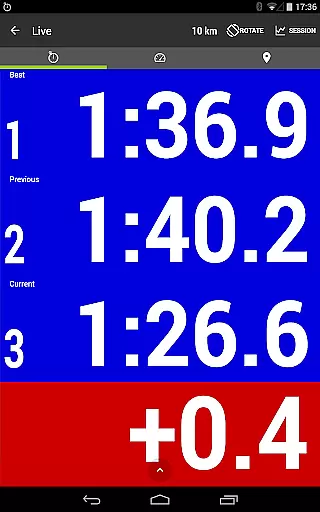
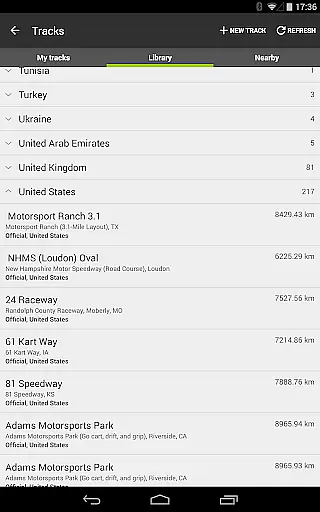
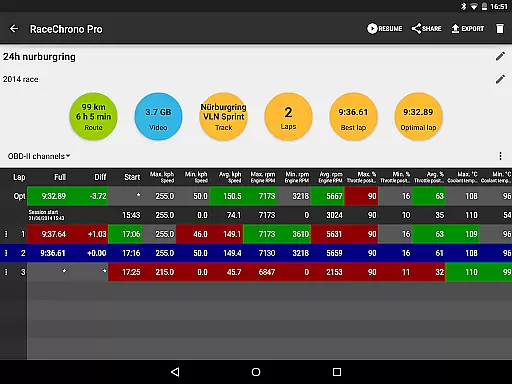
RaceChrono Pro boasts an impressive array of features designed to enhance the motorsports experience. The app offers precise lap timing with sector splits and optimal lap calculations, allowing racers to fine-tune their performance. Its extensive track library includes over 2600 pre-made race tracks, ensuring that users can find and utilize tracks from around the globe.
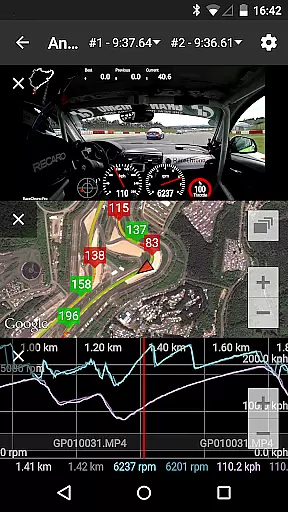
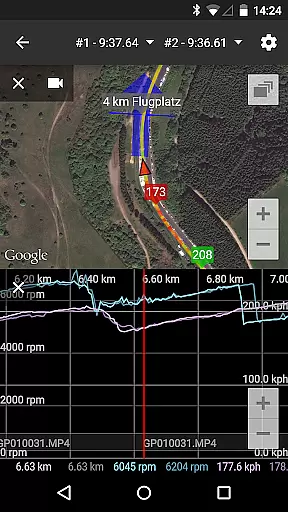
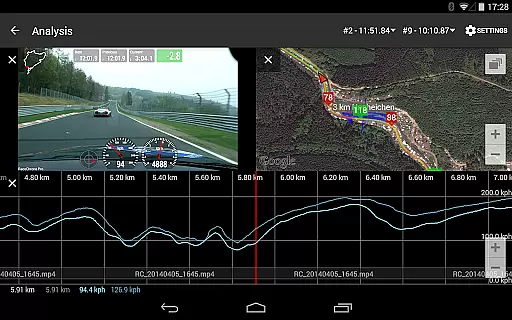
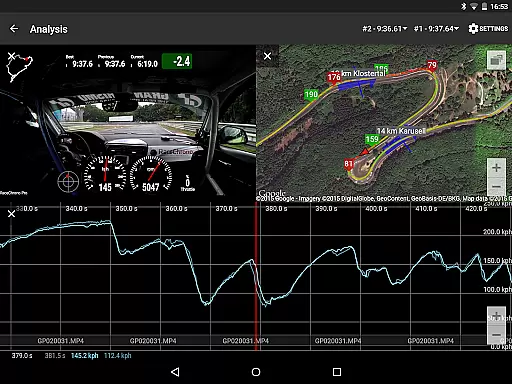
Data analysis is taken to the next level with smoothly scrolling graphs, X/Y plots, maps, and synchronized video playback. Users can compare their performance against previous sessions or other racers using the comparison video feature. Additionally, the predictive lap timing and time delta graph provide real-time feedback during races, helping drivers make informed decisions on the fly.
Another remarkable aspect of RaceChrono Pro is its hardware-accelerated video export capability. This feature allows users to overlay logged data onto recorded videos with customizable configurations. Furthermore, support for multiple camera recording and picture-in-picture video export ensures that users can capture every angle of their racing action. Integration with external GPS receivers and OBD-II readers adds another layer of precision and control, making RaceChrono Pro a must-have tool for serious motorsports participants.
RaceChrono Pro sets a new standard in motorsports apps by offering unparalleled gameplay realism and physics accuracy. The app's advanced lap timing feature, complete with sectors and optimal lap calculations, ensures that every second is captured with precision. This level of detail provides users with an authentic experience akin to professional racing environments.
The inclusion of a track library boasting over 2600 pre-made race tracks adds another layer of realism. Whether you're navigating tight corners on a go-kart track or speeding down the straightaways of a grand prix circuit, RaceChrono Pro delivers accurate simulations tailored to each unique course. Custom user-defined circuits further enhance this authenticity, allowing for personalized and varied racing experiences.
Moreover, the app supports external GPS receivers and OBD-II readers, ensuring real-time data collection that mirrors actual vehicle performance. With compatibility for various devices like Bluetooth LE heart rate monitors and multiple action cameras, it captures not just speed but also physiological metrics, enhancing the overall immersion into the realistic world of motorsports simulation.
Control scheme intuitiveness is at the heart of RaceChrono Pro's design, making it accessible for both amateur enthusiasts and seasoned professionals. The app features smoothly scrolling data analysis tools that synchronize graphs, X/Y plots, maps, videos, and comparison footage seamlessly. This intuitive interface allows users to effortlessly interpret complex datasets without needing extensive technical knowledge.
Predictive lap timing and time delta graphs are presented through clear visual cues, enabling drivers to adjust their strategies on-the-fly based on precise feedback. Such immediate insights empower racers to make informed decisions quicklyu2014a critical advantage during high-stakes competitions where every millisecond counts.
Additionally, hardware-accelerated video export options come with configurable overlays, giving users control over how they present their race data visually. Multiple camera recording capabilities along with picture-in-picture video exports offer creative freedom while maintaining ease of use throughout the process. By prioritizing user-friendly controls within its robust feature set, RaceChrono Pro ensures that all racers can focus on what truly mattersu2014the thrill of the race itself.
Comprehensive data logging
Extensive track library
Professional video overlays
Real-time performance feedback
Wide device compatibility
Steep learning curve
Premium price point
Limited free features
Requires external hardware
Complex setup process

Feel combo thrills in Challenge! Aim, strategize, and master your billiard skill
 4.60
4.60
Score as a Super Star in Football Strike: Action Multiplayer Online Soccer Game!
4.70
Social casino meets sportsbook - more than a bet app for social sports betting!
4.60
Extreme bike tricks at your fingertips!
4.50
Advanced Shotgun Shooting Simulator: Skeet, Trap, Sporting and Bird Hunting
4.20
Backflip Madness! Fast-paced, parkour-flavored extreme sports backflip game.
4.50
Push your skills, express your style, or just enjoy the ride.
4.60
Relive the second baseball game in the Backyard Sports franchise!
4.00
Fun multiplayer golf game! Prove you’re a golf legend and play with friends!
4.40
This is the most realistic 3D bowling game on the Android phones.
4.70
Real boxing game with PvP fights, tournaments & epic knockouts
4.60
Build and play your own team! Baseball at your fingertips! BASEBALL NINE!
4.60
Play football like it's 1987! Classic retro arcade action and franchise mode.
4.60
Score stunning goals and outsmart defenders on your path to football glory!
4.40
Feel the thrill of American football: guide a team to triumph through touchdowns
4.40
The classic Backyard Football 1999 is now enhanced to run on modern systems!
4.40
Master your shots and climb the ranks in the ultimate golf game!
4.30
The Hudl app helps coaches and athletes win using video.
3.70
Build your football city, train your team— no ads, no in-app purchases!
4.5


User Reviews