
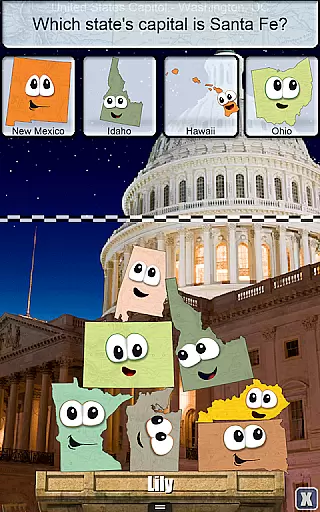
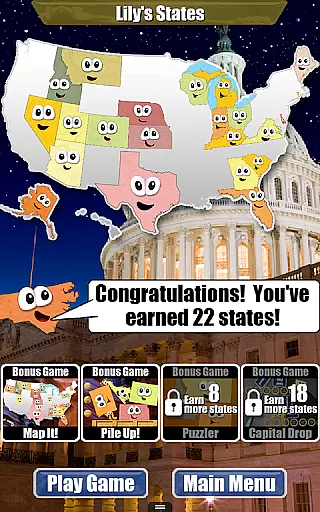
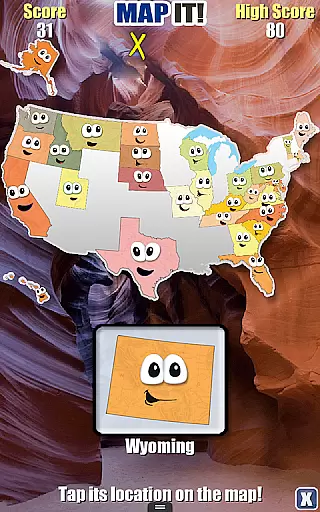
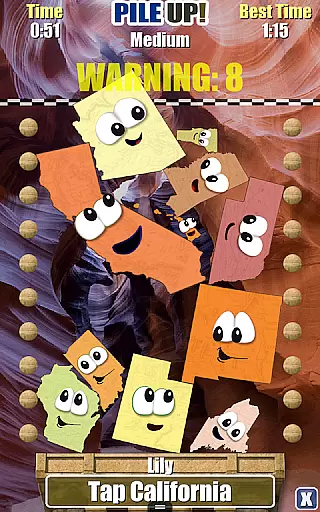
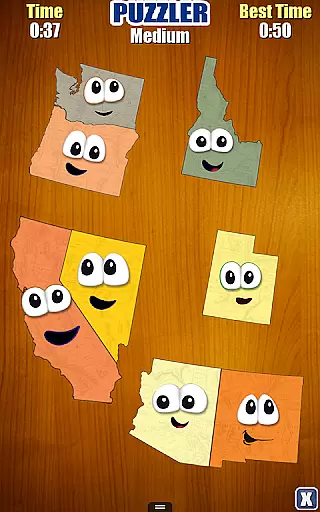
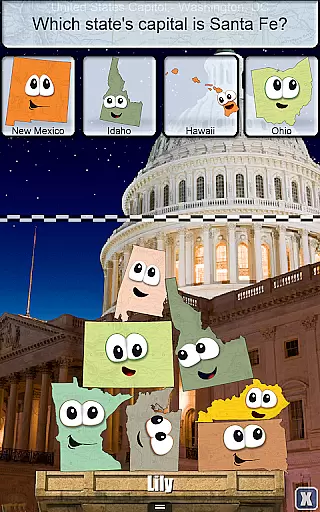
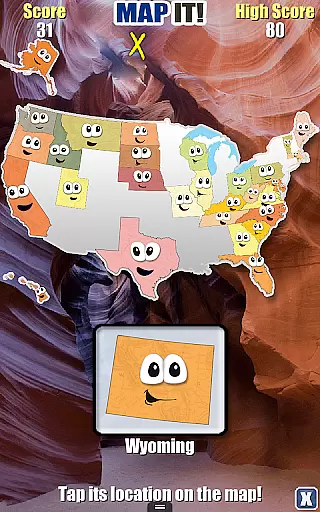
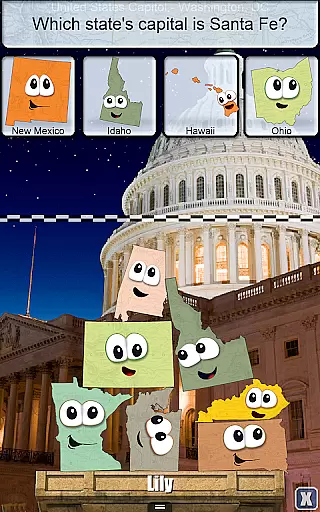
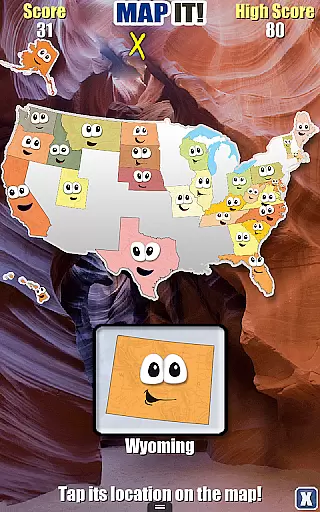
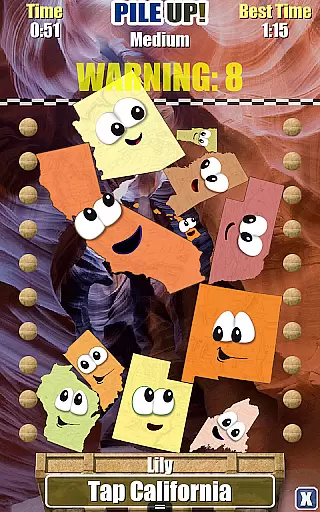
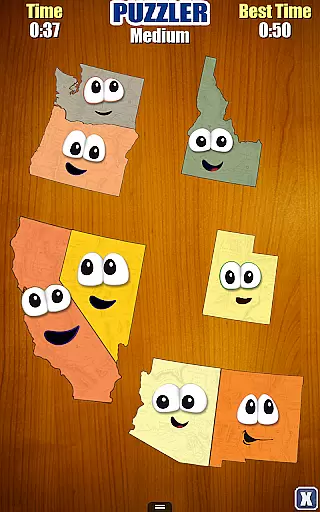
Stack the States® is an innovative educational game designed to make learning about the 50 states enjoyable and interactive. The app combines vibrant animations with engaging gameplay, allowing users to explore state capitals, shapes, geographic locations, flags, and more in a tactile manner. By physically interacting with animated states—touching, moving, and stacking them—users gain a deeper understanding of U.S. geography while having fun.
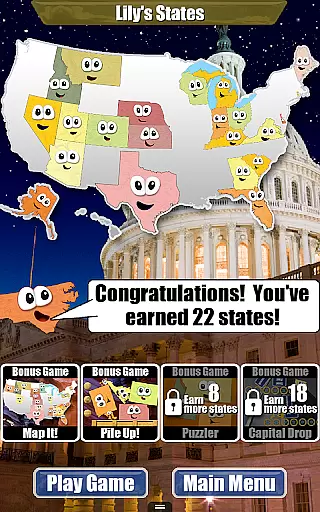
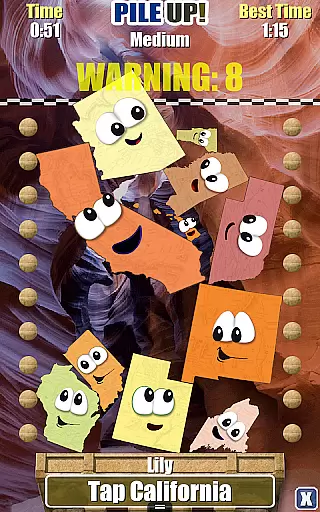
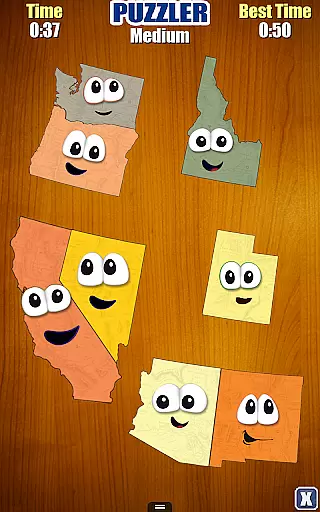
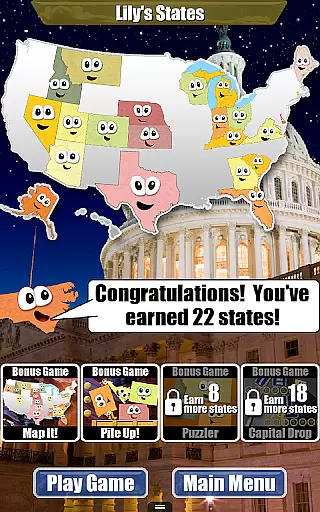
The objective of the game is to build a stack of states that reaches a designated checkered line to win each level. As players complete levels, they earn random states which populate their personalized map of the United States. This gamified approach encourages continuous learning, as users work towards collecting all 50 states and unlocking four bonus games: Map It, Pile Up, Puzzler, and Capital Drop. These mini-games provide additional challenges and reinforce geographical knowledge through varied interactive tasks.
Designed for all ages, Stack the States® offers a unique blend of education and entertainment. Its realistic physics engine, high-resolution images of famous landmarks, and customizable features such as choosing a state avatar and creating player profiles enhance user engagement. Whether used in classrooms or at home, this app transforms traditional geography lessons into an immersive experience, making it an invaluable tool for both students and educators.
Stack the States® stands out due to its diverse range of features that cater to various learning styles. One of its core functionalities is the hundreds of unique questions that test users' knowledge on state capitals, abbreviations, bordering states, locations, nicknames, and flags. These questions are integrated seamlessly into the gameplay, ensuring that learning feels natural and unforced. Additionally, the interactive map and 50 state flashcards serve as valuable resources for quick reference and review, reinforcing key concepts through repetition and visual aids.
Another notable feature is the ability to personalize the gaming experience. Users can select any of the 50 friendly-looking states as their avatar, adding a personal touch to their journey. The app supports up to six player profiles, making it ideal for families or classroom settings where multiple users may need individual progress tracking. Progress is visually represented on a personalized map of the United States, providing a clear sense of achievement as users collect states and unlock new content.
Beyond the main game, Stack the States® includes five distinct games, each offering a different type of challenge. From building stacks in 'Stack the States' to testing map skills in 'Map It,' clearing piles in 'Pile Up,' solving puzzles in 'Puzzler,' and matching states with capitals in 'Capital Drop,' there's something for everyone. Enhanced by a realistic physics engine, fun sound effects, and music, these games create an immersive environment that keeps users engaged and motivated to learn more about U.S. geography.
Stack the Statesu00ae stands out in its commitment to content accuracy and authority, making it a reliable educational tool for learning about the 50 states. The app provides hundreds of unique questions covering state capitals, shapes, geographic locations, flags, and more. Each piece of information is carefully researched and presented, ensuring that users receive accurate and authoritative knowledge.
The interactive map and 50 state flashcards further enhance the reliability of the content. These features allow users to explore each state's details, including abbreviations, bordering states, locations on the map, nicknames, and flags. By engaging with these elements, learners can trust that they are acquiring verified and expert-approved facts about the United States.
Moreover, the app includes high-resolution pictures of famous US landmarks, adding another layer of authenticity to the learning experience. Users can visually connect with significant geographical and cultural symbols, reinforcing their understanding of each state's unique identity. This dedication to precision ensures that Stack the Statesu00ae serves as an educational benchmark for all ages.
One of the standout features of Stack the Statesu00ae is its ability to create personalized learning paths tailored to individual users. The app allows you to choose any of the 50 friendly-looking states as your avatar, providing a customized starting point for each learner. This personal touch not only makes the experience more engaging but also helps users feel a sense of ownership over their educational journey.
Additionally, Stack the Statesu00ae supports up to six player profiles, enabling multiple users to progress independently while sharing the same device. As players earn random states for successfully completed levels, they build their personalized maps of the United States. This feature encourages continuous engagement, as users strive to collect all 50 states and unlock four free bonus games: Map It, Pile Up, Puzzler, and Capital Drop.
The adaptive nature of these learning paths ensures that users remain motivated and challenged at their own pace. By tracking progress on a personalized map and unlocking new games, learners experience a dynamic and evolving educational process that caters specifically to their growth and achievements.
Educational and entertaining
Interactive and engaging
Personalized user experience
Multiple bonus games
No third-party ads
Limited to U.S. geography
Graphics may feel childish
Repetitive for advanced learners
No offline multiplayer
Some features locked initially

A magical world of fun, building, and learning with Mickey Mouse and more!
 4.20
4.20
A must-have app for mastering Japanese verb/adjective conjugations.
3.60
Master the NRP with 700+ questions, rationales, and updated NREMT scenarios.
3.00
Guitar chord finder, analyzer, smartly visualized theory, progressions, quizzes.
4.70
Prepare for the BCBA / BCaBA exam. Study ABA with the ABA Wizard app.
4.60
Visit Daniel's house & make believe. Play doctor, make music, & feed fish.
3.20
Our most popular app series returns, better than ever!
3.90
Reading for kids has never been easier. Learn phonics, letter tracing & more!
4.70
Plant identifier: Identify plants, trees, weeds, flowers. Disease diagnosis.
4.30
The best way to study for your amateur radio license exam.
4.90
Perform physics experiments with your phone. (by the RWTH Aachen University)
4.70
Dinosaurs coloring book game. Drawing and painting dinos.
4.50
The Only Official DVSA Theory Test Kit App
4.50
Astronomy Guide To Night Sky
4.30
An aviator’s preparation, study and test tool for FAA Knowledge Exams.
4.10
An aviator’s preparation, study and test tool for FAA Knowledge Exams.
3.90
Make your own game and world. Draw and animate characters
3.70
Snap a dog photo to identify its breed instantly. Fast, accurate and easy to use
3.40
Study the questions most likely to be asked during the Oral & Practical Exams.
2.80


User Reviews