




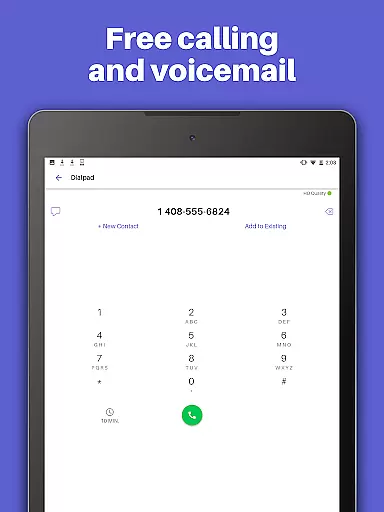
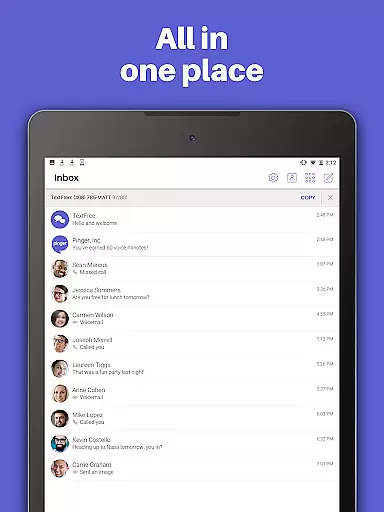
TextFree Voice is a comprehensive communication app that provides users with a free second phone number for unlimited calling and texting. The app allows you to make calls and send messages, including photos, videos, GIFs, audio messages, and PDFs, over Wi-Fi without using your primary number. It's an ideal solution for those who want to maintain privacy or separate personal and professional communications.
One of the standout features of TextFree Voice is its ability to offer a personalized local phone number with free unlimited texting and calling. This makes it easy to stay connected with friends and family while enjoying additional functionalities like custom call and texting tones, wallpapers, and group messaging. Whether you're looking to avoid exposing your main phone number or need a reliable communication tool on devices without cellular service, TextFree Voice delivers both functionality and customization.
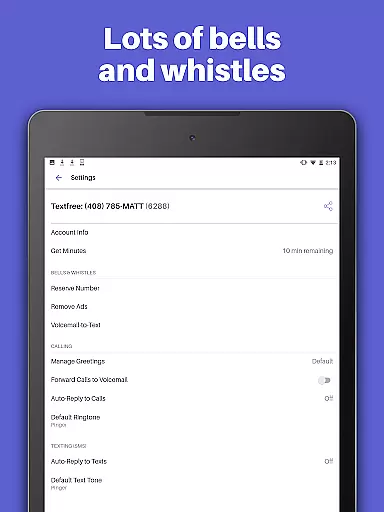
The app also offers a premium subscription called TextFree Plus for $9.99/month, which removes ads, provides access to verification codes for online accounts, and locks in your chosen second phone number. With 24/7 customer support and compatibility across various devices, TextFree Voice ensures you can communicate seamlessly wherever you are.
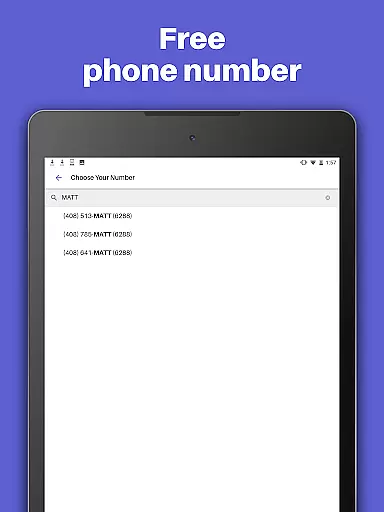
TextFree Voice stands out with its extensive feature set designed to enhance user communication. First and foremost, the app allows users to select a free second phone number with an area code of their choice, offering flexibility and convenience. You can choose from a variety of custom number combinations, ensuring that your new number suits your preferences.
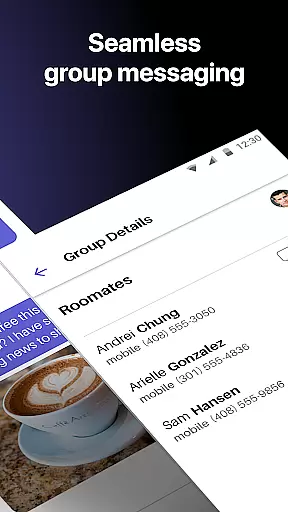
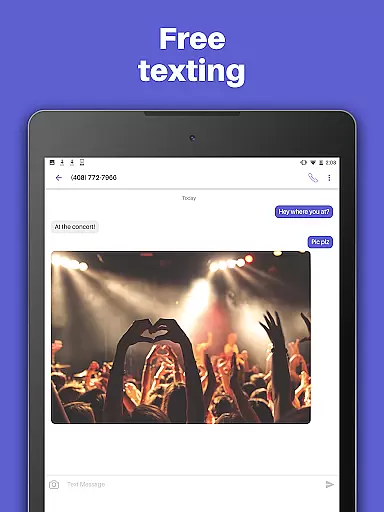
Beyond basic calling and texting, TextFree Voice supports multimedia sharing, including photos, videos, GIFs, audio messages, and even PDFs. Group texting capabilities enable you to stay in touch with multiple contacts simultaneously, while Auto-Reply ensures you never miss important communications by automatically responding to calls and texts when you're unavailable. Customizable call and text tones help you quickly identify incoming communications from your TextFree number, and personalized wallpapers let you tailor the interface to your liking.
For users seeking enhanced functionality, TextFree Plus offers additional perks such as ad-free usage, access to verification shortcodes for validating online accounts, and the ability to reserve or change your second phone number at will. These features collectively ensure that TextFree Voice not only meets but exceeds the needs of users looking for versatile communication solutions.
User profile customization and authenticity verification are essential features in social applications like TextFree Voice. These features allow users to create personalized profiles that reflect their identity while ensuring the legitimacy of user information.
TextFree Voice enables users to select a personalized local phone number, which serves as a unique identifier within the app. This number can be chosen from a bank of custom combinations, allowing for greater personalization. Additionally, the app provides options to customize call and text tones, as well as wallpapers, enhancing the individuality of each user's experience.
The authenticity verification process is streamlined through the app's ability to provide a second phone number that can be reserved and maintained as long as the subscription is active. This ensures that users have a consistent presence on the platform, which is crucial for maintaining trust in communications.
By offering these customization and verification features, TextFree Voice not only enhances user engagement but also fosters a safer environment where users can confidently communicate with one another, knowing that profiles are genuine and verified.
Connection discovery is a vital aspect of social apps, enabling users to find and connect with others efficiently. In TextFree Voice, this feature facilitates the process of staying connected with friends and family by providing tools for effective communication.
The app supports various methods of sharing media such as photos, videos, GIFs, audio messages, and even PDFs. This versatility in communication allows users to express themselves more fully and engage in richer interactions, whether individually or in group messages.
Moreover, TextFree Voice offers an Auto-Reply feature, which helps manage expectations when users are unavailable. Custom call and text tones further aid in identifying incoming communications, making it easier to prioritize responses based on the sender.
With its comprehensive set of features designed to enhance connection discovery, TextFree Voice ensures that users can maintain meaningful relationships and enjoy seamless interaction with their contacts, thereby increasing the overall value of the application.
User-friendly interface
Free unlimited calls
Customizable options
Group messaging support
24/7 customer support
Premium version costly
Limited international use
Occasional ads in free version
Verification code issues
Device compatibility concerns

This is to support the developer of Infinity for Reddit. No exclusive features.
 4.1
4.1
Live video chat to connect with people around the world. Video chatting on Olive
4.40
Online group games like Mafia, Word War, Scattergories, Ludo, Uno, and many more
4.30
Find your next obsession.
3.50
Meet online & chat with people! Talk, have fun, make connections in real time!
4.00
Random chat & meet online. Find your soulmate or someone special and have fun!
3.90
Widget Together, Share Whatever! Keep Pets & Share Sleep, Poop, Moods on Screens
4.70
SuperLive is a super popular video-streaming social network
4.60
Connection Beyond Content
4.50
Get notifications of FREE Stuff for Nextdoor, Letgo, offerup & TrashNothing
4.70
Raise cute Pengus with friends
4.70
Date single & make friend
4.60
Social calendar for friends to make plans, group chat, share events & schedules
4.60
live inside your fandom
4.60
Social App Used By Millions
4.40
Free texting (SMS) to US, Canada & more. Free new number. Call free & Text free.
4.30
Instant messaging — simple, fast, secure, and synced across all your devices.
4.00
Chat and make new friends around the world!
3.90
Resonate & Date with New Match
3.70


User Reviews