
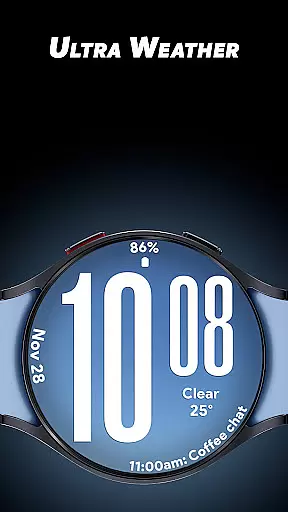
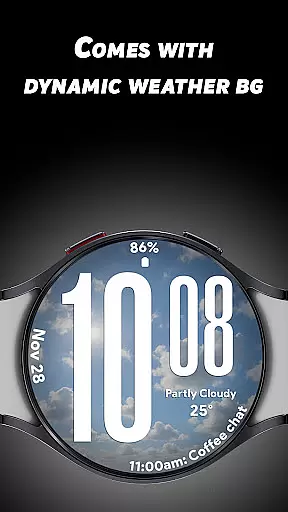
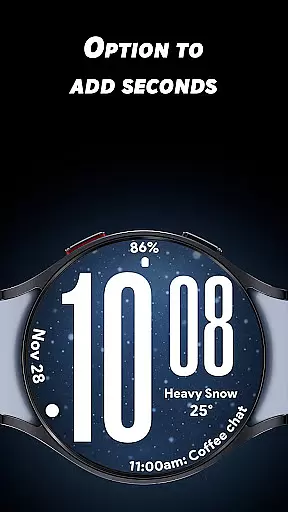
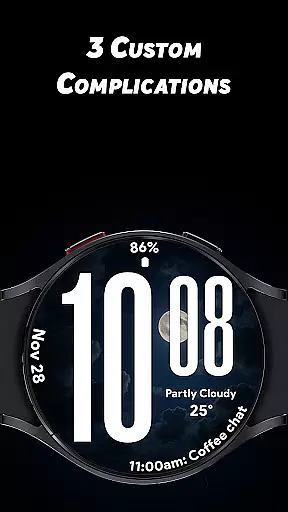
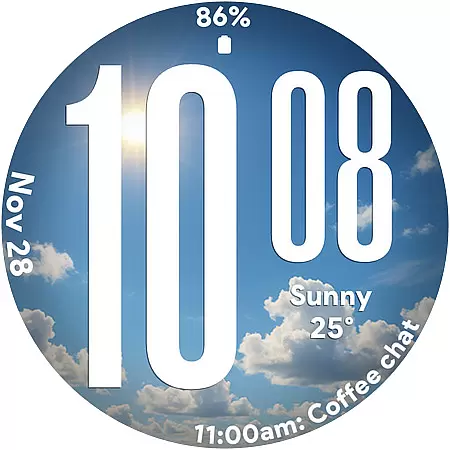
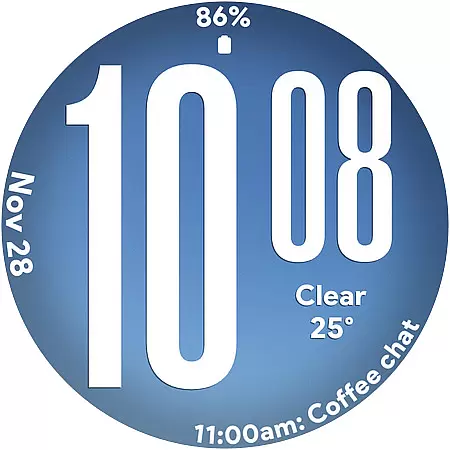
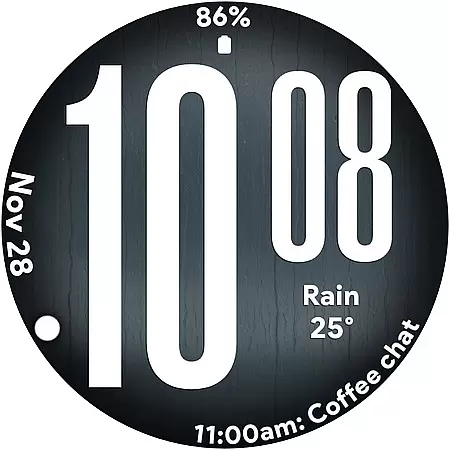
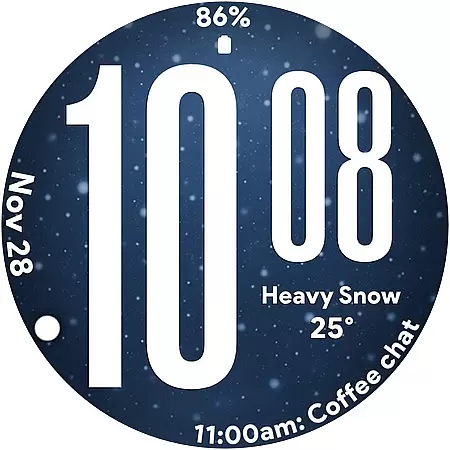
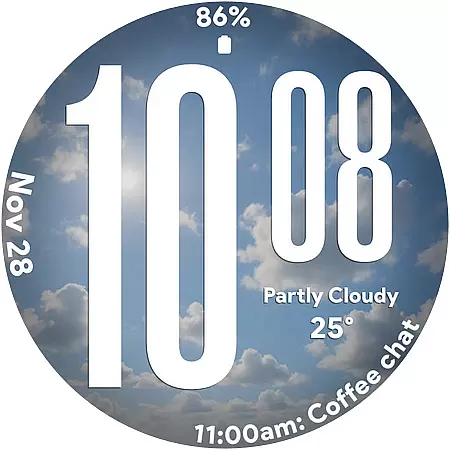
Ultra Weather is a dynamic Wear OS watch face that combines bold design with real-time weather updates. Featuring oversized digital time digits and customizable complications, it ensures instant readability while displaying live weather visuals that adapt to current conditions like sunny, cloudy, or rainy skies.
This app transforms your smartwatch into a stylish yet functional accessory, offering features such as 12/24-hour format support, battery-friendly Always-On Display (AOD), and three customizable slots for additional data like steps, heart rate, or calendar events. Whether you're tracking fitness goals or staying informed on the go, Ultra Weather provides both aesthetic appeal and practical utility.
Ultra Weather stands out with its innovative combination of style and functionality. The watch face boasts big, bold typography designed for maximum clarity at a glance, making it ideal for users who prioritize readability. Its dynamic weather backgrounds automatically adjust based on real-time weather data, creating an immersive experience tied to your environment.
With support for 12/24-hour time formats and up to three customizable complications, users can personalize their watch face to display essential information such as weather details, step counts, battery levels, or heart rate. Additionally, the optimized Always-On Display (AOD) ensures efficient power consumption without sacrificing usability, allowing all-day performance even with continuous updates.
Ultra Weather - Watch face offers extensive lifestyle category coverage by integrating real-time weather visuals that change automatically based on current conditions. This dynamic feature ensures your smartwatch not only tells time but also reflects the atmospheric essence of your surroundings.
The watch face is designed with oversized time digits and smooth readability, making it an ideal companion for various lifestyle activities. Whether you are engaging in fitness routines, traveling, or simply going about your daily tasks, Ultra Weather provides a visually appealing and highly functional experience tailored to your active lifestyle.
With three customizable complications, users can personalize their watch faces to display additional information such as weather details, steps, battery status, calendar events, and heart rate. This level of customization enhances user engagement by allowing individuals to tailor their smartwatch to fit specific lifestyle needs and preferences.
The content delivered by Ultra Weather - Watch face is sourced from real-time weather data, ensuring authenticity and relevance. The dynamic weather backgrounds update instantly to mirror the current weather conditions, providing users with an accurate depiction of their environment at all times.
This application leverages expertly designed visuals that transform based on whether itu2019s sunny, cloudy, rainy, or foggy outside. Such attention to detail in visual representation establishes a credible connection between the digital interface and real-world scenarios, enhancing user trust in the information displayed.
Furthermore, Ultra Weather's bold typography and optimized Always-On Display (AOD) ensure maximum clarity and efficient all-day performance. These design elements underscore the app's commitment to delivering both style and substance, reinforcing its credibility among users who value both aesthetics and functionality in their wearable technology.
Real-time weather sync
Bold, readable design
Customizable complications
Battery-efficient AOD
Dynamic backgrounds
Limited to Wear OS
No analog option
Weather-dependent visuals
Fewer features in free version
Requires constant connectivity

The Work of Byron Katie— the mobile app for inner peace.
 4.40
4.40
Digital watch face design. Modern looking, hi-res & battery friendly.
4.00
Cute Adorable Animals now on your wrist with our Wear OS watch face!
4.40
A daily quote for success
4.3
This app is intended to support professional EMDR therapy.
4.50
This is a simple and highly functional alarm clock "Smart Alarm" paid version.
4.20
Material You inspired colors with BIG and Bold looks for Wear OS watches.
4.20
Customize your Wear OS watch with festive Christmas figures and colors!
4.2
Have your Tehillim with you at all times
4.70
Colorful selection floral watch face with gyro for Wear OS
4.60
Colorful minimal digital watch face for Wear OS
4.60
Zodiac & Horoscope Launcher: Daily Sign Predictions & Astrology
4.40
Get your life organized with My Agenda!
4.30
Use your device sensors to detect energy and convert it into spoken words.
4.10
Spiritus Ghost Box is an Audio and Visual ITC tool for paranormal research.
4.00
Spirit Communicator is a real paranormal ghost hunting app with many fun modes.
3.90
Going above and beyond known spirit communication
3.60
Smart home security protection
3.20
Futuristic watchface inspired by Back to the Future: sleek, retro, timeless
4.0


User Reviews