
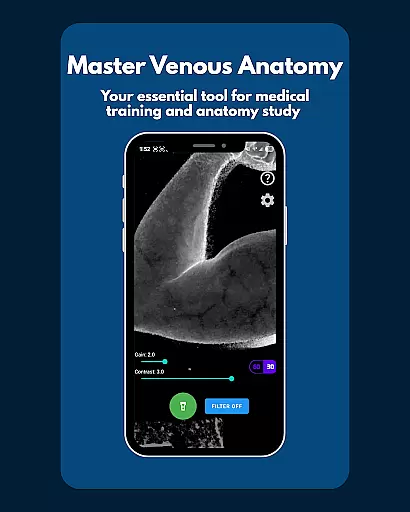
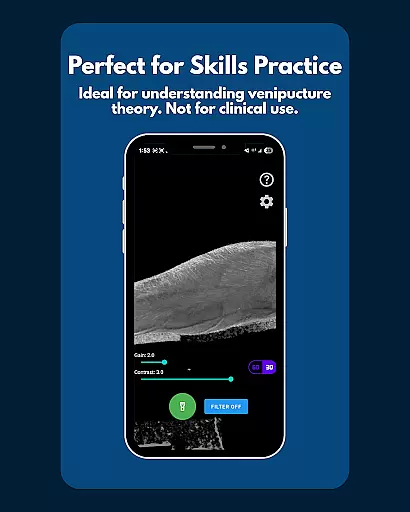
VeinFinder is an innovative educational tool designed to assist medical students and educators in mastering venous anatomy. Using advanced GPU-accelerated image processing, the app enhances vein visibility directly through your device's camera, eliminating the need for additional hardware. This makes it an ideal companion for studying anatomy, preparing for exams, or improving procedural knowledge in areas like venipuncture and IV access.
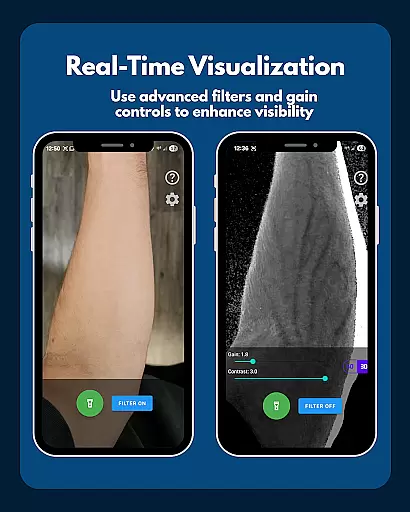
The app offers practical features tailored for both learning and teaching environments. With instant comparison functionality, users can toggle between enhanced and raw views of venous structures. Precision controls allow customization of gain and contrast settings, ensuring optimal results across various skin tones and lighting conditions. Whether used in classrooms or during self-study sessions, VeinFinder bridges the gap between theoretical knowledge and hands-on application.
Designed with privacy in mind, all image processing occurs locally on the device, ensuring complete data security. While not intended as a clinical tool, VeinFinder provides immense value as a study aid by offering clear visualizations that help users better understand complex anatomical concepts.
VeinFinder stands out with its robust feature set designed to enhance the learning experience. One of its key capabilities is the instant comparison function, which allows users to switch between filtered and unfiltered views seamlessly. This feature helps learners grasp subtle differences in venous structures while reinforcing their understanding of anatomy.
Precision control is another standout aspect of VeinFinder. Users can fine-tune parameters such as gain and contrast to adapt the visualization based on individual needs. The app also includes integrated flashlight support, ensuring consistent performance even in low-light environments. These tools collectively ensure reliable operation regardless of external conditions.
Privacy remains a top priority, with all processing conducted locally on the user's device. There’s no risk of sensitive data being transmitted or stored externally. Additionally, ongoing updates continue to refine compatibility and performance across different Android models, making VeinFinder a dependable choice for anyone pursuing medical education.
VeinFinder stands out in the realm of educational tools by providing highly accurate and authoritative content tailored for medical students and educators. The app leverages advanced GPU-accelerated image processing to enhance the visibility of veins, ensuring that users receive precise anatomical representations directly through their device's camera.
This technology is not just about showing veins; it's about delivering a reliable educational resource that bridges theoretical knowledge with practical application. By enabling instant comparison between enhanced views and raw camera feeds, VeinFinder ensures that learners can trust the visual information they are studying.
The precision control features further reinforce this accuracy by allowing users to fine-tune gain and contrast settings. This adaptability across diverse skin tones and lighting conditions underscores the app's commitment to delivering dependable educational content. Whether preparing for exams or enhancing procedural understanding, VeinFinder equips users with verified and credible anatomical data.
While VeinFinder focuses primarily on vein visualization, it also supports personalized learning paths by offering adaptable tools that cater to individual study needs. Students can customize their learning experience using features like adjustable gain and contrast settings, which allow them to optimize visibility based on specific requirements such as skin tone and lighting conditions.
Educators benefit from these capabilities too, as they can tailor demonstrations to suit classroom scenarios or focus on particular areas of interest within venous anatomy. The integration of a flashlight control feature ensures consistent performance in various environments, making it easier for users to incorporate the app into different study routines seamlessly.
Moreover, VeinFinder promotes self-paced learning by providing instant feedback through its toggle filter function, letting users compare enhanced views with real-time visuals at their own pace. This flexibility empowers both students and educators to create unique learning journeys that align with their educational goals while maintaining high standards of accuracy and relevance.
Enhances learning efficiency
Advanced imaging technology
Customizable settings
On-device data processing
Ideal for educational use
Not for clinical use
Device-dependent performance
Limited refund window
Requires proper lighting
Skin tone variability

Test prep for Indiana students
 4.3
4.3
FAR/AIM, FAR for Flight Crew and FAR for Aviation Maintenance Technicians
3.80
Learn math, step-by-step
4.30
A magical world of fun, building, and learning with Mickey Mouse and more!
4.20
AI Language tutor: Speak fluently with Lucy’s personalized coaching
4.70
Nighty Night Circus - Bedtime story for kids
4.10
Your best partner for learning Japanese words. Based on a best-selling textbook.
2.80
Snap a dog photo to identify its breed instantly. Fast, accurate and easy to use
3.40
Courses, certificates, degrees
4.50
Hebrew Vocab
4.90
Turn scrolling hours into improving your knowledge, communication, intelligence
4.50
An aviator’s preparation, study and test tool for FAA Knowledge Exams.
4.30
Astronomy app ? Discover the universe scope, explore solar system model in 3D.
4.20
An aviator’s preparation, study and test tool for FAA Knowledge Exams.
4.10
Explore numbers the Starfall way!
4.00
scanner body part for fun Prank friends realistic scan effects
3.00
Study the questions most likely to be asked during the Oral & Practical Exams.
2.80
Learn and joke with the Silly Turkey!
4.3
Animals pop up and make sounds—learn names and noises in Peekaboo Barn!
4.0


User Reviews