
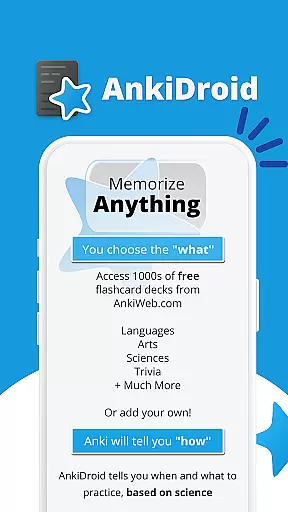
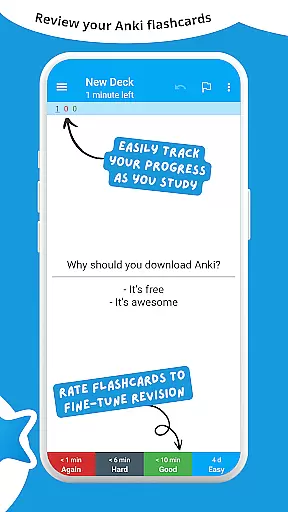
AnkiDroid Flashcards is a powerful educational tool designed to help users memorize anything efficiently. This app employs spaced repetition techniques, ensuring flashcards are shown just before you're likely to forget them. Fully compatible with Anki, it allows synchronization across devices including Windows, Mac, Linux, ChromeOS, and iOS.
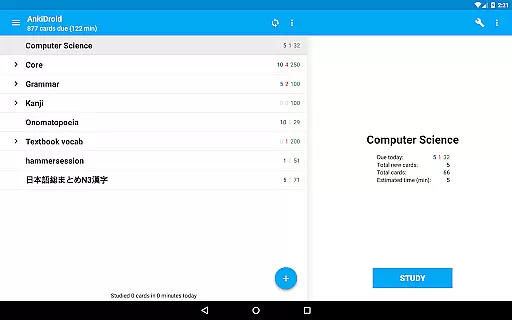
With AnkiDroid, learning becomes flexible and accessible anywhere. Whether you're on a bus trip, waiting in line, or during any idle time, the app enables you to study various subjects. You can create your own flashcard decks or download thousands of free decks covering multiple languages and topics. Additionally, adding material is versatile through the desktop application or directly via AnkiDroid, even supporting automatic dictionary imports.
AnkiDroid offers an extensive array of features tailored for effective learning. The app supports diverse flashcard contents such as text, images, sounds, and MathJax, enhancing interactive learning experiences. Its core functionality includes the SuperMemo 2 algorithm for spaced repetition, ensuring optimal memory retention.
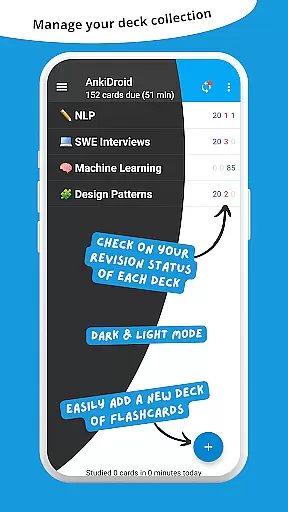
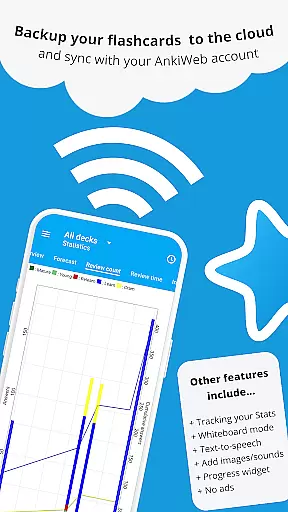
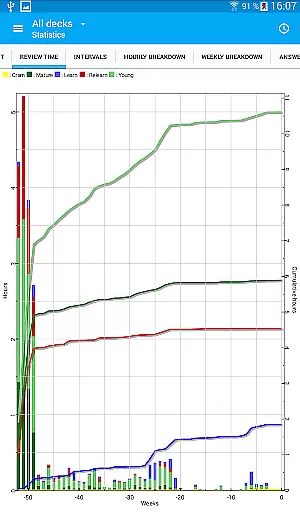
Users benefit from text-to-speech integration, detailed statistics, and a progress widget to track their learning journey. AnkiDroid also provides thousands of pre-made decks, syncing capabilities with AnkiWeb, and an open-source framework allowing customization. Additional features include a whiteboard for practice, card editor/adder, and comprehensive support for custom fonts and dark mode.
AnkiDroid Flashcards ensures content accuracy and authority by allowing users to create their own flashcard decks or download thousands of free, pre-made decks covering a wide range of languages and topics. This flexibility empowers learners to study material that is both relevant and credible.
The app supports various flashcard contents including text, images, sounds, and even mathematical formulas through MathJax. This multimedia support enhances the authenticity of educational content, catering to diverse learning styles and ensuring information is presented in the most effective format.
With synchronization capabilities with AnkiWeb, users can maintain consistency across devices, ensuring they have access to accurate and up-to-date study materials wherever they go. This seamless integration guarantees that learners are always working with the latest versions of their flashcards.
Furthermore, AnkiDroid's compatibility with the spaced repetition software Anki reinforces its authoritative stance in educational tools. The scientifically-backed SuperMemo 2 algorithm optimizes learning efficiency, helping users retain knowledge more effectively over time.
AnkiDroid Flashcards offers personalized learning paths by leveraging the power of spaced repetition. This technique tailors the review schedule to each user's individual progress, presenting flashcards just before they are likely to forget the content.
Users can customize their learning experience further by creating their own flashcards directly within the app or through the desktop application Anki. This feature allows learners to focus on areas that matter most to them, crafting a unique educational journey tailored to their specific needs.
The app also includes a whiteboard feature and supports text-to-speech integration, enabling users to engage with content in ways that suit their personal learning preferences. These tools enhance comprehension and retention, making studying more interactive and enjoyable.
Additionally, detailed statistics and a progress widget provide insights into learning patterns, helping users adjust their strategies for optimal results. With these features, AnkiDroid empowers learners to take control of their education and achieve better outcomes.
Efficient learning
Versatile content
Wide compatibility
Customizable options
Active community
Complex interface
Requires setup
Limited offline help
Advanced features
Resource intensive

2026 DVSA Driving Theory Test revision with Hazard Perception + Highway Code
 4.60
4.60
Master the NRP with 700+ questions, rationales, and updated NREMT scenarios.
3.00
Monkey Preschool Lunchbox: 7 exciting educational games for your preschooler.
4.30
Explore the City of the Sun in Augmented Reality
3.70
THE ESTABLISHED "GO TO" ARMY BOARD PREPARATION APP!
4.30
Our most popular app series returns, better than ever!
3.90
An aviator’s preparation, study and test tool for FAA Knowledge Exams.
4.10
A realistic sky map to observe stars, planets, satellites and constellations!
4.80
The "Go To" app for Airmen studying for promotion to SSgt and TSgt
4.30
Experience the sky, planet earth and the solar system like never before
4.90
Learn & Speak New Languages
4.70
Dinosaurs coloring book game. Drawing and painting dinos.
4.50
Welcome to the Speak Navajo Language Application - Volume 1
4.50
Study for your 608 certification.
4.50
Practice Casino Roulette Payouts for Table Game Dealers and Croupiers
4.40
Learn math, step-by-step
4.30
Break Language Barriers with AI—Learn Language Anytime, Anywhere!
4.00
Make your own game and world. Draw and animate characters
3.70
MONOPOLY JUNIOR brings Hasbro's classic the board game to life.
3.00


User Reviews