
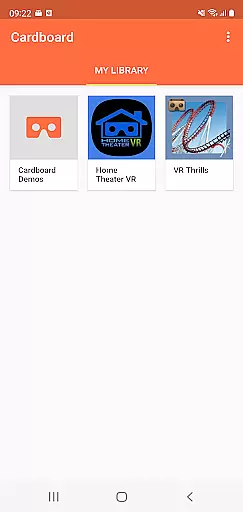
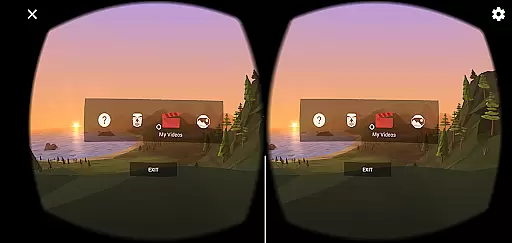

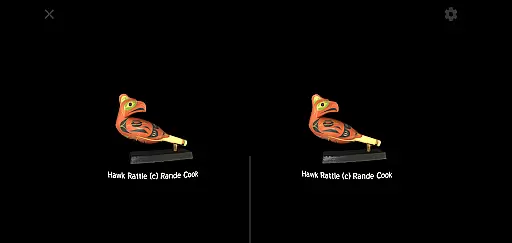
Cardboard is an innovative virtual reality app that transforms your smartphone into a VR platform. It allows users to explore various VR experiences and discover new apps, all while providing the tools needed to set up and optimize their Cardboard viewer. The app serves as a gateway to immersive content, making it ideal for tech enthusiasts and those curious about virtual reality.
With its user-friendly interface, Cardboard makes it easy to dive into VR without requiring specialized equipment beyond a smartphone and a compatible viewer. Whether you're exploring 3D environments or engaging with interactive apps, this app offers a simple yet powerful entry point into the world of virtual reality.
The true value of Cardboard lies in its accessibility. By bringing VR to smartphones, it democratizes access to immersive technology, enabling more people to experience virtual reality without significant investment in expensive hardware.
Cardboard stands out due to its seamless integration with smartphones and its ability to launch a wide variety of VR experiences. The app supports both Android and iOS devices, ensuring broad compatibility across platforms. Its intuitive setup process guides users through configuring their viewer and calibrating their device for optimal performance.
One of the key features is the app's extensive library of VR content. Users can browse through numerous virtual reality apps and experiences, ranging from educational simulations to interactive games. Additionally, the app provides resources for developers, fostering a growing ecosystem of VR content creators.
Another notable feature is the built-in viewer setup tool, which simplifies the process of aligning your phone with the Cardboard viewer. This ensures a smooth and immersive experience every time you use the app. Overall, Cardboard delivers a comprehensive VR solution that balances ease of use with robust functionality.
Functionality completeness refers to the extent to which an app delivers on its promised features and capabilities. For Cardboard, this means providing users with a seamless virtual reality experience directly on their smartphones. The app not only launches VR experiences but also assists in discovering new apps and setting up the viewer.
The Cardboard app offers a comprehensive suite of tools that cover various aspects of virtual reality usage. From guiding users through the setup process of their Cardboard viewer to providing a platform for finding new VR apps, it ensures that all necessary functionalities are easily accessible. This makes the overall VR experience more engaging and user-friendly.
Users benefit from having all essential VR functions consolidated in one place. Whether it's adjusting settings for optimal performance or exploring a library of VR content, the app's complete feature set enhances convenience and satisfaction. This leads to longer engagement times and a more immersive experience.
Ultimately, the completeness and coverage of Cardboardu2019s functionality make it a reliable choice for both VR beginners and enthusiasts. By offering extensive support and resources, the app empowers users to fully enjoy the potential of virtual reality without needing extensive technical knowledge.
Usability and operational smoothness are critical factors that determine how easily users can interact with an app. In the case of Cardboard, usability is enhanced by intuitive design and straightforward instructions that guide users through setup and operation processes. This ensures that even those new to VR can quickly get started.
The app provides a streamlined interface that simplifies navigation and control. Users can effortlessly launch their favorite VR experiences, discover new apps, and configure viewer settings. Smooth operational flow minimizes disruptions, allowing users to focus on enjoying immersive content rather than troubleshooting issues.
By prioritizing ease of use, Cardboard significantly improves user satisfaction. Clear instructions and responsive controls contribute to a frustration-free experience, encouraging regular use. This approach fosters a positive perception of virtual reality technology among users.
In summary, Cardboard excels in delivering a smooth and user-friendly experience. Its emphasis on usability ensures that users can fully leverage the capabilities of their VR viewers without encountering unnecessary complications, thus promoting wider adoption of VR technology.
User-friendly interface
Wide content selection
Cross-platform support
Active developer community
Affordable VR solution
Limited advanced features
Requires separate viewer
Basic graphic quality
Occasional performance issues
Dependent on smartphone specs

Game Booster GFX for smoother gaming experience. Enjoy 120 FPS and 4x Game Space
 4.20
4.20
Connect your phone to any endoscope camera, USB camera, or borescope with ease.
3.70
Android secret code for smart phone, mobile codes, with secret codes app
4.20
Block, disable and secure phone camera from secretly taking photos by spyware.
4.50
Enjoy hours of entertainment with our Roblox mobile games app
4.4
Demo version of the mcpro24fps manual video camera. Try and buy a full version!
4.00
Mirror Link Car Display to share your screen with car dashboard wirelessly
4.3
Explore The Holy Quran Majeed for Muslim. Listen to MP3 Quran & Al Quran Kareem.
4.80
An impressive collection of tools, characters, weapons, skins and more!
4.30
Study Bible King James Version: the correct way to learn the Bible with audio
4.80
Read Holy Quran Feel Like Real Quran & Listen Al Quran Mp3 Audio Online Offline.
4.70
Enjoy Minecraft Mod Scary Neighbor Granny for Minecraft PE.
4.30
Wireless reverse charging using phone now is possible
4.30
charging your phone by other phone easly
4.00
Use your Phone as Drone Controller.
3.70
Collection of Maps and Mods for Dmod
3.30
Looking to connect your phone to your car screen? Mirror Link is the solution.
3.20
DamonSx2 is the open Source LGPL Emulator
3.20
Identify securely online
3.10


User Reviews