
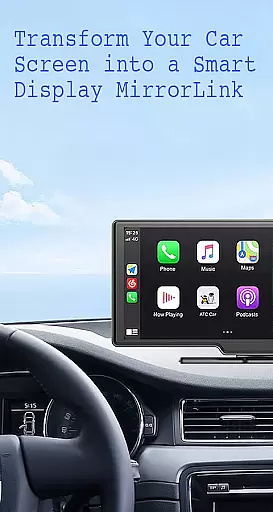
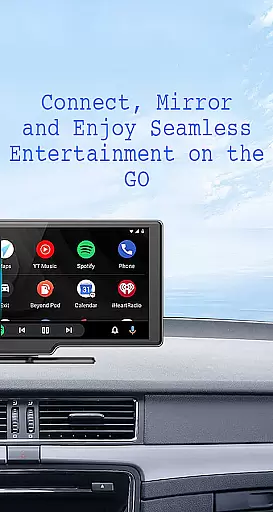
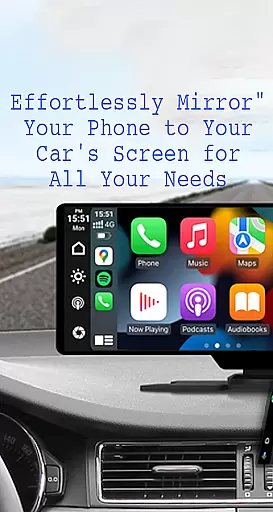
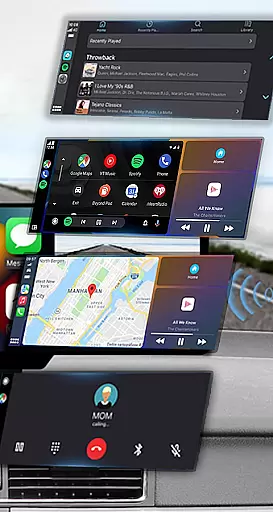
Mirror Link is a cutting-edge application designed to seamlessly connect your smartphone with your car's display system. This app enables users to project their phone screen onto the vehicle's larger display, enhancing accessibility and convenience while driving.
With both wireless and USB connection options, Mirror Link ensures stable screen sharing that allows drivers to safely access navigation maps, music controls, communication features, and more. The app supports multimedia playback, hands-free calling, and even integrates with systems like Apple CarPlay and Android Auto for an optimized driving experience.
This application is particularly beneficial for modern drivers who wish to maintain focus on the road while still having essential phone functions readily available. By turning the car's display into an extended control panel for your smartphone, Mirror Link significantly improves driving safety and convenience.
Mirror Link offers an impressive array of features that cater to various user needs. The app's static screen sharing capability provides a stable and clear projection of your smartphone's interface onto your car's display, ensuring minimal lag or disruption during use.
One of the standout features is its dual connectivity option, supporting both wireless Miracast technology and traditional USB connections. This flexibility allows users to choose their preferred method of connection while maintaining high-quality screen mirroring. Additionally, the app's one-click connection system makes setup quick and hassle-free.
The application also includes smart automation features such as automatic media playback control when connecting to a car display. Its universal compatibility with all car brands and devices having built-in web browsers makes it an exceptionally versatile tool for both older and newer vehicle models.
Functionality completeness in Mirror Link ensures that users can seamlessly integrate their smartphones with their car's display system. This app offers both wireless and USB connection options, catering to different user preferences and vehicle capabilities.
The app covers a wide range of essential features including static screen sharing, multimedia access, and automation. These functions allow users to listen to music, watch videos, make calls, and use navigation maps directly on their car's screen, enhancing convenience and safety during drives.
Mirror Link stands out with its universal compatibility, working with all car brands and devices equipped with built-in web browsers. It also supports popular systems like MirrorLink CarPlay and Android Auto, ensuring that users can enjoy a full mirror link experience regardless of their car's age or model.
By providing comprehensive functionality, Mirror Link enables drivers to keep their focus on the road while still having access to their phone's features. The app's ability to automatically play and pause media when connected to a car display further demonstrates its attention to detail and user-centric design.
Usability is a critical aspect of Mirror Link, designed to provide a smooth and intuitive user experience. The app allows for simple and fast connections with just one click, minimizing setup time and maximizing convenience for the driver.
Operational smoothness is evident in the app's ability to maintain stable screen sharing and communication between the phone and car display. Whether using wireless connectivity or a USB cable, Mirror Link ensures that users can reliably access their phone's features without interruptions.
The app's user-friendly interface and straightforward instructions make it accessible even to those who may not be tech-savvy. By following a few easy steps, users can connect their phones to their car's screen and start enjoying the benefits of enhanced driving safety and entertainment options.
Mirror Link's dedication to usability extends to its automation features, such as automatically playing and pausing music when the device connects to the car display. This operational smoothness contributes to an overall pleasant and hassle-free experience, allowing drivers to concentrate on what matters mostu2014safe driving.
User-friendly interface
Wireless and USB options
Stable screen sharing
Wide compatibility
Automation features
Requires Miracast support
Setup can be complex
Occasional connection issues
Limited advanced features
Device compatibility varies

SmartCast mirrors Android phone to TV screen With Cast Screen, Chromecast.
 4.80
4.80
The Free Catholic Latin American Bible in complete Spanish
4.60
Demo for Key Attestation feature of the Android system.
4.80
Test DPC is a sample device policy controller for use with Android Enterprise.
4.20
TV USB connector app provides you a seamless cast option from your phone to tv.
4.70
Recite Quran Majeed القران with special 16 line real Kuran page in hand
4.30
CloudEye 365 is a easy-handling APP
3.60
Ps2 plugins for 64 bit artitechture
3.70
Expo is a free & open source platform to build apps using JavaScript and React.
4.70
Block and secure the microphone and protect from secret listening and recording.
4.50
Block, disable and secure phone camera from secretly taking photos by spyware.
4.50
Game Booster GFX for smoother gaming experience. Enjoy 120 FPS and 4x Game Space
4.20
Unlock the hidden menus of your phone with our mobile secret codes app.
4.20
The best PS2 games from your childhood come to life in their mobile version!
4.00
Connect your phone to any endoscope camera, USB camera, or borescope with ease.
3.70
Mobile Connect To TV - HDMI USB & WiFi Screen Mirroring
3.70
Collection of Maps and Mods for Dmod
3.30
Endoscope camera an app to connect with endoscope cam or any device
3.30
Record with Double Camera Video Recording using Dual Camera Front and Back Video
3.00


User Reviews