
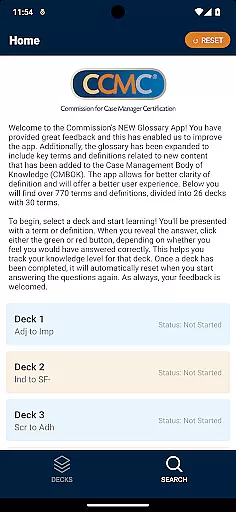



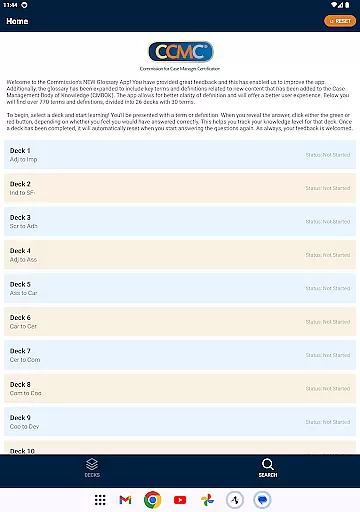


The CCM Glossary App is an educational tool designed to enhance understanding of key terms and definitions within the Case Management Body of Knowledge (CMBOK). With over 770 terms divided into 26 decks, this app provides a structured learning experience for case management professionals.
Users can select specific decks to study, using interactive features to track their knowledge level. The app's intuitive design allows users to easily navigate through terms and definitions, while providing feedback on their performance. This makes it an invaluable resource for both new and experienced case managers looking to expand their expertise.
The app's recent updates include expanded content based on user feedback, ensuring that the glossary remains relevant and useful. By offering a better user experience through improved clarity and organization, the CCM Glossary App establishes itself as an essential tool in the field of case management education.
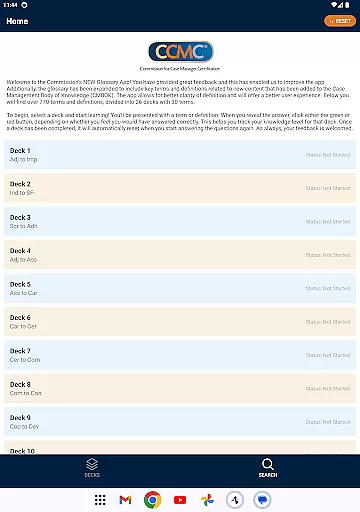
The CCM Glossary App offers several distinctive features that set it apart from other educational tools. First, its comprehensive glossary includes over 770 terms and definitions, organized into 26 distinct decks with 30 terms each. This structure enables users to focus their learning on specific areas of interest or need.
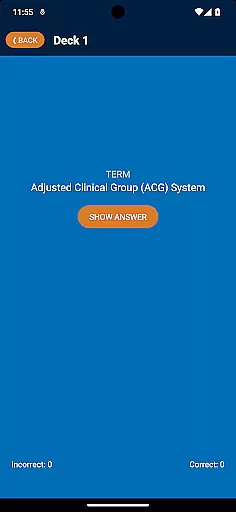
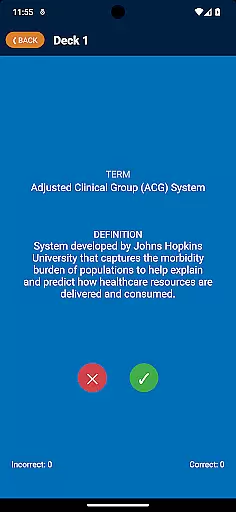
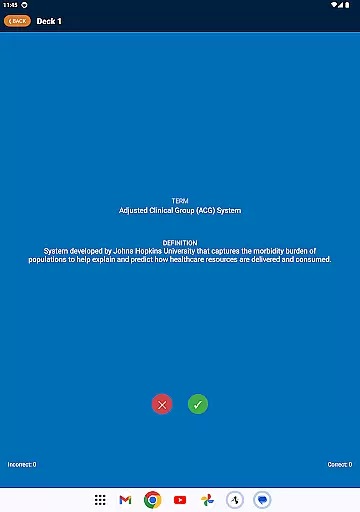
A key feature is the app's interactive learning system. Users are presented with terms or definitions and can self-assess their knowledge by indicating whether they answered correctly. This functionality helps track progress and identify areas requiring further study. Additionally, the app automatically resets completed decks, allowing for continuous learning and review.
The developers have also prioritized user experience through regular updates. Based on valuable user feedback, the app has been enhanced to provide better clarity of definitions and overall usability. These improvements demonstrate the app's commitment to delivering high-quality educational content tailored to the needs of case management professionals.
In the realm of educational applications, content accuracy is paramount. The CCM Glossary App offers over 770 terms and definitions, ensuring that learners have access to a comprehensive and precise knowledge base. This app meticulously incorporates feedback from users to constantly refine and expand its glossary, which now includes key terms from the Case Management Body of Knowledge (CMBOK).
Each term in the app is presented with clear definitions, enhancing the clarity and understanding of complex concepts. This commitment to precision not only aids in effective learning but also ensures that the information provided can be trusted for academic and professional use.
The authority of content is further solidified by dividing these terms into 26 decks, each containing 30 terms. This structured approach allows users to focus their learning and easily track their progress. By engaging with authoritative content, learners can confidently expand their expertise in case management.
One of the standout features of the CCM Glossary App is its ability to offer personalized learning paths. Upon opening the app, users can select a deck and begin their learning journey. As they engage with each term or definition, they are encouraged to assess their knowledge by revealing the answer and indicating whether they responded correctly using green or red buttons.
This interactive method allows the app to adapt to the learner's needs dynamically. If a user struggles with specific terms, they can prioritize these areas for review, creating a tailored educational experience. Such personalization ensures that study time is both efficient and focused on individual growth areas.
Furthermore, once a deck has been completed, it automatically resets, offering an opportunity for repeated practice and mastery. This feature fosters continuous improvement and retention of knowledge, making the CCM Glossary App an invaluable tool for anyone looking to enhance their understanding of case management terminology.
User-friendly interface
Comprehensive term database
Interactive learning system
Regular content updates
Performance tracking capabilities
Limited to case management field
No offline functionality
Requires Google account
Occasional technical issues
Learning curve for new users

One of the most engaging and innovative ABC apps on the market.
 4.30
4.30
Practice Casino Roulette Payouts for Table Game Dealers and Croupiers
4.40
An interactive enhancement of the Sesame Street classic.
4.50
The Fighter Verses Bible memory system helps you memorize God's Word.
4.50
Engage in learning science and math with the award-winning PhET simulations!
4.70
Flashnote Derby is the fun way for kids to learn music notes and memorize them.
3.40
Astronomy Guide To Night Sky
4.30
Our most popular app series returns, better than ever!
3.90
Reading for kids has never been easier. Learn phonics, letter tracing & more!
4.70
AI Language tutor: Speak fluently with Lucy’s personalized coaching
4.70
Perform physics experiments with your phone. (by the RWTH Aachen University)
4.70
Stack the States makes learning about the 50 states fun!
4.70
Learn & Speak New Languages
4.70
Stargazing Guide App. Stars and constellations map. Solar system planets finder.
4.60
The "Go To" app for Airmen studying for promotion to SSgt and TSgt
4.30
Bebefinn and Baby Shark educational, animated videos & games for kids
3.40
Learn and joke with the Silly Turkey!
4.3
Pickleball guide complete with illustrated Pickleball drills and helpful info
4.5
Animals pop up and make sounds—learn names and noises in Peekaboo Barn!
4.0


User Reviews