
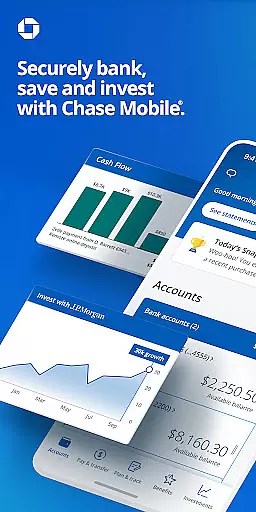
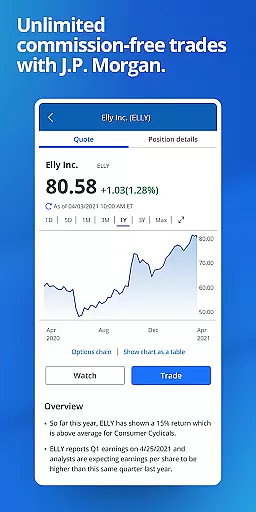
Chase Mobile® app is a comprehensive financial management tool that allows users to bank securely and efficiently. The app supports multiple banking services including sending and receiving money with Zelle®, depositing checks, monitoring credit scores, budgeting, and tracking income and expenses. It also integrates J.P. Morgan Wealth Management for investment planning and goal setting.
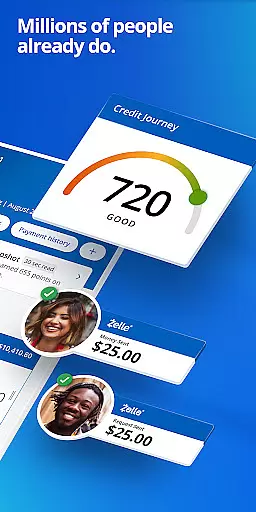
With Chase Mobile®, users can manage their accounts by reviewing activity across checking, savings, credit card, home, auto, and business accounts. The app provides convenient payment options such as scheduling payments, transferring money between accounts, and managing Chase credit card bills. Additionally, it offers free credit score access through Chase Credit Journey®, daily budget insights, and robust security features like card locking/unlocking and identity monitoring.
This app is ideal for individuals seeking an all-in-one banking solution that combines everyday financial management with long-term investment planning. Its seamless integration of essential banking services makes it a valuable tool for maintaining financial health while planning for the future.
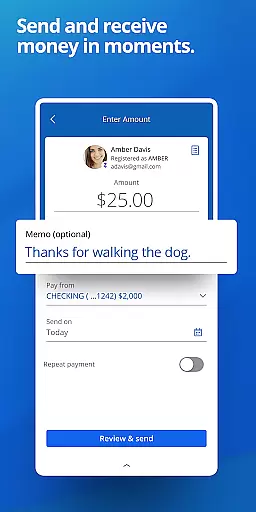
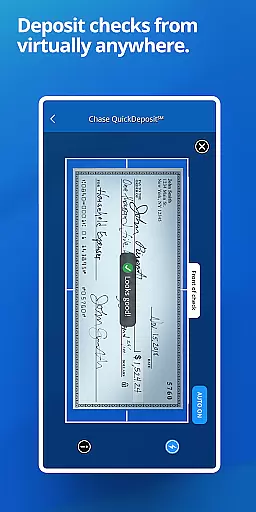
Chase Mobile® stands out with its extensive feature set tailored for modern banking needs. One of its key features is the ability to send and receive money instantly using Zelle®, making peer-to-peer transactions quick and easy. The app also allows users to deposit checks remotely, eliminating the need for physical branch visits.
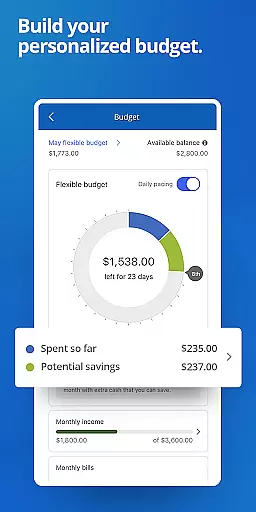
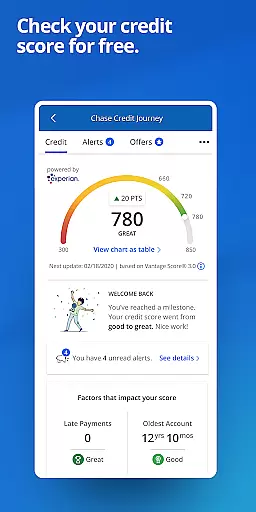
Another significant feature is the Chase Credit Journey®, which provides users with free access to their credit scores and identity monitoring services. This empowers users to take control of their credit health. The app's budgeting tools offer daily insights into spending habits, helping users manage their finances effectively. Moreover, the integration with J.P. Morgan Wealth Management enables users to plan investments and track long-term financial goals seamlessly.
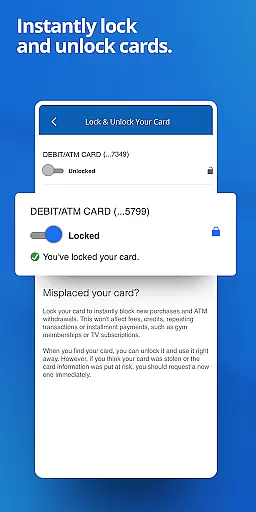
Security is prioritized with features like real-time fraud alerts and the ability to lock/unlock cards directly from the app. These functionalities ensure that users' financial information remains protected at all times. Overall, Chase Mobile® delivers a robust suite of features that cater to both everyday banking needs and strategic financial planning.
Account and fund security is a critical feature for any financial application, ensuring that users' sensitive information and assets are protected from unauthorized access. Chase Mobileu00ae app employs advanced encryption protocols to safeguard your data during transmission and while stored on their servers.
The app provides multiple layers of security, including biometric authentication options such as fingerprint or facial recognition, which allow only the authorized user to access the account. Additionally, Chase may notify you of unusual card purchases, adding another layer of real-time monitoring to prevent fraud.
Users can also lock and unlock their cards directly within the app if they suspect any suspicious activity or have misplaced their card. This immediate control over card usage helps mitigate risks associated with unauthorized transactions.
By offering these comprehensive security measures, Chase Mobileu00ae ensures peace of mind for its users, allowing them to manage their finances confidently without worrying about potential breaches.
A seamless transaction experience is essential for maintaining user satisfaction in mobile banking applications. With Chase Mobileu00ae, customers benefit from an intuitive interface designed to facilitate quick and easy transactions, whether sending money via Zelleu00ae, depositing checks through Chase QuickDepositu2120, or scheduling payments.
The app supports various convenient payment methods, enabling users to transfer funds between accounts effortlessly. It also allows scheduling and managing payments for Chase credit cards and other bills, streamlining the entire bill-paying process.
Moreover, Chase offers daily insights at a glance, helping users monitor their spending habits effectively. The budgeting tools integrated into the app enable tracking debit/credit transactions efficiently, empowering users to make informed financial decisions.
Overall, Chase Mobileu00ae delivers a robust transaction experience by combining ease-of-use with powerful features that cater to diverse customer needs, enhancing both functionality and user engagement.
User-friendly interface
Comprehensive account management
Free credit score access
Robust security features
Integrated wealth management
Limited to Chase customers
Some features require eligibility
Occasional syncing issues
In-app ads for additional services
Dependent on internet connectivity

Manage your Discover account conveniently from anywhere.
 4.80
4.80
Pay rent on your schedule.
4.70
Manage your prepaid cards and add to Google or Samsung Wallet.
4.60
Easily invest, save, and plan—all in one app.
4.60
Early payday & cash advances with no-fee mobile banking!
4.60
No credit checked needed.
4.80
Earn cash back. Build credit.
4.60
Keep track of your subscriptions with no limitations
4.80
Pay, bank & build credit.
4.70
Check EBT, SNAP, WIC balances, manage food stamps, and save money with benefits
4.80
The DailyPay app lets you access earned wages before your next payday.
4.70
Get 250$ Cash Advance to solve emergencies instantly in loan app called LendMe
4.70
Your Big Financial Friend
4.70
Play for fun, earn for real. Collect rent by owning virtual land & get cashback
4.60
Manage your account, make a payment, and redeem your rewards on the go.
4.50
Registration of your debts and Mdionatk and assembled, as well as a significant reports
4.30
The PayPal app is the secure way to send and receive money, shop and pay in 4.
4.20
Make your paycheck work harder for you with Perpay.
4.10
Bill Manager is a simple app to help you keep track of your upcoming bills.
4.5


User Reviews