
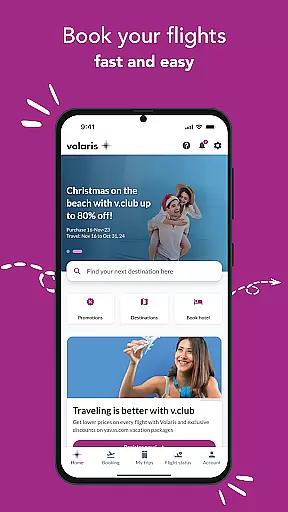
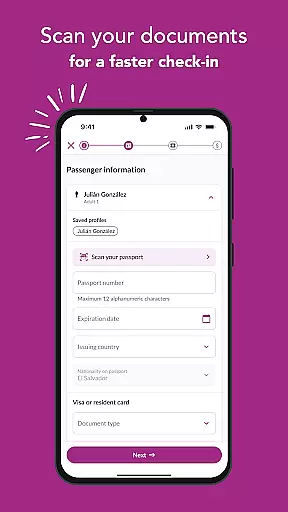
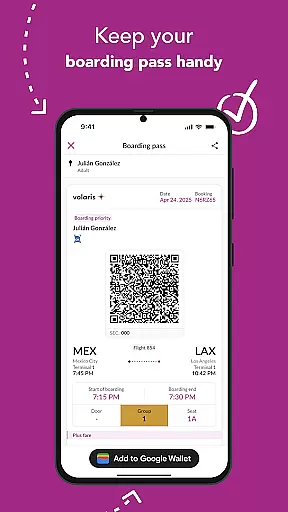
Volaris 2.0 is a comprehensive travel app designed to simplify every aspect of your trip. With over 197 routes available, the app allows users to book flights easily while saving traveler and payment information for faster transactions. It also provides exclusive mobile offers, detailed trip management, and seamless check-in options.
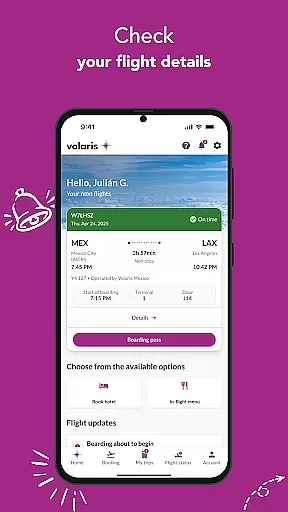
One standout feature is its ability to store boarding passes digitally, allowing travelers to access essential flight details such as boarding times, seat numbers, and itineraries directly from their phones. Additionally, real-time flight status updates and timely notifications ensure that users stay informed about any changes or special deals.
Whether you're planning your journey or already at the airport, Volaris 2.0 serves as an all-in-one solution for modern travelers seeking convenience and efficiency.
The Volaris 2.0 app boasts a variety of features tailored to enhance the travel experience. Users can book flights across 197+ routes and save companion details for quicker future bookings. Payment processes are streamlined by securely storing card information within user profiles.
For added convenience, the app provides tools like 'My Trips,' where passengers can confirm booking specifics, add optional services (e.g., baggage, pets), and manage travel documents during check-in. The digital boarding pass functionality eliminates paper tickets, integrating seamlessly with wallet apps for easy retrieval.
Real-time flight statuses and proactive notifications further elevate the service, ensuring travelers remain updated on gate changes, delays, or promotions throughout their journeys.
When it comes to booking flights, the Volaris app ensures complete authenticity and reliability. The platform offers a seamless booking experience with access to over 197 routes, allowing travelers to find the best flight options tailored to their needs.
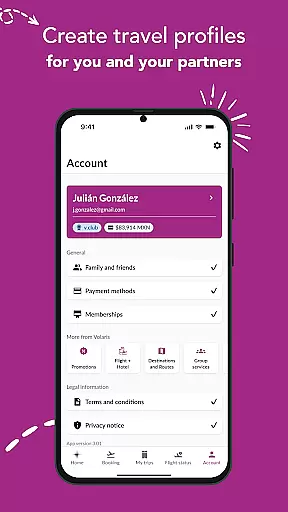
The app enables users to save traveler information for themselves and their companions, making subsequent bookings faster and more efficient. This feature not only simplifies the process but also enhances accuracy by reducing manual input errors.
Moreover, users can store their payment details securely within their profiles. This facilitates easier, quicker, and safer transactions, ensuring that every booking is both convenient and secure. By integrating these comprehensive functionalities, Volaris guarantees a trustworthy booking environment.
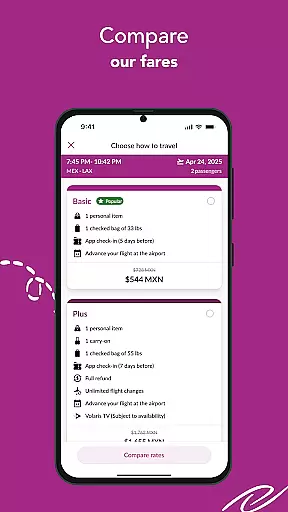
Price transparency is a crucial aspect of the Volaris app, providing users with clear insights into their travel expenses. The app displays all costs associated with flights upfront, including any additional fees for optional services such as baggage, pets, sports equipment, and seat selection.
Furthermore, Volaris offers exclusive mobile app deals that allow users to save on their trips. These promotions are easily accessible within the app, ensuring that customers are well-informed about potential savings and discounts available to them.
By offering detailed breakdowns of prices and highlighting special offers, Volaris empowers users to make informed decisions regarding their travel plans. This commitment to transparency helps build trust and enhances the overall user experience.
User-friendly interface
Secure payment storage
Exclusive app discounts
Digital boarding passes
Real-time updates
Limited route flexibility
Occasional bugs reported
No offline mode
Ads in free version
Geographic restrictions

Apply for an electronic travel authorisation (ETA) to come to the UK.
 3.20
3.20
MyTSA gives you 24/7 access to info that passengers frequently request from TSA.
4.10
Bus tickets at unbeatable prices with routes across the US. All aboard FlixBus!
4.70
All-in-one delivery and taxi app. Ride, food, & grocery delivery app.
4.80
Tickets, hotels, wait times, maps, mobile ordering, Disney PhotoPass & more
4.50
With the Spirit Airlines app, easily manage all your trips in one place.
4.70
Get exclusive travel deals and enjoy the award-winning customer service!
4.60
Find the perfect vacation rental. Search from over 2 million properties.
4.80
Get Moving Made Easier® with the official U-Haul® Moving & Storage app.
3.40
Replace your car trips with the world’s largest shared electric vehicle company.
4.90
Maximize your cruise vacation with the Royal Caribbean app
4.70
Book now to save with exclusive travel deals on hotels, flights, cars & packages
4.70
Easily rent a car at over 9,500 locations with the Enterprise car rental app.
4.60
Travel light with our easy-to-use mobile app, the perfect flying companion.
4.40
Link & locate for real-time child & family safety: GPS tracker for families
4.40
GPS Live Satellite Earth to find route navigation and current location map
4.00
A packing list app that helps you remember what to pack for a trip.
3.10
Learn about one of the most famous Victorian cemeteries in the world
2.80
OFFLINE detailed information about the Florida National and State Parks
4.4


User Reviews