
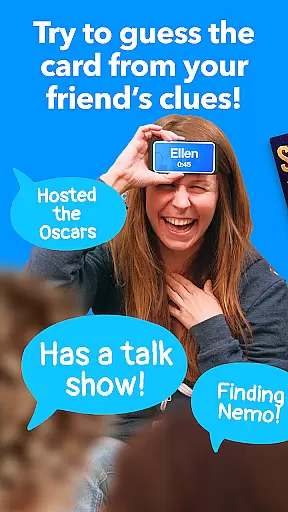



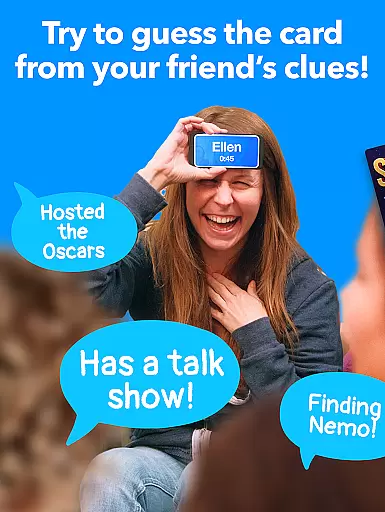




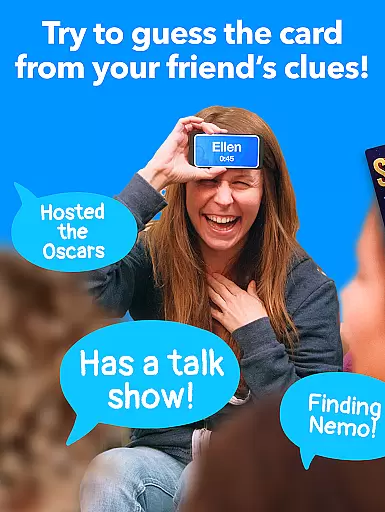



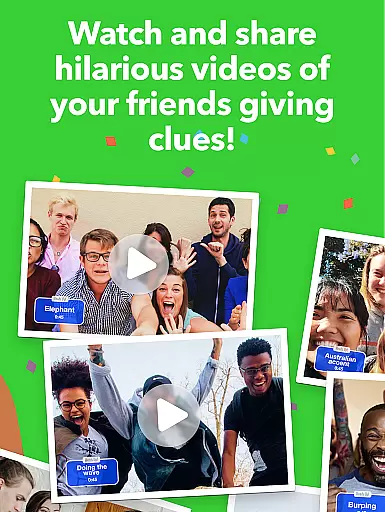

Heads Up! is an engaging word-guessing game app that brings the fun of charades to your mobile device. Developed by Ellen DeGeneres, this app allows players to hold their phone to their forehead while friends provide clues for the word displayed on the screen. With themed card decks ranging from celebrities to blockbuster movies, it offers diverse entertainment suitable for all ages.
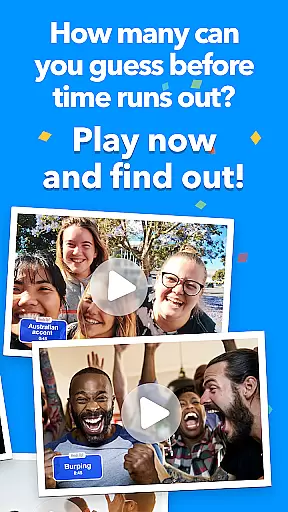
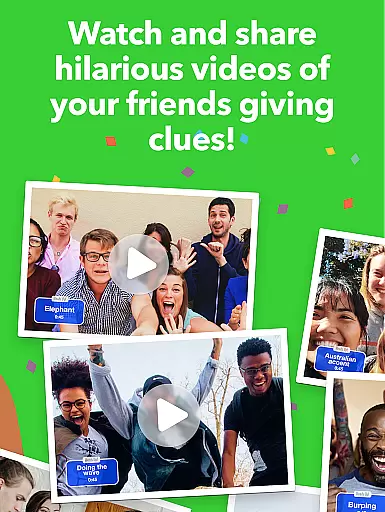
The app's core function is to facilitate fast-paced, social gameplay that can be enjoyed at parties or during virtual hangouts. Its intuitive design and humorous content make it ideal for family game nights or casual gatherings with friends. The added ability to record gameplay videos enhances the experience, allowing users to relive hilarious moments.
Whether you're looking to entertain kids or challenge knowledgeable adults, Heads Up! provides a versatile platform for interactive fun. Its unique blend of trivia, acting, and quick thinking makes it one of the most entertaining party games available today.
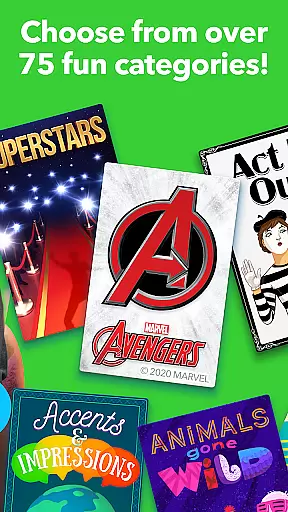
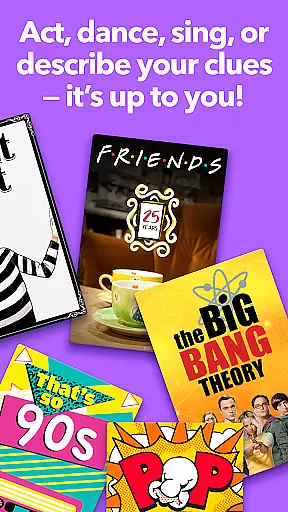
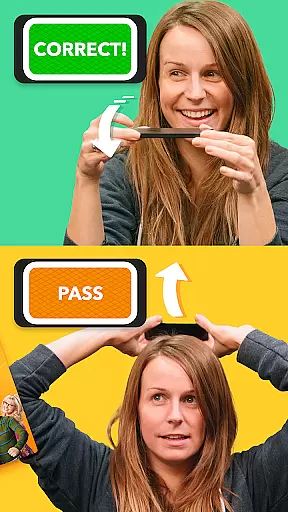
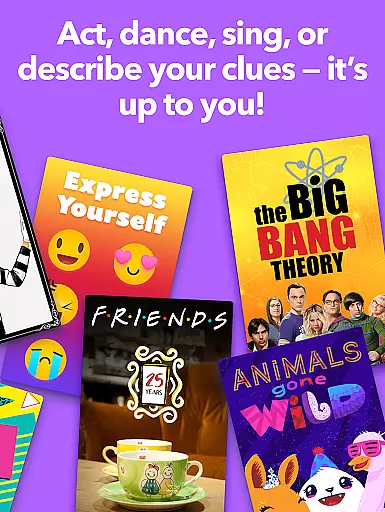
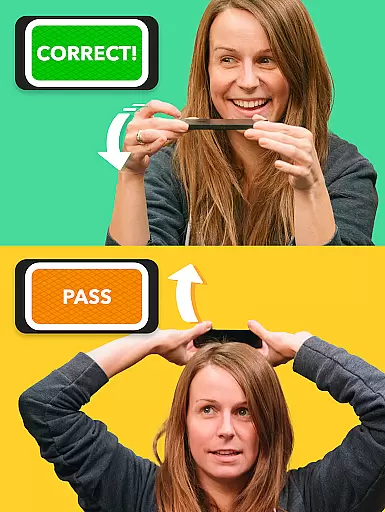
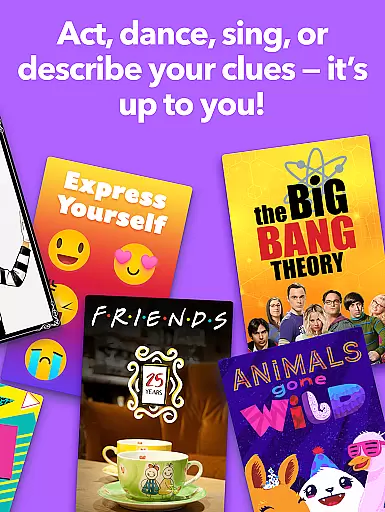
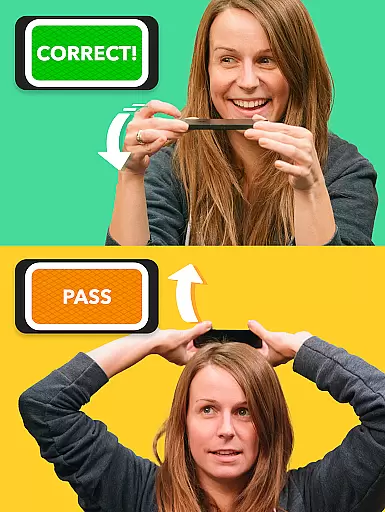
Heads Up! stands out with its innovative gameplay mechanics and extensive customization options. Players can choose from over 40 themed decks, including popular categories like Harry Potter, Friends, and Marvel, or create their own custom decks. The app's responsive tilt controls allow seamless card switching by simply moving the phone up or down.
One of the app's most distinctive features is its video recording capability, enabling users to capture and share their funniest moments directly to social media. The inclusion of diverse categories such as Accents & Impressions and Act It Out ensures there's something for everyone, regardless of age or interest.
The app also supports remote play, making it perfect for virtual gatherings through platforms like Zoom. With regular updates and new content additions, Heads Up! maintains its position as a leading choice among word-guessing apps, offering hours of entertainment value in both physical and digital social settings.
Clue quality and clarity are essential for any word-guessing game, and Heads Up! excels in this area. The game provides intuitive and straightforward clues that make it easy for players to guess the words on their heads. Each clue is crafted to ensure it is neither too obscure nor too obvious, striking a perfect balance that keeps the game challenging yet achievable.
The app achieves this through well-thought-out categories like Celebrities, Movies, and Accents, which are familiar to most players. This familiarity helps in delivering clear and concise clues that resonate with the participants. For instance, when guessing a celebrity, clues might include iconic roles or public appearances, ensuring players can quickly identify the correct answer.
Players benefit from this high-quality clue system by experiencing less frustration and more engagement. Clear clues lead to faster and more accurate guesses, keeping the energy high and the fun flowing. This feature ensures that every round of Heads Up! is enjoyable and dynamic, making it an ideal choice for parties and family gatherings.
Ultimately, the emphasis on clue quality and clarity enhances the overall user experience. It transforms a simple guessing game into an exhilarating activity where communication and quick thinking prevail. Whether playing with friends on Zoom or at a lively house party, Heads Up! guarantees an unforgettable experience filled with laughter and excitement.
Puzzle variety is a standout feature of Heads Up!, offering players an extensive range of categories and decks to choose from. With over 40 themed decks, including popular options like Harry Potter, Friends, and Marvel, the game caters to diverse interests and age groups. This variety ensures that no two games feel the same, providing endless entertainment and replayability.
Each deck is meticulously designed to challenge players in different ways. For example, the Blockbuster Movies deck tests your knowledge of famous films, while the Act It Out deck encourages creative expression without uttering a word. Such diversity not only keeps the gameplay fresh but also allows players to explore new themes and topics they might not have considered before.
This wide array of puzzles benefits users by accommodating various skill levels and preferences. Whether you're a fan of pop culture, music, or animals, there's a deck tailored just for you. Additionally, the option to create custom categories adds a personal touch, enabling players to tailor the game to their unique tastes and interests.
In summary, the rich puzzle variety in Heads Up! significantly enhances its appeal as one of the best charades apps available. By continually introducing new and exciting challenges, the game remains engaging and relevant, ensuring that players keep coming back for more rounds of fast-paced, laughter-filled fun.
User-friendly interface
Diverse category selection
Video recording feature
Remote play capability
Regular content updates
Limited free content
In-app purchases required
Ads between games
Occasional connectivity issues
Some categories outdated

Play heads up with family and friends in an amazing charades and guessing game!
 4.30
4.30
Word search games, anagram, crossword & logic puzzle! Brain training and relax!
4.90
Using letters and numbers, decode hidden words in this сryptogram game!
4.40
Solve crossword puzzles challenge your brain and expand your vocabulary
4.90
The classic word game with advanced AI and built-in definitions
4.60
Scramble Words Puzzle Game
4.0
Relax your brain with this fun word puzzle game and beautiful landscapes!
4.50
Train your brain daily with fun crosswords and addictive word puzzles!
4.80
Play this visually-pleasing word game specially designed for seniors!
4.90
Search for FAITH and FUN!
4.90
Word Trip – where players relax, solve word puzzles, and boost your brainpower!
4.90
A smart word game that's challenging your mind with more than 1000 levels
4.80
101 offline games: words, puzzles, quizzes! Play, learn and compete!
4.70
Play this fun word connect game to calm and train your brain.
4.60
Relax and have fun with a combination of word games and solitaire!
4.60
Mind-challenging word game — form words with letters and beat your opponent!
4.50
260 professional cryptic crosswords to keep you pondering.
4.40
Combine crossword clues with a fill in the quote cryptogram style answer
4.30
750 professional casual crosswords to keep you busy during coffee break.
4.10


User Reviews