
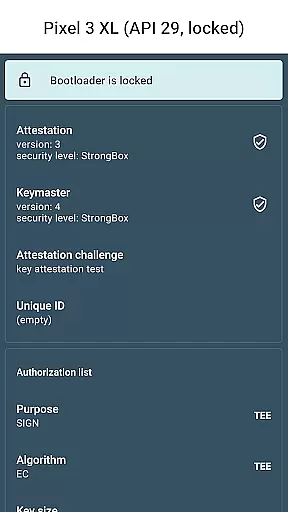
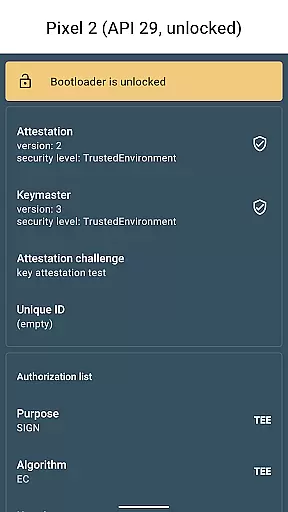
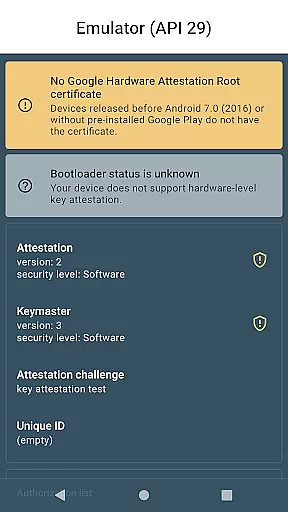
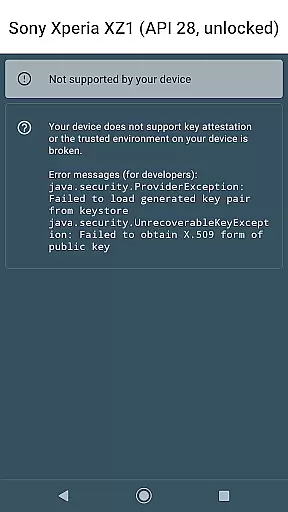
Key Attestation Demo is a specialized application designed for developers and power users who need to work with Android's key attestation feature. This app allows users to verify the authenticity of security keys on Android devices, ensuring that cryptographic keys are stored securely in hardware-backed keystores.
The app provides access to detailed documentation and source code references, making it an essential tool for those implementing secure authentication solutions. By using this app, developers can test and validate their implementations of Android's key attestation API, which is crucial for building robust security features into their own applications.
This app offers several technical features that cater specifically to developers working with Android security protocols. It includes comprehensive integration with Android's key attestation API, allowing users to verify security key properties directly from their device.
Additionally, Key Attestation Demo provides direct links to official documentation and source code repositories. These resources help developers understand the underlying mechanisms of key attestation and implement them correctly in their projects. The app serves as both a practical tool and an educational resource for implementing secure key storage solutions.
Functionality completeness in a library or demo app refers to the extent to which it provides all necessary features and tools required for its intended use. For Key Attestation Demo, this means offering comprehensive support for key attestation processes that developers need.
The app covers essential aspects of Android's key attestation by providing access to documentation and source code. This allows developers to understand the underlying mechanisms and implement them effectively within their projects.
Users benefit from having a complete set of resources at their disposal, enabling them to verify hardware-backed keys securely and efficiently. The inclusion of links to official Android developer guides further enhances the utility of this demo app.
By ensuring full functionality coverage, Key Attestation Demo serves as an invaluable resource for both new and experienced developers looking to integrate robust security measures into their applications.
Usability in a demo application pertains to how easily developers can interact with and utilize its features. In the case of Key Attestation Demo, usability is enhanced through clear documentation and accessible source code, making it straightforward for developers to engage with the app's core functionalities.
Operational smoothness is achieved by maintaining a clean interface and providing reliable performance when executing key attestation tasks. Developers can expect consistent behavior across different devices and platforms without encountering unexpected issues.
This focus on usability ensures that even those new to key attestation processes can quickly get up to speed, while experienced users will appreciate the seamless operation and integration capabilities offered by the app.
Ultimately, the combination of user-friendly design and stable performance makes Key Attestation Demo an effective tool for learning and implementing secure key verification practices in Android development environments.
Direct API integration
Comprehensive documentation
Open-source availability
Developer-focused features
Enhanced security testing
Limited general user appeal
Complex functionality
No beginner guidance
Technical expertise required
Narrow use case scope

Game Booster GFX for smoother gaming experience. Enjoy 120 FPS and 4x Game Space
 4.20
4.20
Record with Double Camera Video Recording using Dual Camera Front and Back Video
3.00
Use your Phone as Drone Controller.
3.70
An essential GFX utility developed for specific FPS mobile games
4.50
charging your phone by other phone easly
4.00
Mirror Link Car Display to share your screen with car dashboard wirelessly
4.4
Al QURAN-القرأن الكريم app to read Quran offline just like an actual Quran book
4.30
A Pydroid Quick Install repository provider.
4.00
The best PS2 games from your childhood come to life in their mobile version!
4.00
Enjoy Minecraft Mod Scary Neighbor Granny for Minecraft PE.
4.30
Wireless reverse charging using phone now is possible
4.30
Test DPC is a sample device policy controller for use with Android Enterprise.
4.20
Sad ringtones full of feeling, sad music ringtones
3.90
Mobile Connect To TV - HDMI USB & WiFi Screen Mirroring
3.70
Now Available on Android ™
3.40
Connect and Find your smart tag via our app.our app is compatible with smarttag.
3.30
Looking to connect your phone to your car screen? Mirror Link is the solution.
3.20
DamonSx2 is the open Source LGPL Emulator
3.20
Collection of high-quality, trendy skins and outfits!
4.2


User Reviews