
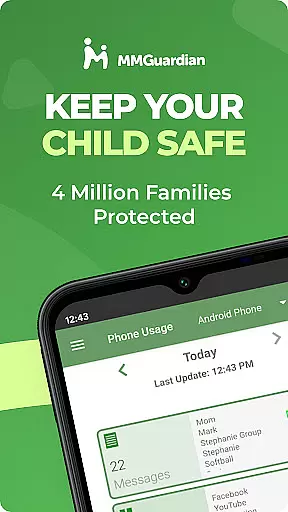
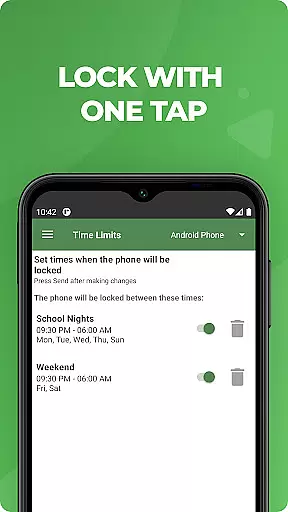
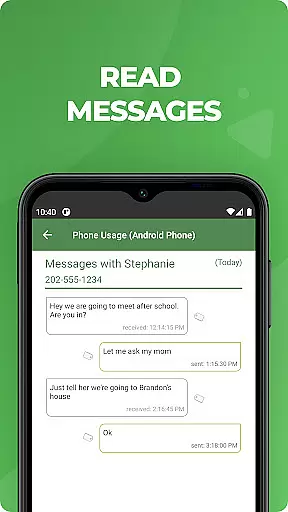
MMGuardian Parental Control is a comprehensive parental monitoring solution designed to ensure children's online safety. This app, installed on the parent's phone, works in tandem with a separate child app that must be installed on the child's device. It allows parents to remotely monitor and manage their child's smartphone activity, including text messages, web browsing, app usage, and even social media interactions.
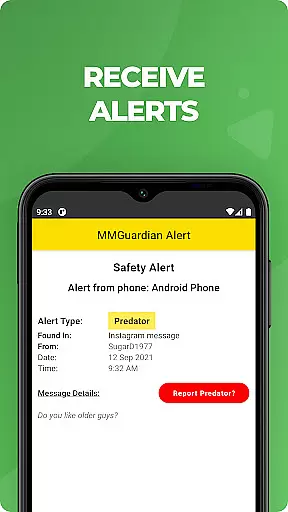
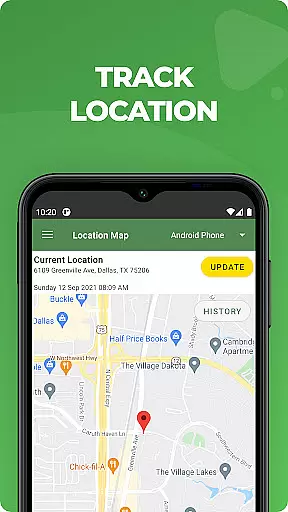
The service provides real-time alerts for potential dangers such as cyberbullying, sexting, or suicidal thoughts detected through text messages or web searches. Additionally, MMGuardian offers GPS location tracking, remote phone locking, and screen time management features. These functions help parents maintain a safe digital environment while giving children room to learn responsible device usage.
Parents can try MMGuardian free for 14 days, after which a subscription is required to continue using premium features. The app supports both Android and iPhone devices, making it versatile for families with different types of smartphones. With its robust feature set, MMGuardian serves as an essential tool for modern parenting in the digital age.
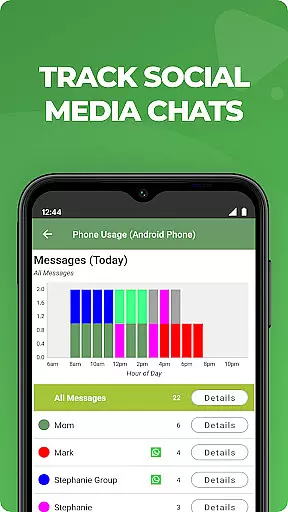
MMGuardian stands out with its extensive range of parental control features. The app enables detailed monitoring of various aspects of a child's phone usage. Parents can view SMS text messages, track web browsing history, monitor application usage patterns, and even review phone call logs. What makes MMGuardian particularly valuable is its ability to analyze content from major social media platforms including Facebook Messenger, WhatsApp, Snapchat, Instagram, and others.
The app's alert system is one of its most crucial features. It automatically scans text messages and social media chats for keywords related to nine critical categories, including cyberbullying, drug references, and suicidal thoughts. When potentially dangerous content is detected, parents receive immediate notifications. This proactive approach helps prevent serious issues before they escalate.
Additional notable features include remote phone location tracking, instant phone locking/unlocking capability, and customizable screen time restrictions. The app also provides comprehensive usage reports and maintains functionality even after the free trial period ends, allowing parents to continue using basic location tracking services. These features collectively create a robust protection network for children's digital activities.
When it comes to parenting apps, content credibility is paramount. MMGuardian Parental Control ensures that all alerts and monitoring features are developed based on expert validation. This means the app employs advanced algorithms reviewed by child safety specialists to detect potential risks in text messages and social media interactions.
The app's monitoring capabilities extend to various communication platforms including SMS, Facebook Messenger, WhatsApp, and others. These features are designed not only to track activity but also to provide meaningful alerts. For instance, when a message contains content related to cyberbullying or sexting, parents receive immediate notifications.
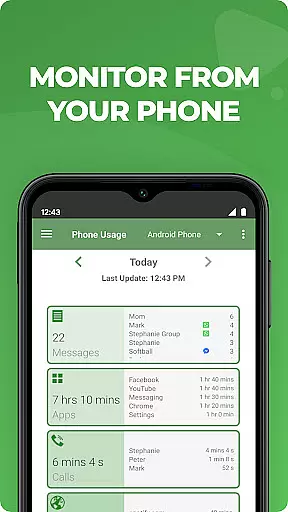
Parents can trust the app's reporting system due to its comprehensive nature. It provides detailed reports on text messages, application usage, web browsing history, and phone calls. This level of detail helps parents make informed decisions about their child's digital environment.
By combining expert-validated content analysis with practical monitoring tools, MMGuardian ensures that parents have reliable information to guide their children safely through the digital world.
Growth tracking in parenting involves more than just physical development; it includes monitoring a child's digital footprint and online behavior. MMGuardian Parental Control offers accurate growth tracking by providing detailed insights into a child's online activities.
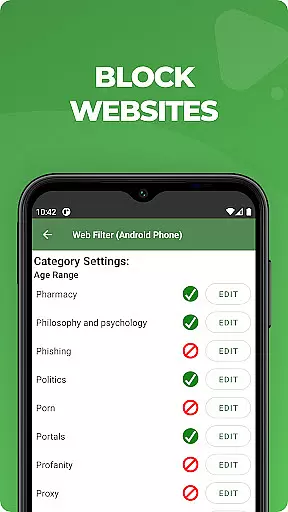
The app allows parents to set specific limits on screen time, app usage, and web filtering. These controls help track how much time children spend on their devices and what kind of content they engage with. By setting these parameters, parents gain valuable data on their child's digital habits.
Additionally, MMGuardian includes GPS location tracking, which adds another layer of accuracy to growth tracking. Knowing where your child is at any given time complements the digital activity reports, offering a holistic view of their daily routines.
With precise tracking tools and actionable data, MMGuardian empowers parents to foster healthier digital lifestyles for their children while ensuring their overall well-being.
Comprehensive monitoring
Real-time alerts
GPS tracking included
Social media monitoring
Free trial available
Separate child app needed
Paid subscription required
Technical setup needed
Limited iOS functionality
Requires data connection

Free symptom & med tracker with expert-reviewed tips.
 4.30
4.30
Block apps, set screen time limits, and customize usage schedules
4.50
SENSORYSOOTHE and SENSORSAFE: Making car seats smarter and families safer.
4.70
Keep Your Family Safe with Pollog Family Assistants
4.10
Babysitting video camera - Turn your two phones or tablets into a single nanny.
4.40
Introduce real food to baby with First Foods® Database, baby led weaning BLW
4.80
GPS tracker app: Simple GPS phone tracker for fast family location tracking
4.60
App/Game blocker & GPS tracker
4.50
All-In-One Pregnancy Tracker, Your Baby's Milestones, Growth Stages & Parenting.
4.90
A simple way to track your baby’s breastfeeding, diaper changes, sleep patterns.
4.90
Track Pregnancy, Baby Feeding, Sleep, Diaper Changes, Postpartum Health & More!
4.80
FamilyAlbum helps you share, save, and remember your child's special moments.
4.80
GPS phone tracker: find kids on map. Location tracking and parental control.
4.50
With BabyCam you can monitor your baby using your mobile phone, tablet, PC or TV
4.40
Parental control: child monitoring app, screen time control, GPS child tracker
4.40
Magic chalkboard coloring and drawing!
4.20
The 10 development leaps of your baby | newborn milestones & leap days tracker
4.10
Parental Control including Screen time control, GPS tracking, App/Game blocker.
3.90
Screen Time, App and Web Block & Monitoring, Location Tracker
3.60


User Reviews