
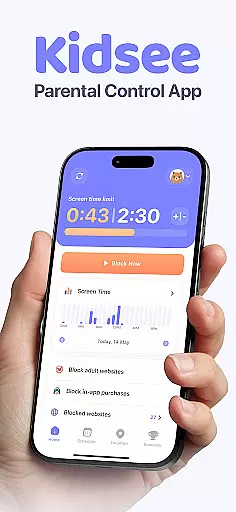
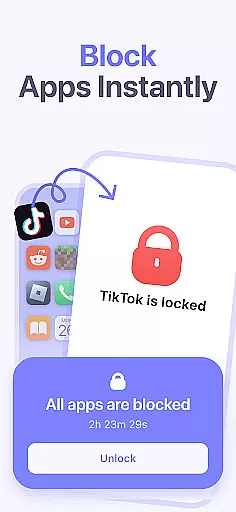
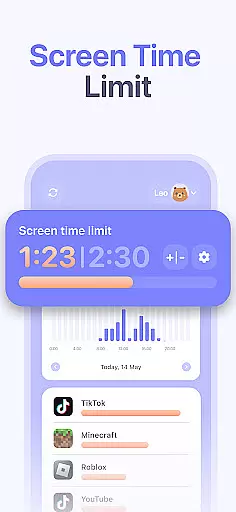
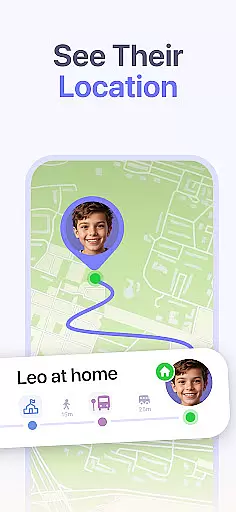
Kidsee Parental Control is a comprehensive family safety solution designed to help parents manage their children's screen time, app usage, and location tracking. With features like instant app blocking, daily time limits, and real-time GPS tracking, Kidsee empowers parents to guide their kids toward healthier digital habits while ensuring their safety.
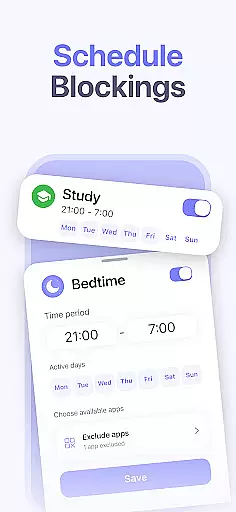
The app supports both Android and iOS devices, allowing control over multiple child devices from a single parent account. Parents can create custom schedules, block inappropriate content, and monitor phone usage remotely. Whether it's for school hours, bedtime, or preventing overuse of social media, Kidsee provides the tools necessary to maintain a balanced digital environment for the whole family.
Kidsee offers an extensive set of parental control features that cater to various aspects of digital parenting. One of its standout capabilities is the ability to remotely lock apps on a child's device instantly. This feature ensures that parents can take immediate action when necessary, whether it’s to enforce bedtime or to limit distractions during study hours.
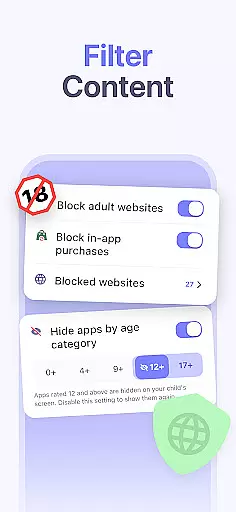
In addition to app control, Kidsee provides detailed monitoring options. Parents can track their child's real-time GPS location, review location history, and even monitor the battery level of the child's smartphone to avoid losing connection. The app also includes tools to block adult content, in-app purchases, and specific websites, promoting a safer online experience. These features collectively contribute to a comprehensive approach to digital wellbeing and family safety.
When it comes to parenting apps, the credibility of the content and validation by experts is crucial. Kidsee Parental Control ensures that all features are designed with family safety in mind. The app's ability to block adult content and manage screen time is backed by child psychology research.
The development team has consulted with child safety experts to create a robust system for managing digital wellbeing. This includes setting flexible screen time limits, blocking inappropriate apps, and monitoring location. These features have been validated by professionals in the field of child development.
Parents can trust Kidsee to provide accurate and reliable tools for keeping their children safe online. The app's focus on promoting healthy screen habits is supported by evidence-based practices. With features like instant app blocking and real-time GPS tracking, parents can feel confident in their ability to guide their children's digital experiences.
Tracking a child's growth and development in the digital world is essential for modern parenting. Kidsee offers precise tools for monitoring app usage and setting appropriate limits. Parents can track how much time their children spend on specific apps and adjust settings accordingly.
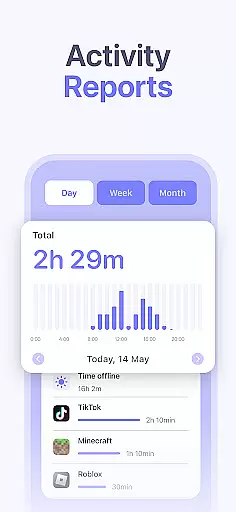
The app provides detailed reports on screen time by hour and day, allowing parents to make informed decisions about their child's digital activities. This data-driven approach helps in creating customized schedules that fit the family's routine. Whether it's managing school hours or planning for weekends, Kidsee ensures accuracy in tracking every detail.
Moreover, Kidsee supports multiple devices and operating systems, ensuring comprehensive coverage. Parents can manage up to 10 child devices from a single account, making it easier to maintain consistency across different platforms. With its reliable tracking capabilities, Kidsee empowers parents to foster a balanced digital environment for their children.
Instant app blocking
Real-time GPS tracking
Customizable schedules
Supports multiple devices
Blocks adult content
Requires constant internet
Limited iOS functionality
Paid premium features
Complex setup process
Privacy concerns

Track your pregnancy & your baby's growth in 3D. Get support from our community
 4.60
4.60
Sleep better with white noise app! Discover rain sounds, fan noise and more.
4.70
Pregnancy and baby formula tips for moms, plus Enfamil coupons & cash back
4.10
A Coloring for the Whole Family! Discover the Joy of Family Love Through Colors!
3.60
Keep Your Family Safe with Pollog Family Assistants
4.10
Pinardin - Smart Parental Control, Online Safety & GPS Tracking!
4.80
Lullabies, Night Light & Age-based Routines to help your baby fall asleep
4.4
GPS tracker app: Simple GPS phone tracker for fast family location tracking
4.60
FamilyAlbum helps you share, save, and remember your child's special moments.
4.80
A simple way to track your baby’s breastfeeding, diaper changes, sleep patterns.
4.90
Parental control App for Location, Remote Camera, Screen Mirroring, Block Apps.
4.60
All-in-one pregnancy app, contraction timer, kick counter & due date calculator
4.40
Cherish every beat - capture your baby's heart sounds with our app
4.30
FamilyMode helps you manage your family’s digital lives—at home or on the go.
4.30
Magic chalkboard coloring and drawing!
4.20
Learn according to the age of your child and consult with other moms.
4.20
Educational resource for parents to inspire creativity in their children.
4.00
Monitor screen time and build healthy habits with Family Safety
3.90
Little loved one's monitoring, Sleep tracking and Parenting content.
3.80


User Reviews