
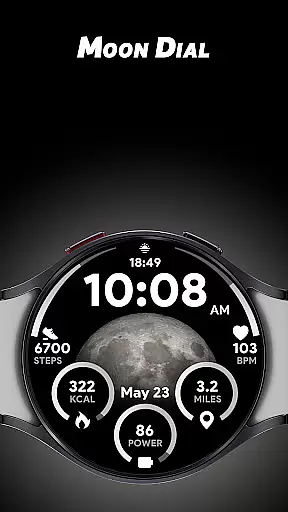
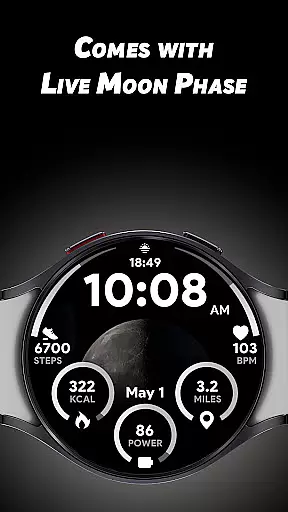
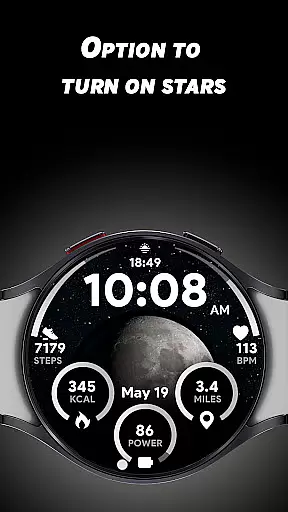
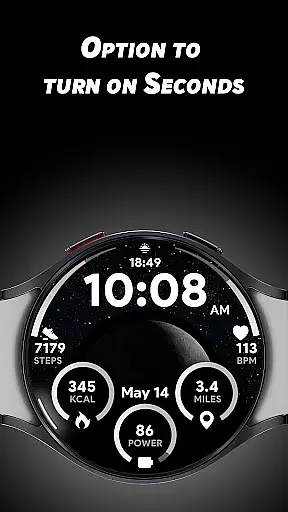
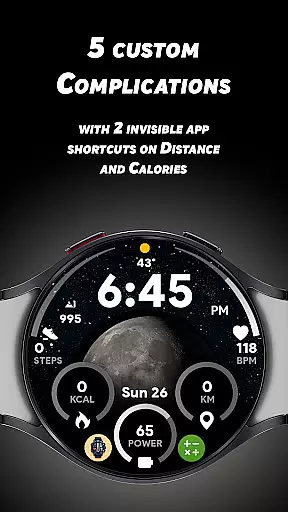
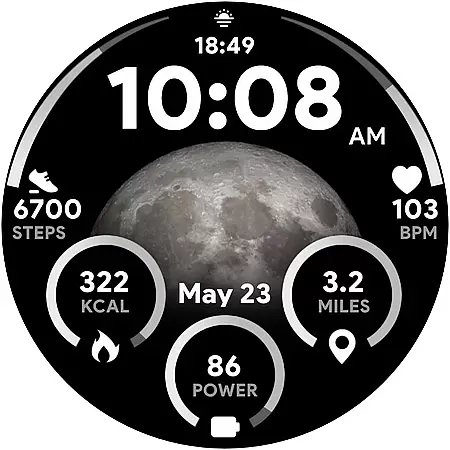

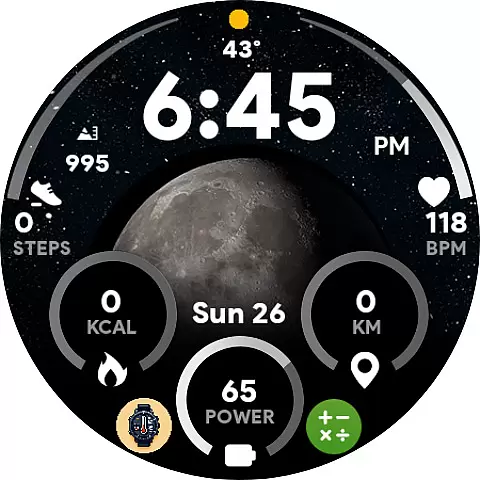
Moon Dial is a unique watch face designed for Wear OS devices, offering users an innovative way to track moon phases directly from their smartwatch. The app provides essential information at a glance, including live moon phase updates and customizable complications.
With its distinctive features like the stars effect option and invisible app shortcuts, Moon Dial enhances both functionality and aesthetics. Whether you're an astronomy enthusiast or simply appreciate well-designed watch faces, this app offers practical value while elevating your wearable experience.
The Moon Dial watch face stands out with its comprehensive feature set tailored for smartwatch users. The large moon phase display provides clear visibility, while five customizable complications allow users to personalize their data view.
Additional notable features include 12/24-hour format options, distance measurement in KM/Miles, and quick access shortcuts. Users can tap the battery percentage to open battery settings or press heart rate values to launch heart rate monitoring, demonstrating how functionality is seamlessly integrated into the design.
Moon Dial - Watch face offers a unique approach to lifestyle management by focusing on celestial information that impacts daily life. This app provides essential details about the moon phase, which can be crucial for users interested in astronomy, astrology, or even outdoor activities.
The inclusion of five custom complications allows users to personalize their watch faces with additional data points that suit their individual preferences. This level of customization ensures that whether you're tracking calories, distance, or other metrics, the information most important to you is always accessible.
By integrating features like live moon phases and optional star effects, Moon Dial enhances the visual appeal of your Wear OS device while providing valuable information at a glance. The app bridges the gap between aesthetic design and functional utility, making it a comprehensive lifestyle companion.
The Moon Dial - Watch face stands out through its commitment to delivering authentic and credible content. By offering real-time updates on moon phases, the app ensures that users receive accurate astronomical data that reflects current celestial events.
In addition to moon phases, the app includes verified information such as heart rate measurements and battery percentage indicators. These features are not only visually integrated into the watch face but also serve practical purposes when interacting with corresponding apps on your device.
Furthermore, the customization options like invisible app shortcuts demonstrate thoughtful design considerations that enhance user experience without compromising core functionalities. This careful balance of innovation and reliability establishes Moon Dial as a trustworthy source for both casual users and enthusiasts seeking dependable lifestyle content.
Unique moon phase tracking
Highly customizable
Live phase updates
Essential info display
Innovative shortcuts
Limited device support
Battery intensive
Premium cost
Complex setup
Few customization

Chat, meet genuine singles in your area. Real connections start with being real.
 4.30
4.30
View over 160,000 line dance stepsheets from the CopperKnob website.
3.30
Unique "Isometric" style digital watch face for Wear OS
4.50
Smart & Healthy Living
4.60
Discover your Nationality, Family Origin, and Ancestry from one selfie
4.50
A smart Siddur with halachic times
4.50
The cutest Autumn watchface featuring the adorable Mr. Squirrel
4.5
The Miracle Box includes methods used by Steve Huff of Huff Paranormal.
3.20
Remotely monitor the time and temperature of food cooking on your grill.
4.60
Tap to the beat with interactive videos — warm up your reflexes & have fun
4.70
Made To Order Faves
4.70
Kasa Smart is your portal to your TP-LINK Smart Home.
4.70
Zodiac & Horoscope Launcher: Daily Sign Predictions & Astrology
4.40
Earn points with every purchase with Moe Rewards.
4.20
Fly your Solo like a boss.
4.10
Smart home security protection
3.20
Turn your watch into a key fob for your Tesla
2.90
A watch face with transparency and fluid visuals inspired by liquid glass design
4.2
Futuristic watchface inspired by Back to the Future: sleek, retro, timeless
4.3


User Reviews