
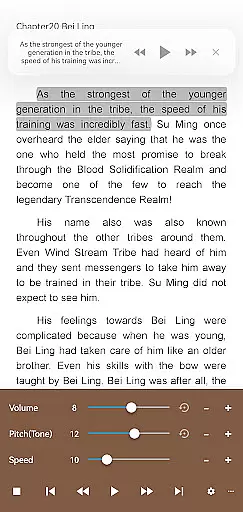
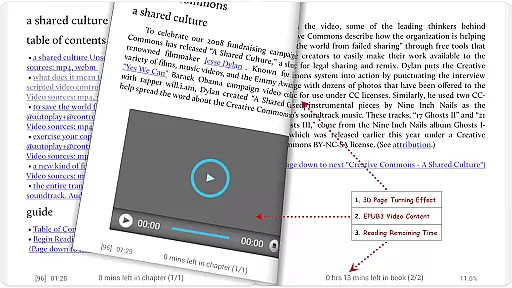
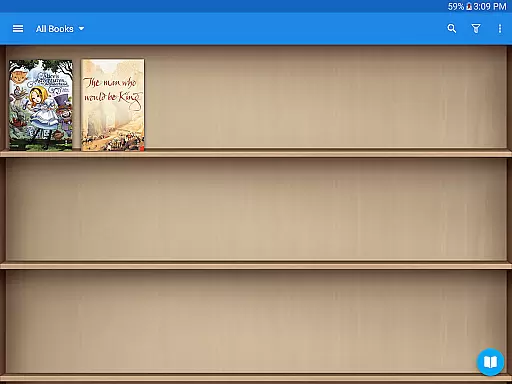
Moon+ Reader Pro is the premier ebook reader app for book enthusiasts, offering a comprehensive suite of reading and document management tools. With support for an extensive range of formats including EPUB, PDF, DJVU, AZW3, MOBI, and more, it caters to all your digital reading needs. The app stands out with its advanced features such as text-to-speech, multiple PDF annotations, and customizable themes.
Designed for both casual readers and professionals, Moon+ Reader Pro enhances the reading experience with options like multi-point touch support, password protection, and innovative page-turning gestures. Its powerful functionality extends to organizing your library with features like home screen shortcuts and widget shelf support, making it easy to access your favorite books.
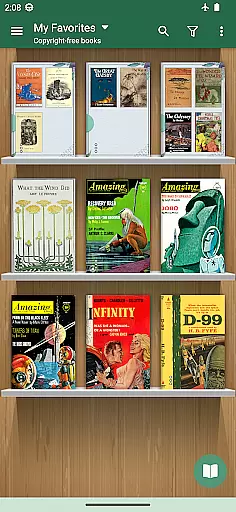
Whether you're at home or on the go, this app provides a seamless reading experience across devices. Sync your reading positions, access detailed statistics, and enjoy a smooth scroll that makes reading long documents a pleasure. Moon+ Reader Pro is not just an ebook reader; it's a complete digital library solution.
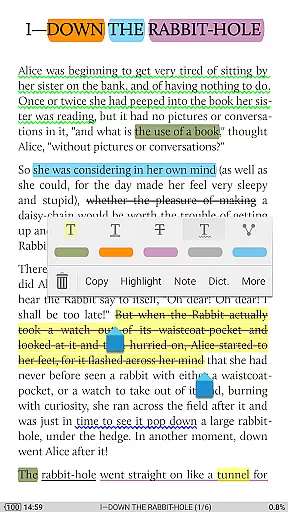
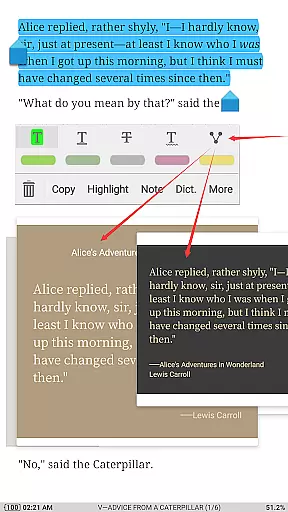
Moon+ Reader Pro boasts an array of features designed to provide the ultimate reading experience. Dive into your books with the app's beautiful themes, background images, and fonts, elevating the visual pleasure of reading. The inclusion of PDF form filling, highlighting, annotation, and handwriting capabilities ensures that professionals and students can manage their documents effectively.
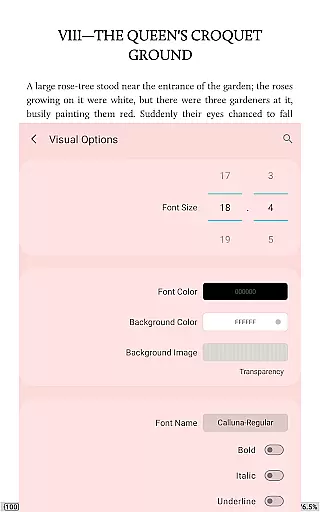
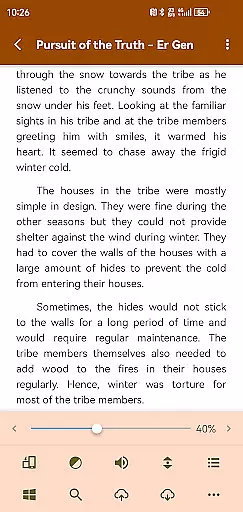
The app offers unprecedented control over your reading environment. Adjust line space, font scale, boldness, italics, shadows, and colors to suit your preferences. With 24 customized operations and 15 events, users can tailor every interaction from search functions to navigation and font adjustments. The intelligent paragraph formatting and justified text alignment further refine the reading experience.
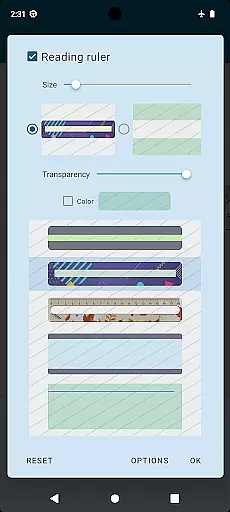
For those who read extensively, Moon+ Reader Pro includes eye-care options such as a bluelight filter and reading ruler. Dual-page modes for landscape screens, real page turning effects, and five page flip animations cater to different reading styles. Additionally, the app supports cloud backup and restore options via DropBox/WebDav, ensuring your library is always safe and synchronized across devices.
When it comes to e-books, the size and authenticity of the library are crucial factors for avid readers. Moon+ Reader Pro offers an extensive collection of e-books that supports a wide range of formats including EPUB, PDF, DJVU, AZW3, MOBI, and more. This ensures that users have access to a vast array of literary works without worrying about format compatibility.
The app not only boasts a large e-book library but also emphasizes copyright authenticity. It provides support for online ebook libraries and personal Calibre ebook servers, ensuring that users can access legally obtained books. With over 1,000,000 downloads and being the #1 Paid EBook Reader in Google Play, Moon+ Reader Pro has established itself as a trustworthy source for e-book enthusiasts.
Moreover, the app's dedication to copyright compliance is evident through its integration with various legal ebook sources. Users can confidently explore their favorite genres, knowing that their reading material respects intellectual property rights. This commitment enhances the credibility of the platform and enriches the user experience.
Format compatibility is a significant aspect of any e-book reader, determining how versatile and accessible the reading experience will be. Moon+ Reader Pro excels in this area by supporting an impressive list of formats such as EPUB, PDF, DJVU, AZW3, MOBI, FB2, PRC, CHM, CBZ, CBR, UMD, DOCX, ODT, RTF, TXT, HTML, MHT/MHTML, MD(MarkDown), WEBP, RAR, ZIP, or OPDS. This comprehensive support allows users to enjoy their preferred content without the hassle of conversion.
In addition to its broad format compatibility, Moon+ Reader Pro offers specialized features for certain formats like PDF. Users can fill out PDF forms, highlight text, add annotations, and even handwrite notes directly within the document. These capabilities make the app not just a reader but also a powerful tool for interacting with and managing digital documents.
Furthermore, the app enhances the reading experience with customizable visual options and themes tailored to different formats. Whether it's adjusting line spacing, font scaling, or choosing from multiple embedded themes, Moon+ Reader Pro ensures that every book is presented in the best possible way. This attention to detail in format handling sets the app apart as a top choice for discerning readers who demand both flexibility and quality in their digital reading materials.
Ad-free experience
Extensive format support
Customizable reading options
Advanced PDF features
Cross-device sync
Paid application
Complex for beginners
Occasional bugs
Heavy on resources
Limited free features

Sea tide predictions for all coastal U.S. locations.
 4.2
4.2
CleverBook Pro makes the popular guide for the game even better!
4.00
The ultimate military vehicle identification (Equipment ID) guide.
4.40
A wonderful reader for good time spend.
4.20
Liturgy of the Hours totally off-line
4.80
Manage collectibles, survey and treasure maps in Elder Scrolls Online.
4.40
Unlock more features in Lithium and show your support. Expand for details.
4.00
Holy Bible with verses and audio for studying and prayer
4.30
What’s that bird? Just answer 5 questions, snap a photo, or record its song!
4.90
Personalized Chat with Bible
4.80
The dynamic dictionary/reference app for piano chords and scales!
4.80
Enjoy daily devotionals, Bible verses, audio courses, and more.
4.80
Crowd-sourced listing of businesses with anti-gun signs, and pro-2a alternatives
4.60
The Original & Authentic Crystals, Gemstones, Rocks & Minerals Encyclopedia.
4.60
Provides location information of vehicle Shift Interlock releases.
4.30
Prime novels await! Fantasy & Romance on JoyRead. Immersive reads!
4.20
"BIG A, little a. What begins with A?"
4.10
A companion for prayer, with Azan alarm, Quibla direction, and Holy Quran book
4.10
Enjoy your favorite books
3.50


User Reviews