
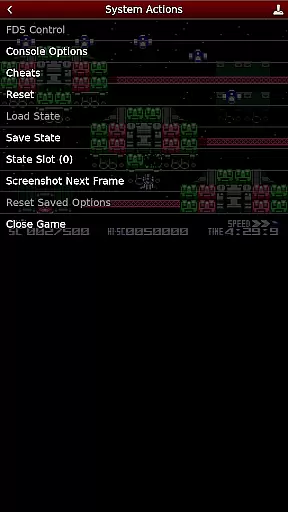
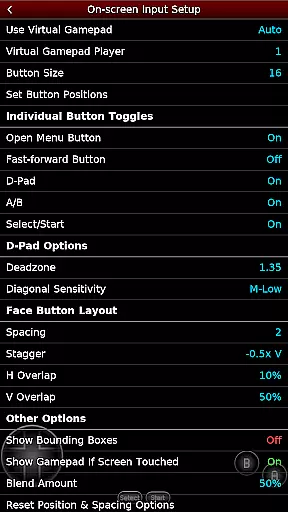
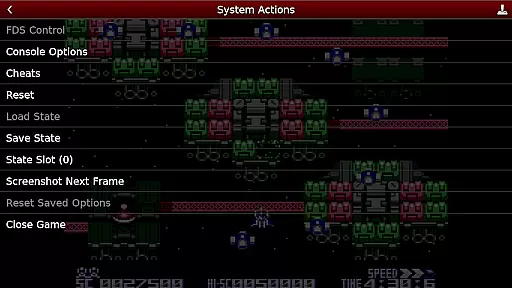
NES.emu is an advanced open-source NES emulator that brings the classic gaming experience to modern devices. Known as Famicom in Japan, this emulator focuses on delivering low audio and video latency while maintaining a minimalist user interface. It supports a wide range of devices from older models like the Xperia Play to contemporary ones such as the Nvidia Shield and Pixel phones.
The app's core functionality lies in its ability to emulate NES games with precision. It supports various file formats including .nes and .unf, even when compressed in ZIP, RAR, or 7Z files. Additionally, it offers Famicom Disk System emulation using .fds files and VS UniSystem support. Users can enjoy features like Zapper/Gun support, configurable on-screen controls, and compatibility with Bluetooth/USB gamepads and keyboards.
For gamers who appreciate customization, NES.emu allows for tailored experiences through FCEU-compatible cheat files and editing features. This makes it not only a tool for nostalgia but also a platform for enhanced gameplay. Whether you're revisiting childhood favorites or exploring NES classics for the first time, NES.emu provides a seamless and responsive emulation experience.
NES.emu stands out with its rich feature set designed to enhance the emulation experience. One of its notable capabilities is the support for multiple file formats such as .nes, .unf, and .fds, which can be optionally compressed with ZIP, RAR, or 7Z. This flexibility ensures users can access their game library without worrying about format compatibility.
The emulator also includes advanced functionalities like Famicom Disk System emulation and VS UniSystem support, allowing users to simulate arcade-style gaming by inserting virtual coins. The inclusion of Zapper/Gun support adds another layer of interactivity, enabling touch-based firing mechanics that mimic the original hardware experience.
Customization is at the heart of NES.emu's design. Users can configure on-screen controls to suit their preferences and utilize external controllers via Bluetooth or USB connections. Compatibility extends to HID devices recognized by the operating system, including popular models like Xbox and PS4 controllers. These features collectively ensure that NES.emu delivers both authenticity and adaptability for an optimal gaming experience.
Arcade authenticity and nostalgia are essential elements for any emulator aiming to recreate the classic gaming experience. NES.emu, as an advanced open-source NES emulator, excels in delivering this by providing support for a wide array of devices, from the original Xperia Play to modern gadgets like the Nvidia Shield and Pixel phones.
The app supports .nes and .unf file formats, optionally compressed with ZIP, RAR, or 7Z, ensuring that users can enjoy a vast library of games just as they remember them. Additionally, it offers Famicom Disk System emulation using .fds files, allowing players to relive the golden era of Japanese gaming.
With features such as VS UniSystem support and Zapper/Gun functionality, NES.emu brings back the excitement of arcade-style gaming directly to your device. The ability to insert coins and simulate firing away from the TV adds layers of interaction that enhance the nostalgic experience.
By focusing on low audio/video latency and including configurable on-screen controls, NES.emu ensures that the essence of arcade gaming is preserved, offering users an authentic and immersive trip down memory lane.
Control responsiveness is crucial for an optimal gaming experience, especially when emulating classic arcade games. NES.emu addresses this need by supporting a variety of input methods, ensuring that every action is registered accurately and without delay.
The emulator provides configurable on-screen controls, allowing users to customize their interface for the most comfortable and intuitive gameplay experience. This flexibility caters to individual preferences and play styles, enhancing overall control responsiveness.
In addition to touch controls, NES.emu supports Bluetooth and USB gamepads, including popular models like Xbox and PS4 controllers. This compatibility with any HID device recognized by the OS ensures that players can choose their preferred method of input for precise and responsive control.
By prioritizing low audio/video latency alongside robust input support, NES.emu delivers a seamless and engaging gaming experience that captures the immediacy and excitement of classic arcade gameplay.
Wide device compatibility
Low audio/video latency
Supports multiple file formats
Customizable controls
Active development and support
No ROMs included
Requires technical knowledge
Limited user interface
Occasional crashes reported
Dependent on external storage

R-TYPE game
 4.60
4.60
Frenetic party game, pass the bomb to the other players!
3.80
Antistress & relaxing games,stress relief; Antistress toys, calming games.
4.20
Eat & evolve your shark in the ultimate shark survival game!
4.50
Cool car builder & racing simulator: make a car to win the obstacle course race!
4.60
This app is a very fast emulator
3.40
A fast, full-featured GB/GBC emulator with link cable emulation.
3.80
Outrun cops, ignite the thrill of a high-speed chase!
4.50
Train your Champ. Compete. Get rewards.
4.50
This is an emulator for a certain 64 bit console with online cloud backup.
4.80
*Try for free.* Survive alone in a Roguelike Reverse Bullet Hell.
4.80
Full featured version of Pizza Boy A (GBA emulator)
4.80
Gameboy Color Emulator
4.60
Save the Galaxy from galaxiga alien - Classic arcade shooter game
4.60
The precise emulator of 8 bit handheld... Now even better!
4.50
Suck the other’s blood and be the longest surviving mosquito!
4.40
Restore peace and order in the city
3.20
Spaceship racing on a rocky planet — pure action and challenge.
4.3
BallStack is a vibrant match-3 game where you stack and match colorful balls!
4.5


User Reviews