
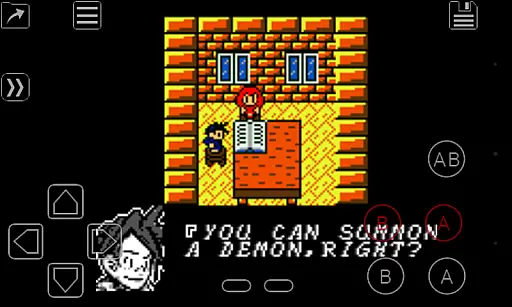
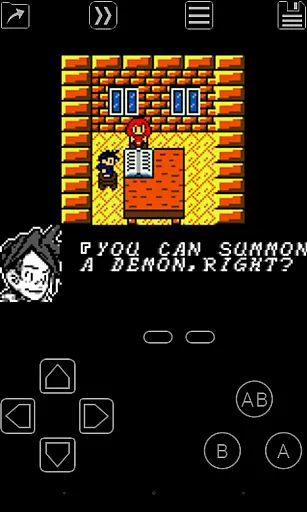
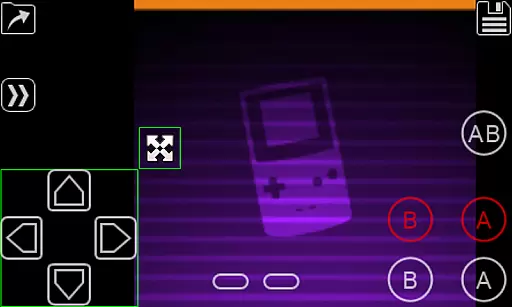
My OldBoy! is a high-performance Game Boy and Game Boy Color emulator designed for Android devices, offering an authentic retro gaming experience. It supports a wide range of features including accurate hardware emulation, link cable functionality, rumble effects, and tilt sensor support. The app also allows users to apply custom color palettes to monochrome games, enhancing the visual experience while preserving the original charm of classic titles.
One of the standout aspects of My OldBoy! is its optimization for performance. Even on low-end devices, the emulator achieves smooth 60 FPS gameplay without frame skips, thanks to its ARM assembly-based emulation core. Advanced features like save states, fast-forwarding, and slow-motion controls provide users with modern conveniences while playing classic games. With support for external controllers, customizable screen layouts, and cloud save syncing via Google Drive, this app caters to both casual players and hardcore retro gaming enthusiasts.
Whether you're revisiting childhood favorites or exploring Game Boy classics for the first time, My OldBoy! ensures a seamless blend of nostalgia and innovation. Its compatibility with a broad range of Android devices makes it accessible to a wide audience, while its feature-rich design delivers a premium emulation experience.
My OldBoy! stands out with its comprehensive set of features tailored for retro gaming enthusiasts. The emulator boasts near-perfect compatibility with Game Boy and Game Boy Color games, ensuring that most titles run smoothly without glitches. Advanced functionalities such as link cable emulation enable multiplayer experiences across devices via Bluetooth or Wi-Fi, while rumble and tilt sensor emulation replicate the original hardware's interactive elements using your Android device's sensors.
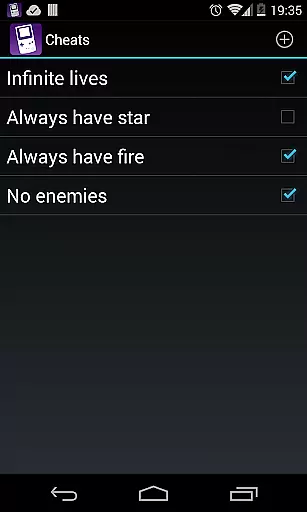
Customization is another key highlight of My OldBoy!. Users can apply custom color palettes to enhance monochrome games, create personalized control layouts, and configure multiple profiles for different playstyles. The app also supports cheat codes, ROM patching, and adjustable emulation speeds, allowing gamers to tailor their experience to their preferences. OpenGL rendering and GLSL shaders further improve visual fidelity, providing crisp graphics even on modern high-resolution screens.
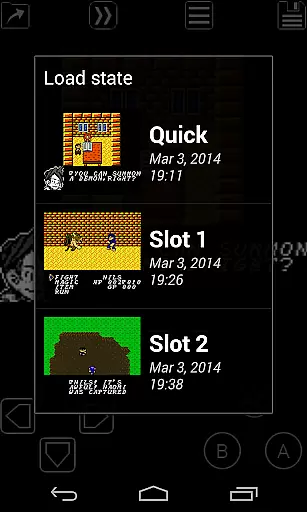
Convenience features like save states, cloud syncing, and external controller support make My OldBoy! a versatile tool for enjoying retro games. Save progress at any point, sync data across devices via Google Drive, and use physical gamepads for an immersive experience. These thoughtful additions ensure that the app not only replicates the original gaming experience but enhances it with modern capabilities.
Arcade authenticity is a crucial aspect of any emulator application, ensuring that the gaming experience remains true to the original hardware. My OldBoy! - GBC Emulator achieves this by accurately emulating nearly every feature of the real Game Boy and Game Boy Color consoles. This includes not only basic gameplay but also advanced functionalities like link cable, rumble, and tilt sensor support.
The emulator goes beyond just replicating the hardware; it enhances the nostalgic experience by allowing users to apply custom palettes to their monochrome games, bringing them to life with color. Additionally, features such as save states let players save progress at any point, offering modern convenience while maintaining the classic feel.
For enthusiasts looking to relive multiplayer experiences, My OldBoy! supports link cable emulation across devices via Bluetooth or Wi-Fi. This recreates the authentic multiplayer sessions that were a staple of arcade gaming, making it an ideal choice for those seeking genuine nostalgia.
Ultimately, the precision in emulation and added features ensure that users can enjoy a rich, immersive experience that honors the original arcade games while integrating contemporary enhancements.
Control responsiveness is vital for an optimal gaming experience, especially in action-packed arcade games. My OldBoy! - GBC Emulator excels in this area by utilizing ARM assembly code to deliver fast emulation, achieving up to 60 FPS even on low-end devices without frame skips. This ensures that every button press translates instantly into in-game actions, providing a seamless experience.
The emulator offers a powerful screen layout editor, enabling users to customize the position and size of on-screen controls. This personalization ensures that each player can optimize their control setup for maximum comfort and efficiency, enhancing overall responsiveness during gameplay.
In addition to customizable controls, My OldBoy! supports external controllers through Android's native methods or input methods. This flexibility allows gamers to use their preferred hardware, further boosting control precision and responsiveness.
With these features combined, My OldBoy! delivers a highly responsive control scheme that caters to both casual players and hardcore enthusiasts, ensuring an engaging and fluid gaming experience.
High emulation accuracy
Customizable controls
Cloud save support
Multiplayer functionality
Battery-efficient performance
No pre-installed games
Complex setup required
Limited touchscreen usability
Paid version necessary
Occasional bugs

Nostalgia.GBC is a high quality GBC emulator.
 4.50
4.50
Sharpen your mind and reflexes while playing 4Way Dash
4.4
PC Engine/TurboGrafx-16 Emulator
4.50
Slice up a juicy storm!
4.20
Bounce through platforms. Avoid obstacles. Get the bouncing ball to the finish.
4.00
Jump and fly your way through danger in this rythm-based action platformer!
4.50
The precise emulator of 8 bit handheld... Now even better!
4.50
Jump and fly your way through danger in this rythm-based action platformer!
4.50
Draw your legs to win the race!
4.20
Jump and fly your way through danger in this rythm-based action platformer!
4.70
Meet Snake Run Race! Slither through an obstacle course in our fun running game!
4.70
Flip and flail a rag doll through endless levels and plunge into outlandish fun!
4.60
Merge bowmasters to win the bow and arrow war! Play the fun archery game!
4.60
Relax and catch fish for your aquarium while earning rewards in these tank games
4.40
NES Emulator
4.40
Sega Saturn Emulator
4.20
Neogeo MVS/AES Emulator
3.30
John GBA is GBA emulator. This emulator is easy to use.
3.10
Fast reflexes, glowing obstacles, endless action.
4.3


User Reviews