
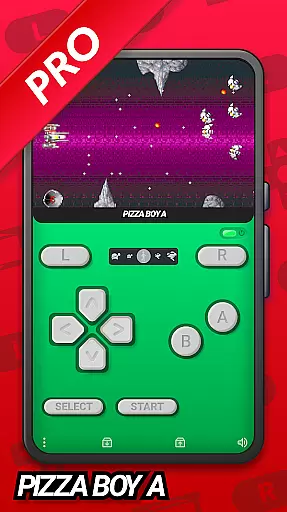
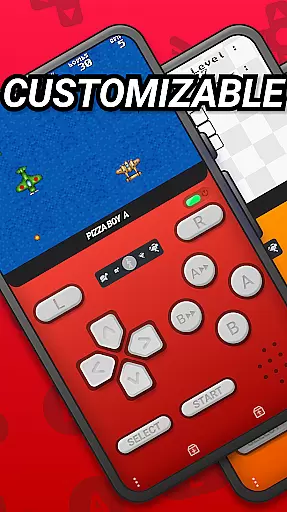
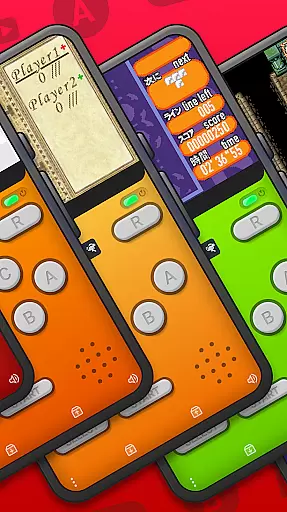
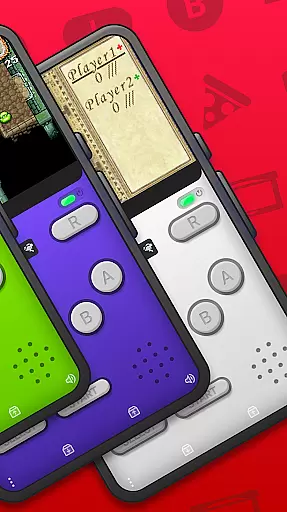
Pizza Boy A Pro is a premium GBA emulator designed for Android users who want to relive the nostalgia of retro gaming. This application offers an unparalleled emulation experience, supporting only Game Boy Advance ROMs while delivering exceptional accuracy and performance. Developed independently, it ensures a high-quality experience without any affiliation with Nintendo Corporation.
The emulator boasts numerous advanced features such as customizable skins, cheat support, Google Drive synchronization, and quick/auto save functionalities. It also supports local and WiFi multiplayer modes, providing a versatile gaming environment. With its enhanced settings menu and improved control system, Pizza Boy A Pro caters to both casual players and hardcore enthusiasts.
Whether you're revisiting classic games or exploring new ones, Pizza Boy A Pro delivers a seamless experience with 60 FPS performance even on older devices. Its support for hardware peripherals like gyroscopes and rumble packs further enhances gameplay immersion, making it the go-to choice for GBA enthusiasts.
Pizza Boy A Pro stands out with its comprehensive feature set tailored for an optimal emulation experience. The app's beautiful GUI and customizable skins allow users to personalize their interface, while the inclusion of cheats adds an extra layer of flexibility during gameplay. With Google Drive sync capabilities, gamers can easily back up and restore their progress across multiple devices.
Performance-wise, Pizza Boy A Pro excels by leveraging native OpenGL and OpenSL libraries for top-tier video and audio rendering. The emulator guarantees 60 FPS performance even on older hardware, ensuring smooth gameplay at all times. Additional features include rewind functionality, slow motion/fast forward options, and total customization of button sizes and positions, offering a highly adaptable user experience.
For those seeking enhanced authenticity, Pizza Boy A Pro supports custom BIOS and various cartridge hardware features like tilt sensors and rumble packs. Combined with robust retro achievement tracking and compatibility with zip/7z archives, this emulator provides everything needed for an immersive and convenient gaming session.
Arcade authenticity in an emulator is crucial for delivering a genuine retro gaming experience. Pizza Boy A Pro, as a Game Boy Advance emulator, meticulously replicates the original console's environment, ensuring that each game runs as it did when first released.
This application supports a wide array of features that contribute to its arcade authenticity. With custom BIOS support and hardware add-ons like gyroscopes and rumble packs, it mirrors the physical interactions players would have experienced with their original GBA consoles. These elements are vital for users seeking not just to play, but to relive the classic gaming era.
For enthusiasts and collectors, having an authentic emulation platform means preserving gaming history. Pizza Boy A Pro doesn't just emulate graphics and sounds; it encapsulates the very essence of what made GBA titles special. This dedication to detail ensures that every session feels like stepping back into the early 2000s.
The benefits for users include not only nostalgic value but also educational opportunities. Developers and students interested in game design can study how classics were made, understanding the limitations and innovations of past technologies. Such insights remain invaluable for advancing future gaming experiences.
Control responsiveness defines how accurately and swiftly an emulator translates user inputs into in-game actions. For Pizza Boy A Pro, achieving top-tier responsiveness was a priority to ensure fluid gameplay that honors the original spirit of GBA games.
This emulator leverages advanced programming techniques, being fully coded in C and assembly languages. These choices optimize performance, allowing even older devices to maintain a consistent 60 FPS frame rate. Players can expect seamless interactions without noticeable input lag, which is critical during fast-paced or precision-demanding sequences.
Customization further enhances control schemes by letting users adjust button sizes and positions according to personal preferences. Whether using touch controls or external hardware joypads, Pizza Boy A Pro adapts to various play styles while maintaining optimal responsiveness.
Ultimately, responsive controls lead to more immersive gaming sessions. Users benefit from precise command over their virtual characters, making victories feel earned through skill rather than hindered by technical shortcomings. This level of polish solidifies Pizza Boy A Pro's reputation among discerning retro gamers.
Highly accurate emulation
Customizable user interface
Google Drive integration
Multiplayer support
Advanced control options
No Game Boy support
Roms not included
Premium price tag
Complex setup required
Limited customer support

GBA Emulator
 4.40
4.40
Turn-based pixel game where jumping is the only weapon!
4.4
Sit back and relax! Tap to move the black hole, and swallow weapons to win.
4.20
Mine planets, upgrade your space ship, battle others, and dominate the galaxy!
3.90
Payback 2 includes everything from tank battles to high speed helicopter races!
4.50
Use superpower in your magic hands. Defeat the enemies in a fun elemental game.
4.50
It's quite possibly the world's hardest game!
3.90
Shoot the web, jump and teleport! Be a stickman hero and destroy your enemies!
4.50
Play all your favorite Playstation games in your android device!!
4.50
*Try for free.* Survive alone in a Roguelike Reverse Bullet Hell.
4.80
Catch ghosts, shoot monsters and defeat bosses in this RPG idle shooting game.
4.70
Ready… Set… DASH! Play now!
4.70
The precise emulator of 8 bit handheld... Now even better!
4.50
Outrun cops, ignite the thrill of a high-speed chase!
4.50
Running game: dance in a twerk battle and become the twerk hero in our fun race!
4.30
Get into your tractor to cut grass and harvest the crops in our mowing simulator
4.10
John GBC is GB/GBC emulator. This emulator is easy to use.
3.80
Monster Run its a game for relax.
4.5
A fluid, action-packed arcade space shootout!
4.5


User Reviews