
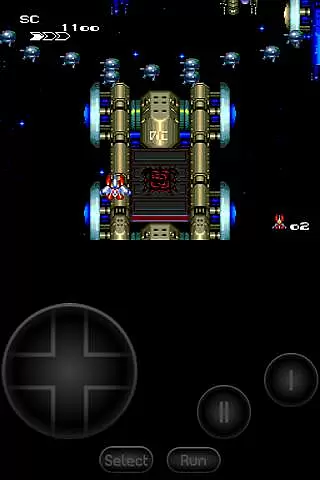
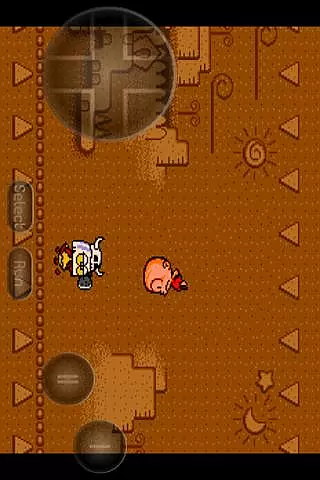
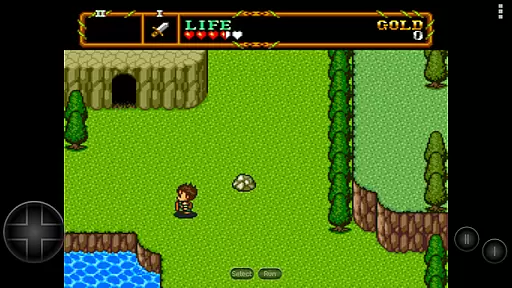
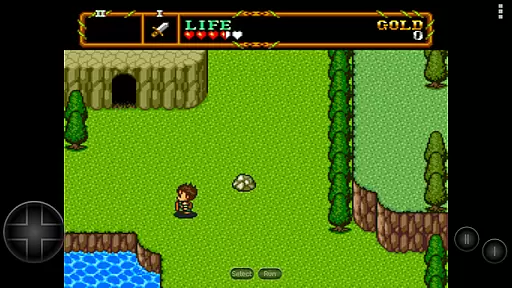
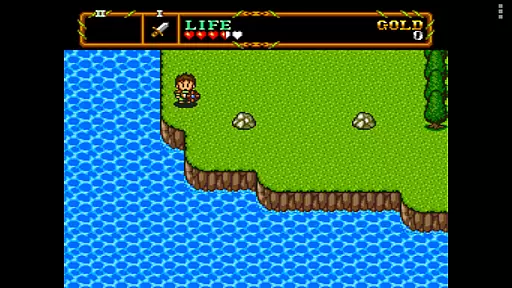
PCE.emu is an advanced open-source emulator for PC Engine and TurboGrafx-16 gaming systems, designed with a minimalist UI to ensure low audio and video latency. It caters to retro gaming enthusiasts by supporting a wide range of devices, from classic Xperia Play to modern gadgets like Nvidia Shield and Pixel phones.
The app supports multiple file formats including .pce, .sgx, and compressed files through ZIP, RAR, or 7Z. With CD emulation via .cue files and compatibility with various audio track formats like FLAC and Ogg Vorbis, it offers an authentic gaming experience. Configurable on-screen controls and support for Bluetooth/USB gamepads make it versatile for different user preferences.
Whether you're revisiting childhood favorites or exploring these classic games for the first time, PCE.emu provides a seamless way to enjoy retro gaming on your Android device.
PCE.emu stands out with its comprehensive feature set tailored for retro gaming aficionados. The emulator supports both .pce and .sgx file formats, with optional compression through ZIP, RAR, or 7Z, allowing users to manage large game libraries efficiently.
One of its key features is the CD emulation via .cue files, which requires a Super CD-ROM System card. This functionality, combined with support for high-quality audio formats such as FLAC, Ogg Vorbis, and Wav, ensures an immersive sound experience that stays true to the original games.
For control options, PCE.emu offers configurable on-screen controls and extensive peripheral support, including Bluetooth and USB gamepads. Compatibility extends to any HID device recognized by the OS, making it possible to use controllers from Xbox and PS4. These features collectively provide a customizable and responsive gaming setup.
Arcade authenticity and nostalgia are crucial elements for any emulator aiming to recreate the classic gaming experience. PCE.emu, as an advanced PC Engine/TurboGrafx-16 emulator, excels in delivering this by supporting a wide array of original file formats such as .pce, .sgx, and CD image files through .cue loading. This ensures that users can relive their favorite arcade moments with precision.
The emulator's compatibility with various audio track formats like FLAC, Ogg Vorbis, and Wav further enhances its authentic arcade feel. By preserving the original sound quality, PCE.emu allows players to enjoy an immersive auditory experience that complements the visual nostalgia of classic games, making it a top choice for enthusiasts seeking genuine retro gaming sessions.
Moreover, PCE.emu offers configurable on-screen controls and extensive gamepad support, including Bluetooth and USB devices. This flexibility not only caters to purists who prefer traditional controller setups but also accommodates modern gaming preferences, ensuring that the nostalgic journey is both familiar and comfortably accessible on contemporary devices.
Control responsiveness is a vital aspect of any gaming emulator, directly impacting the user's interaction with the game. PCE.emu stands out by providing highly reactive and customizable on-screen controls, allowing users to tailor their interface for optimal performance. This level of customization ensures that every touch or swipe translates instantly into in-game actions, enhancing the overall gaming experience.
In addition to on-screen options, PCE.emu supports a wide range of Bluetooth and USB gamepads, including popular models from Xbox and PS4. This compatibility guarantees that physical controllers offer the same level of responsiveness and precision expected from their original platforms. Players can thus enjoy seamless gameplay sessions without worrying about input delays or mismatches.
By focusing on low audio/video latency alongside robust control support, PCE.emu delivers a responsive and engaging environment for arcade gaming enthusiasts. Whether using tactile buttons or touch interfaces, gamers can expect consistently tight control feedback, making each session smooth and enjoyable while maintaining the authenticity of classic titles.
Low audio/video latency
Wide device compatibility
Supports multiple file formats
Authentic CD emulation
Versatile controller support
No ROMs included
Requires technical knowledge
Limited to specific consoles
Occasional crashes reported
Dependent on external storage

Spaceship racing on a rocky planet — pure action and challenge.
 4.4
4.4
Flip the bottle! Do tricks and don't let the bottle fall!
4.50
Get into your tractor to cut grass and harvest the crops in our mowing simulator
4.10
Local offline 2 3 4 player multiplayer minigames - race, tanks, football
4.60
Challenge your friends across the world to see who can jump the farthest!
4.50
Slice up a juicy storm!
4.20
Jump and fly your way through danger in this rythm-based action platformer!
4.50
A fast, full-featured GB/GBC emulator with link cable emulation.
3.80
Crazy games: Kick your buddies, beat the boss, and turn the office into chaos!
4.40
Absorb, or be absorbed...
4.70
Motorcycle racing games! Prove your paperboy can win in the bike race 3D!
4.50
Premium version. Save the galaxy from alien shooter in this classic game
4.50
GBA Emulator
4.40
Millions of crafters have smashed billions of blocks! Now you can join the fun!
4.40
Playing venom RPG alien games? Set spider alien isolation base, with no survivor
4.30
Granny keeps you locked in her house.
4.30
You are a Black Hole, escaping the darkness trying to swallow you!
3.60
Monster Run its a game for relax.
4.4
A retro-flavoured infinite scroller Glyph toy for the Nothing Phone (3)
4.0


User Reviews