
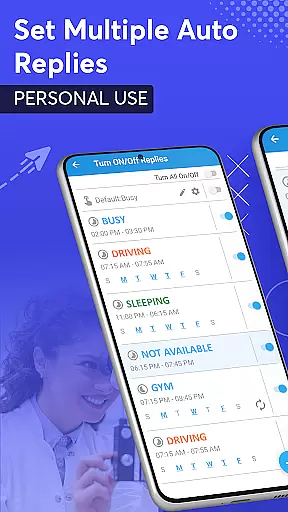
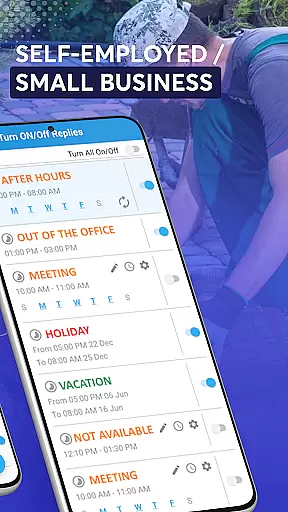
SMS Auto Reply is a versatile communication tool designed to streamline your messaging experience. This app allows users to set up automatic responses to incoming messages across multiple platforms, including SMS, WhatsApp, Facebook, and more. Whether you're driving, in a meeting, or simply need some quiet time, SMS Auto Reply ensures that your contacts are informed of your availability without requiring constant manual intervention.
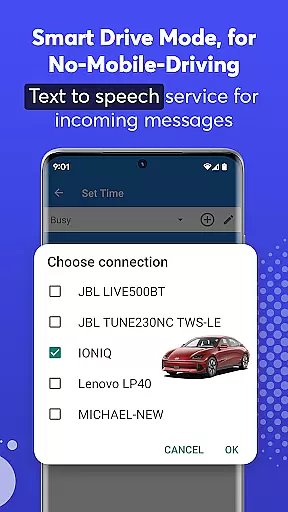
The application offers customizable auto-reply options based on various triggers such as time of day, Bluetooth connection, or specific contact lists. With features like Text-to-Speech (TTS), it reads out incoming messages aloud, enhancing safety while driving. Additionally, the Smart Drive Mode automatically activates when connected to a car's Bluetooth, promoting safer driving practices by minimizing distractions.
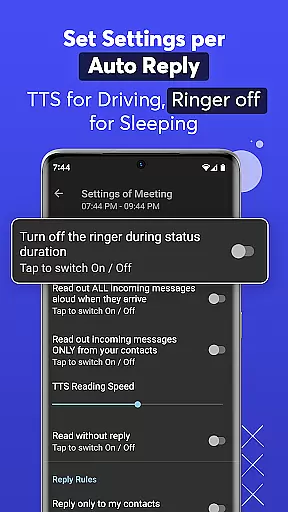
SMS Auto Reply stands out with its comprehensive feature set tailored for modern communication needs. The app supports multiple auto-reply scenarios, allowing users to create personalized responses for different situations, such as driving or sleeping. Users can customize reply messages and even use pre-built automations for quick setup. Advanced customization includes setting up auto-replies based on specific dates, weekdays, or times of day.
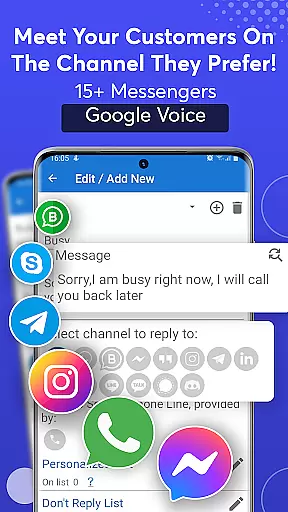
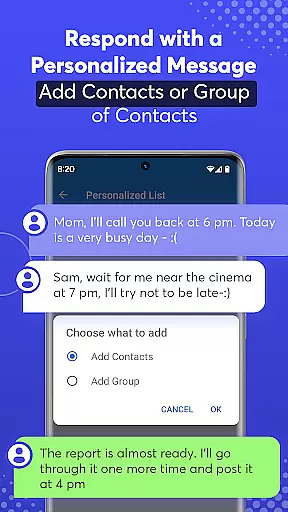
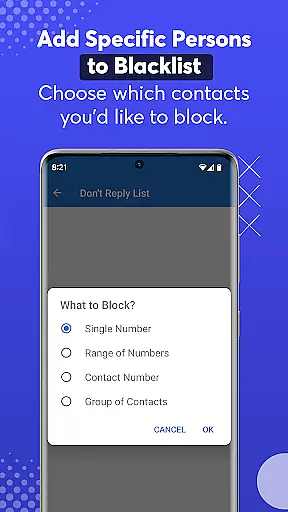
One of the key strengths of SMS Auto Reply is its compatibility with numerous messaging apps, including WhatsApp, Facebook, Telegram, and others. It also provides options to manage contact lists effectively, ensuring that only desired recipients receive automated replies. The app's Text-to-Speech functionality enhances user convenience by audibly reading incoming messages. Moreover, its efficient resource usage means minimal impact on battery life and device performance, making it a reliable choice for continuous use.
Real-time messaging speed and reliability are crucial for any communication app, ensuring that messages are delivered instantly and without fail. SMS Auto Reply excels in this area by providing users with a robust system that guarantees message delivery even when they are unable to respond personally.
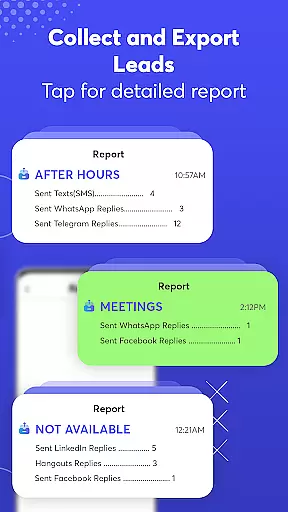
The app supports automatic replies across multiple platforms including SMS, WhatsApp, Facebook, and more. This cross-platform functionality ensures that no matter where the user is engaged, their contacts receive timely responses. The app's ability to connect with various messaging services via their text notifications makes it versatile and reliable.
For users, this means peace of mind knowing that important communications will not be overlooked due to unavailability. Whether driving, in meetings, or during personal time, SMS Auto Reply maintains open lines of communication, enhancing both personal and professional relationships through dependable messaging.
Media sharing support is an essential feature for modern communication apps, allowing users to exchange images, videos, and other files seamlessly. While SMS Auto Reply primarily focuses on text-based interactions, its capabilities extend to handling multimedia content as well, making it a comprehensive tool for maintaining active communication channels.
The app facilitates media sharing indirectly by integrating with popular messaging platforms like WhatsApp, Facebook, and others. Users can configure automated responses that acknowledge receipt of media messages and provide instructions or information regarding the shared content. This ensures that senders feel acknowledged and informed about the next steps.
By supporting media-rich environments, SMS Auto Reply enhances user engagement and satisfaction. It allows individuals to manage diverse types of incoming communications effectively, ensuring that all forms of messagesu2014whether text or mediau2014are addressed promptly and professionally.
Customizable auto replies
Multi-platform support
Text-to-Speech functionality
Smart Drive Mode
Efficient resource usage
Premium version required
Limited free features
Occasional message delays
Complex initial setup
Bluetooth dependency

Call Forwarding is easy and simple application to use.
 3.80
3.80
A web browser that respects your privacy.
4.30
Google's fast and secure browser
4.10
Our Black Friday sale is here. Unlock special discounts on Proton Mail now.
4.30
Messenger app for faster and simpler SMS text messaging, and personalized themes
4.10
2nd Phone Number Line for Anonymous Texting, Calling, and Picture Messages
4.30
RemoteHams.com Android RCForb Client Pre-Release
4.30
Use this SMS app standalone or as a TREK: Total Interface companion.
4.30
A customizable phone number in the cloud
4.20
Read OBD2 data and DTCs Create custom dashboards Enhanced diagnostics available
4.70
We’re taking the yada yada out of wireless—now we’ve taken it out of your app.
4.70
Adblock & VPN Browser: Blocks banners, pop-ups and video ads, fast downloader!
4.60
Browse fast on Opera Mini, with Data Saving, News, Football Scores, and Download
4.60
Welcome to the future of phone service.
4.60
Manage your data, talk & text - affordable phone plans & data usage made simple
4.30
Phone Dialer with Caller ID, Address Book & Contacts Manager.
4.30
SMS Messenger is a lightning-fast messaging app.
4.20
Fast Dialer & Contact Manager with Caller ID and Spam Protection
4.00
An app dedicated solely to marriage, not dating, and supported by a rigorous verification mechanism to ensure seriousness.
4.0


User Reviews