

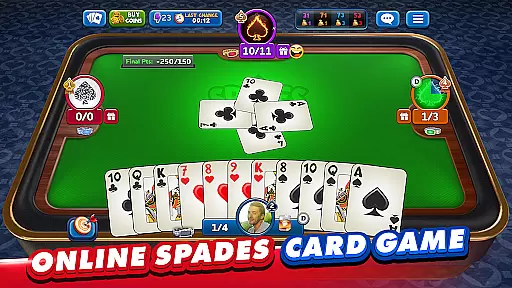





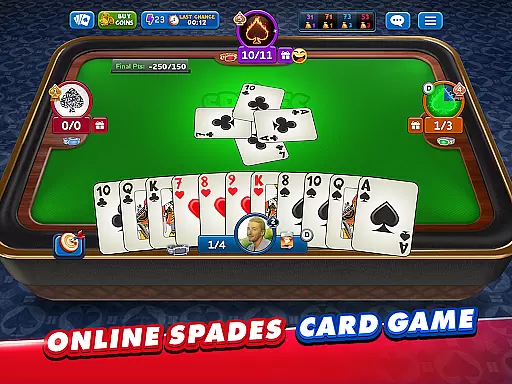





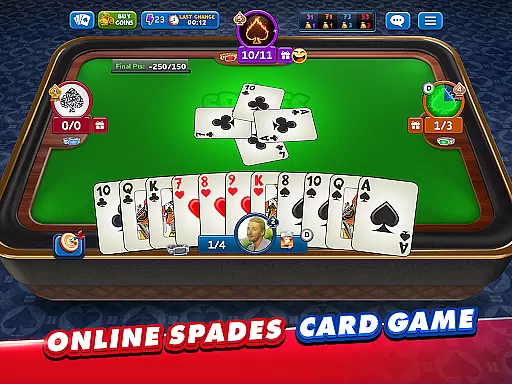




Spades Plus is a premier card game app that brings the classic trick-taking game to your mobile device with an engaging online twist. Designed for both seasoned players and newcomers, this app offers a variety of game modes including Classic, Solo, Mirror, and Whiz, allowing users to enjoy Spades in pairs or individually. The app stands out by providing not just traditional gameplay but also exciting tournaments and challenges where players can win amazing prizes.
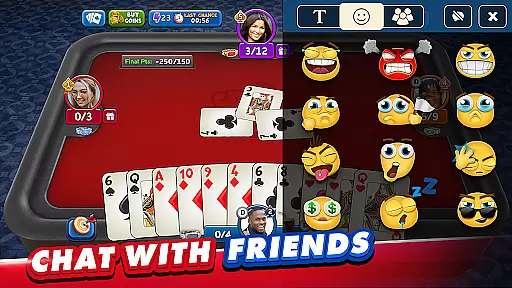
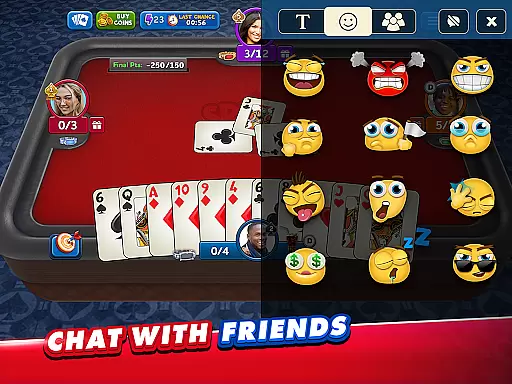
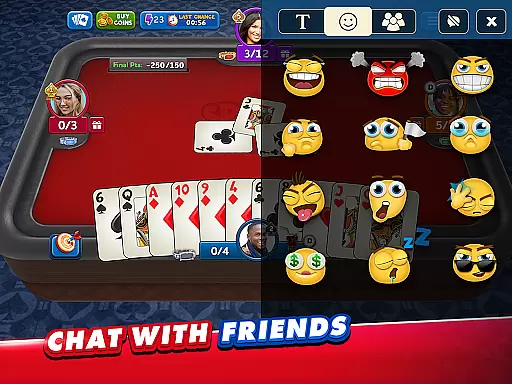
One of the key highlights of Spades Plus is its strong social component. Players can join the largest Spades community worldwide, engage with millions of online opponents, make new friends, and even chat privately. The ability to create custom tables with specific rules adds another layer of personalization, making each game unique. With regular seasonal competitions and unique deck designs, Spades Plus ensures that players have access to fresh content and stylish ways to showcase their gaming persona.
The app provides real value by combining classic card game mechanics with modern features like daily bonuses, VIP tables, and various in-game rewards. Whether you're looking to challenge yourself against top players or simply enjoy a quick game with friends, Spades Plus delivers a comprehensive and enjoyable experience right at your fingertips.
Spades Plus boasts an impressive array of features designed to enhance the classic card game experience. One standout feature is the availability of multiple game modes such as Classic, Solo, Mirror, and Whiz, catering to different play styles and preferences. Each mode offers unique rules and objectives, ensuring that players remain engaged and challenged. Additionally, the inclusion of tournaments and knockout challenges adds a competitive edge, allowing users to compete for remarkable prizes while honing their skills.
Another significant feature is the robust social interaction platform within the app. Players can connect with a vast global community, add friends, and engage in public or private chats. This social aspect transforms a simple card game into a dynamic multiplayer experience. Furthermore, the option to create personalized gaming tables with customizable rules, betting amounts, and special conditions like 'Nil' or 'Blind Nil' empowers users to tailor their gaming sessions according to their preferences.
Lastly, Spades Plus offers aesthetic enhancements through seasonal competitions where players can unlock exclusive deck designs. These visually appealing decks allow users to express their individuality during gameplay. Coupled with daily bonuses and in-app rewards, these features collectively contribute to a rich, immersive, and continually evolving gaming environment that keeps players coming back for more.
Random Number Generation (RNG) is a crucial aspect of any card game, ensuring that the dealing of cards is both unpredictable and fair. In Spades Plus, RNG fairness is achieved through certified algorithms that guarantee every hand dealt is random and unbiased. This creates an authentic card-playing experience where skill and strategy are the determining factors for success.
The implementation of certified RNG protocols in Spades Plus ensures that no player can predict or manipulate the outcome of a game. This level of certification provides peace of mind to millions of players worldwide who engage in competitive play. The assurance of fairness allows users to focus on honing their skills and enjoying the social aspects of the game without concern over unfair advantages.
For players, RNG fairness means that each game offers a fresh challenge and a new opportunity to strategize. Whether participating in Classic mode or more specialized formats like Mirror or Whiz, knowing that the card distribution is truly random enhances the overall gaming experience. This commitment to fairness helps maintain the integrity of various game modes and tournaments within Spades Plus.
Control fluidity and input latency are essential components of any digital card game, directly impacting how responsive and enjoyable the gameplay feels. In Spades Plus, developers have optimized these aspects to ensure smooth interactions during matches. Players can seamlessly navigate through different game modes, make bids, and play cards with minimal delay, creating an immersive experience that closely mirrors playing with physical cards.
The application achieves excellent control fluidity by implementing intuitive touch controls and responsive user interface elements. When participating in fast-paced games or high-stakes tournaments, players need confidence that their inputs will register immediately. Spades Plus delivers this reliability, allowing users to focus on strategic decisions rather than technical performance issues.
This attention to control responsiveness significantly benefits the overall user experience. Whether engaging in quick solo matches or extended tournament play, players can trust that their actions will be accurately reflected in real-time. The combination of low input latency and fluid controls makes Spades Plus accessible to both casual players and serious competitors, maintaining engagement across diverse gaming scenarios.
User-friendly interface
Variety of game modes
Strong social features
Regular updates and events
Customizable gaming experience
In-app purchases can be costly
Requires stable internet connection
Occasional technical glitches
Limited offline functionality
Ads may disrupt gameplay

The classic Solitaire card game, with intuitive game-play and stunning graphics.
 3.10
3.10
Decked Builder is the premium deck building app for Magic the Gathering (MTG)
2.90
Card-based yatzy duels!
4.80
Solitaire games and ocean adventure await!
4.60
Large Card Solitaire Games: Play the addictive solitaire classic card games now!
4.90
A fun and challenging rougelike dungeon card game.
4.0
Beautiful customisable Klondike challenge - 3 levels, 1 or 3 card draw!
4.60
The most popular cribbage app available; all of the options, none of the fluff!
4.80
Play Blackjack and and earn gift cards
4.50
Solitaire Games: Play fun card games and boost your IQ!
4.80
Play Solitaire, win real cash prizes, and enjoy endless fun anytime, anywhere!
4.70
Train your brain with relaxing classic solitaire game and have endless fun!
4.70
Restore and customize the truck exclusively to your own through Solitaire!
4.60
Learn how to play BlackJack, when to Hit, Stand, Split, Double or Surrender.
4.60
Sit on the Iron Throne
4.60
Craft and plan your strategy with Vault of the Void's dynamic deckbuilding!
4.40
The classic Hand & Foot experience with a premium, easy to play, offline design.
4.10
Build a squad of gnomes and embark on a roguelike adventure with card battles!
4.4
Strategy and luck combine in our favorite partnership card game.
4.0


User Reviews