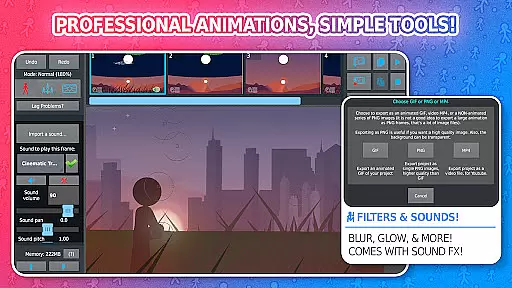
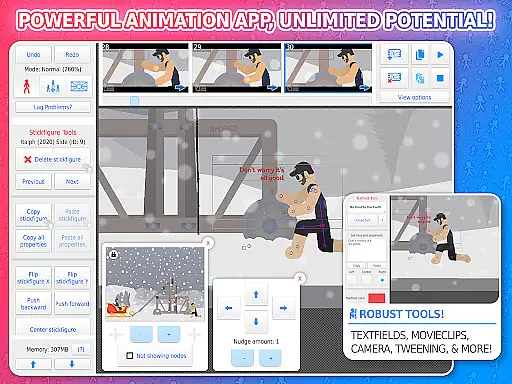
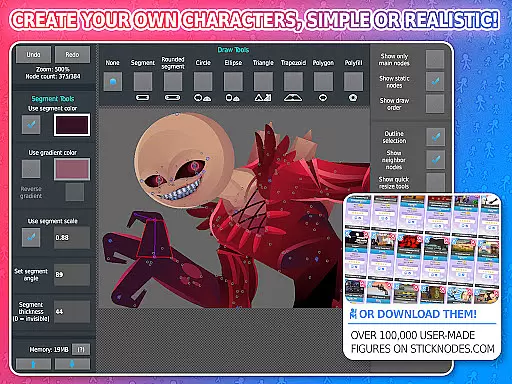
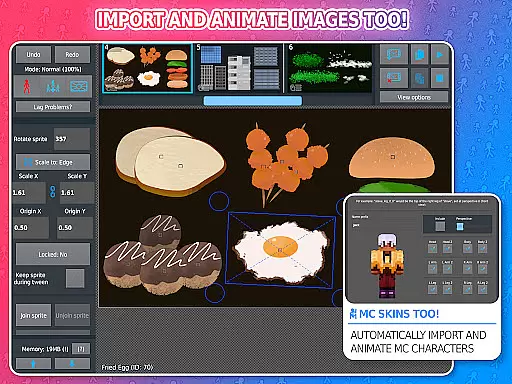
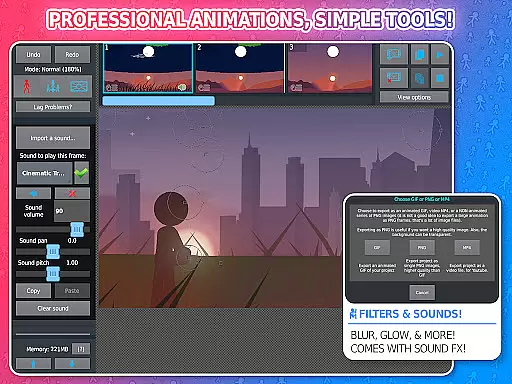
Stick Nodes Pro is a premier animation app designed for creating stickman-based animations on mobile devices. This powerful tool allows users to craft their own animated movies and export them as GIFs or MP4 videos. With its intuitive interface, it caters to both beginners and experienced animators.
The PRO version offers advanced features such as sound effects per frame, MP4 video exports, and customizable filters like blur and glow. These capabilities make it an ideal choice for young animators looking to enhance their storytelling with professional touches.
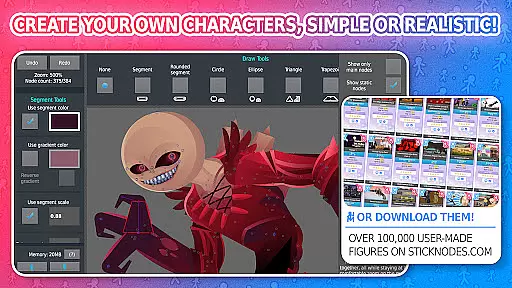
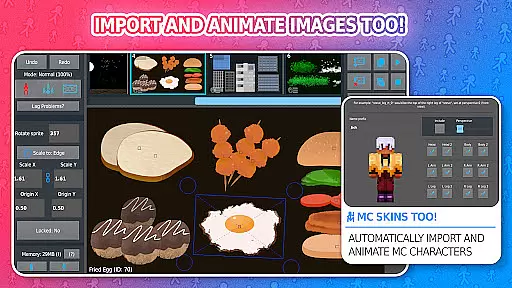
Whether you're animating stick figures or importing Minecraft skins, Stick Nodes Pro provides the tools necessary to bring your imagination to life. Its thriving community and vast library of downloadable stick figures further enrich the user experience.
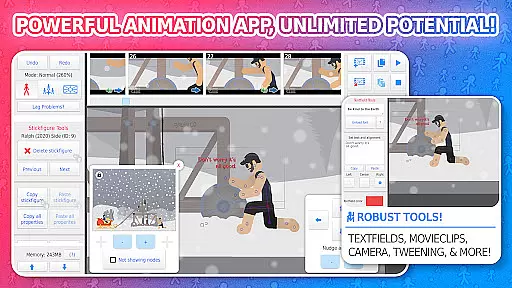
Stick Nodes Pro stands out with its comprehensive feature set tailored for animators. The app supports importing and animating images, automatic frame-tweening for smoother animations, and a customizable camera for scene manipulation. These features ensure that even complex animations are achievable on mobile devices.
Advanced functionalities include movie clips for reusable animations, text fields for dialogue, and various filters for visual effects. Users can also join stick figures together to simulate interactions, making their animations more dynamic and engaging.
With over 30,000 stick figures available for download and compatibility with Pivot stickfigure files, the creative possibilities are endless. The ability to save, open, and share projects adds convenience, while the active community fosters collaboration and learning among animators.
Stick Nodes Pro offers an impressive range of content that ensures users have everything they need to create dynamic animations. With over 30,000 stickfigures available for download and the ability to import custom images, animators can access a vast library of resources to bring their creative visions to life.
The app's compatibility with pre-3.0 Pivot stickfigure files and Minecraft skins adds another layer of versatility. This means users aren't just limited to traditional stick figures but can also experiment with different character designs and styles, keeping their content fresh and engaging.
Moreover, frequent updates and an active community contribute to the continuous addition of new stickfigures and features. Users can join a thriving network of animators who share their work and create new stickfigures daily, ensuring that there is always something new to explore within Stick Nodes Pro.
One of the standout features of Stick Nodes Pro is its ability to keep users engaged for extended periods. The app provides a comprehensive suite of tools that cater to both beginners and experienced animators, encouraging prolonged use as users learn and master various animation techniques.
Features such as automatic customizable frame-tweening, a simple camera for scene manipulation, and movieclips for reusable animations make the creative process smoother and more enjoyable. These functionalities not only enhance the quality of animations but also motivate users to spend more time refining their projects.
Additionally, the option to export animations as MP4 videos or GIFs allows users to share their creations easily, fostering a sense of accomplishment and community. By offering advanced features like sound effects and filters exclusively in the Pro version, Stick Nodes Pro incentivizes continued engagement and retention among its user base.
User-friendly interface
Extensive feature set
Vibrant community support
High-quality export options
Cross-platform compatibility
Pro features require purchase
Steep learning curve
Limited free resources
Occasional performance issues
Ads in free version

Simulation of Dashboard / Touch Screen for Tesla. (Works without actual Tesla).
 4.2
4.2
Best of icon for christmas
4.30
Watch everything you want.
2.90
Stream Live TV, News & Documentaries. Watch Full Seasons with PBS Passport.
4.80
Binaural Brainwave Doses for Every Imaginable Mood
3.60
Daily immersive workout plan: Body warm up & finger yoga exercises
3.80
Catch the latest episodes of The Voice or live stream NFL games with The NBC App
4.20
Original short dramas with diverse genres for a rich viewing experience!
4.80
Stream, Watch, Chat. Live.
4.00
SpiritWave is paranormal ITC application.
5.00
The OFFICIAL PeeWee Purpdrank Soundboard!
4.80
Stories that spark in seconds.
4.80
Wodfix Air aggregates popular online content for you.
4.80
Hand-drawn, cartoon OC creator - original character creator
4.70
Play games. Earn real rewards. Cash out in 3hours via PayPal or gift cards.
4.40
Experience the video editing experience brought by our intuitive interface
4.10
Realistic Baby Simulator App
4.00
Connect. Discover. Control.
3.60
Unofficial Game Companion App” “Guides • Builds • Tips • Progression
4.4


User Reviews