
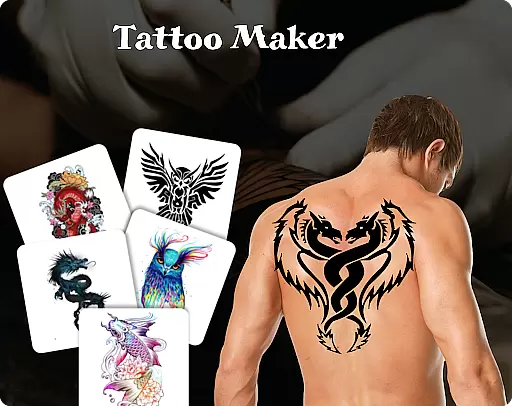
Tattoo Maker: Design & Art is a creative app that allows users to design custom tattoos and preview them on their body through realistic AR technology. With a vast library of tattoo designs, it caters to both tattoo enthusiasts and professional artists.
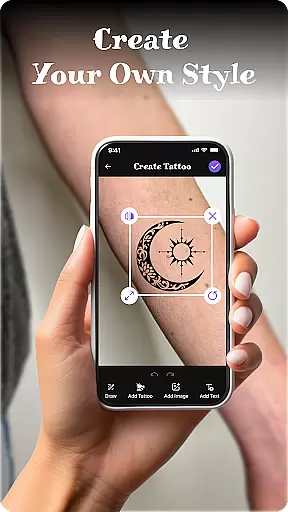
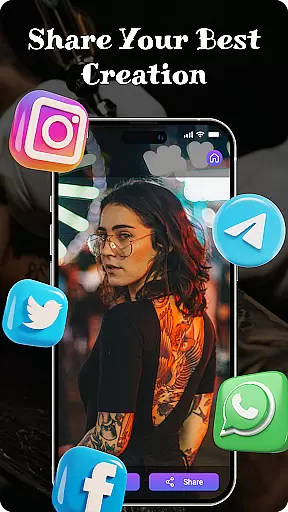
Users can craft unique tattoos using advanced art tools, add text with customizable fonts, and adjust the design to fit perfectly. The app also supports easy sharing of created designs, making it ideal for collaborative projects or showcasing your work.
Whether you're looking for inspiration or want to experiment with tattoo ideas, Tattoo Maker provides a fun and accessible platform for all skill levels. Its intuitive interface ensures that even beginners can create stunning designs while offering enough depth for experienced artists.
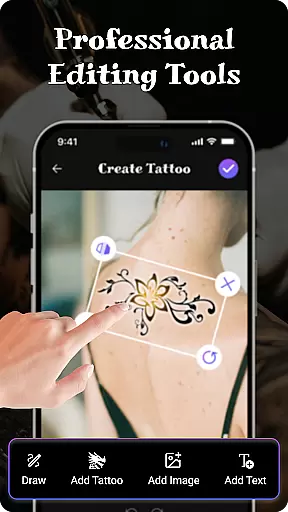
Tattoo Maker offers an impressive range of features designed to enhance creativity and precision in tattoo design. Users can utilize pro art tools such as brushes, sizes, and vibrant colors to draw detailed tattoos.
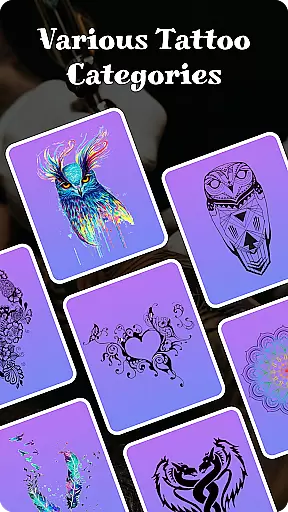
The app includes a feature for adding text to your designs with cool fonts and colors, allowing for personalized touches. Additionally, the extensive tattoo art library provides inspiration with various styles from small to intricate designs.
One standout feature is the ability to preview tattoos on a photo of your body, offering a realistic view of how the design will look. This AR functionality helps users scale and rotate their designs for optimal placement before committing to ink.
When it comes to designing tattoos, having access to a comprehensive product database is essential. Tattoo Maker: Design & Art offers an extensive collection of tattoo designs and art resources that cater to various preferences and styles. This app provides users with a rich repository of small to intricate tattoo patterns, ensuring that both beginners and experienced artists can find inspiration for their next piece.
The depth of the product database in Tattoo Maker goes beyond just offering pre-made designs. It includes a variety of creative tools such as brushes, sizes, and vibrant colors which allow users to craft unique tattoos tailored to their vision. The ability to flip, rotate, and adjust the size of design elements ensures that each tattoo fits perfectly on the desired area of the body.
Moreover, the app enables users to add text to their artwork with cool fonts and colors, providing another layer of customization. This feature allows for personal messages or names to be integrated seamlessly into the tattoo design, making each creation not only visually appealing but also deeply personal.
By leveraging the detailed product database within Tattoo Maker, users gain access to everything they need to create professional-looking tattoos from the comfort of their home. Whether you're looking for inspiration or specific design components, this app delivers the tools necessary to bring your ideas to life.
Personalization is at the heart of creating meaningful tattoos, and Tattoo Maker: Design & Art excels in delivering precise customization options. With its intuitive interface, users can easily personalize every aspect of their tattoo designs. From selecting specific elements to adjusting colors and sizes, the app ensures that each tattoo reflects the user's individuality and creativity.
One standout feature is the ability to preview tattoos on a photo of your body using augmented reality (AR). By uploading a personal photo, users can see how their custom design will look in real life. This realistic AR view helps in scaling and rotating the tattoo for optimal placement, ensuring that the final result meets expectations before committing to ink.
In addition to visual adjustments, Tattoo Maker offers advanced text insertion capabilities. Users can incorporate personalized messages or names into their designs with ease. The app provides a range of cool fonts and color options, allowing for seamless integration of textual elements that enhance the overall aesthetic of the tattoo.
Ultimately, Tattoo Maker empowers users to achieve unparalleled personalization precision. By combining a vast art library with powerful editing tools, the app makes it possible to create truly unique and customized tattoos that resonate on a personal level. Whether you're an amateur enthusiast or a seasoned artist, this app supports your journey towards crafting one-of-a-kind body art.
User-friendly interface
Extensive art library
Realistic AR previews
Vibrant color options
Easy sharing capabilities
Limited free features
In-app purchases required
Occasional bugs reported
Design tools could be more advanced
Learning curve for beginners

Your Personal Stylist for Smart Shopping, Beauty & Styling Outfits.
 4.1
4.1
Professional HD Camera App: Capture Bright HD Selfie & Record Stunning Moments
4.40
Intelligent Beauty calculator tool! Face scale and face symmetry in one app!
3.80
Seasonal color palettes for shopping clothes and makeup products with confidence
4.20
Transform your sweet selfies with Selfie Beauty Camera Filters And Effects!
4.60
Hair style app, Face shape finder, Face shape, Hair style, Face shape detector
4.30
Try On Style with AI: Virtual Dressing Room & Personal Fashion Stylist App
4.00
The ultimate beauty membership
4.70
Snap stunning selfies with AI from the Sweet Beauty Camera editor
4.10
Use your phone as a makeup mirror, shaving mirror. Magnifying mirror with light!
4.80
Photo enhancer 360, image enhancement, restore old photos, colorize photo ai
4.70
Selfiechat Filters for amazing photos with Funny face filters
4.60
The mirror app you were looking for, simple and easy to use. Try Mirror now.
4.60
Winter picture editor: Christmas stickers, frames for photos & Christmas cards.
4.40
Seasonal color palette, my personal color, hair color changer, makeup, wardrobe
4.20
Healthier, more beautiful with Medicube Digital Clinic AGE-R!
4.10
Never run out of your go-to beauty & get 5% off with auto-replenish deliveries!
4.00
The Official Voting App
3.90
Your future self face age old or young from camera selfie into beautify videos
4.0


User Reviews