
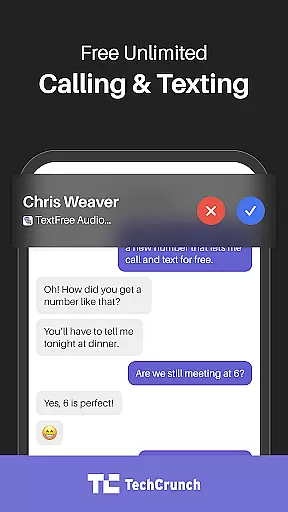

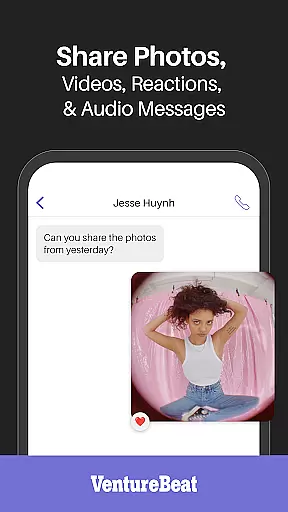

TextFree is a versatile communication app that provides users with a free second phone number for calling and texting. This social tool is designed to help individuals maintain privacy while managing both personal and professional communications seamlessly. With its user-friendly interface, TextFree allows you to make free calls and send unlimited texts using WiFi or data connection.
The app stands out by offering essential features such as the ability to send multimedia messages including photos GIFs and PDFs. Whether you're a freelancer student or someone who simply wants an additional line for work-life balance TextFree offers a reliable solution without any extra costs or hidden fees. Its integration with popular online services also makes it ideal for job searches online purchases and even dating apps where privacy is paramount.
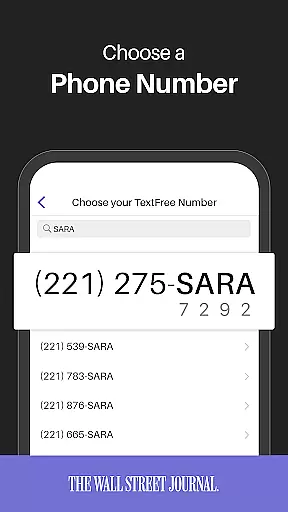
TextFree comes packed with features that enhance your communication experience. One of its core functionalities is providing a free second phone number which can be used for both calling and texting. This feature ensures that your primary number remains private while still allowing you to communicate effectively.
In addition to basic calling and texting TextFree supports sending various types of media files like images GIFs and documents. The app also includes advanced options such as group messaging emoji reactions and voice message replies making conversations more interactive. Furthermore users can enjoy uninterrupted service through TextFree Plus which removes ads reserves your chosen number and allows frequent changes to suit individual preferences.
In the realm of social applications, user profile customization and authenticity verification are pivotal for fostering trust and personal expression. TextFree offers a robust platform where users can tailor their profiles to reflect their unique identity while ensuring the authenticity of their second phone number. This dual focus not only enhances user engagement but also fortifies the network's integrity.
TextFree allows users to create and customize their profiles with ease, offering options to include personal information that aligns with their privacy preferences. The ability to choose what to share and what to keep private empowers users, giving them control over their digital persona. This level of customization ensures that each profile is a true reflection of its owner, enhancing genuine connections within the app.
Authenticity verification is another cornerstone of TextFree's user profile system. By providing a legitimate second phone number, the app verifies the identity of its users, thereby reducing spam and fraudulent activities. This verification process reassures users that they are interacting with real people, thus cultivating a safer and more reliable communication environment.
The combination of customizable profiles and stringent authenticity checks provides immense value to users. It not only facilitates a personalized experience but also builds a community grounded in trust and security. Users can confidently engage in conversations, knowing that their interactions are protected by verified identities and bolstered by personalized profile settings.
Connection discovery stands as a vital feature in social apps like TextFree, enabling users to find and connect with others effortlessly. This functionality is designed to enhance user interaction by suggesting potential contacts based on shared interests, mutual connections, or proximity, thereby enriching the communication experience.
TextFree leverages sophisticated algorithms to recommend connections that align with a user's profile and communication habits. Whether it's linking professionals for business discussions or helping friends reconnect, the app's intelligent matching system ensures relevant and meaningful suggestions. These recommendations are continuously refined through user interactions, improving accuracy and relevance over time.
Beyond automated suggestions, TextFree also empowers users to search for specific individuals or join groups centered around common interests. This active discovery mechanism complements the passive connection suggestions, offering a comprehensive approach to expanding one's network. Users can explore diverse communities, engage in group chats, and participate in discussions that resonate with their personal or professional life.
The true value of connection discovery in TextFree lies in its ability to break down communication barriers. By facilitating introductions and fostering new relationships, the app not only broadens users' social horizons but also enhances their overall engagement. This feature transforms TextFree from a mere communication tool into a dynamic platform for networking and community building.
Free second phone number
No hidden charges
Easy multimedia sharing
Privacy protection
User-friendly interface
Limited international support
Occasional connectivity issues
Ads in free version
Verification code delays
Subscription cost for premium

Positive social
 4.20
4.20
This is to support the developer of Infinity for Reddit. No exclusive features.
4.2
Meet local people, make friends & network: Join a community, group, host events
4.00
Discover an open-minded dating experience when you download today
4.10
FREE calling and texting (SMS texts + MMS) in US & Canada with FREE phone number
4.30
Random chat & meet online. Find your soulmate or someone special and have fun!
3.90
live inside your fandom
4.60
SuperLive is a super popular video-streaming social network
4.60
A little connection can go a long way
4.60
Date single & make friend
4.60
Social calendar for friends to make plans, group chat, share events & schedules
4.60
Global short video platform: epic effects, trending videos & vibrant community!
4.40
Social App Used By Millions
4.40
TikTok Lite - Designed for speed, simplicity, and saving your phone’s space!
4.40
Watch 24/7 live stream, and make real friends nearby
4.30
A gathering place for 300 million people's life interests and hobbies
4.30
Honest dating app where real people find genuine love and real matches.
4.20
Watch, Edit, Upload and Share Gaming Clips
4.00
The video chat to meet people in the blink of an eye!
3.90


User Reviews